

Advice and answers from the Advanced Web Ranking Team
Search for articles
>
>
SERP Features Evolution in Time Data Source for Data Studio: Dimensions and Parameters Explained
Learn what each attribute means in AWR's SERP Features Evolution in Time data source for Data Studio. Includes definitions for dimensions and parameters.

The SERP Features Evolution in Time data source tracks how often specific SERP features appear in your project's search results over time, from AI Overviews and Featured Snippets to Videos, Local pack, Discussions & Forums, and dozens more.
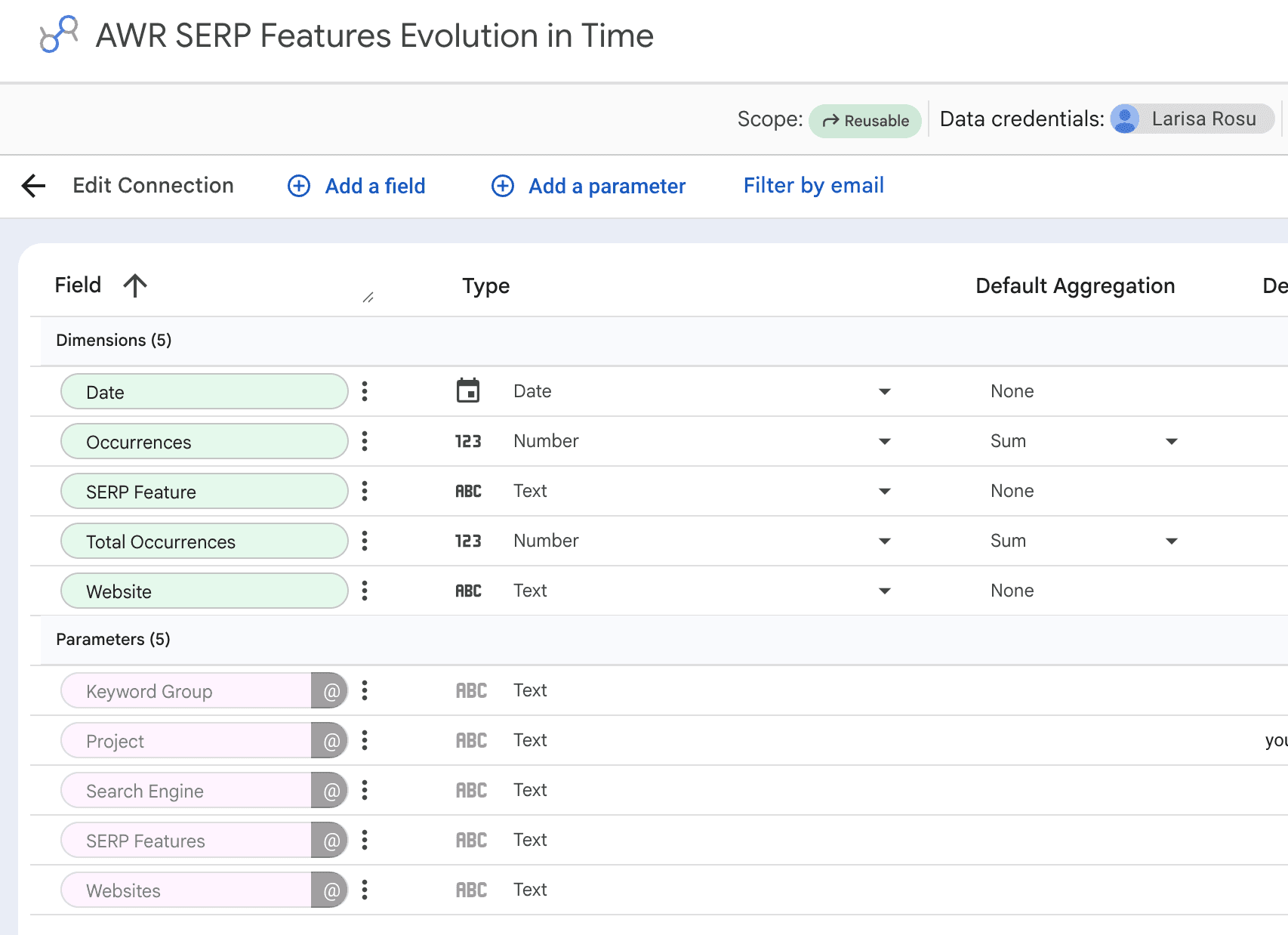
This article walks through the dimensions and parameters available, with definitions to help you build reports that follow SERP feature trends alongside your ranking data.
What this article covers
This guide covers the SERP Features Evolution in Time data source for Data Studio. It's designed for tracking how the SERP composition changes for your tracked keywords over time: how many times a specific SERP feature appears across the keyword set, which of your tracked domains capture those features, and how those numbers shift update by update.
💡 For setup instructions, see Data Studio Data Source Setup.
Use this data source when you want to chart SERP feature presence over time, monitor AI Overviews growth, or spot which SERP features are becoming more or less common in your keyword set.
Dimensions
The SERP Features Evolution in Time data source exposes 5 dimensions in Data Studio, covering feature occurrence counts, the SERP feature type itself, and the website tied to each row. Below you'll find the full set, grouped by what each field tells you, with default aggregation methods included.
⚠️ Each dimension carries a default aggregation that reflects how AWR computes the value at source. Changing the aggregation on Occurrences or Total Occurrences will produce values that don't match what AWR reports. Learn more.
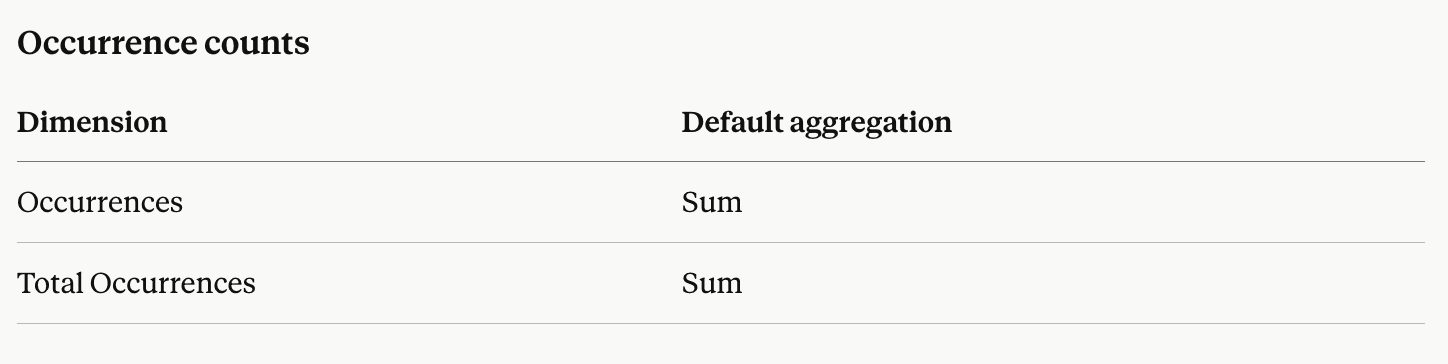
Occurrences: the number of times a website appeared for a specific SERP feature across the tracked keyword set on a given update date. This is the Data Studio equivalent of the Achieved metric you see in AWR which shows how many times your site owned that feature type.
Total Occurrences: the total number of times the SERP feature was triggered across the entire tracked keyword set on a given update date, regardless of which website appeared. Combined with Occurrences, it gives you the share of feature coverage owned by each website (Occurrences ÷ Total Occurrences).

SERP Feature: the type of SERP feature the row represents. Values include Organic, AI Overviews, Featured Snippets (paragraph, list, table, video), Local pack, Top stories, Videos, Shopping, Images, Discussions & Forums, People also ask, Sitelinks, Carousel, Knowledge panel, Direct answer, Recipes, Jobs, Reviews, FAQ, Products, How-To, Q&A, Tweets, and many more. The full list depends on what your project tracks.
Website: the main website or any competitor domain tracked in your AWR project.

Date: the day the ranking update was completed.
Parameters
Parameters are chosen when setting up the data source and shape which slice of AWR data the connection returns. Most of them can be exposed as in-report controls so editors can adjust filters directly inside Data Studio without touching the data source itself.
Project: the AWR project supplying the data. Only one project per data source.
Websites: the main website and any competitor domains tracked in the selected project. Select one or more, or choose All Websites to include every domain tracked in the project.
Search Engine: a single search engine from the selected project. Only one search engine can be selected per data source.
Keyword Group: a single keyword group from the selected project, or leave empty to include all keyword groups.
SERP Features: filters the data to specific SERP feature types. Choose one or more from the list (Organic, Local pack, Top stories, Videos, Shopping, Images, Featured snippets, AI Overviews, Discussions & Forums, and any other feature AWR tracks in your project), or select All SERP Features to include every type.
💡The configuration steps for every parameter are documented in the Data Studio Data Source Setup guide.
Explore metrics and dimensions for other AWR data sources
For a full list of AWR metrics available per report type, see:
stay in the loop