

Advice and answers from the Advanced Web Ranking Team
Search for articles
>
>
Market Share Data Source for Data Studio: Dimensions and Parameters Explained
Learn what each attribute means in AWR's Market Share data source for Data Studio. Includes definitions for dimensions and parameters.

The Market Share Evolution In Time data source pulls competitive insights into Data Studio, showing how your website stacks up against the top 20 ranking domains for your tracked keywords. This article walks through the dimensions and parameters available, with definitions to help you build reports that put competitor performance in context.
What this article covers
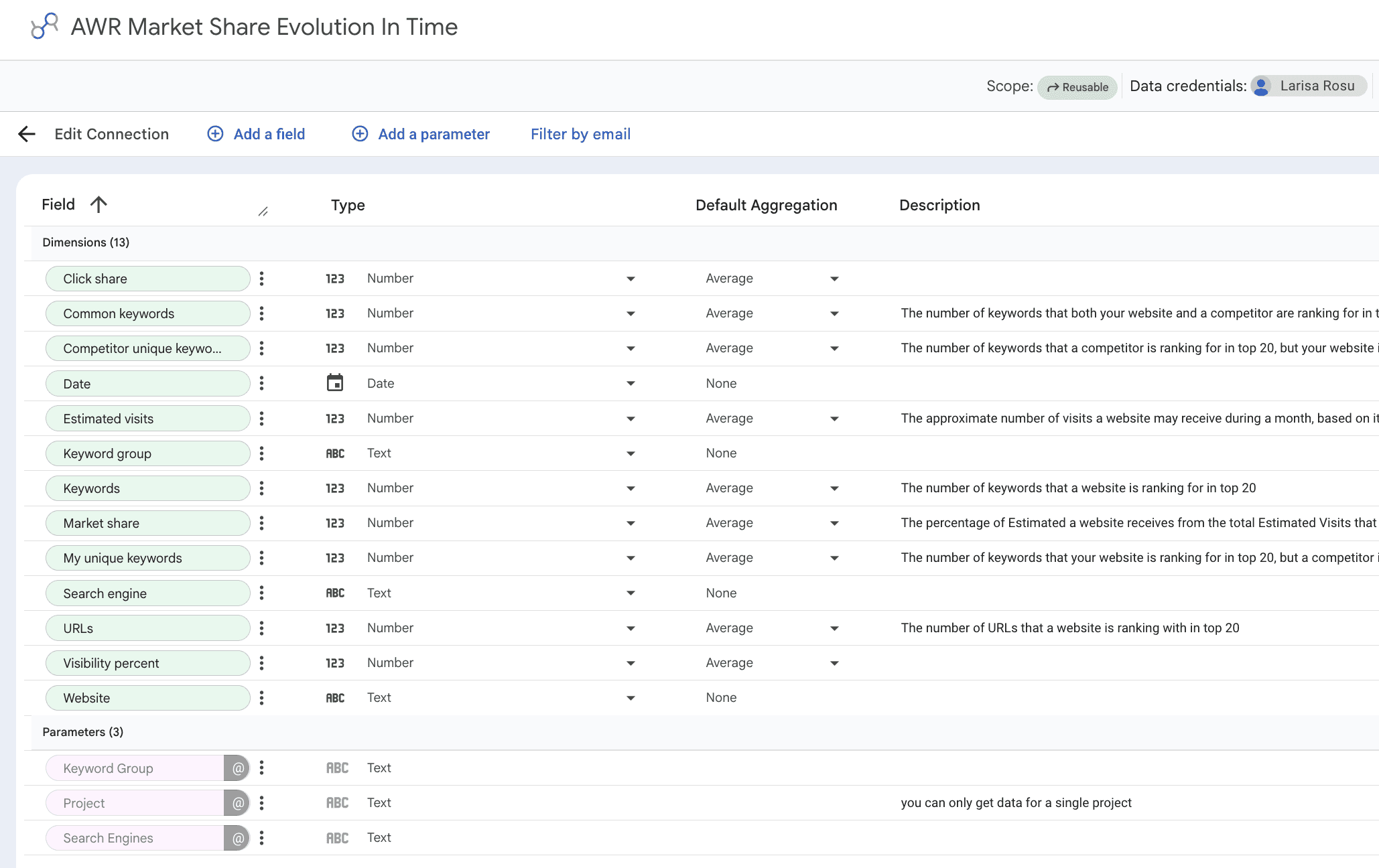
This guide covers the Market Share Evolution In Time data source for Data Studio. It's designed for tracking how your website's market position evolves over time against the top 20 ranking domains for your tracked keywords, with filtering by search engine and keyword group.
Use this data source when you want to chart your share of voice against competitors over time, spot where you're gaining or losing ground in the SERP, and quantify keyword overlap between your domain and theirs.
💡 For setup instructions, see Google Data Studio Setup.
Dimensions
The Market Share data source treats every field as a dimension in Data Studio. The list includes share-of-voice metrics, keyword overlap counts with competitors, and the contextual labels that tie everything together. Below you'll find the full set, grouped by what each one tells you about your website and the competition.
Performance
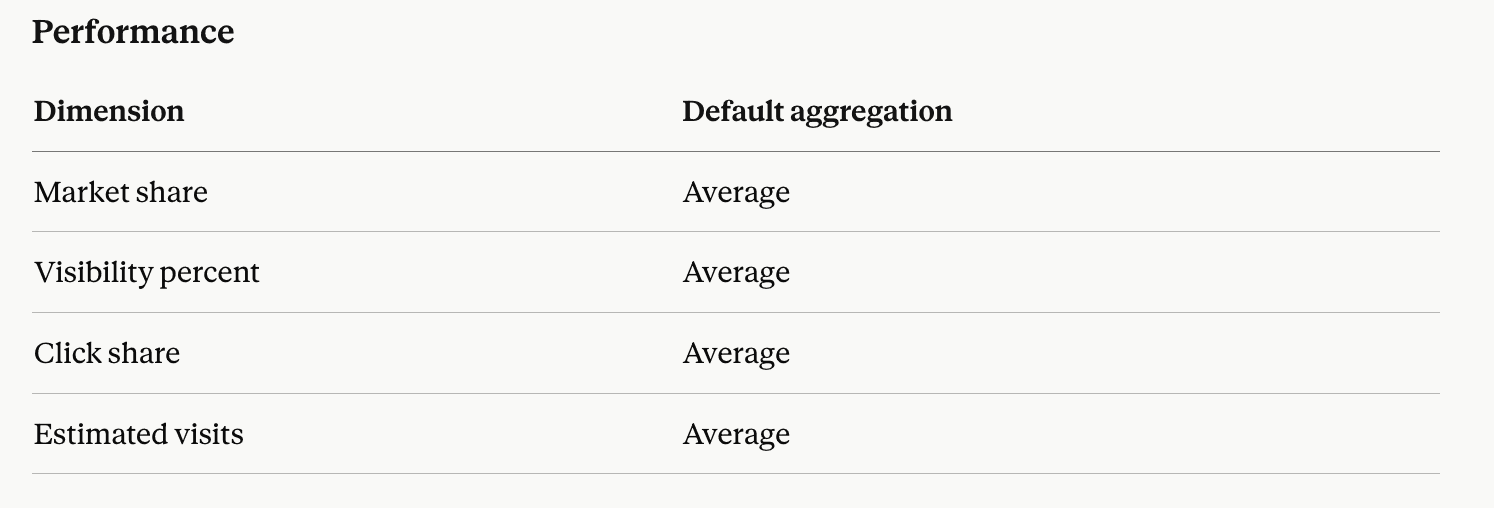
Market share: the slice of total estimated monthly visits a website captures from the top 20 ranking keywords in the project, expressed as a percentage. It's the share-of-voice metric for competitive comparison.
Visibility percent: a search performance indicator based on top 20 keyword positions, showing how visible each tracked domain is in Google's organic search.
Click share: the estimated percentage of clicks a top domain might get from organic search, based on its top 20 ranking keywords and their related CTR. The estimate is calculated according to the Click Share preference selected at the AWR account level, either as an average for all top 20 ranking URLs or weighted based on SERP Features appearance in Google SERPs.
Estimated visits: the projected monthly traffic a website could receive from its top 20 ranking keywords, derived from search volume and click share.
Keyword overlap
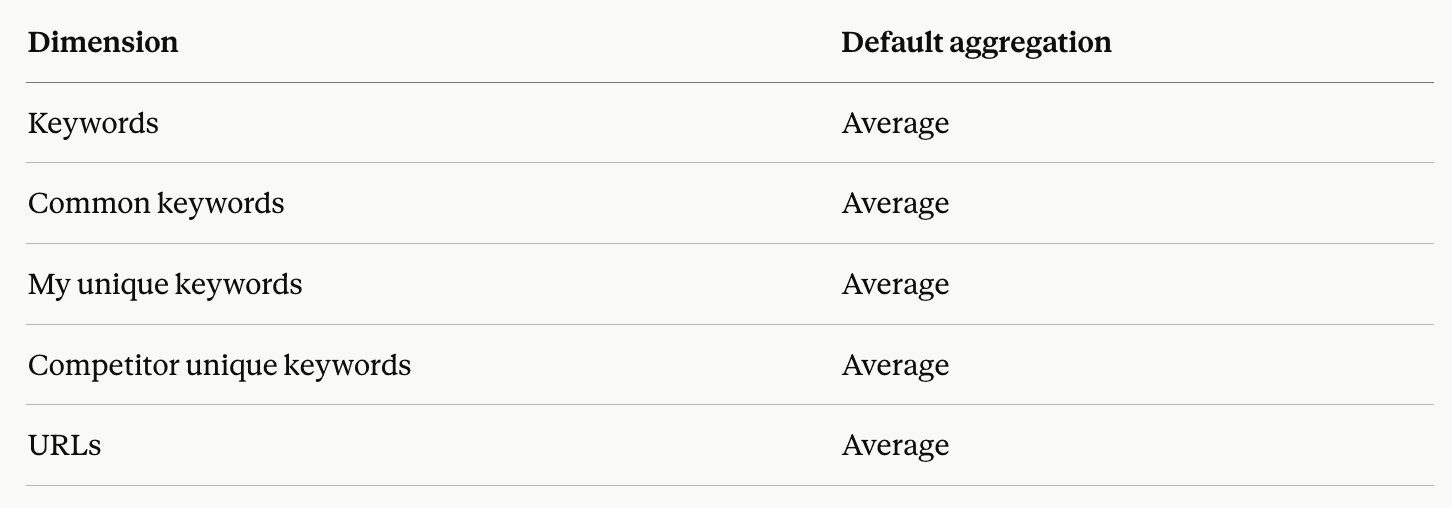
Keywords: the number of keywords a website is ranking for in the top 20.
Common keywords: the number of keywords both your website and a competitor are ranking for in the top 20.
My unique keywords: the number of keywords your website ranks for in the top 20, but a competitor is not ranking for.
Competitor unique keywords: the number of keywords a competitor ranks for in the top 20, but your website is not ranking for.
URLs: the number of URLs a website is ranking with in the top 20.
Other
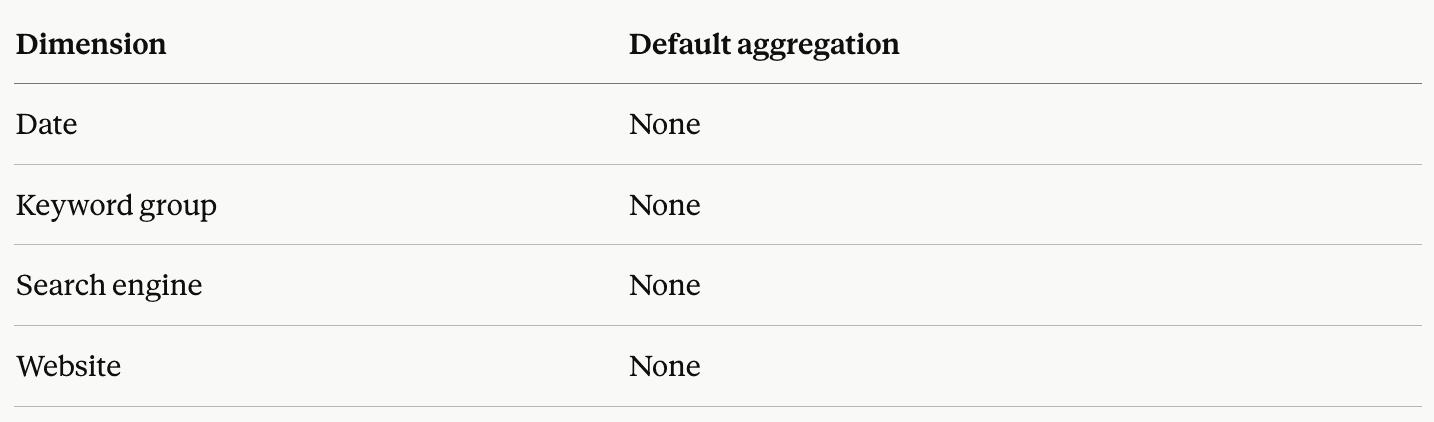
Date: the day the ranking update was completed.
Keyword group: the keyword groups each tracked keyword is assigned to in AWR.
Search engine: which search engine version the data was tracked on (for example, Google.com Desktop or Google.com Mobile).
Website: the main website or competitor domain tracked in your AWR project.
⚠️ Each dimension ships with a default aggregation tied to how AWR computes the value at source. Pick a different aggregation on fields like Market share, Visibility percent, or Click share and the values Data Studio displays will stop matching AWR's reports.
Parameters
Parameters lock in the slice of AWR data this data source returns. You set them once at connection time, and you can also flag them as editable so report editors can swap filter values directly inside the report.
Project: the AWR project the data comes from. Only one project can be selected per data source.
Search Engines: the search engines configured in the selected project.
Keyword Group: the keyword group defined in the selected project. Only one keyword group can be selected at a time.
The Google Data Studio Setup guide walks through each parameter and how to fill it in.
Explore metrics and dimensions for other AWR data sources
Do you have any other questions? Don’t hesitate to get in touch and we will keep building the FAQ.
stay in the loop