

Advice and answers from the Advanced Web Ranking Team
Search for articles
>
>
Keyword Ranking Data Sources for Data Studio: Metrics, Dimensions, and Parameters
Learn what each attribute means in AWR's Keyword Ranking data sources for Data Studio. Includes definitions for dimensions, metrics, and parameters.

If you want to bring keyword position data into Data Studio, AWR gives you two data sources to choose from: Keyword Ranking Date Comparison and Keyword Ranking Evolution In Time. They pull from the same underlying dataset but serve different reporting needs, so the one you pick depends on what you're building.
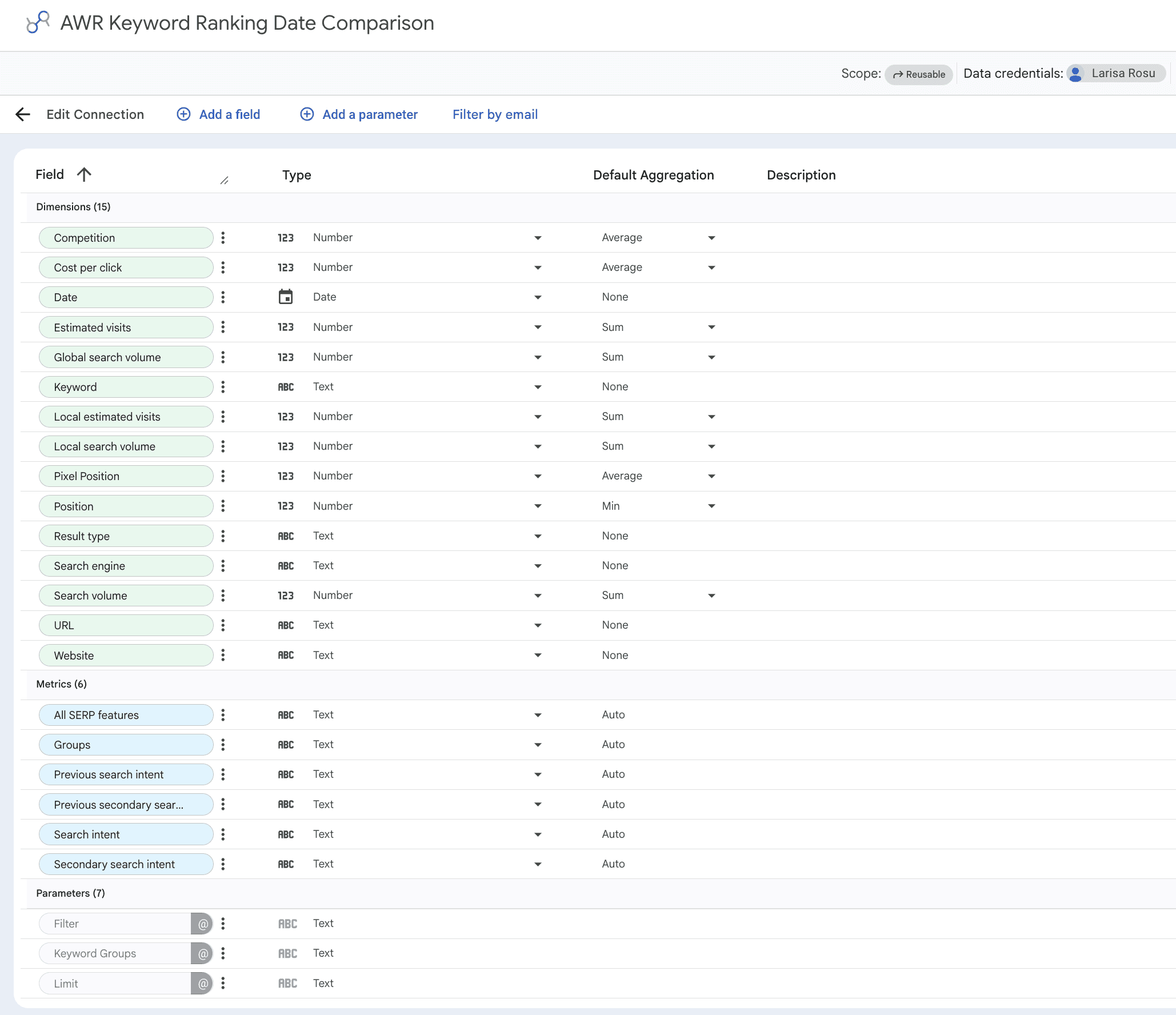
This article walks through the dimensions, metrics, and parameters available in each, with definitions to help you build your reports with confidence.
What this article covers
This guide covers the two keyword ranking data sources available for Data Studio:
Keyword Ranking Date Comparison: great for snapshot reports of keyword positions on specific update dates, with filtering by website, search engine, and rank bucket. Supports up to 250,000 rows, so it's the right pick for bulk exports.
Keyword Ranking Evolution In Time: designed for monitoring how a focused set of keywords moves over time. Capped at 250 rows, so it's built for tracking a small keyword set update by update, not for bulk analysis.
Pick Date Comparison when you need bulk exports or a wide snapshot across a large keyword list. Pick Evolution In Time when you want to track how a focused set of keywords (or even one specific keyword) move over a selected time range.
💡 For setup instructions, see Google Data Studio Setup.
Dimensions
Dimensions in Data Studio describe your data and let you slice it into rows, groups, or filters inside your reports. The list below covers every dimension supported by the two ranking data sources, with default aggregation methods alongside each one.
⚠️ Every dimension carries a default aggregation matched to how AWR computes that value behind the scenes. If you change the aggregation on numeric fields like Position, Search volume, or Estimated visits, Data Studio will return values that don't line up with AWR's reports. Learn more.
Ranking and SERP context
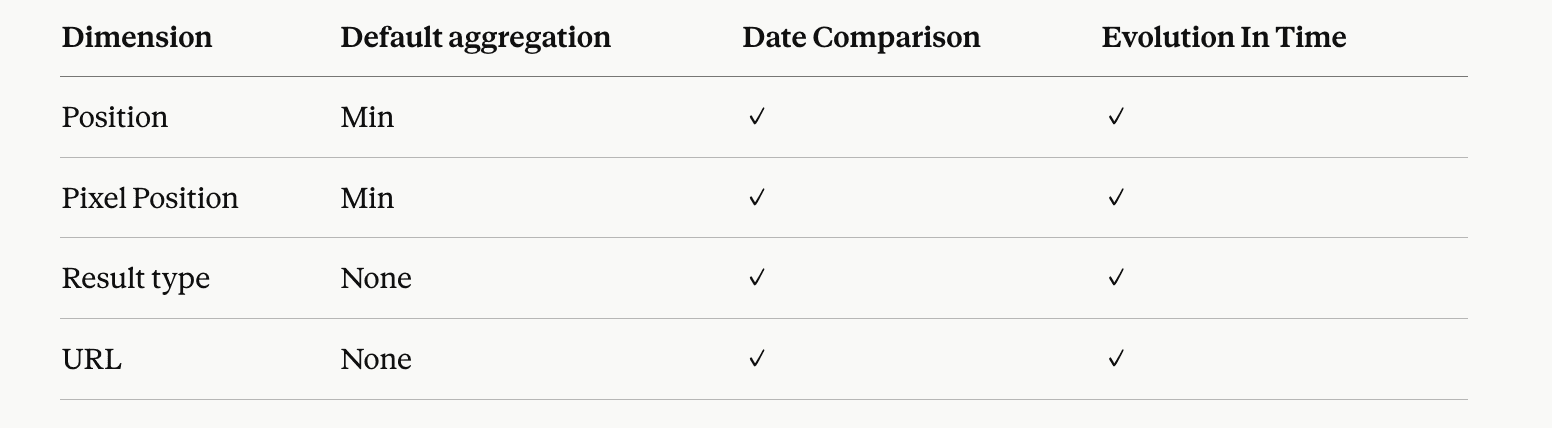
Position: where your domain or a competitor's domain showed up in the SERPs during the ranking updates.
Pixel Position: how far down the SERP a result appears, measured in pixels. Calculated for the top 10 Google results.
Result type: the type of search result the URL appeared as, such as Organic, Featured Snippet, People Also Ask, Image, or any other SERP feature AWR tracks.
URL: the exact landing page that showed up in the SERPs for the keyword.
Keyword data
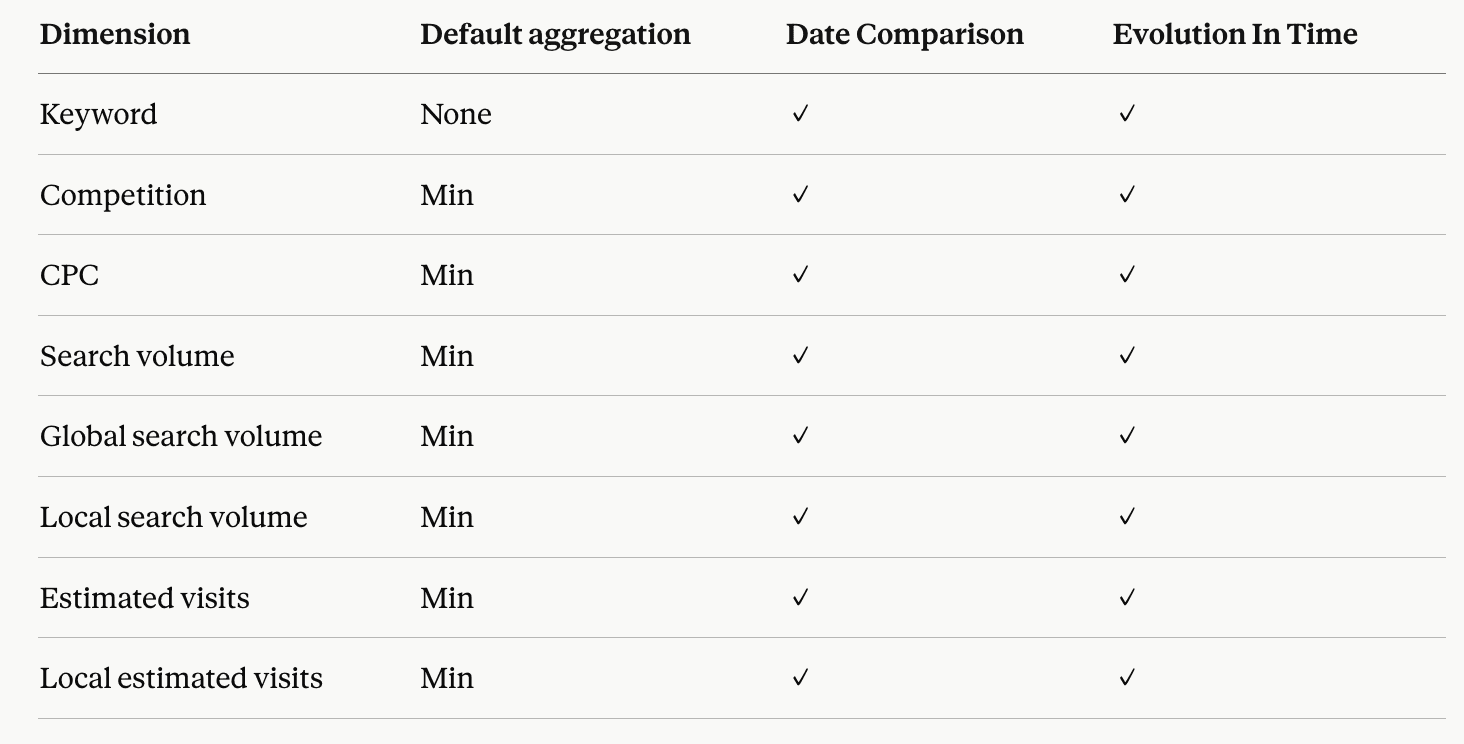
Keyword: the search term you're tracking in your AWR project.
Competition: a difficulty indicator scored from 0 to 1 based on how many advertisers bid on the keyword in Google Ads. Higher values mean more competition, lower values mean less.
CPC: the average price advertisers pay per click on Google Ads for the keyword, from the last 30 days, relative to the country selected for the search engine.
Search volume: how often a keyword is searched on Google each month, based on data from the country tied to the monitored search engine. Pulled from Google Keyword Planner and refreshed every 30 days.
Global search volume: how often a keyword is searched on Google across all locations and languages supported by Keyword Planner.
Local search volume: how often a keyword is searched on Google, narrowed down to the custom location tied to the search engine. Refreshed every 30 days.
Estimated visits: an approximation of how many monthly visits a website might get from its top 20 ranking keywords, calculated from related search volume and click share.
Local estimated visits: the same idea as Estimated visits, but narrowed down to the custom location set for the search engine.
Other
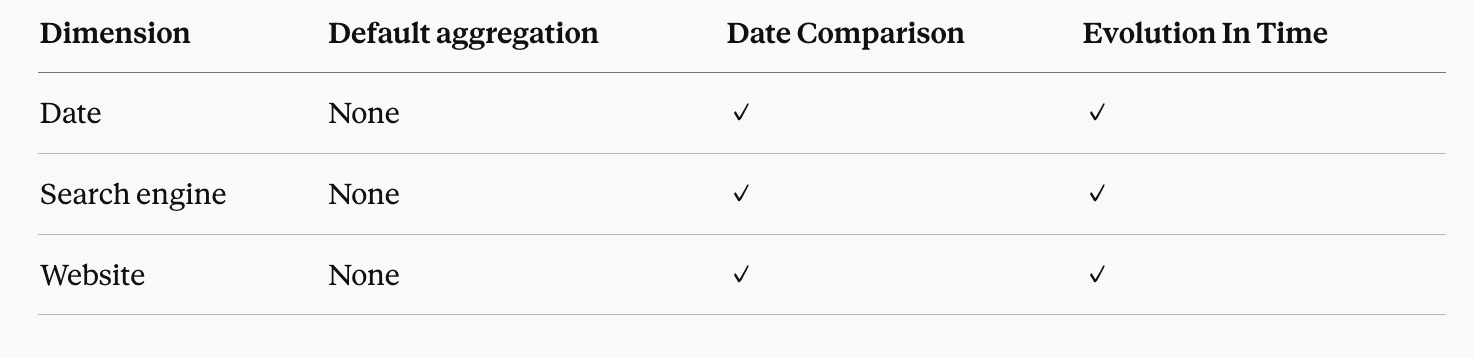
Date: the day the ranking update was completed.
Search engine: which search engine version the keyword was tracked on (for example, Google.com Desktop or Google.com Mobile).
Website: the main website or competitor domain tracked in your AWR project.
Metrics
Metrics in Data Studio are the values you chart, aggregate, or compare across dimensions. The keyword ranking data sources expose six of them, all tied to keyword context and SERP signals.
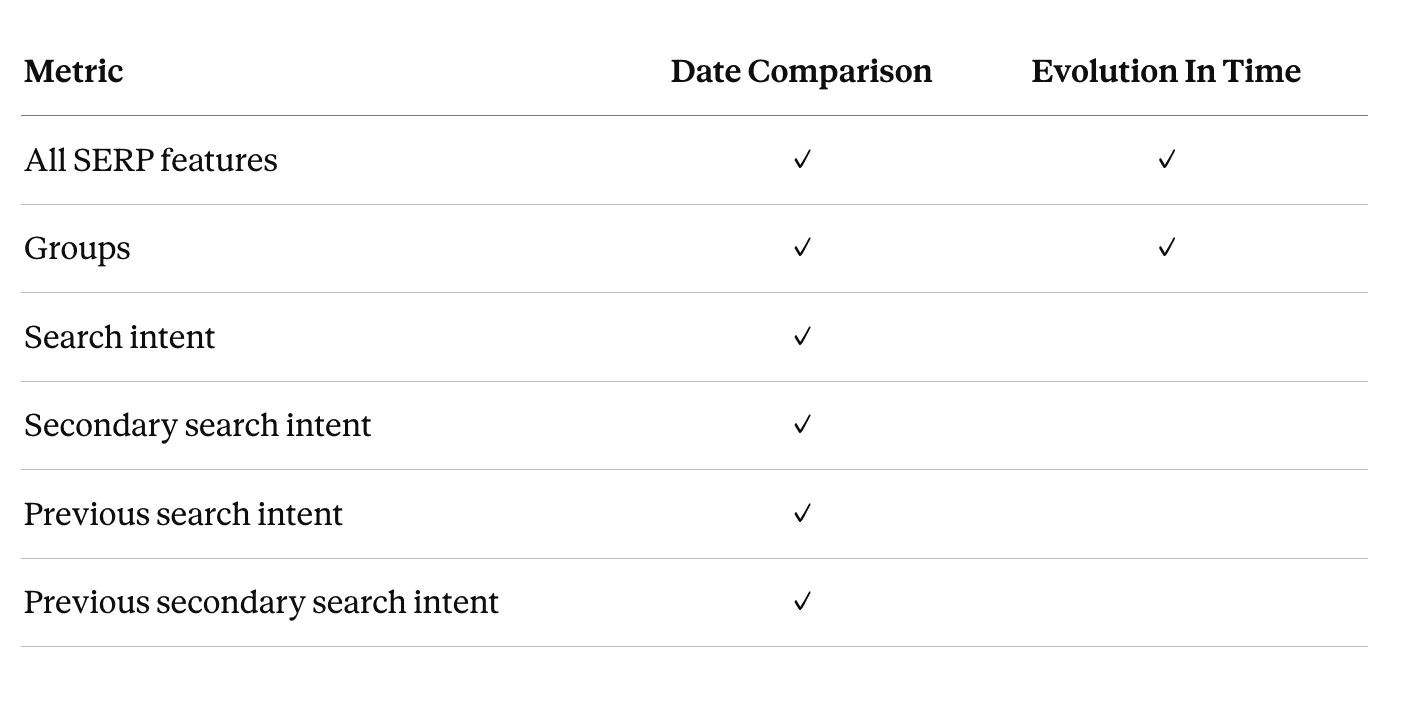
All SERP features: the full list of SERP features triggered for a keyword, such as Featured Snippet, AI Overview, People Also Ask, or Image Pack.
Groups: the keyword groups each tracked keyword belongs to in AWR.
Search intent: what users are most likely trying to do when searching the keyword, based on the top 10 Google results. Categorized as Informational, Navigational, Commercial, or Transactional.
Secondary search intent: a second intent pattern picked up from the same top 10 results, alongside the dominant one.
Previous search intent: the dominant search intent from the previous ranking update, useful for spotting shifts in user intent over time.
Previous secondary search intent: the secondary intent from the previous ranking update, useful for tracking how supporting intent patterns change.
Parameters
Parameters are the choices you make during connection setup that define which AWR data the data source returns. Most of them can be exposed inside the report so editors are free to change filter values without rebuilding the connection.
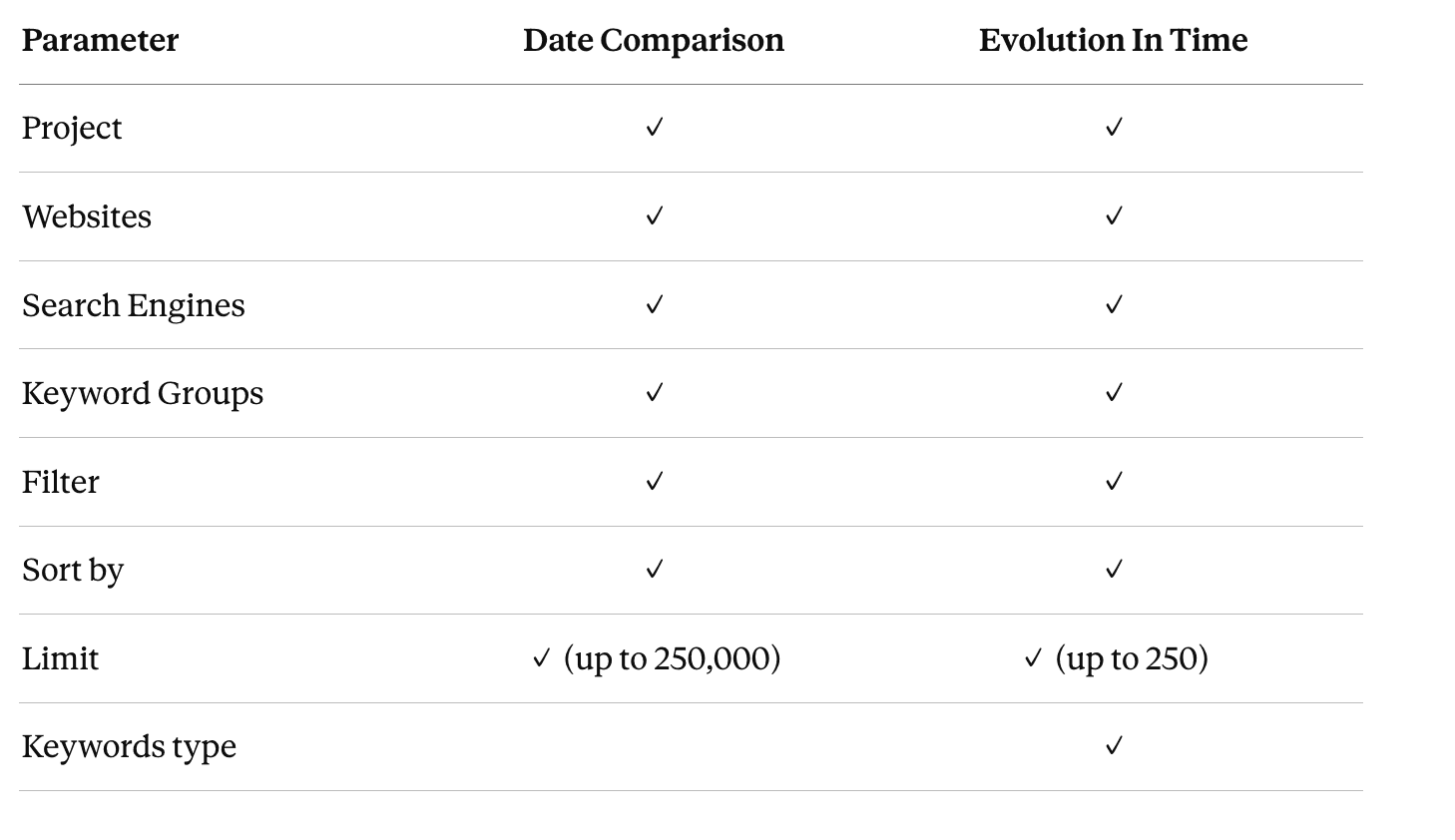
Project: the AWR project the data comes from. Only one project can be selected per data source.
Websites: the main website and any competitor domains tracked in the selected project.
Search Engines: the search engines configured in the selected project.
Keyword Groups: the keyword groups defined in the selected project.
Filter: narrows the keywords pulled in based on where they rank (for example, Top 5, Top 10, First page, Ranked).
Sort by: controls how rows are ordered in the data source (by Position, CPC, or Search volume, ascending or descending).
Limit: caps the number of rows returned. Date Comparison supports up to 250,000 rows, while Evolution In Time caps at 250.
Keywords type (Evolution In Time only): controls whether the data source tracks a single keyword or multiple keywords over time. When set to Single keyword, two extra fields show up: Keyword name filter (to narrow the keyword dropdown) and Keyword (to pick the specific keyword to track).
💡Setup details for each parameter live in the Google Data Studio Setup.
stay in the loop