

Advice and answers from the Advanced Web Ranking Team
Search for articles
>
>
Keyword Gap Data Source for Data Studio: Dimensions, Metrics, and Parameters Explained
Learn what each attribute means in AWR's Keyword Gap data source for Data Studio. Includes definitions for dimensions, metrics, and parameters.

The Keyword Gap data source brings competitive keyword data into Data Studio, putting your website's positions side by side with up to 4 competitors on the same set of tracked keywords. This article breaks down the dimensions, metrics, and parameters available, with definitions to help you build reports that surface ranking opportunities and competitive gaps.
What this article covers
The Keyword Gap data source is built around one job: comparing keyword-level performance across your website and up to 4 competitors, on a single search engine and keyword group at a time. The export includes positions, search demand, difficulty, intent signals, and SERP context for every keyword in the selected scope.
💡 For step-by-step setup, head over to Google Data Studio Setup.
Dimensions
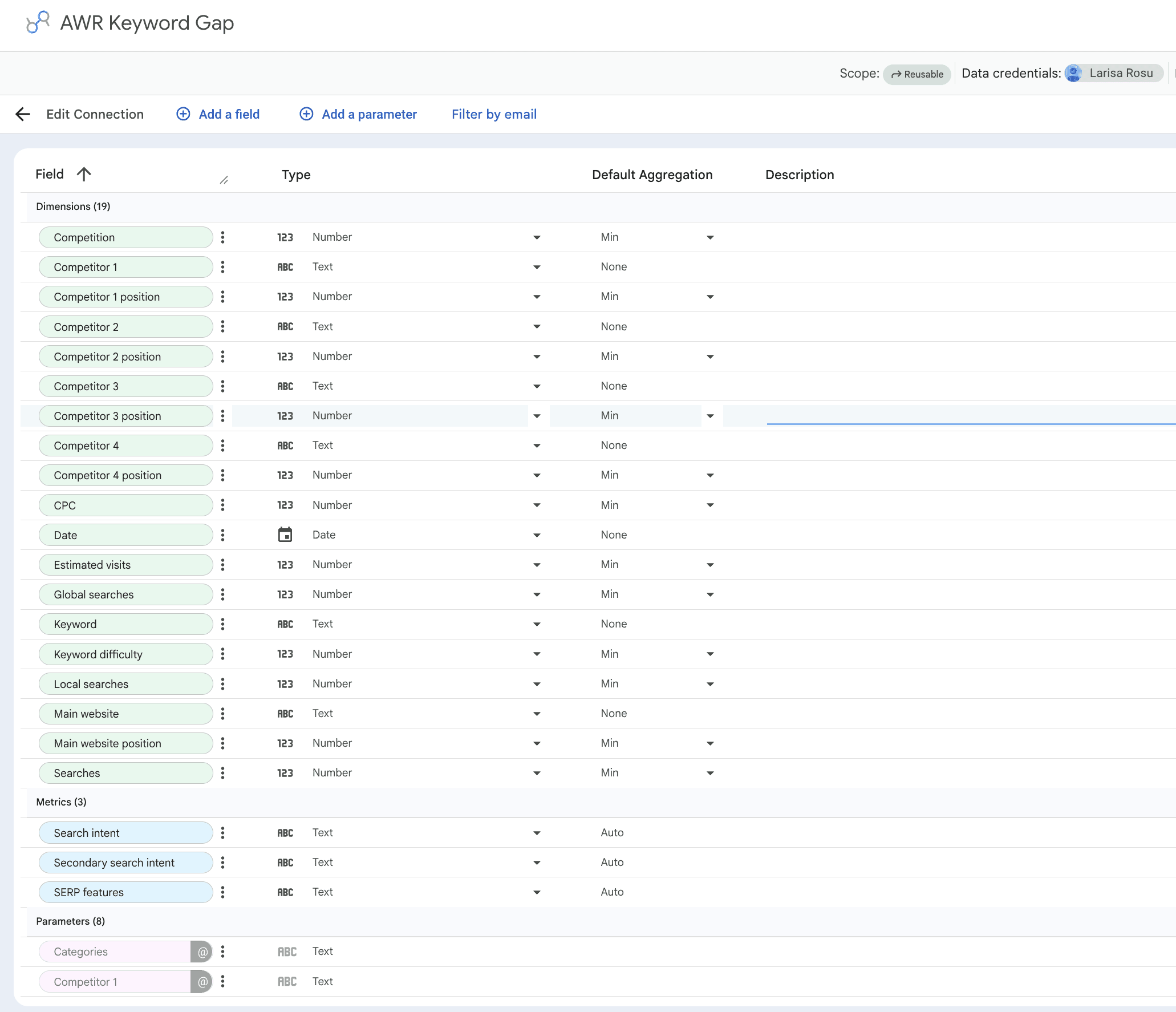
The Keyword Gap data source surfaces 19 dimensions in Data Studio, covering everything you need to compare keyword performance between your site and competitors: ranking positions, search demand, difficulty, intent, and contextual labels. Below you'll find the full set, grouped by what each one tells you, with default aggregation methods included alongside the definitions.
A note on aggregation: the default aggregation for most numeric fields in this data source is Min. That's because Keyword Gap data is delivered at the keyword level, one row per keyword per update date, so values don't need to be rolled up. Swapping the aggregation on fields like Keyword difficulty, CPC, or any position field can give you numbers that won't match what AWR reports.
Websites and positions
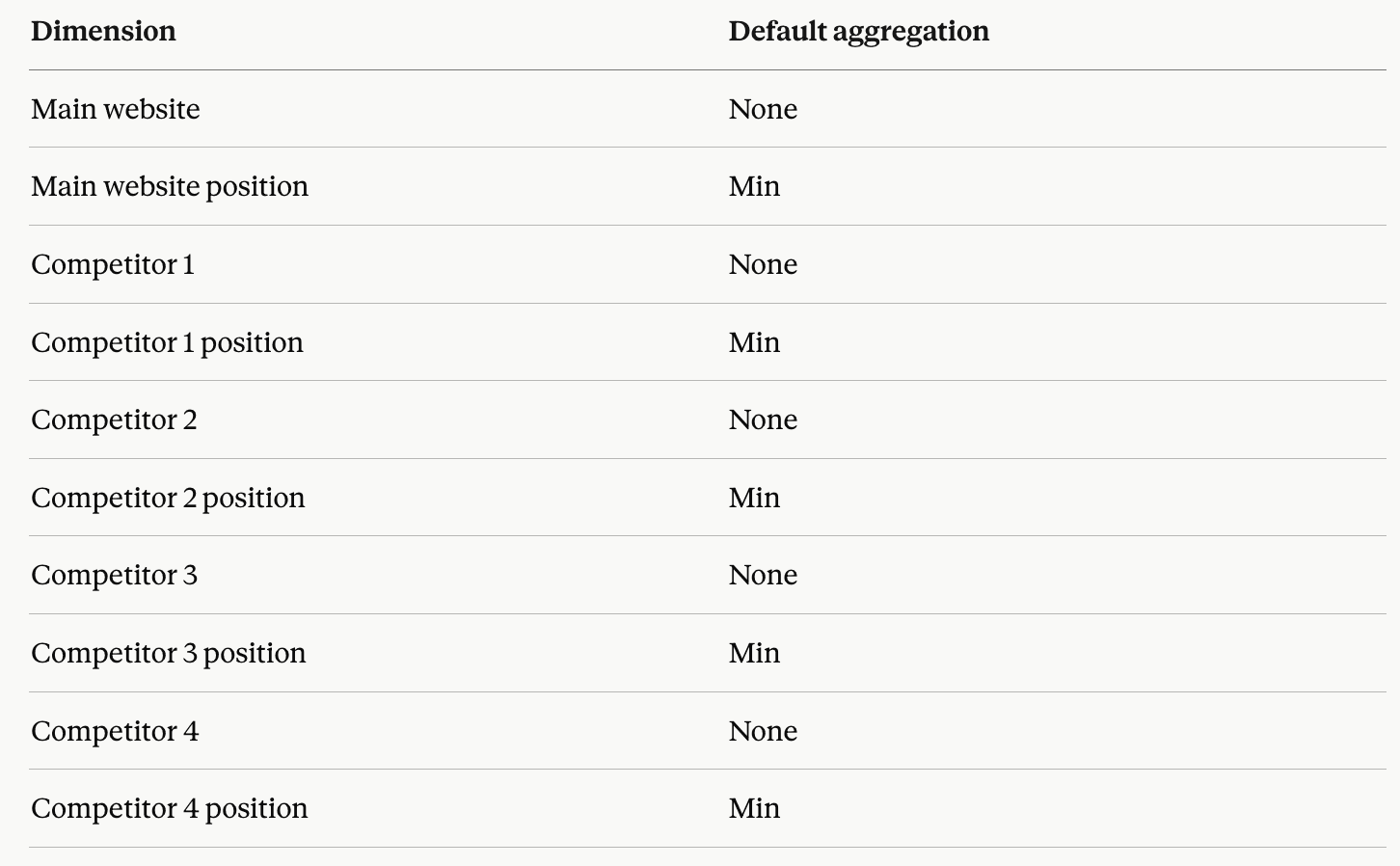
Main website: your primary domain as set up in the AWR project.
Main website position: where your domain appeared in the SERPs for the keyword on a given update date.
Competitor 1 / 2 / 3 / 4: the competitor domains you picked when configuring the data source. Up to 4 can sit alongside your main website in the same export.
Competitor 1 / 2 / 3 / 4 position: each competitor's SERP position for the keyword on a given update date.
Keyword data
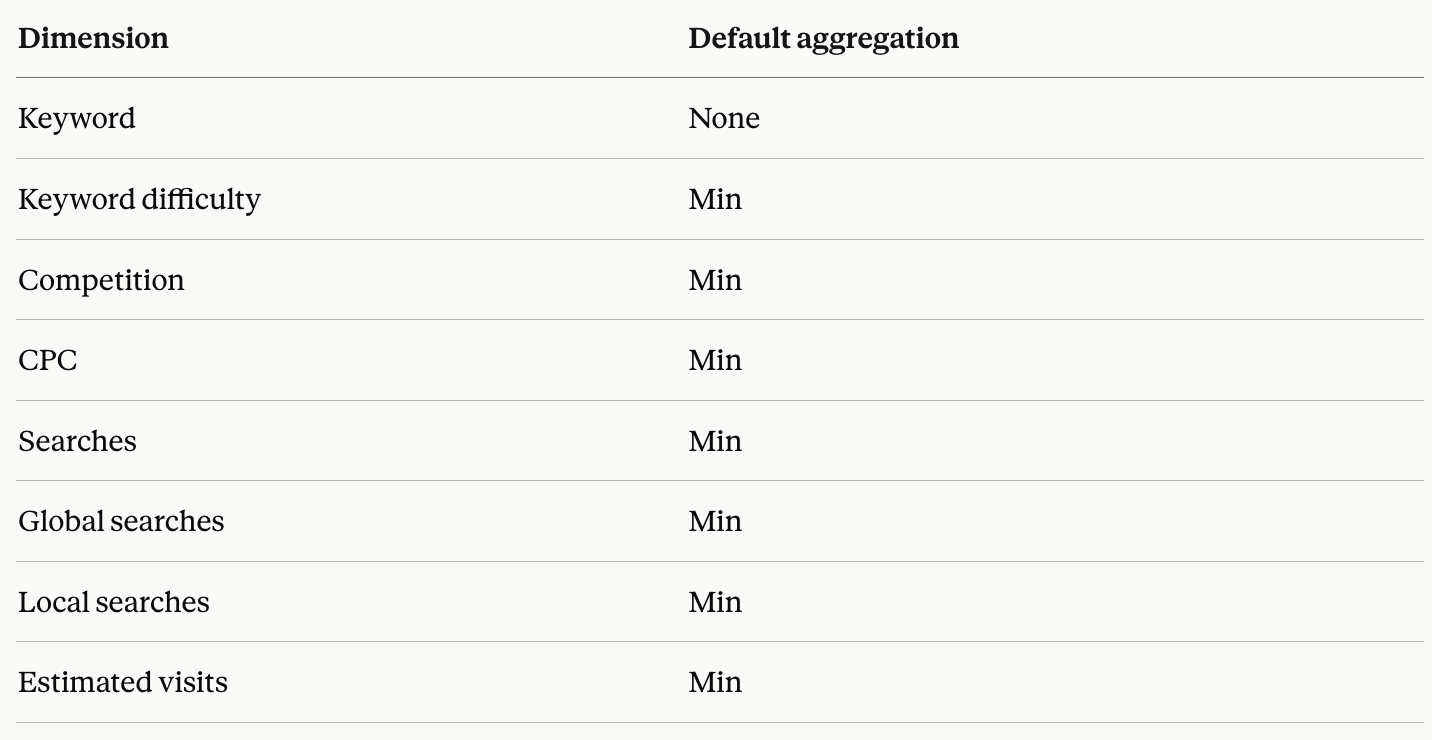
Keyword: the search term tracked in your AWR project.
Keyword difficulty: the global difficulty score for the keyword, on a 0 to 100 scale. It blends backlink authority and on-page optimization signals from the top 10 ranking URLs with SERP features presence and Top 10 affiliation. For the individual components (Domain Difficulty, URL Difficulty, Content Score), use the Keyword Difficulty data source.
Competition: a Google Ads-based competitiveness score, ranging from 0 to 1, reflecting how many advertisers bid on the keyword. Closer to 1 means a more crowded ad auction.
CPC: the average cost per click advertisers pay on Google Ads for the keyword, pulled from the last 30 days and tied to the country of the monitored search engine.
Searches: monthly search volume for the keyword, based on Google Keyword Planner data for the country tied to the search engine. Refreshed every 30 days.
Global searches: worldwide monthly search volume for the keyword, aggregated across all locations and languages Keyword Planner supports.
Local searches: monthly search volume narrowed to the custom location configured for the search engine. Refreshed every 30 days.
Estimated visits: the approximate number of monthly visits a website might get from its top 20 ranking keywords, derived from search volume and click share.
Other

Date: the day the ranking update was completed.
Metrics
Three Keyword Gap fields show up as metrics in Data Studio: two intent signals and the SERP feature set associated with each keyword. Use them as descriptive layers when building tables or filtering charts by intent type or SERP context.
Search intent: the dominant user intent behind the keyword, based on the top 10 Google results. Falls into one of four buckets: Informational, Navigational, Commercial, or Transactional.
Secondary search intent: the second-strongest intent pattern detected in the same top 10, useful for keywords that straddle two intent categories.
SERP features: all SERP features triggered by the keyword in the current update, such as Featured Snippet, AI Overview, People Also Ask, or Image Pack.
Parameters
Parameters are the connection-level filters you choose when setting up the data source. They define the slice of AWR data that gets pulled in, and several can be opened up for report editors to adjust on the fly inside Data Studio.
Project: the AWR project supplying the data. Only one project per data source.
Search Engine (mandatory): the search engine you want to pull data for. A single selection is required before the connection can be created. Keyword Gap is the only data source where this field is mandatory upfront..
Keyword Group: a single keyword group from the selected project, or All Keywords to include everything regardless of group.
Categories: narrows the export to one of AWR's competitor analysis buckets: All keywords, Common, Absent, Unexplored, Underperforming, Outperforming, or Exclusive. For what each bucket means, see How to Analyze Your Competitors in AI Search with AWR.
Competitor 1 / 2 / 3 / 4: the competitors you want included alongside your main website. Each slot has a No competitor option, so empty slots are fine if you don't need all 4.
💡 The Google Data Studio Setup guide explains where each parameter lives in the connection flow and how it behaves once set.
Explore metrics and dimensions for other AWR data sources
Do you have any other questions? Don’t hesitate to get in touch and we will keep building the FAQ.
stay in the loop