

Advice and answers from the Advanced Web Ranking Team
Search for articles
What Your Rankings Really Mean in the Age of AI Overviews
See what your rankings really mean now that AI Overviews have changed where and how your website appears in search results.

You’ve been sharing good news with your client for months. Their recipe website is ranking in the top five for some of their most important keywords, with a few even sitting comfortably in the top three. From an SEO perspective, things seem to be going pretty well.
Except the traffic doesn’t reflect that.
Your client notices it too. If the site is ranking so well, why aren’t more people actually visiting it?
Maybe search demand has dropped? That would be the obvious explanation. But you check the numbers in the Keyword Ranking report and that’s not it either.
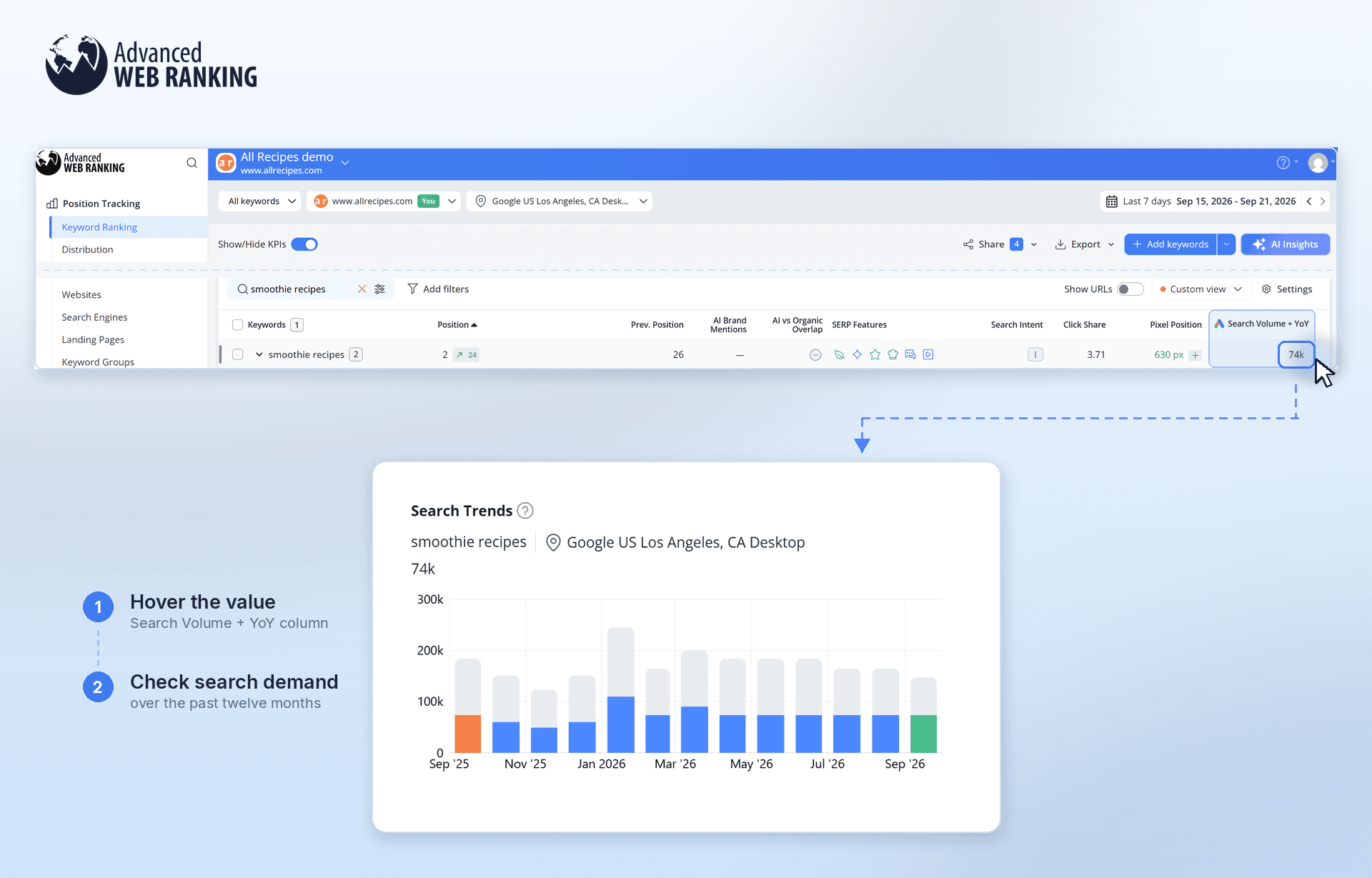
For “smoothie recipes”, in September, the keyword is seeing around 74,000 searches and search demand has remained fairly consistent over the past few months. People are still searching and your client is still ranking.
You head over to the Top Sites report and click “View SERP” to see what searchers are actually seeing.
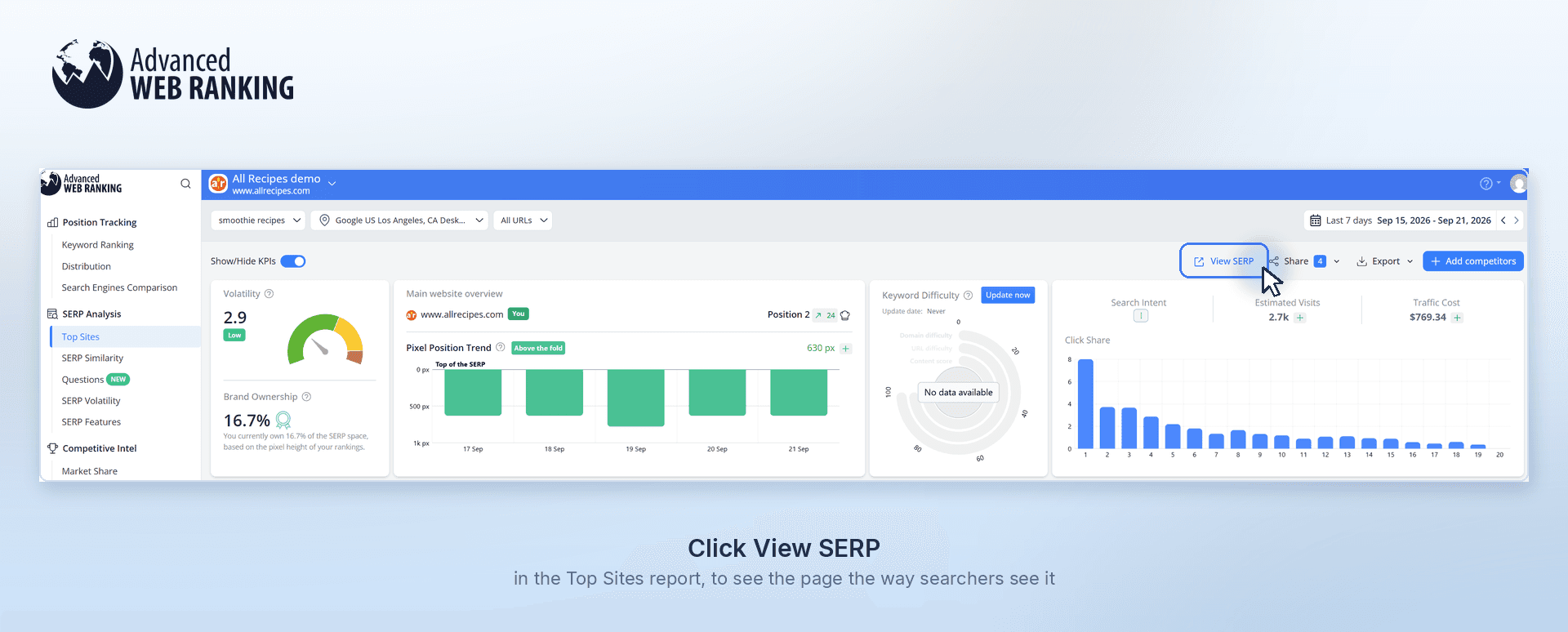
And suddenly, it all starts to make sense.
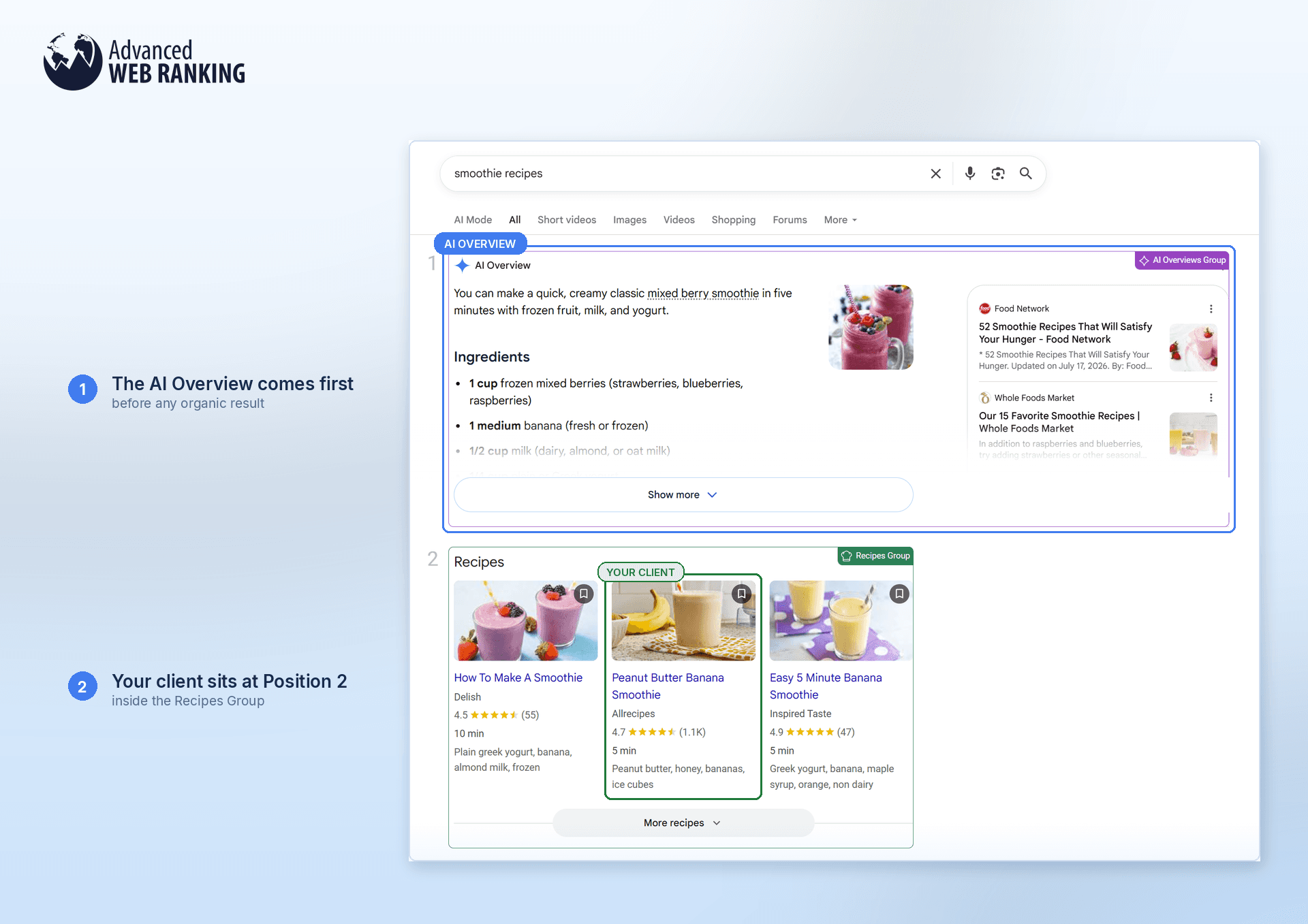
Your client is right there on Position 2. They’re even showing up in a Recipes Group, which is exactly the kind of SERP feature you’d hope to see for a recipe site.
But before any of that, there’s an AI Overview.
It takes up some of the most valuable space on the page, giving searchers recipes, ingredients, ideas and other information before they ever reach your client’s result.
And that changes the story your rankings are telling you.
Your client hasn’t suddenly stopped ranking well. People haven’t stopped searching, either. The SERP itself has changed and simply knowing where a page ranks no longer tells you how much visibility, attention or traffic that position can actually bring.
TL;DR: Ranking high doesn’t mean being seen
AI Overviews have changed what it means to rank well. A strong Organic position doesn’t always mean the same visibility or traffic when an AIO appears above it. At the same time, being cited in an AIO can put your site in front of searchers even when you’re not ranking in the Organic top 10.
That’s why it helps to look at your Organic rankings and AIO citations together. You’ll get a clearer picture of where your site is actually showing up, who you’re competing with and how visible you really are.
If AI Overviews already have the answer, can your client still compete?
Absolutely. In fact, the AI Overview can give you a pretty good idea of what to do next.
Instead of only looking at who ranks below it, look at who actually made it into the AI Overview. Those are the sources Google chose to pull information from and your client could potentially become one of them.
In the Top Sites report, expand the AI Overviews category and see which websites are being cited instead of your client.
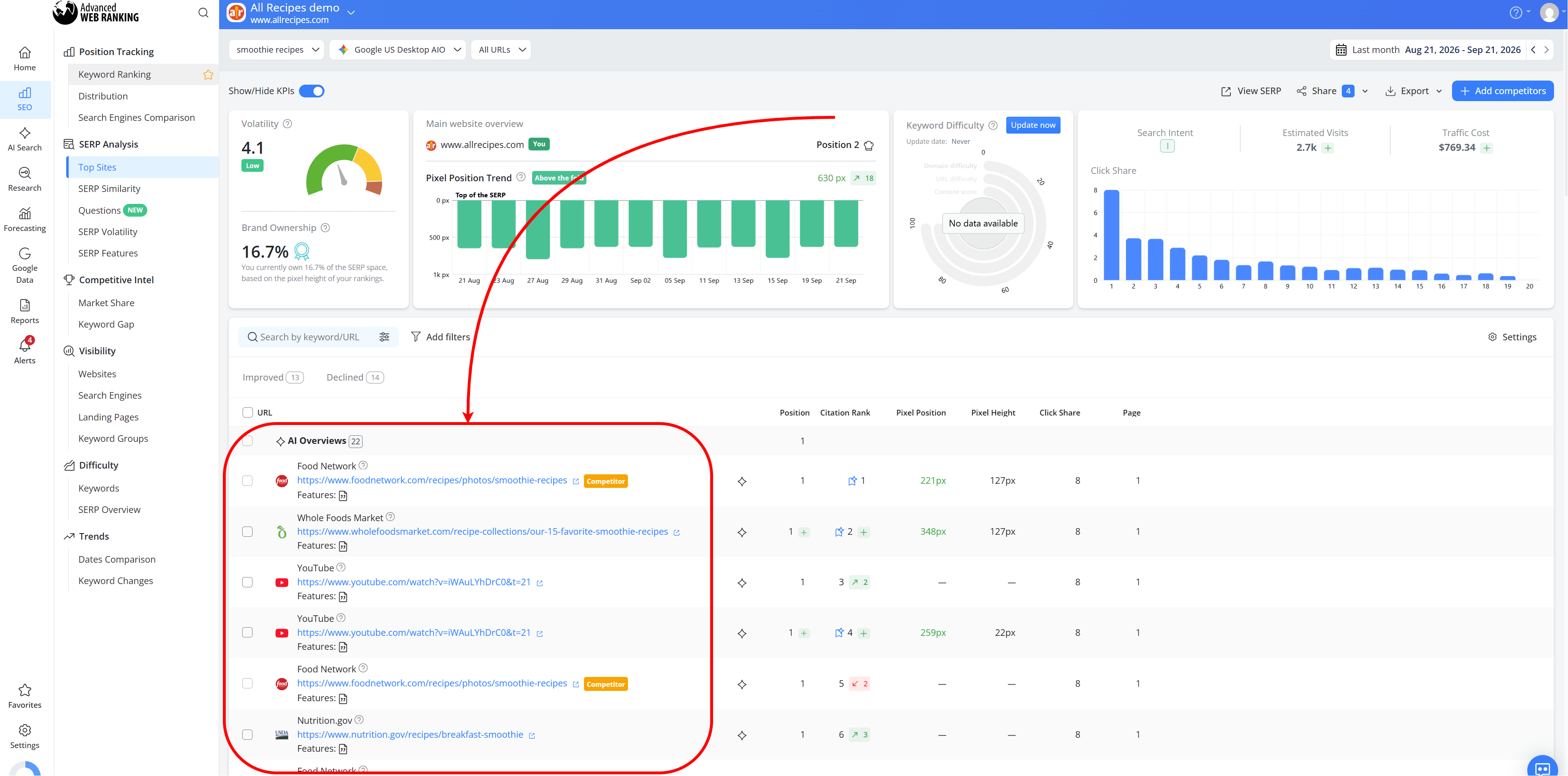
Do you recognize them? Are they competitors you’re already tracking or are you seeing some of them for the first time? You might find publishers, smaller niche sites or even YouTube videos taking up that space.
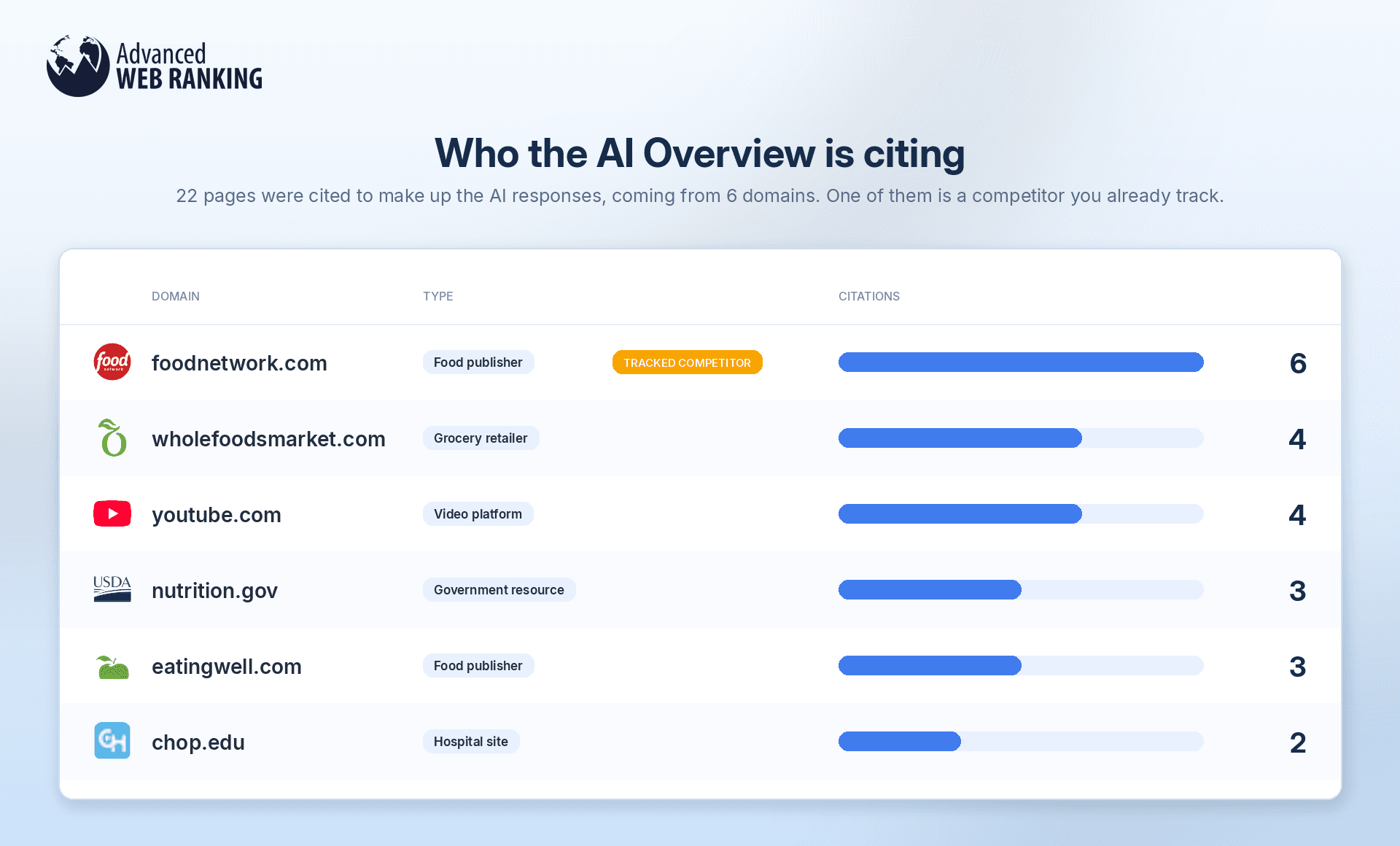
That’s useful information. It shows you who your client is really competing with inside the AI Overview and gives you actual pages to investigate. Look at what they’re doing differently, how they approach the topic and what kind of content Google is choosing to surface.
Your client might not be part of the AI Overview today, but now you have a much better idea of what’s already working there.
Are my SEO efforts showing up in AI Overviews?
AWR isn’t the only tool tracking AI Overviews. Where it takes a particularly SEO-focused approach is in connecting AI visibility directly to the keywords and Organic rankings you’re already monitoring.
The AI vs Organic Overlap metric makes that connection easy to see: it helps you compare your Organic rankings with your presence in AI Overviews.
This metric only takes into account keywords that trigger AI Overviews.
If you’re not sure how to find those keywords, you can learn how in this article here.
Head to the Keyword Ranking report: if your website ranks in the Organic top 10, you can see whether that same URL is also being cited in the AI Overview. When it is, you’ll see a green checkmark.
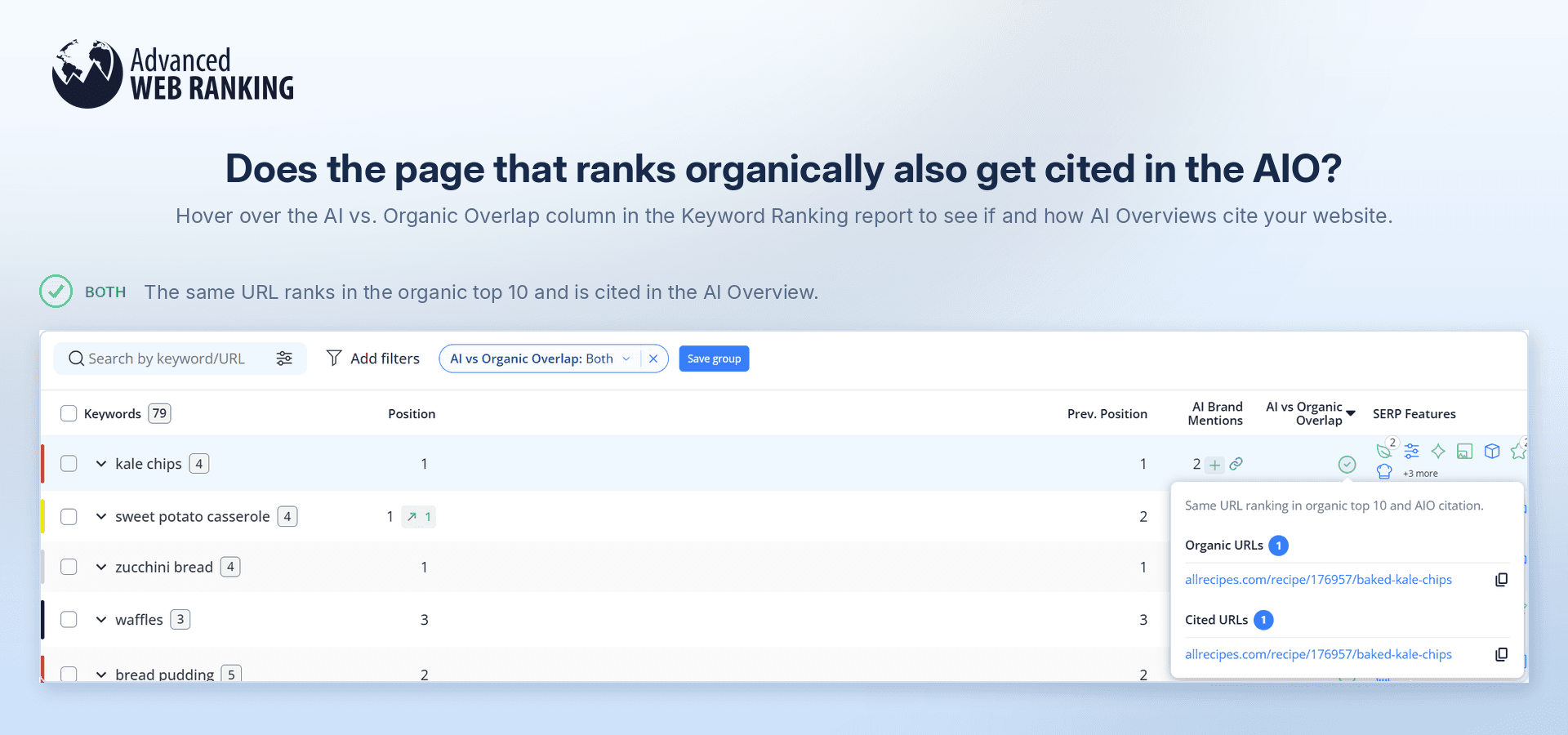
But that’s not the only scenario you might come across.
“Diff URL” means your domain appears in both places, but Google is using a different URL in the AI Overview from the one ranking organically.
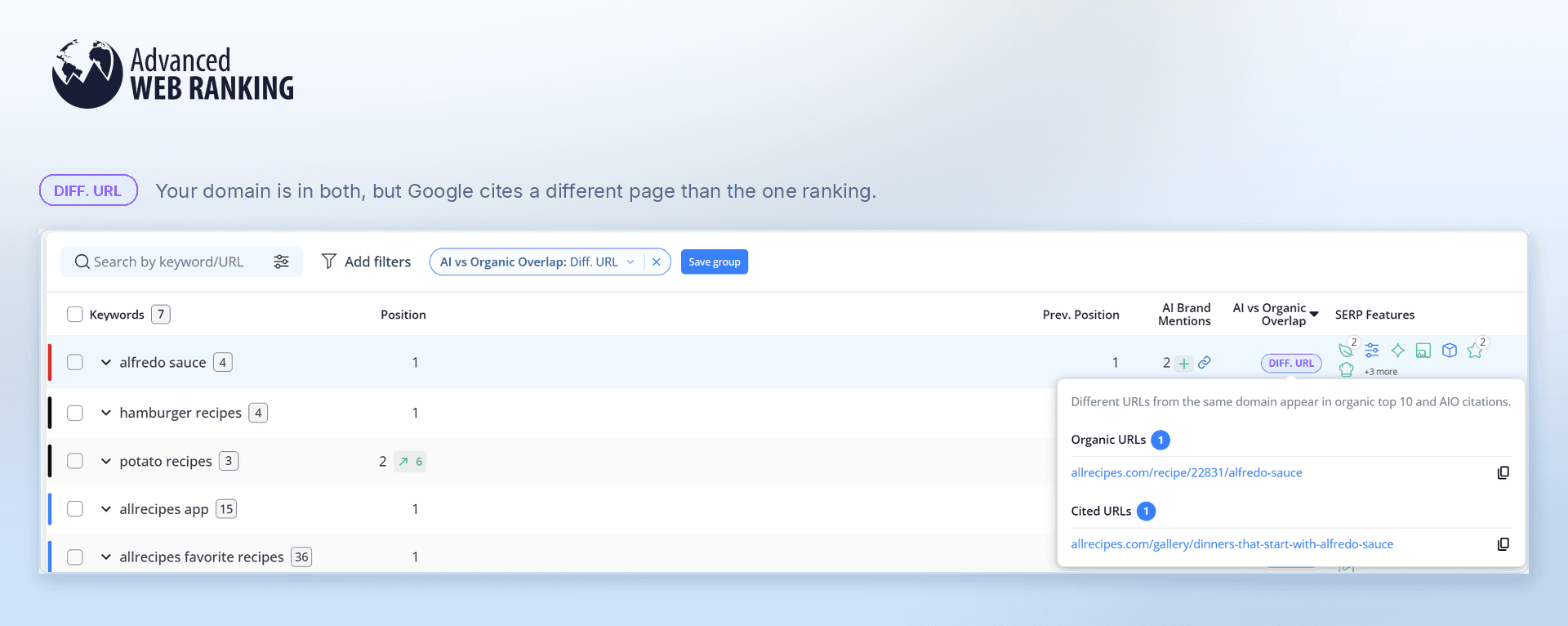
This is particularly useful because it can reveal that Google sees another page on your site as a better fit for the AI-generated answer.
In this example, Google may cite the broader Alfredo dinner guide because it better matches the information the AI Overview needs, while the specific Alfredo sauce recipe remains the stronger fit for the Organic result.
“Organic only” means the URL ranks in the Organic top 10 but isn’t cited in the AI Overview.
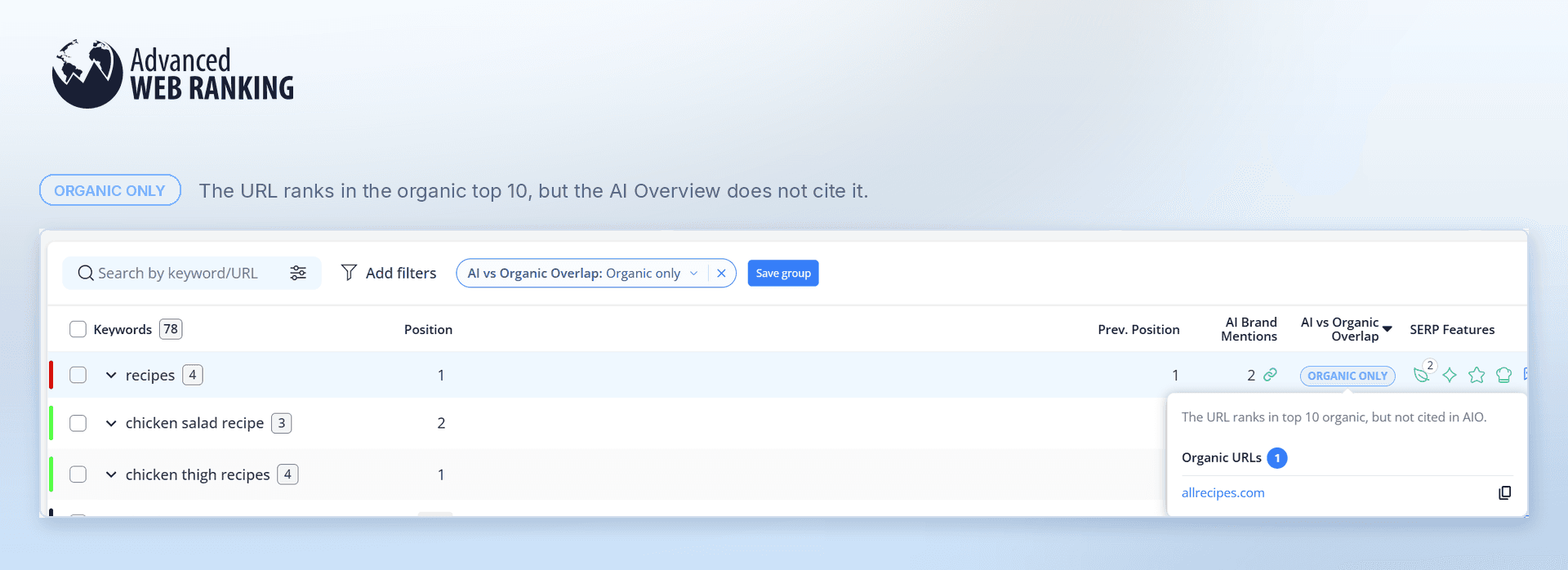
Here, the site ranks organically on Position 1 for “recipes,” but it isn’t cited in the AI Overview. That tells you strong Organic visibility alone doesn’t guarantee a spot in the AIO; Google is choosing other sources to build its answer.
“Citation only” means your URL is cited in the AI Overview even though it doesn’t rank in the Organic top 10.
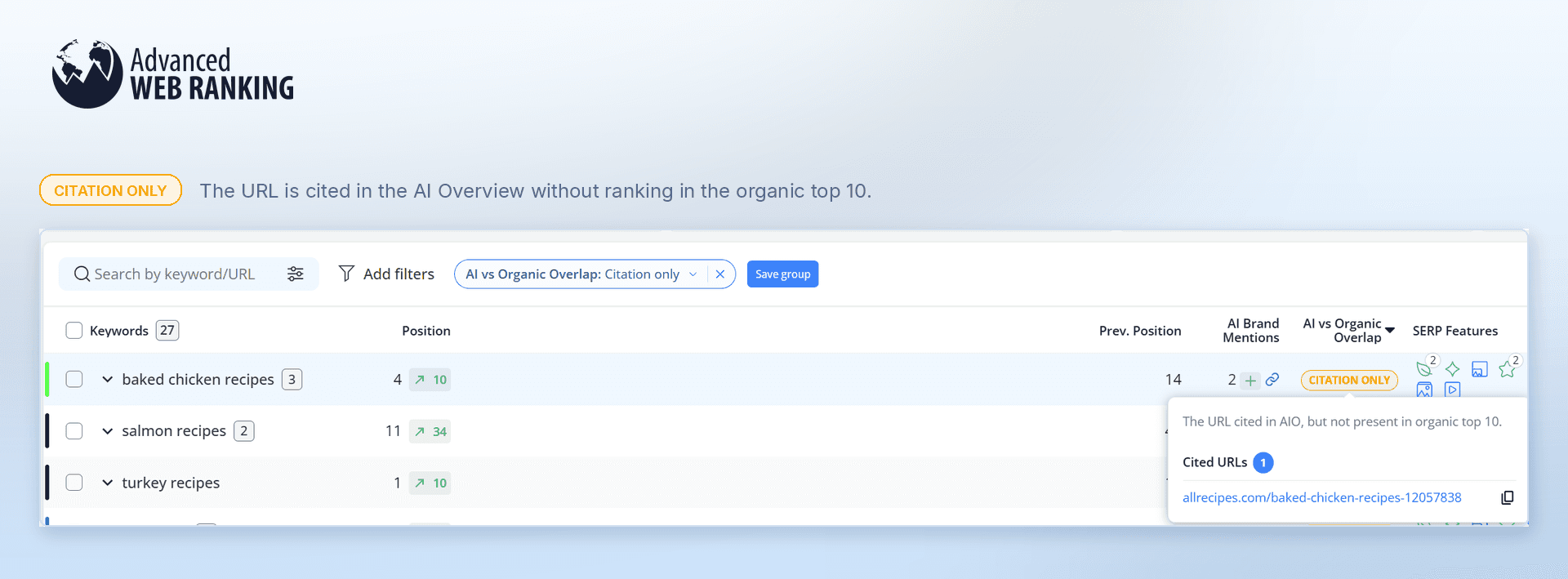
In this example, the page is cited in the AI Overview even though it doesn’t rank in the Organic top 10. This shows that AIOs can open up visibility beyond traditional rankings; Google may find a page useful for its answer even when it isn’t one of the top Organic results.
Together, these signals help you see whether the visibility you’ve built through SEO is carrying over into AI Overviews and, just as importantly, where your site is gaining AI visibility that traditional rankings alone wouldn’t show you.
Does my position within the AI Overview matter?
It does. Simply being cited in an AI Overview doesn’t necessarily mean people will see you.
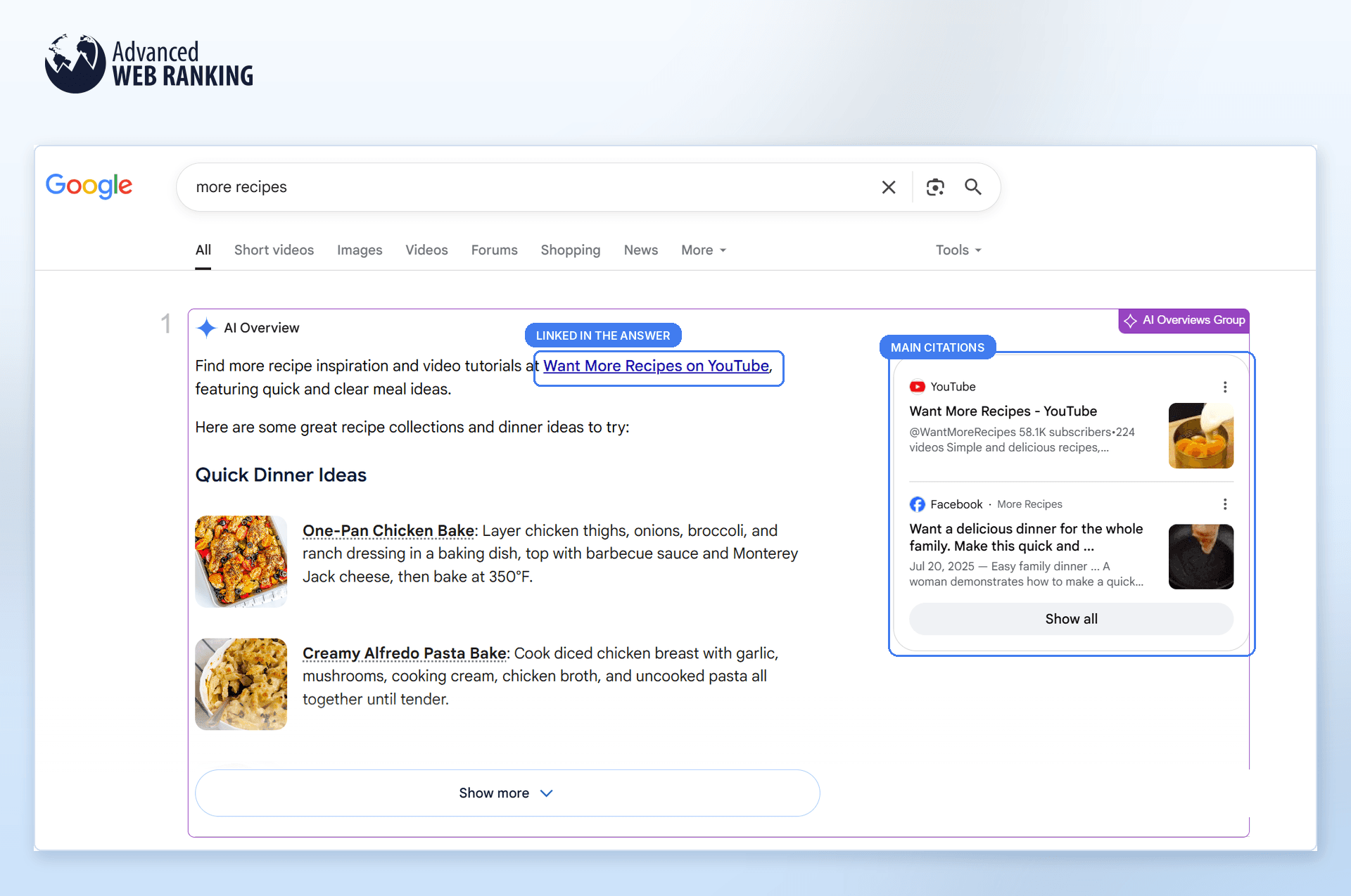
For example, your client’s audience searches for “more recipes.” They see the AI Overview, find what they need and don’t bother expanding it. If they do click a source, it’ll likely be one that’s already visible in the main citations block or linked directly within the answer.
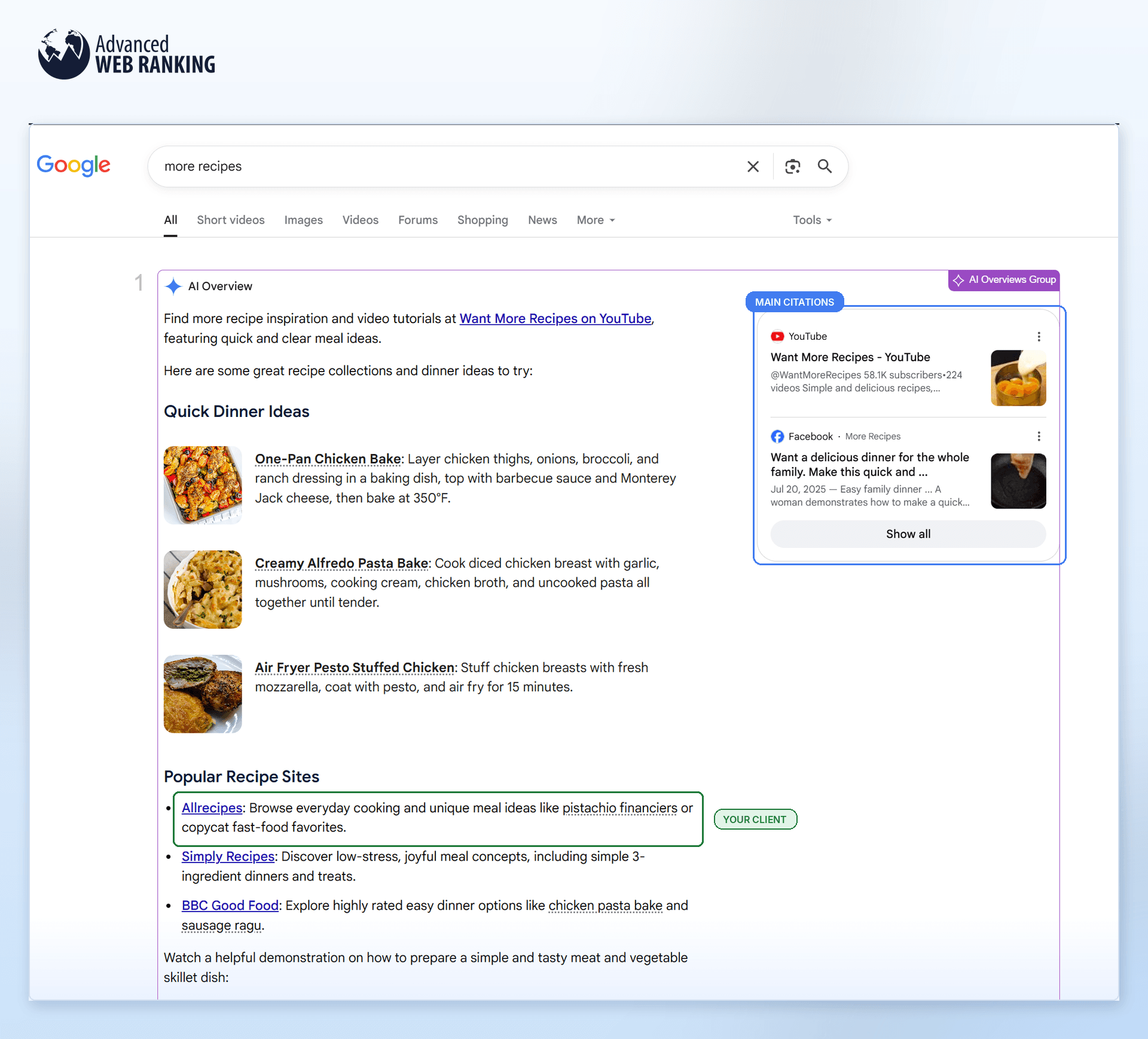
Now expand the AI Overview and there’s your client: a small inline link citation buried further down. Technically, you’re cited. In practice, you’re easy to miss.
You can see exactly where you stand with the Citation Rank metric in the AI Search Performance report. Sources that appear in the main citations block also get the blue Top AIO Source icon.
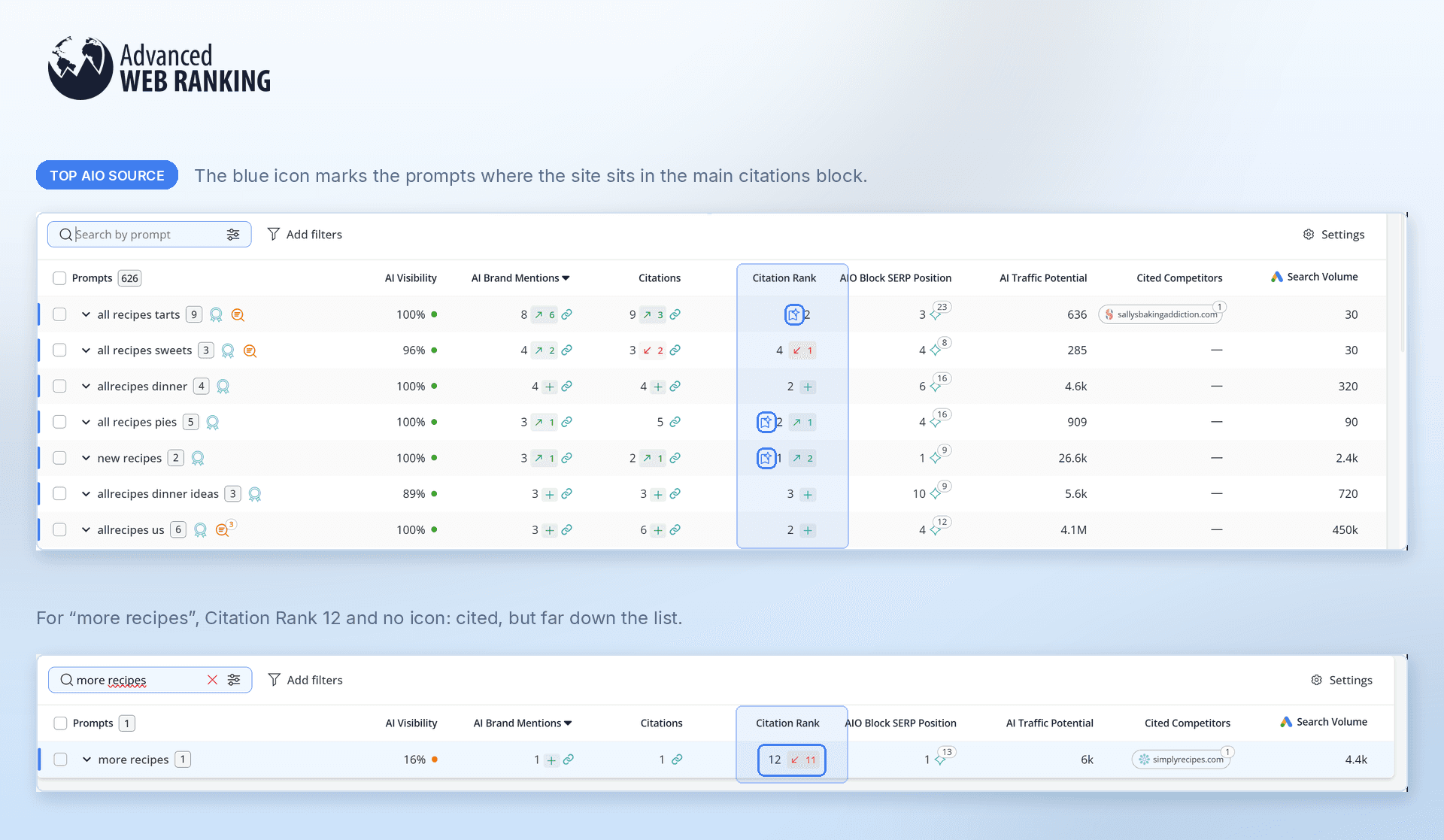
Back to our earlier example: the client is sitting at Citation Rank 12, with no Top AIO Source icon. They’re in the AI Overview, but they’re buried far enough down that many searchers may never see them.
Don’t think you need to show up in AI Overviews?
Let’s look at what happens when you lose that visibility. We’ll compare two consecutive days, September 20 and 21.
Follow this workflow in the Keyword Ranking report:
Click “Add filters” and select “SERP Features”.
Choose “[your_website] does not rank”.
Select “AI Overviews” and apply the changes
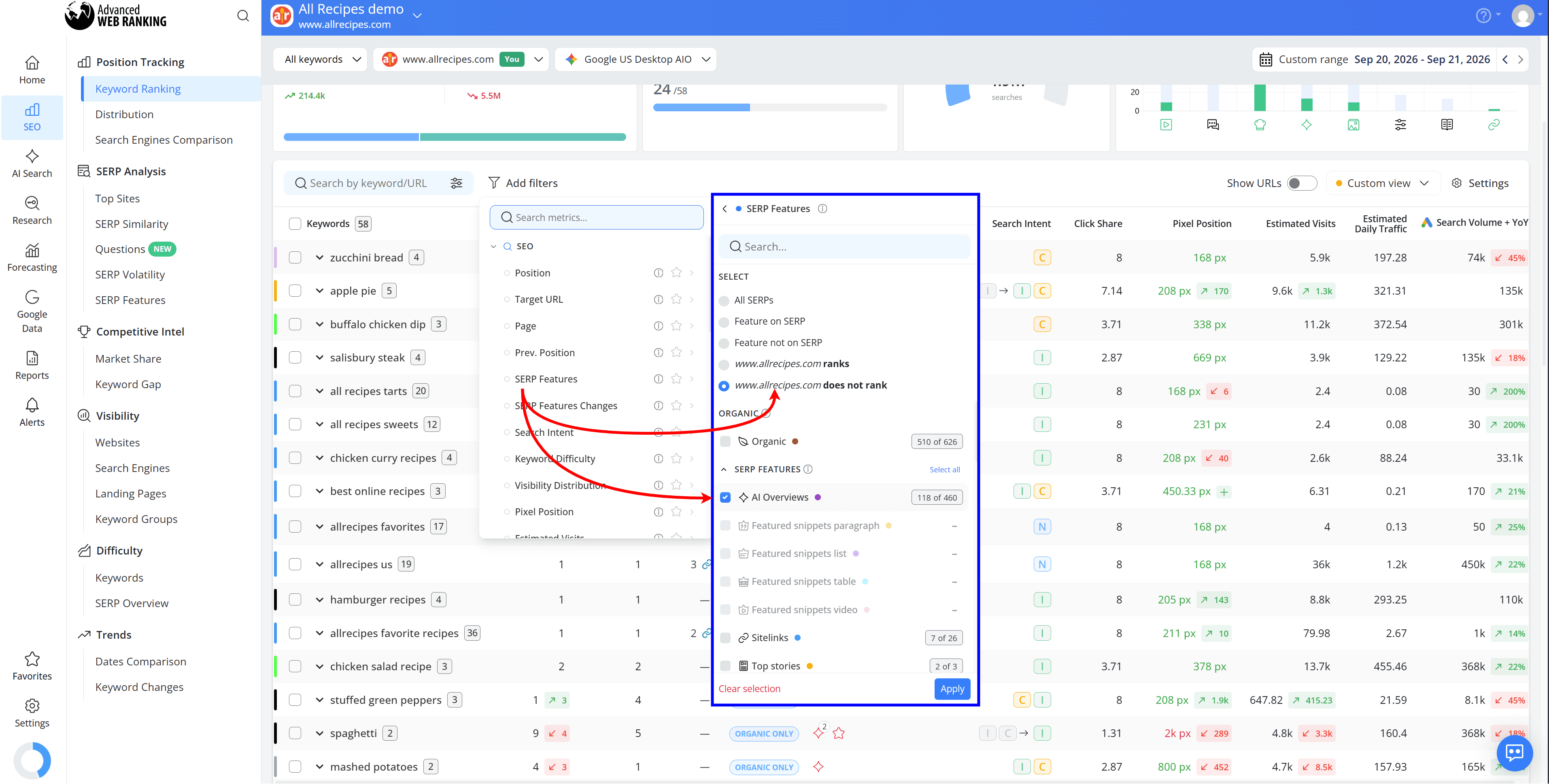
This shows you the keywords where your site isn’t currently appearing in an AIO. Then:
Click “Add filters” again and select “SERP Features Changes”.
Choose “Lost SERP Features”.
Select only “AI Overviews” and apply the changes.
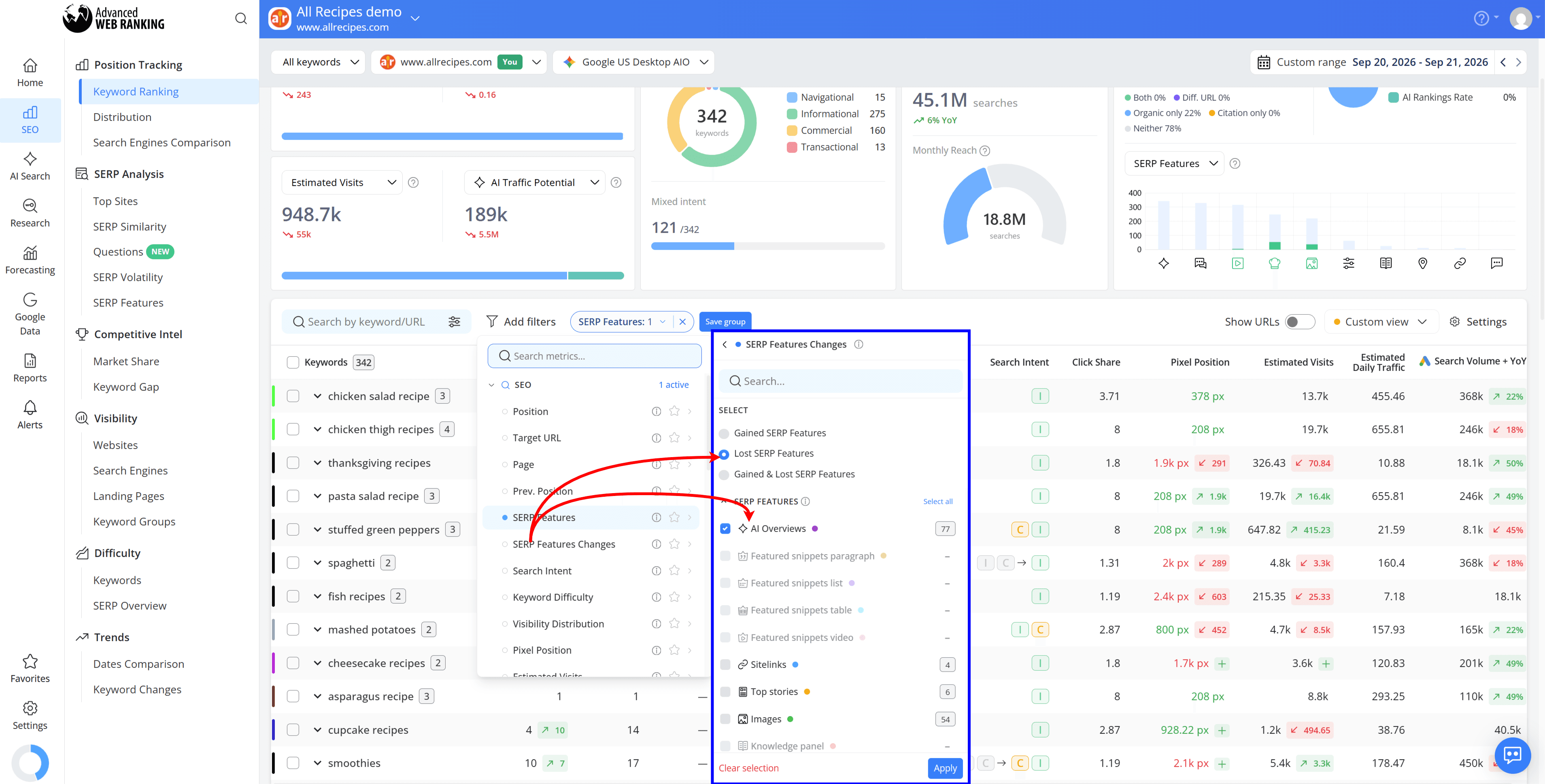
Now look at how those keywords changed from one day to the next.
For many of them, the site had much stronger SERP visibility on September 20 because it appeared within the AI Overview. By September 21, that AIO presence was gone, pushing the site much further down the SERP.
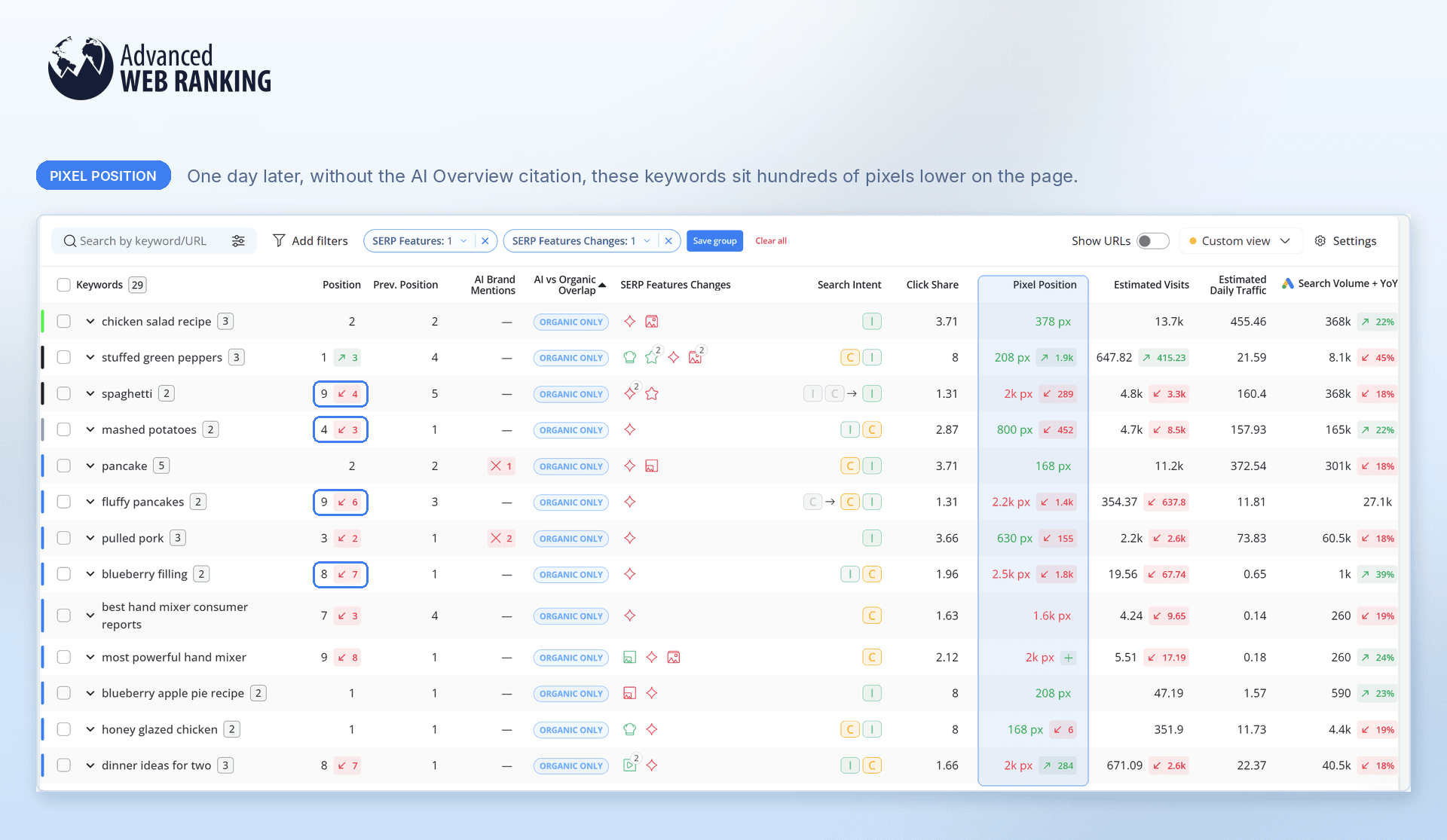
That’s the difference an AI Overview can make: losing the citation doesn’t necessarily mean losing your Organic ranking, but it can mean losing a very valuable spot near the top of the page.
Do you have any questions? Don’t hesitate to get in touch and we will keep building the FAQ.
Frequently Asked Questions
Does ranking #1 increase my chances of being cited in an AI Overview?
Why is my website ranking organically but not appearing in AI Overviews?
What should I do with my AI Overview insights?
stay in the loop