

Advice and answers from the Advanced Web Ranking Team
Search for articles
How to export the data from the Top Sites report
Learn how to export data from the Top Sites report directly from the UI or through an API call.

You can export the Top Sites data for a specific keyword, keyword group, multiple groups, or all keywords in your project by clicking the “Export” button. Available export formats include PDF, CSV, and XLSX, or you can upload the data directly to your Google Drive.
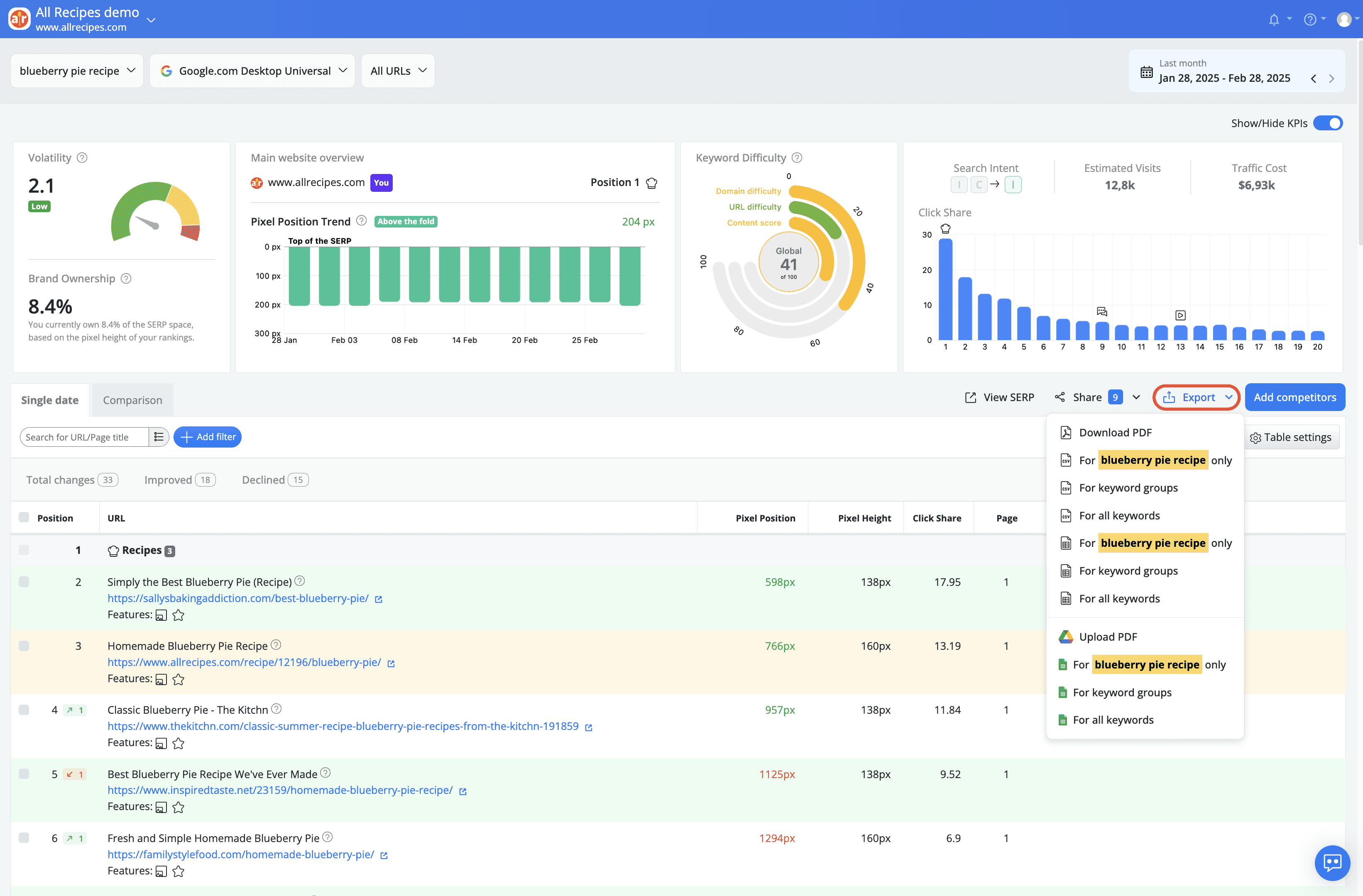
The downloaded data depends on the project’s search depth or the filters applied to the table.
When downloading the top sites for a specific keyword, the file will be saved directly to your device. For keyword groups or all keywords, however, you'll be asked to enter an email address to receive the export file due to the larger data size.

You can also use the Get Top Sites API call to export top sites data for a specific project or keyword groups. This allows you to select the number of results to download and customize the metrics included in the report.
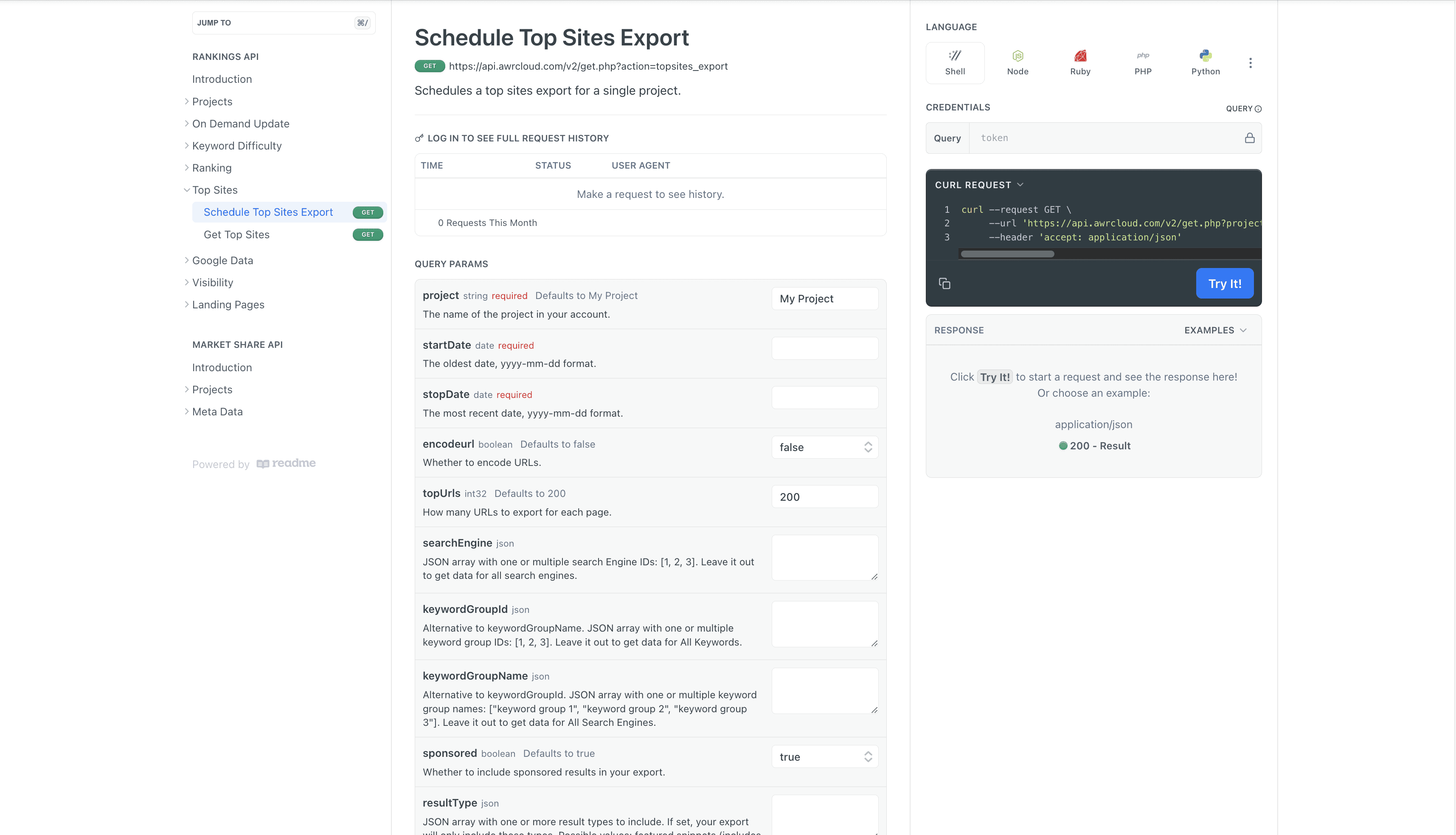
The access to the developer API is available starting with the Agency plan and for all yearly subscriptions, including Pro.
Do you have any other questions? Don’t hesitate to get in touch and we will keep building the FAQ.
stay in the loop