

Advice and answers from the Advanced Web Ranking Team
Search for articles
Your Step-by-Step Workflow for the First Week with a New SEO Client
Learn how to onboard a new client, set up tracking, understand their performance and show the potential impact of your SEO work.

You’ve just brought on a new SEO client. You know their website, the markets they want to target and what they’re looking to achieve.
The next step is figuring out what’s worth tracking, getting everything set up and building a clear picture of where they stand today so you can measure progress from here.
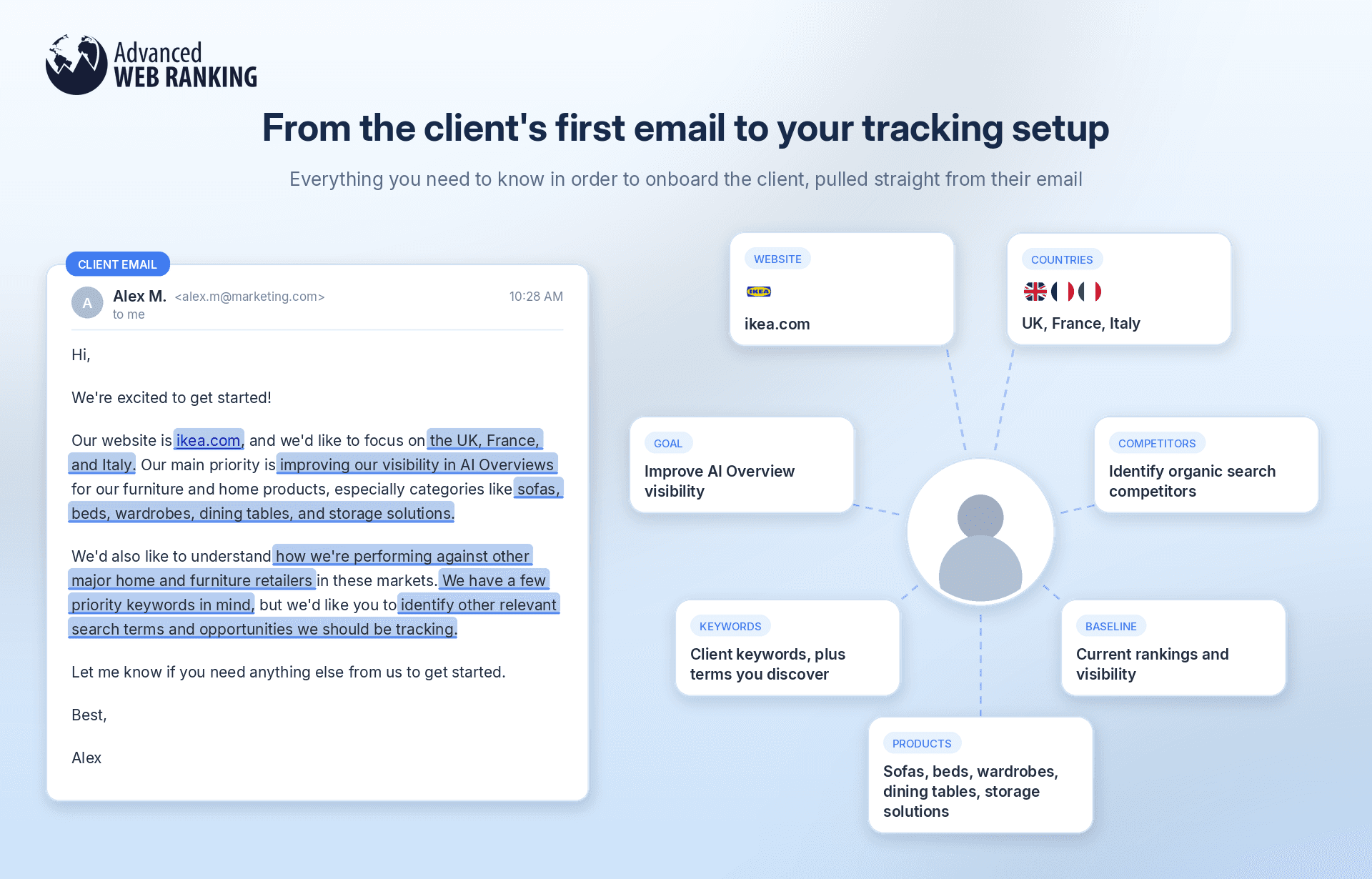
Once you’ve broken down the information from your initial email or conversation with the client, it’s time to turn it into a clear workflow you can follow when setting up their AWR project.
Turn client goals into a tracking plan
To get started, you’ll need four key pieces of information:
their website,
the markets they’re targeting (countries or cities)
the keywords that are relevant to their business and worth tracking
The keyword list can come directly from discussions with your client, your own research or AWR’s Keyword Research add-on.
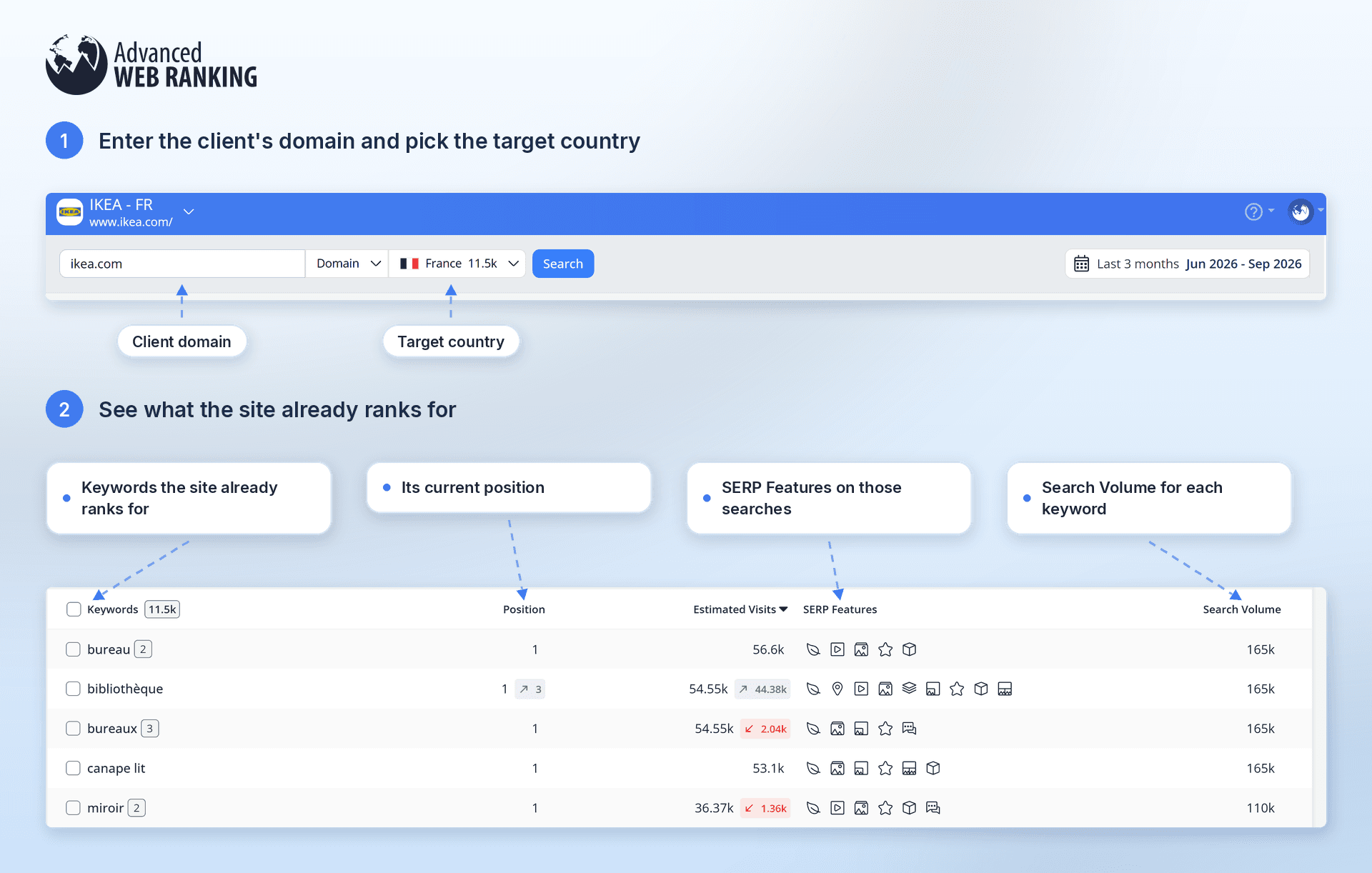
With Keyword Research, all you need to do is enter the client’s domain URL and select the target country. From there, you can discover the keywords the website is already ranking for, its current positions, the SERP Features appearing for those searches that you may want to target and the Search Volume for each keyword.
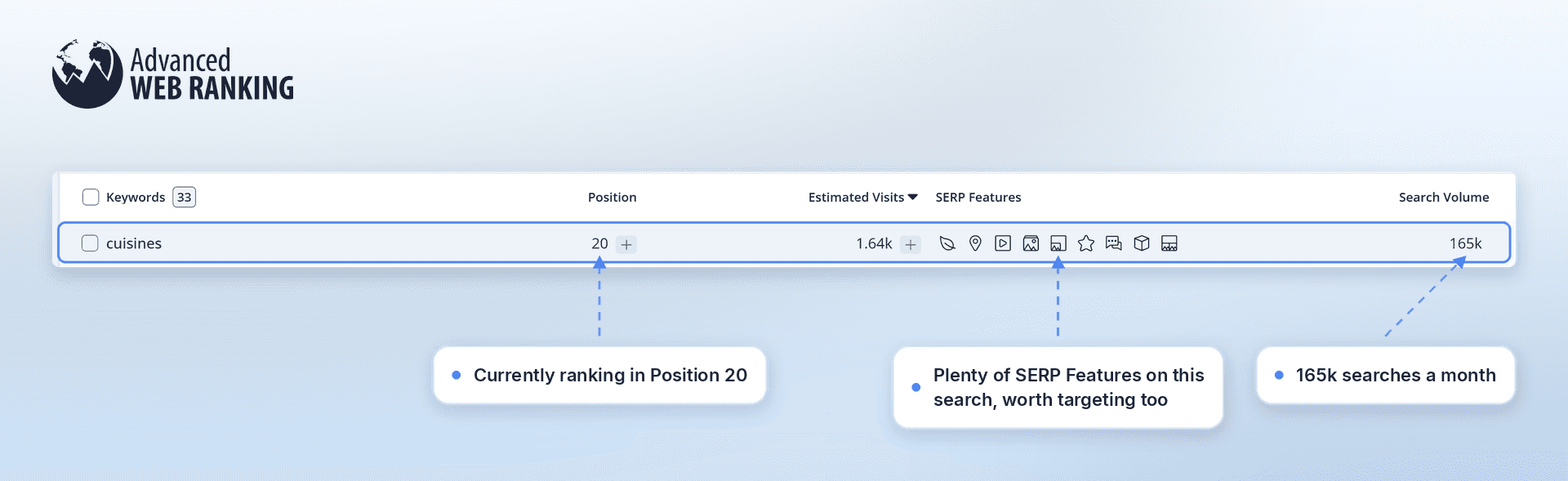
For example, ikea.com is currently ranking on Position 20 for “cuisines,” but there are plenty of SERP Features showing up for this search that could be worth targeting too.
This research can also help you uncover the client’s organic competitors.
The Competitor Level shows how closely another website competes with your client, based on how many keywords they have in common. Want to see exactly what those keywords are? Just click the Competitor Keywords value to take a closer look.
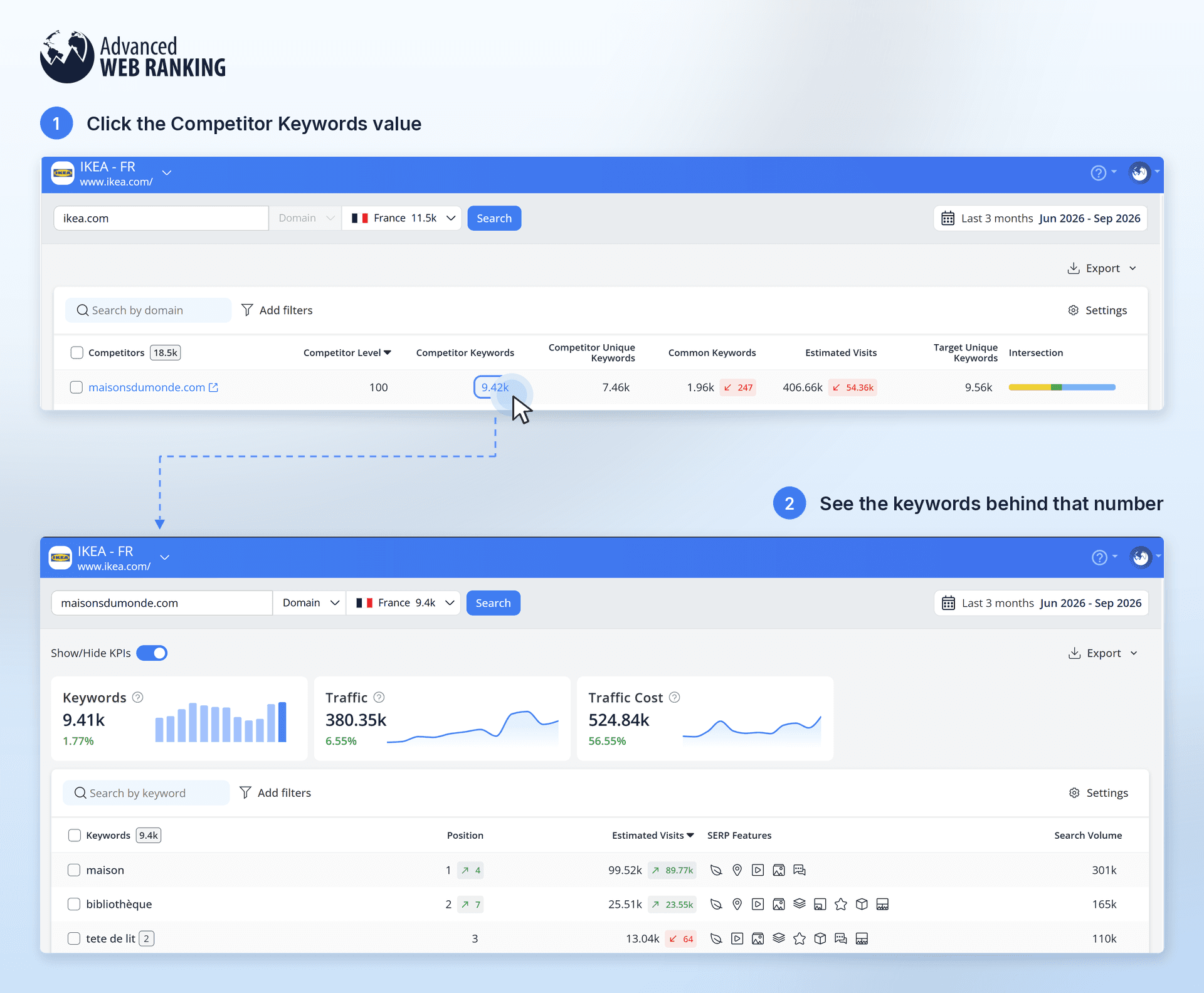
This can help you spot competitors and opportunities you might have missed at first.
The competitors your client already knows about may not be the only ones competing with them in search results. Your research can uncover other websites worth watching, which you can then discuss with your client before setting up the project.
Keyword Research is available as an add on and is included with Enterprise Plus plans and higher.
You’ll also want to decide which search engines are worth tracking based on the markets your client is targeting. Google might be the obvious choice in many countries, but that’s not always the case.
For example, if your client is targeting China, Baidu may be more relevant, while Bing could also be worth tracking if they’re targeting Japan.
It’s also worth discussing whether they want to track their visibility in AI search.
People don’t always want to browse through multiple search results to find what they need. Sometimes, getting a direct answer from an AI tool is simply faster.
For example, if allrecipes.com is your client and someone is looking for “easy dinner ideas”:
On ChatGPT, allrecipes.com could appear directly in the AI-generated answer, giving the website immediate visibility.
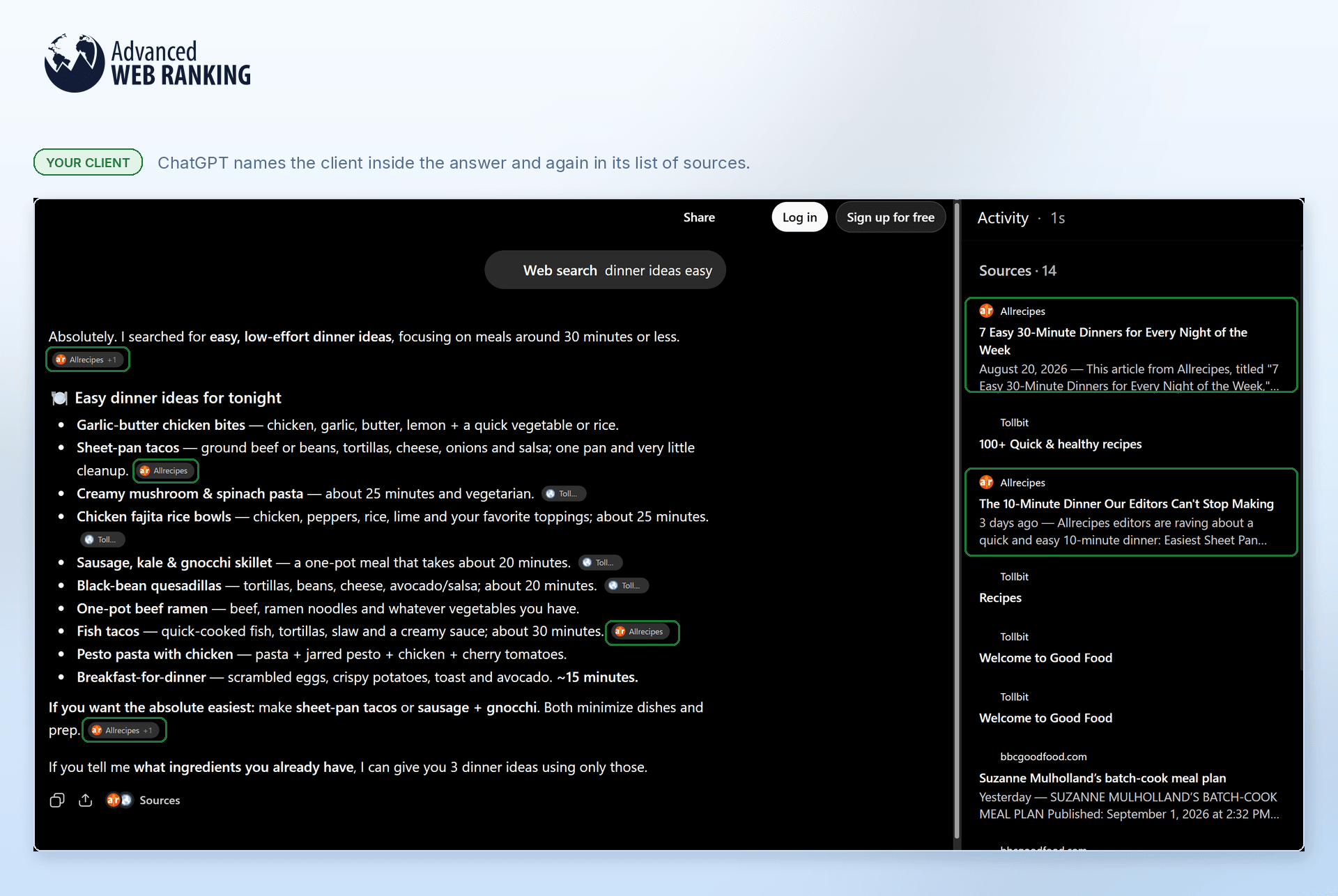
On Google, allrecipes.com might not appear among the first results, meaning the user may not scroll far enough to find it.

This is why looking at both AI visibility and traditional rankings can give you a more complete picture of where your client is being discovered.
Choose the right project structure
Now that you know what you want to track, the next step is figuring out the best way to organize it.
Think about how complex your client’s setup is. You might be working with different keyword sets, multiple cities or countries, several languages or keywords that need to be refreshed at different frequencies. All of these will influence how you organize your tracking in AWR.
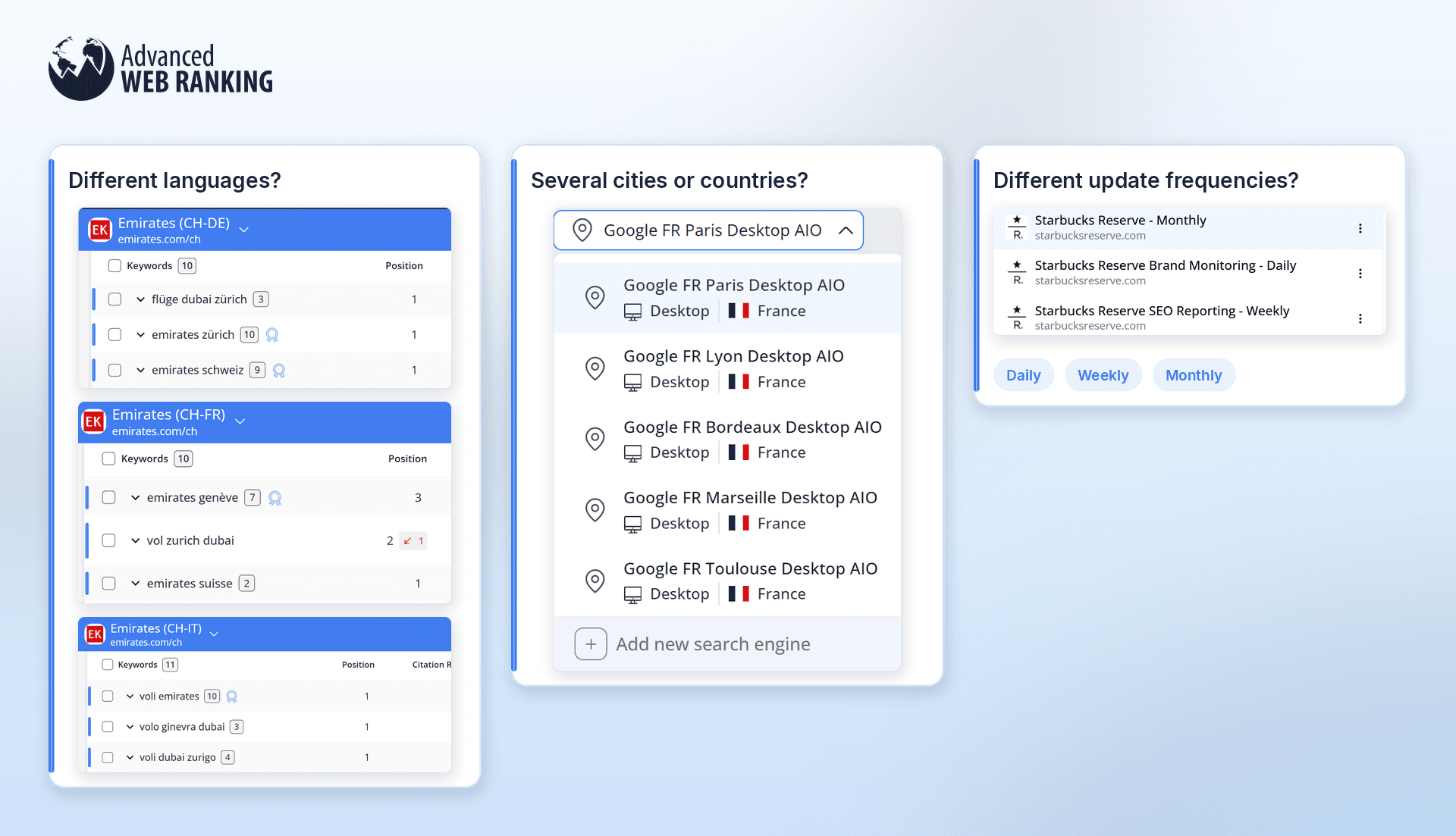
These details will help you decide whether it makes sense to keep everything in one project or split your tracking across multiple projects. For example, different languages, search engines or update frequencies might be easier to manage in separate projects, while a simpler setup can usually stay together.
Tip: Not sure which setup makes the most sense? Take a look at our onboarding best practices and choose the structure that best fits your client.
Set up your client’s projects and start tracking rankings
Once you’ve decided how you want to structure your client’s tracking, it’s time to create the projects in AWR. Head to the Home section and click “New project” to get started.
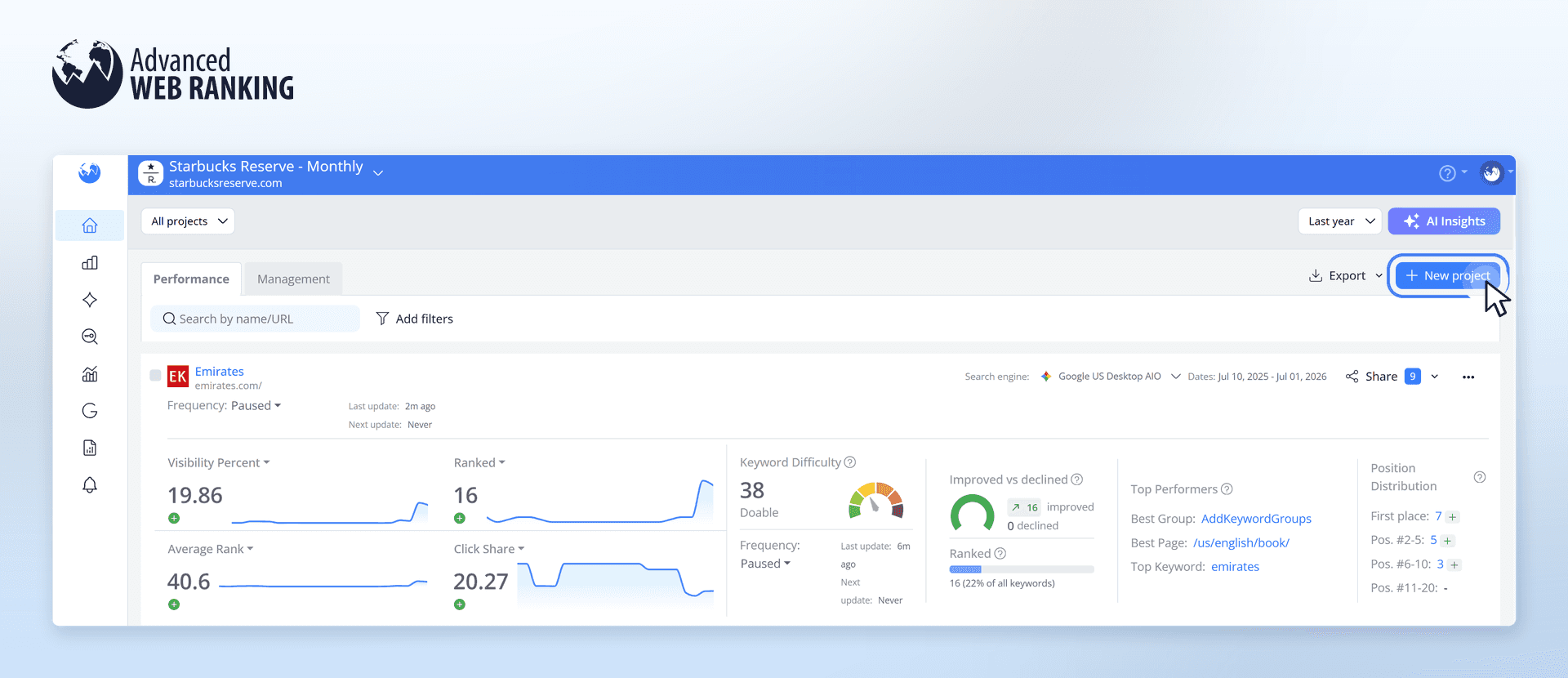
After adding the project details and configuring the search engines, you’ll need an initial ranking update to get your first set of rankings.
If you want to get that data right away, check “Run an initial update immediately after project creation” at the bottom of the setup screen. You can trigger this update regardless of the update frequency you’ve selected for the project.
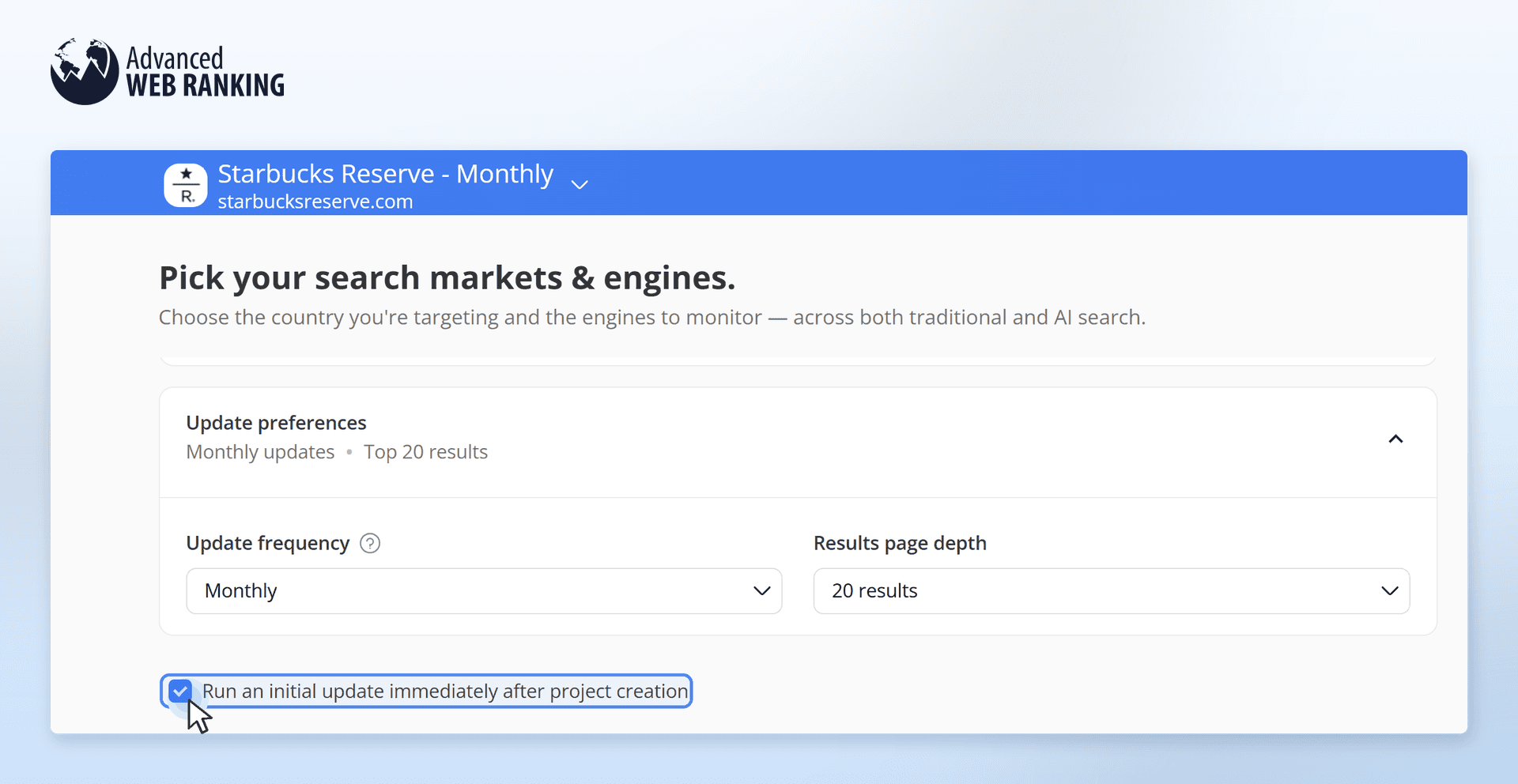
If you leave this option unchecked, the first ranking update will run according to the schedule set in the Account Settings > General Settings section, in Scheduled updates preferences.
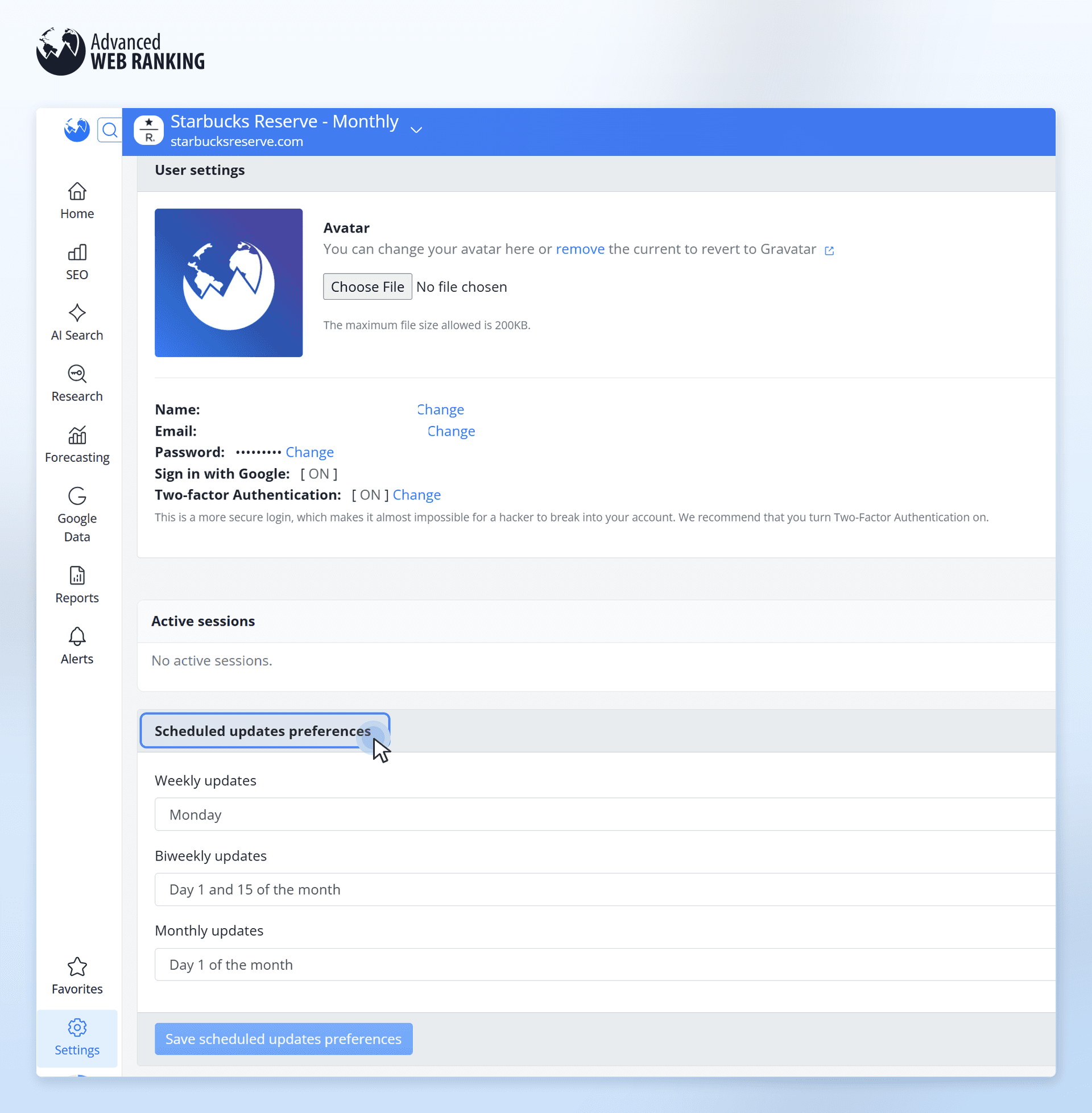
Once your first ranking update is complete, you’ll have a clear picture of where your client’s website currently stands.
Turn your ranking data into clear client insights
For your first client pitch, you’ll need to show:
their current keyword rankings
which websites are ranking for the same keywords and any competitors they may not know about yet
how close they are to reaching their goals
You’ll also need to explain what you can do as an SEO expert to improve their rankings and website performance over the next few months.
For example, if your client is tracking both organic rankings and AI Search performance, you can download PDF reports to give your client a clear and easy to understand overview of their current performance.
You can download PDFs from:
the Keyword Ranking report to show their current rankings
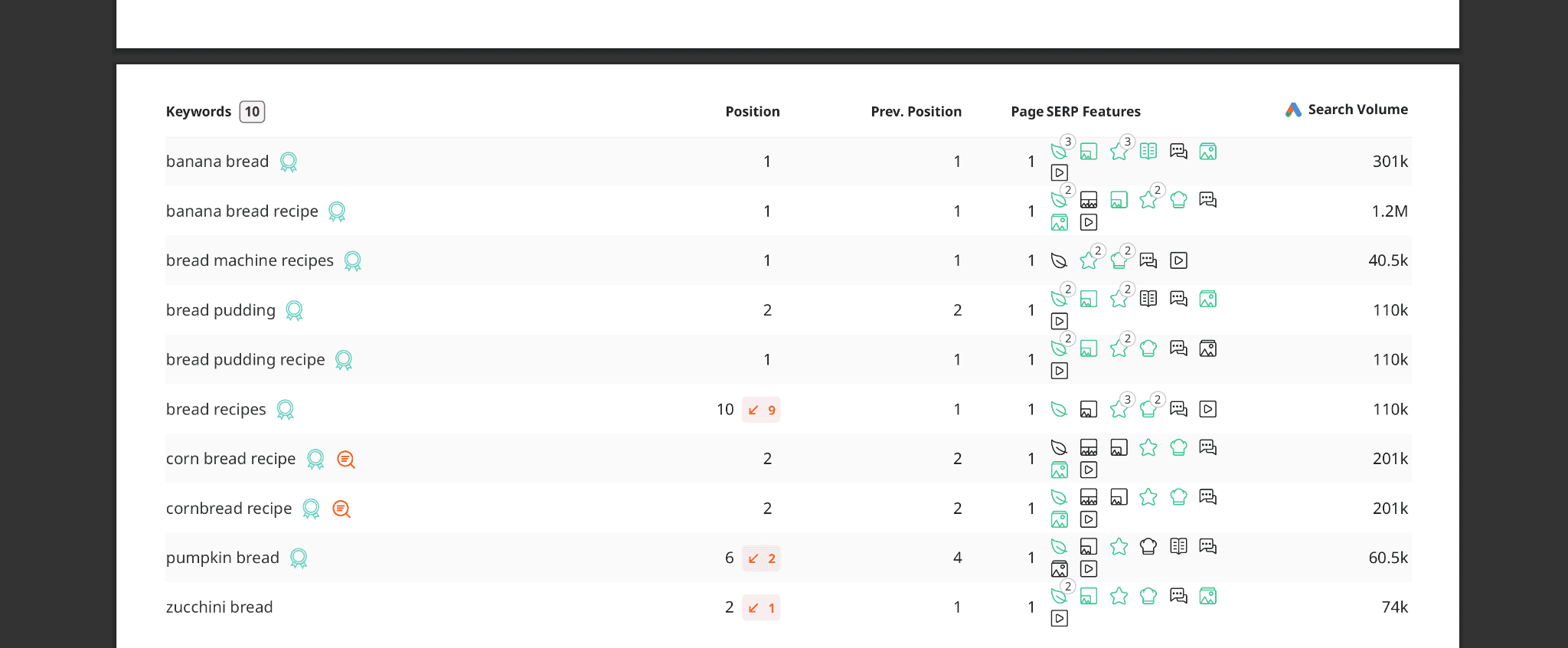
the Market Share report to show which other websites are ranking for the same keywords
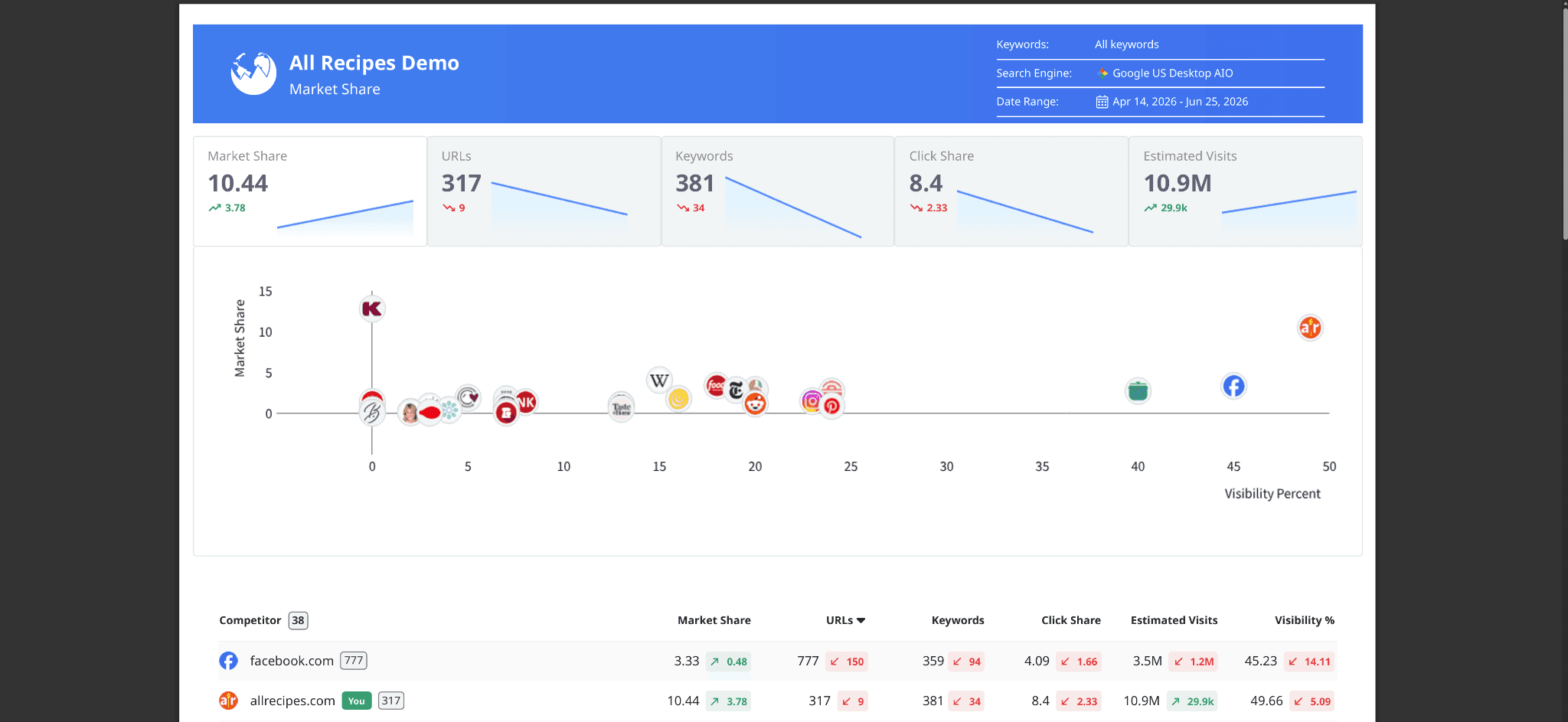
the AI Search Performance report to show how their website is performing in AI Search

These reports give your client a visual and easy to understand view of their current situation.
To download a report, simply click the Export button in the top right corner of the screen and select “Download PDF”.
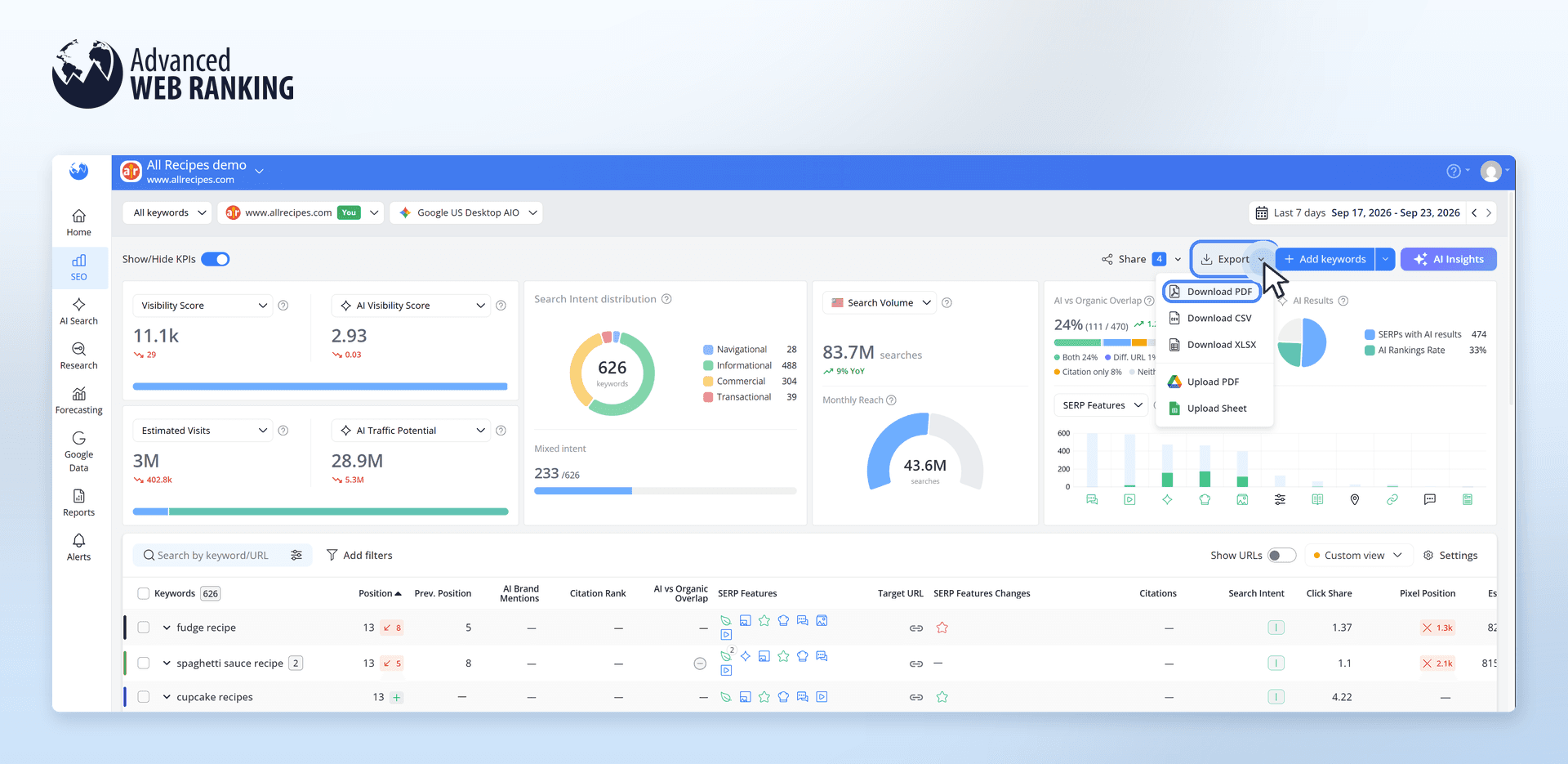
Or, if you prefer to have everything in one PDF, simply go to Dashboards and click on New dashboard.
From there, you can choose one of our templates or create your own dashboard with exactly the information you want to show your client.
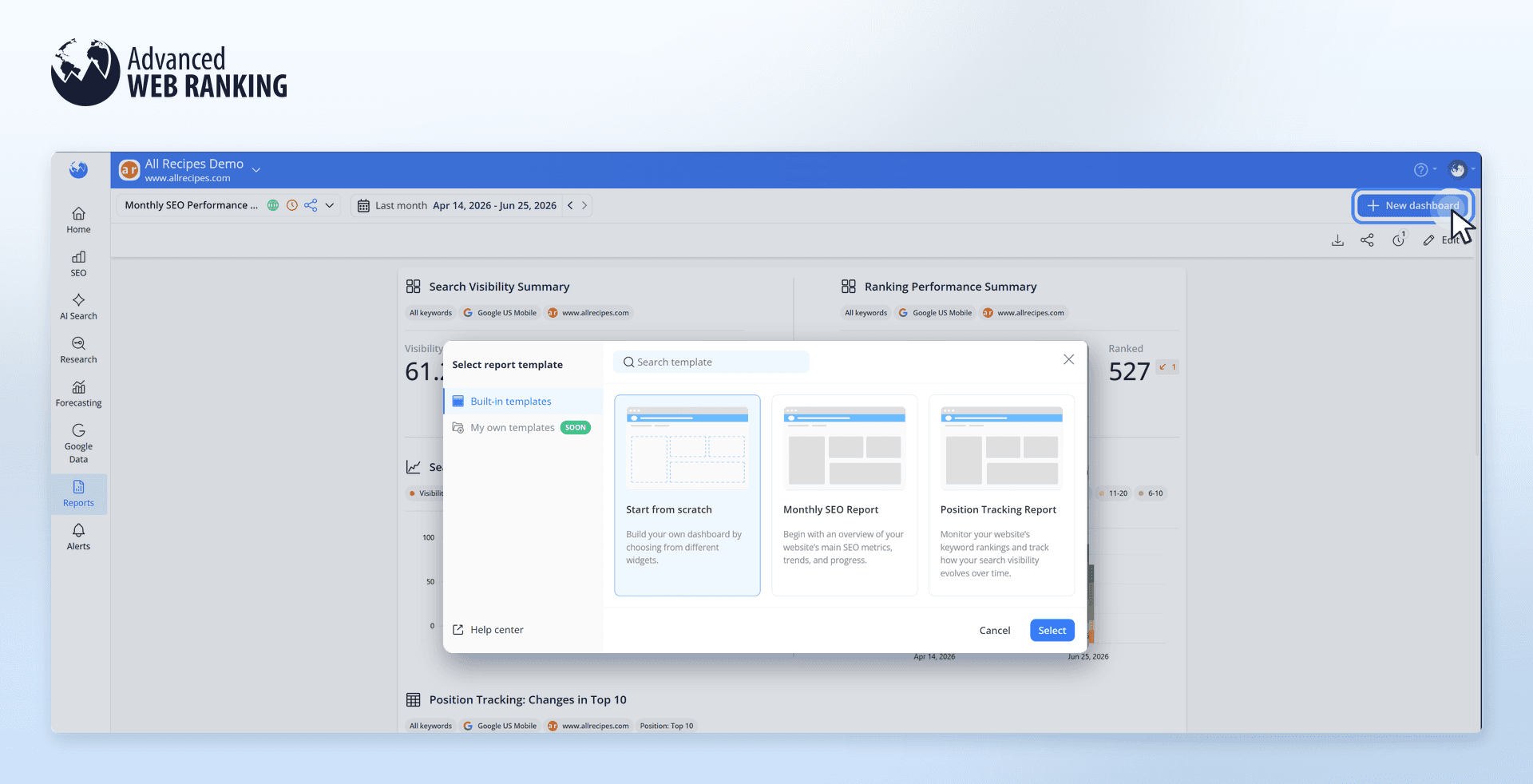
By creating your own Dashboard, you can combine data from multiple reports in one place. You can also include data from multiple projects, so you don’t have to switch between different PDFs.
This is especially useful for clients who are tracking their performance across multiple countries, as you can include everything in one single PDF.
To do this, simply drag a widget onto the canvas and select the project you want to get the data from.

Custom Dashboard reports are available with Agency plans and higher, giving you more flexibility to create reports tailored to each client.
Show the potential impact of your SEO strategy
After you’ve shown your client where their website currently stands, you can use the rankings you already have to create a forecast and show them the potential impact of your SEO work over time.
Head to Forecasting, click "Create forecast" and set it up based on what you’ve discussed with your client, including the timeframe you’ll be working on and the search engine you want to focus on.
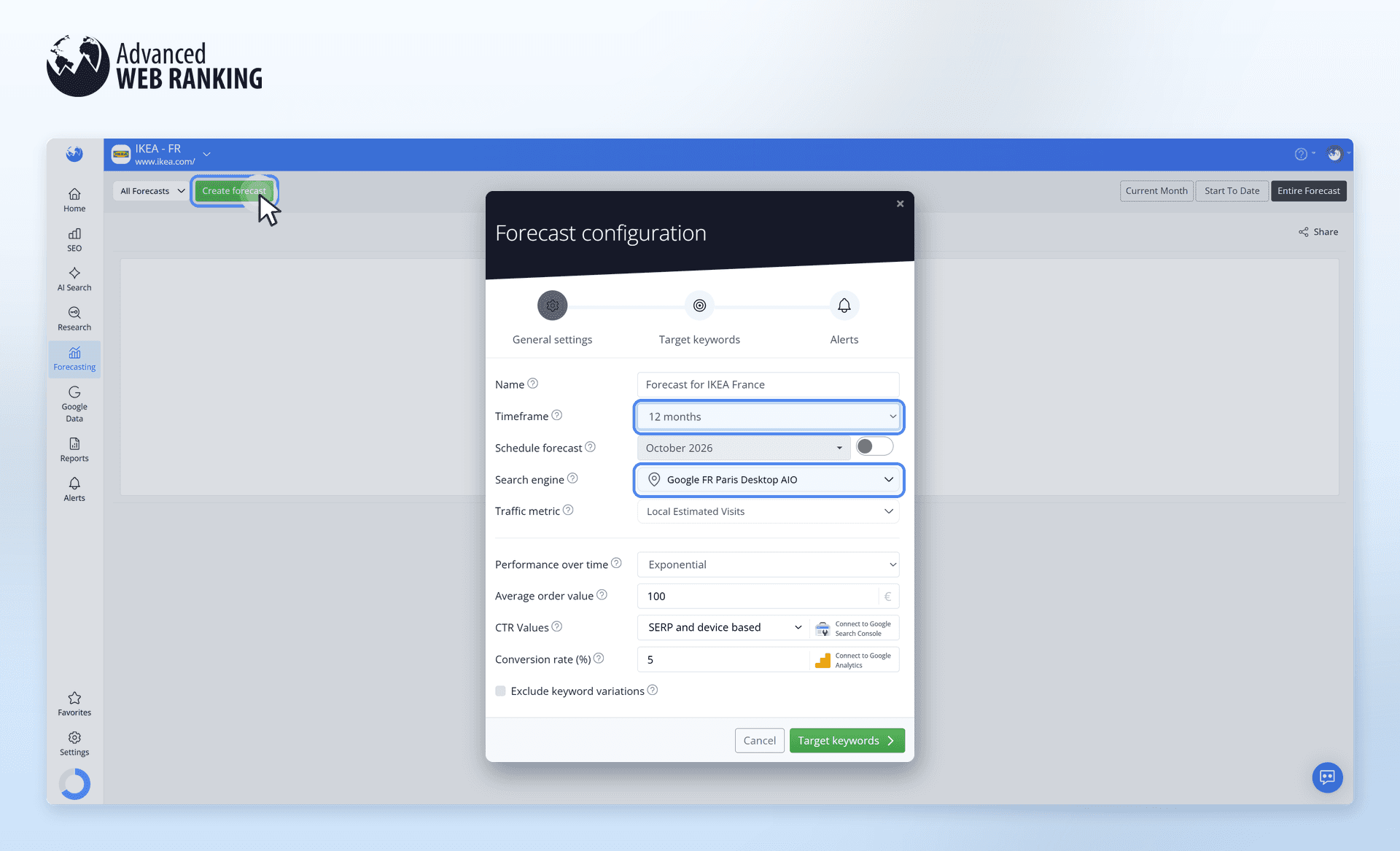
You can also add the Average Order Value, which is the average amount a customer spends when placing an order on the website. To calculate it, simply divide the total revenue by the number of orders received during a specific timeframe, such as one month.
For a more personalized forecast, you can use your client’s own data:
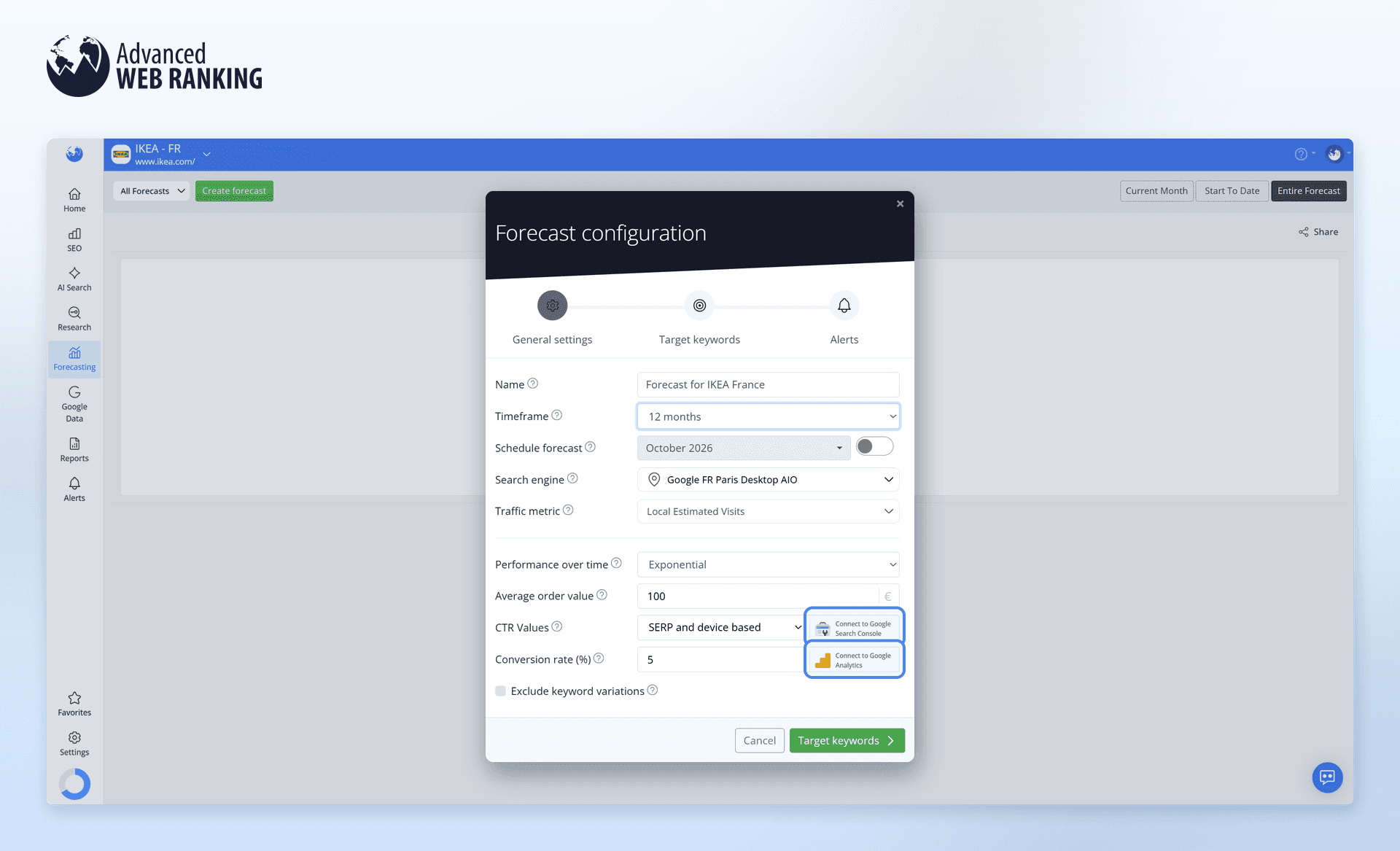
Connect Google Search Console to use the CTR values from the property synced with your project
Connect Google Analytics to use the client’s actual Conversion Rate
Once you’ve selected the keywords for your forecast, you can also set up email alerts for specific situations.
For example, you can get an alert when you reach a goal or when your results fall behind what you forecasted.
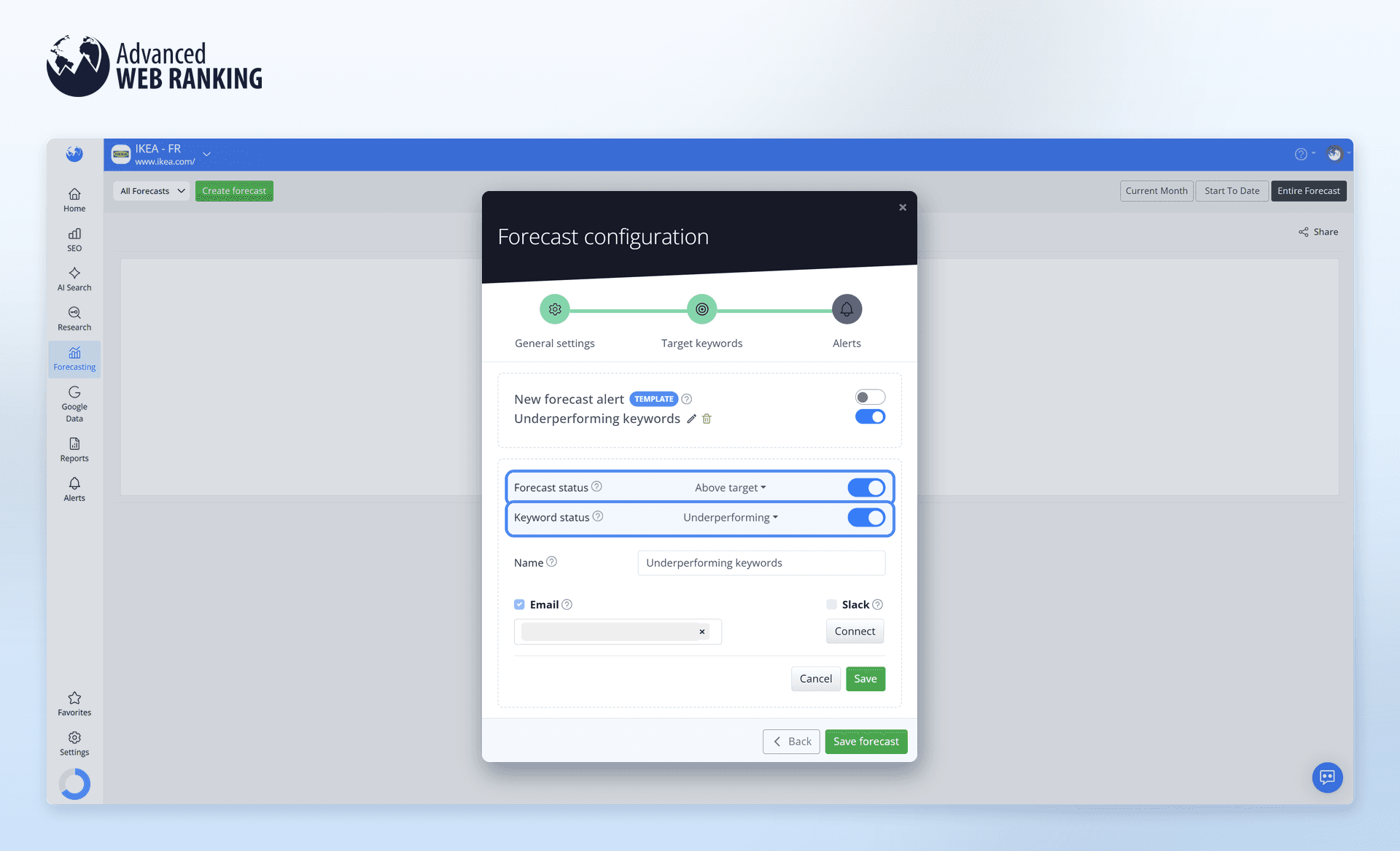
This way, you can easily keep track of progress and see when you may need to adjust your SEO strategy.
Once the forecast has been configured, you can use it to show your client what reaching those ranking goals could mean for their business.
The graph makes this easier to explain by showing:
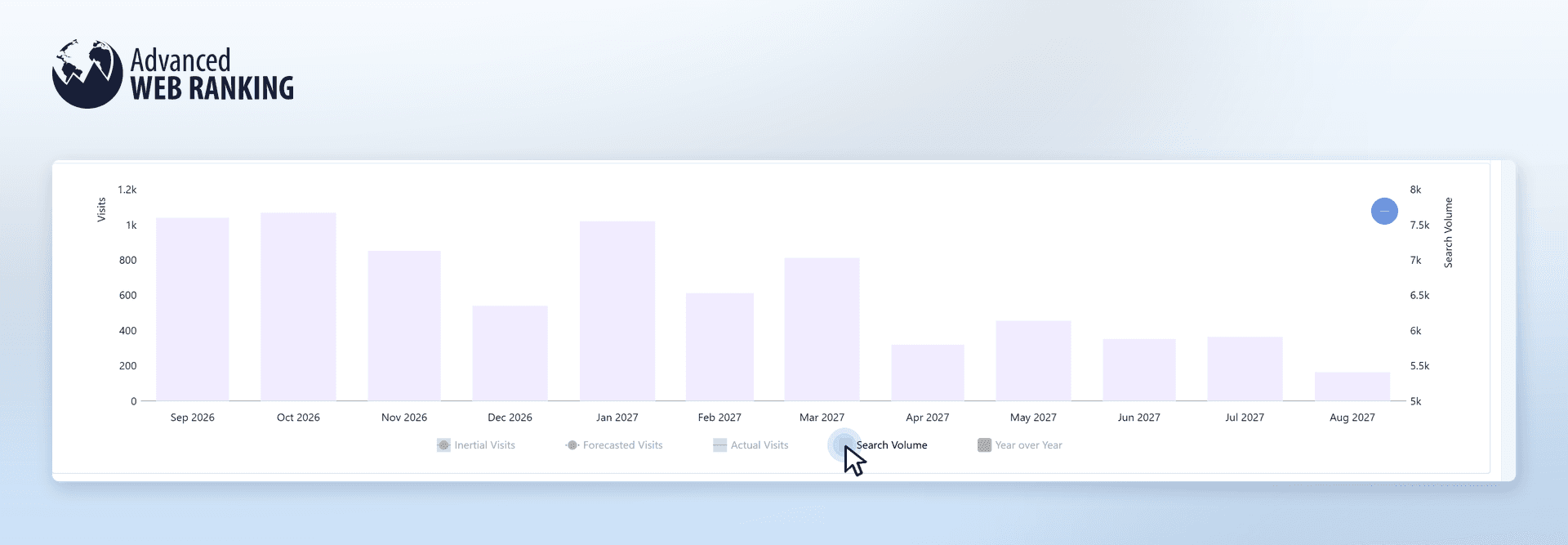
Search Volume: how often the selected keywords are searched for, helping your client understand why you’re targeting those keywords and the traffic opportunity they could bring
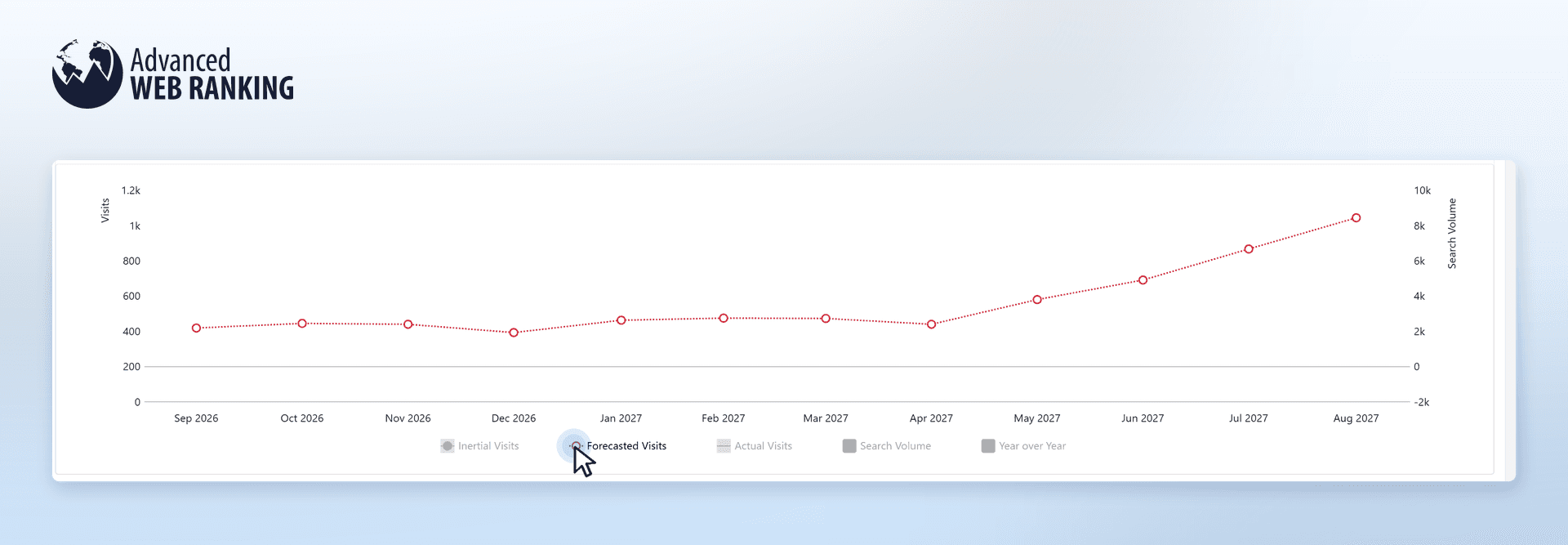
Forecasted Visits: the traffic your client could potentially receive if your SEO work helps the selected keywords reach their ranking goals, showing the results your SEO strategy is aiming to achieve.
Inertial Visits: the traffic they could expect if rankings continue on their current path, helping your client see the difference your SEO efforts could make
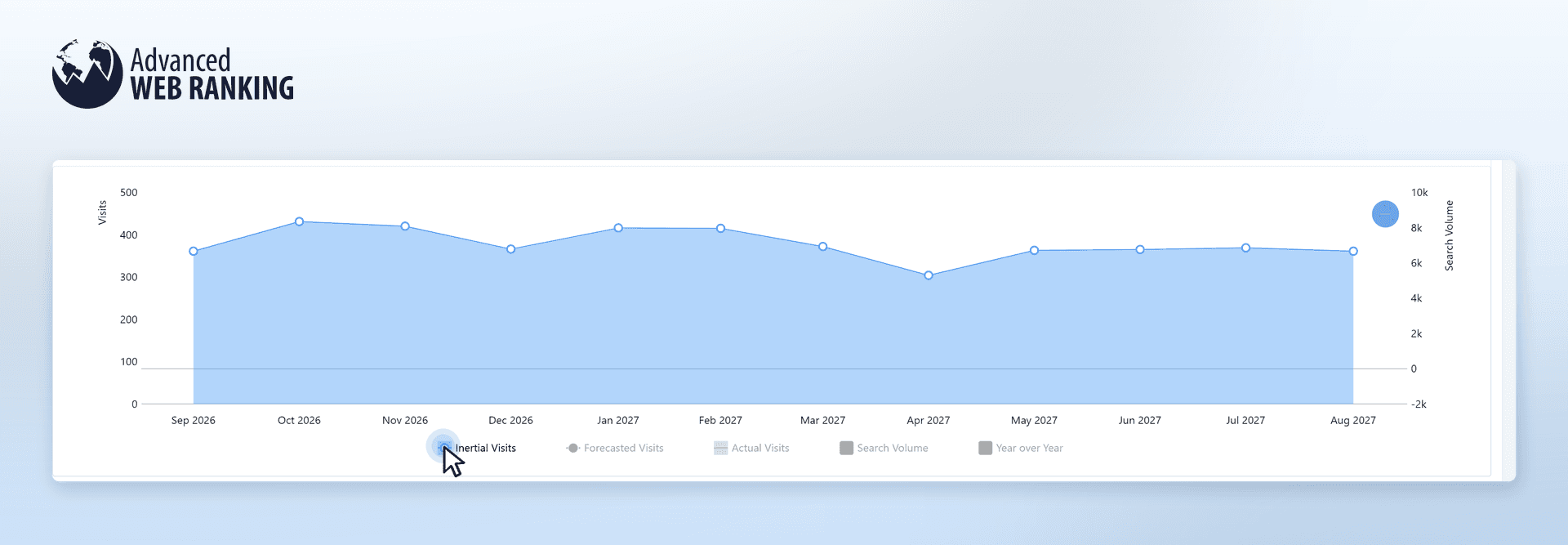
This helps your client see the difference between continuing on the current path and working toward the ranking goals you’ve planned for them.
You can then connect those results to what really matters to your client: Additional Revenue shows how much extra revenue your SEO work could bring, while Google Ads Value shows how much they might otherwise need to spend on Google Ads to get the same additional traffic.
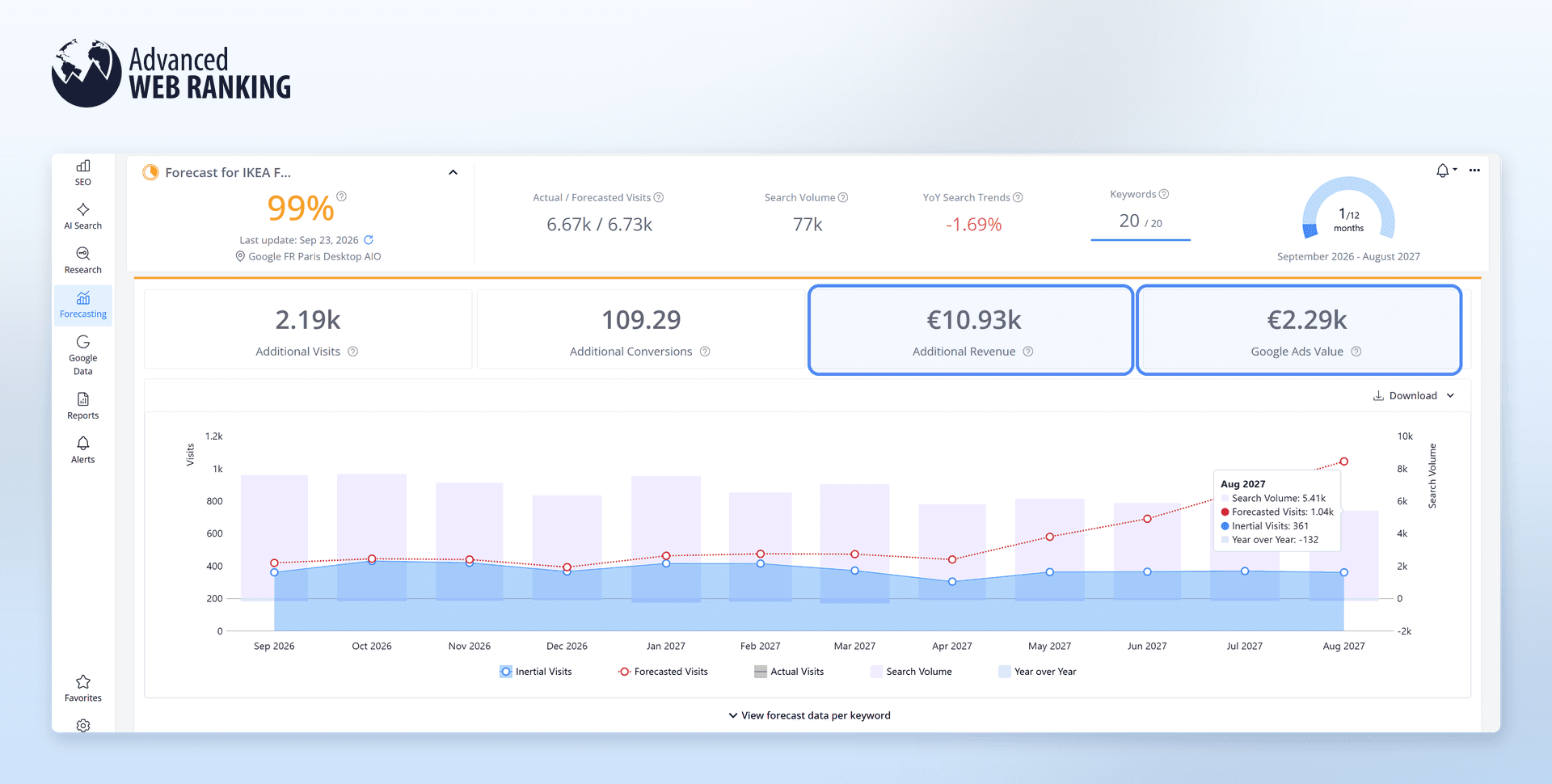
For example, in this forecast:
€10.93k in Additional Revenue your client could potentially gain from the SEO improvements your work could bring
€2.29k in Google Ads Value your client might otherwise need to spend on Google Ads to attract the same additional traffic
This helps your client compare paying for ads to get that traffic or investing in your SEO work to grow it organically.
Wrap up your client’s first week
By the end of the first week, you’ll know where your client stands, what you need to track and what you want to achieve together. With everything set up in AWR, you’ll have a clear starting point to track progress and adjust your strategy along the way.
Your client can also see for themselves what you’re working toward and why, helping you build trust in your SEO work from the very beginning.
Frequently Asked Questions
How often should I update rankings for a new client?
When should I start showing SEO results to my client?
How many keywords should I track for a new client?
stay in the loop