

Advice and answers from the Advanced Web Ranking Team
Search for articles
Onboarding Best Practices for Agencies Managing Multiple Clients
Learn how to organize multilingual and multi-market client projects in AWR for accurate tracking and easier SEO reporting.

When onboarding multiple SEO clients into AWR, project structure plays a much bigger role than most teams expect.
The way campaigns are organized influences everything from tracking accuracy and reporting clarity to keyword unit usage.
Whether you’re managing a handful of clients or hundreds of international campaigns, structuring projects properly from the start helps avoid duplicate tracking, inconsistent reporting and unnecessary resource consumption later on.
TL;DR: Structuring AWR Projects for Better SEO Reporting
When onboarding multiple SEO clients into AWR, project structure plays an important role in tracking setup, reporting clarity and keyword unit management.
As a general best practice, projects should be organized based on language, location, device and update frequency. Smaller campaigns can often stay within a single project, while multilingual or multi-market campaigns are typically easier to manage when separated into multiple projects.
Why Project Structure Matters
In AWR, projects are configured with the keywords, search engines and competitors associated with a tracking campaign, while settings like results page depth and update frequency define how tracking is performed.
Since keyword unit consumption is directly influenced by these settings, more complex tracking setups will naturally require more resources over time. That’s why project structure plays an important role in keeping campaigns easier to manage and resource usage more efficient in the long run.
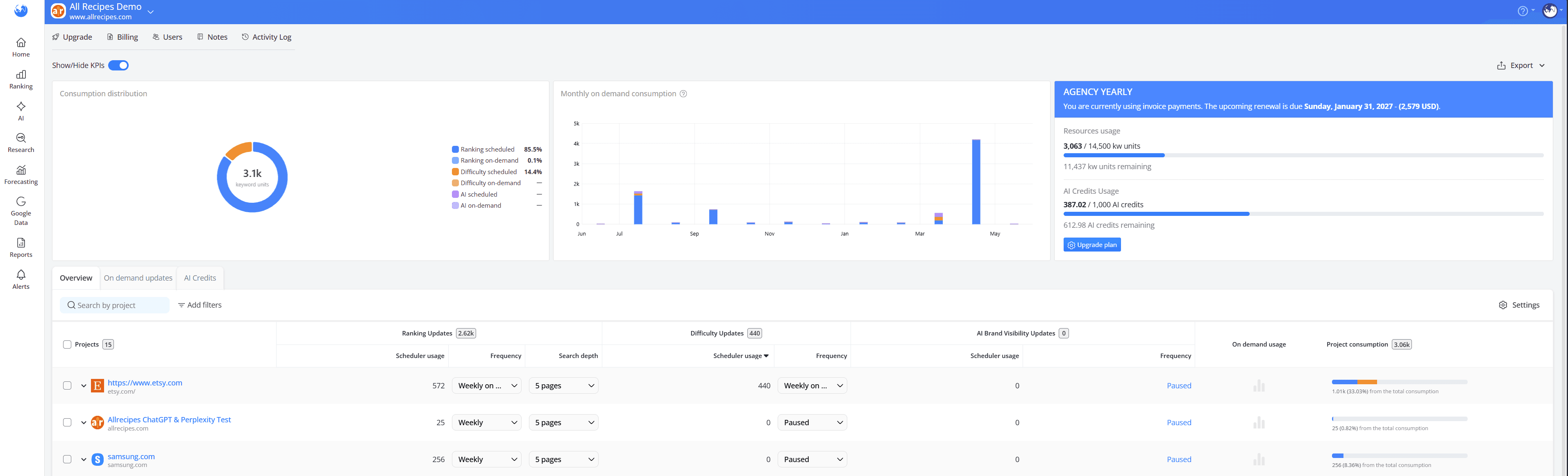
To keep track of resource usage, unit consumption across projects can be monitored in the Resources section of the account:
During onboarding, it may seem more convenient to group multiple markets, languages and search engines into a single project.
While this may seem easier to manage initially, separating projects more strategically usually leads to more accurate tracking, cleaner reporting and better resource efficiency over time.
How We Recommend Structuring Projects
To keep projects easier to manage, we recommend grouping together keywords with the same language, search engine targeting and update frequency.
For cleaner reporting and easier management, we recommend grouping together in the same project keywords with the same:
language
search engine targeting
update frequency.
Keeping projects organized this way makes them much easier to manage over time and helps maintain cleaner, more consistent reporting across dashboards, exports and visibility metrics.
For example, instead of grouping all markets and languages into a single project, creating separate projects for each language or market allows campaigns to use their own language-specific keywords and search engines.
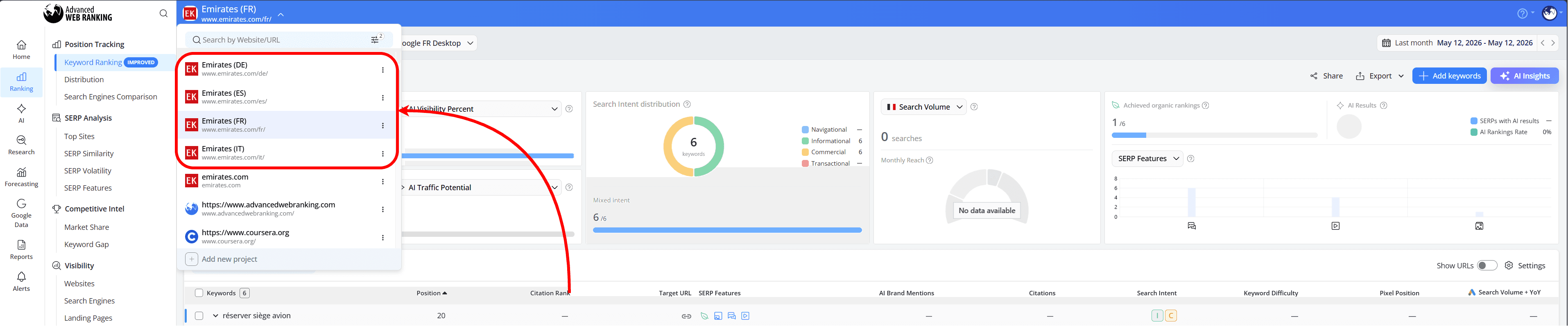
This helps keep rankings more relevant to each local SERP while making reporting easier to work with.
Which Setup Works Best for You: One Project or Multiple Projects?
Use case 1: One language, one market
A single project usually works best when:
all tracked keywords target the same language
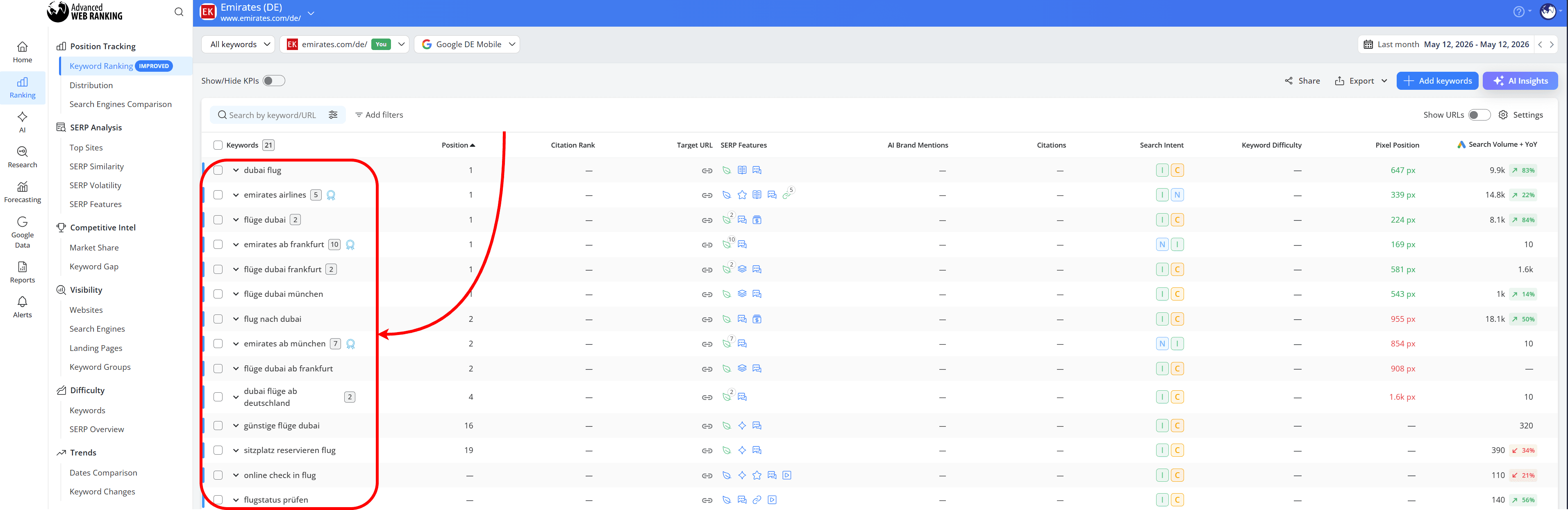
all search engines target the same language
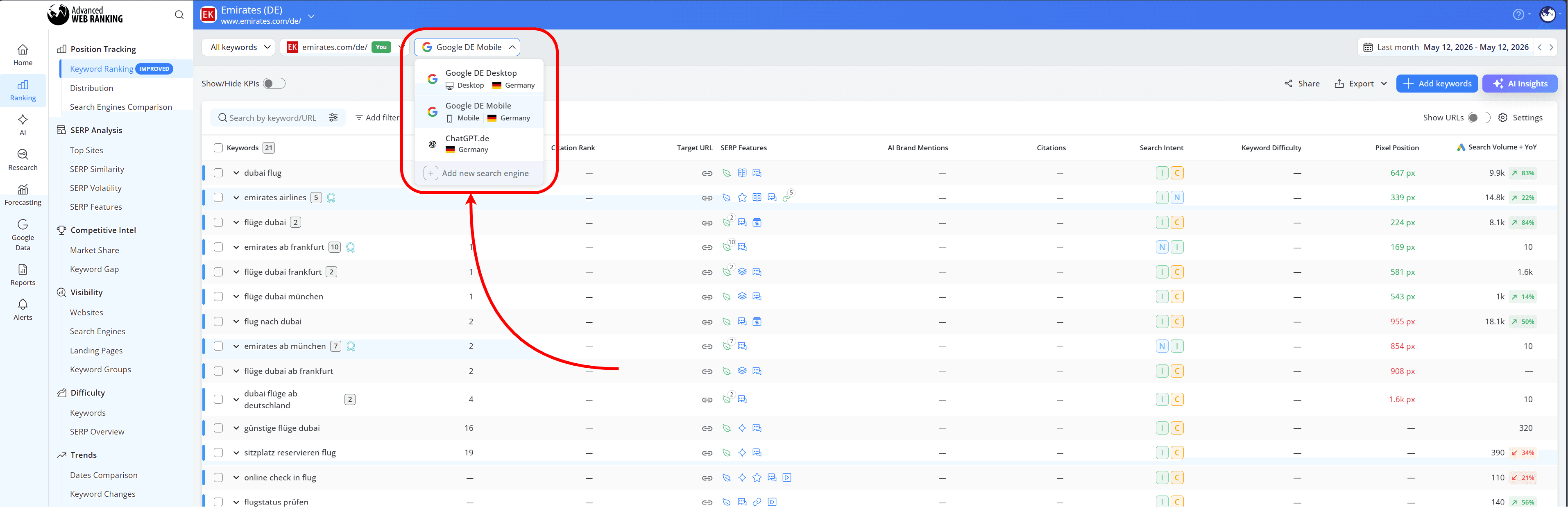
the same competitors, update frequency and reporting needs apply across the campaign
For example, a Bulgarian hotel tracking Bulgarian keywords on Google Bulgaria with weekly updates can usually be managed efficiently within a single project.
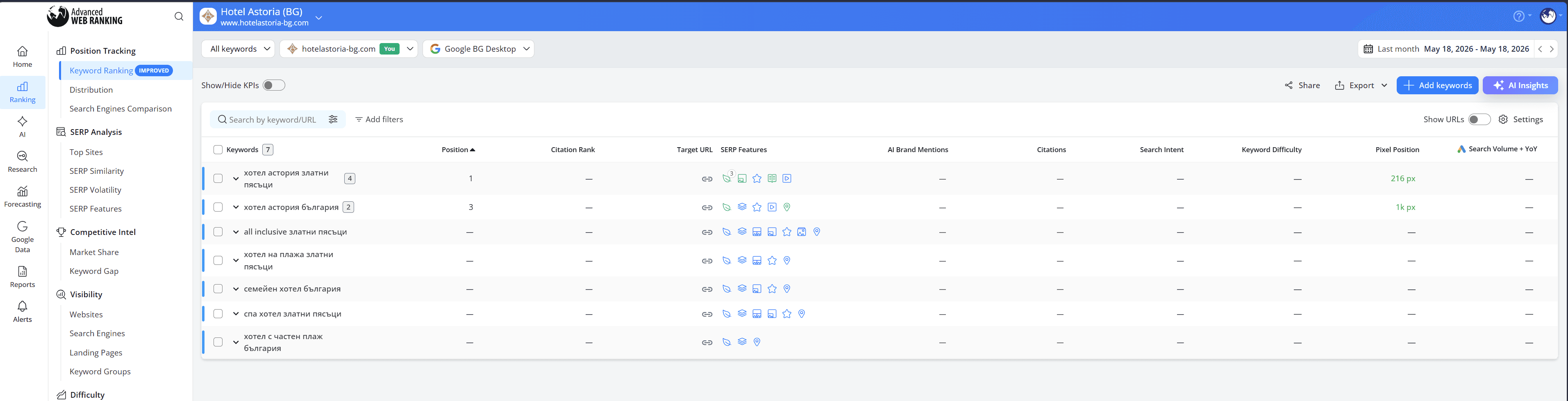
How this helps: Keeping everything inside one project makes reporting simpler and easier to manage when the tracking setup is consistent across the campaign.
Use Case 2: Multilingual tracking within the same country
Separate projects are usually recommended for multilingual or multi-market campaigns where keywords require different search engines, locations, or reporting structures.
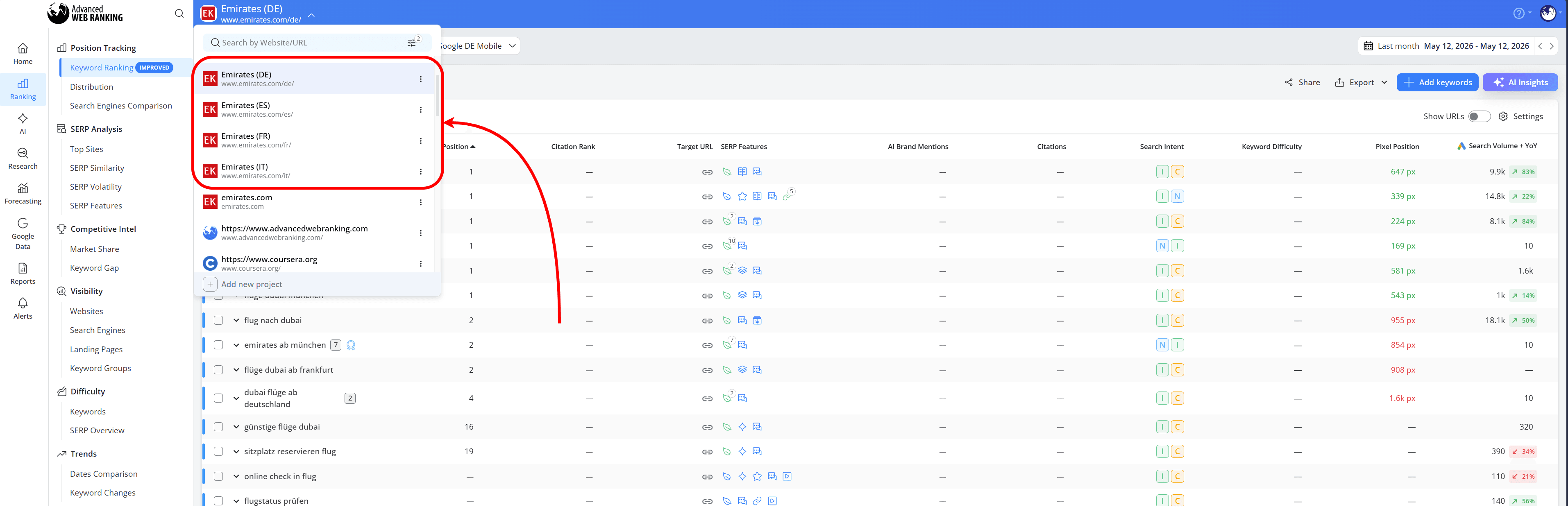
For example, a client targeting Switzerland will want visibility across German, French and Italian-speaking regions. In this case, keeping all keywords and search engines inside a single project can create unnecessary overlap between language-specific SERPs.
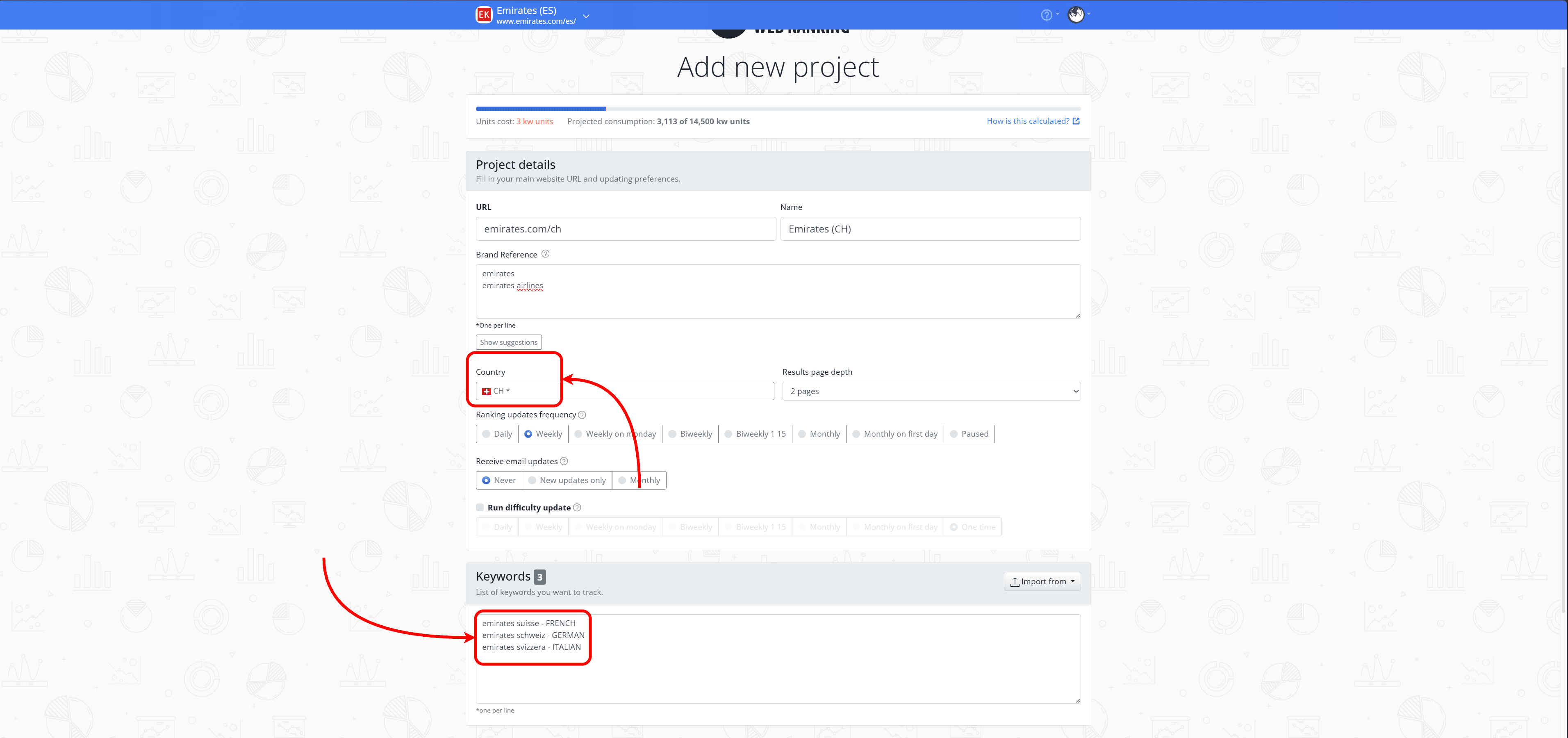
To avoid this, we recommend creating separate projects for each language (CH-DE, CH-FR and CH-IT), while keeping the country set to Switzerland and using keywords targeting only one language per project.
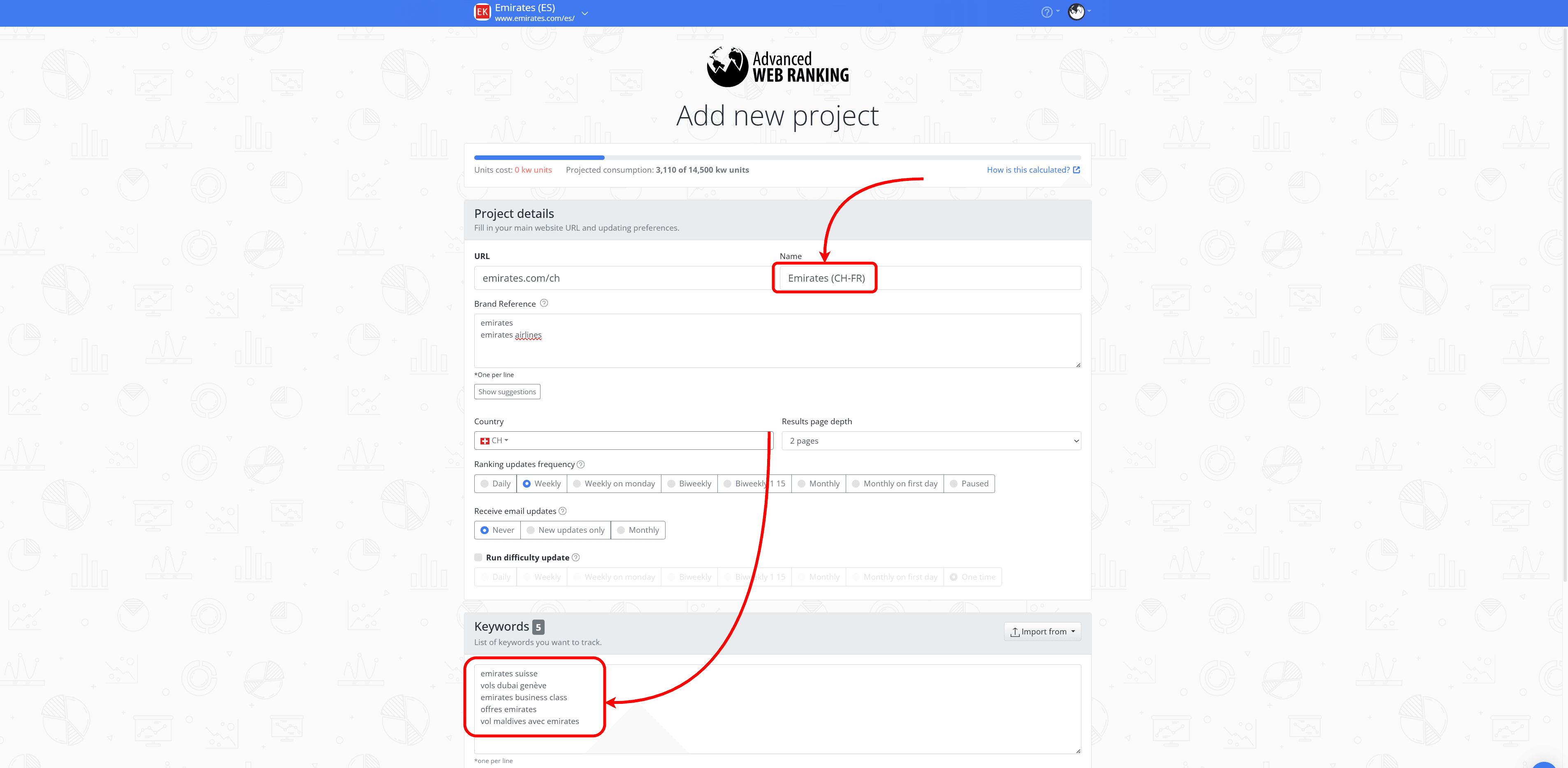
When configuring the search engines for each project, make sure the selected language matches the language targeted by that specific project in the “Add search engines” wizard:
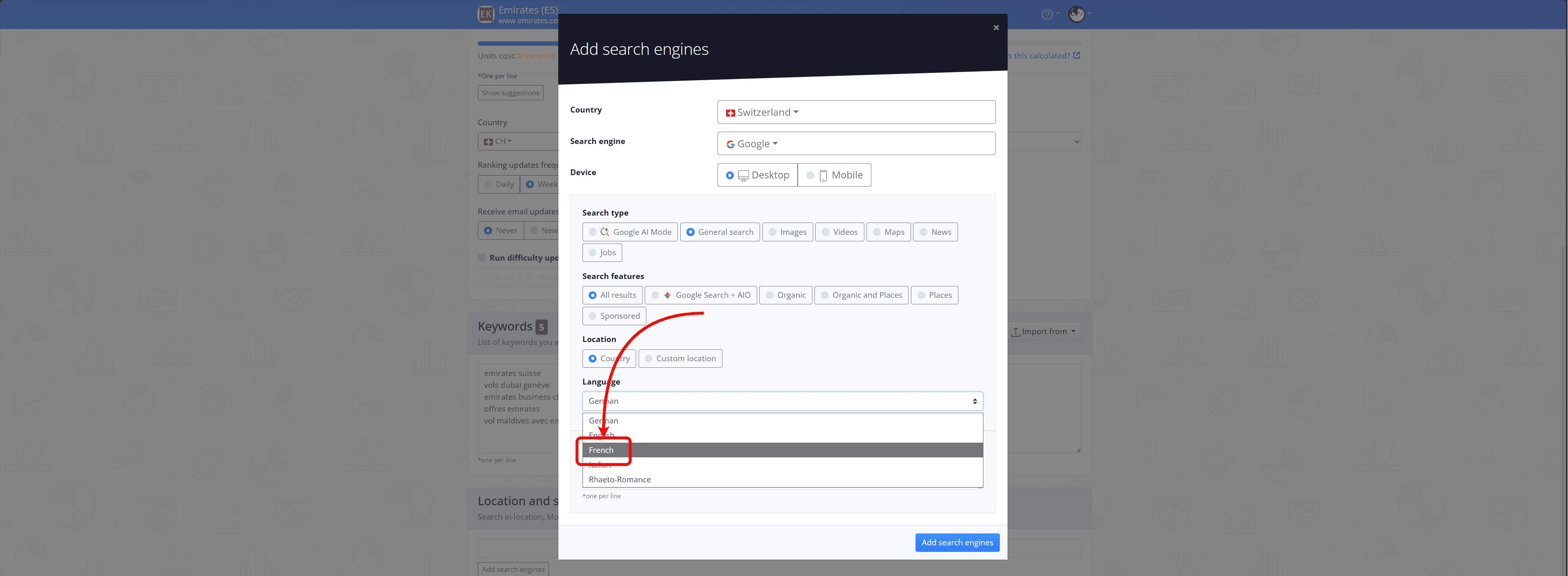
How this helps: This structure helps keep rankings relevant to each local market, makes reporting easier to understand and prevents resources from being used unnecessarily.
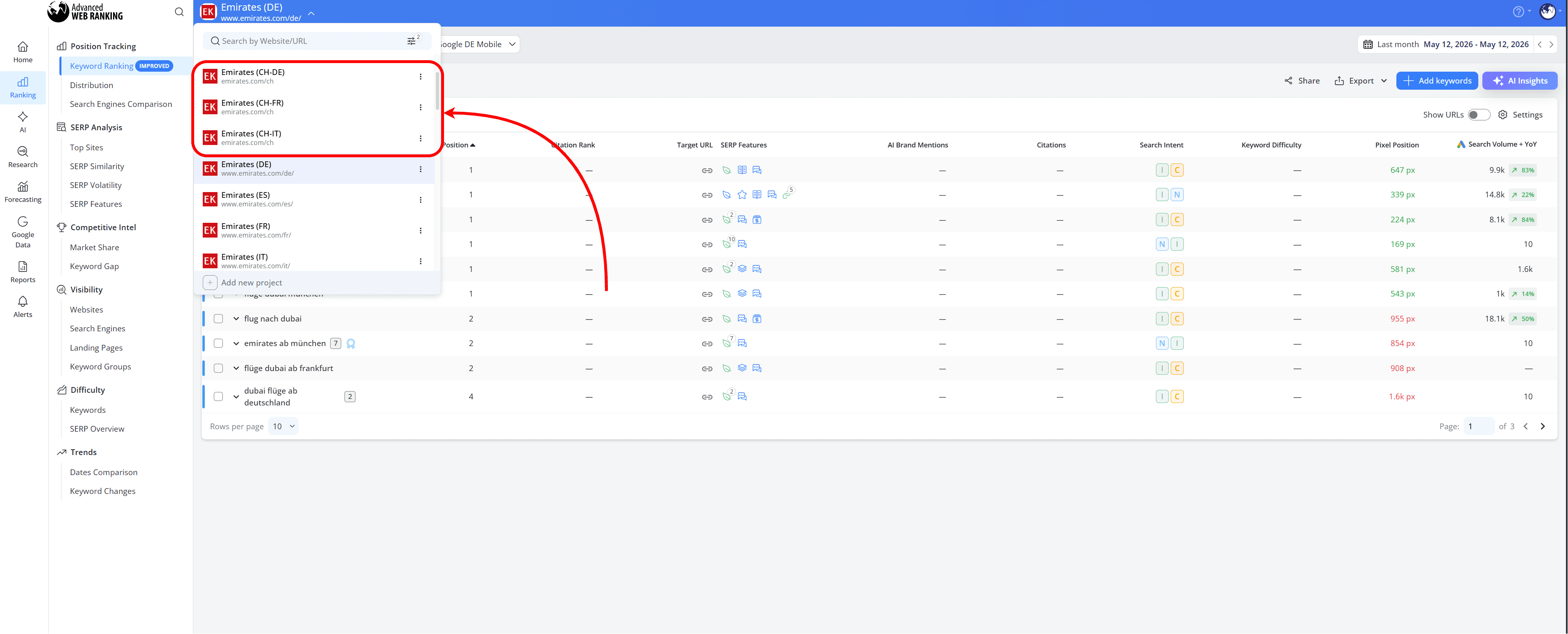
Use Case 3: Different Countries Targeting the Same Language
A single project also works well when multiple countries target the same language and follow the same tracking structure, since the same keywords are being tracked across all markets.
In these cases, multiple country-specific search engines can be added to the same project while keeping the same language targeting, update frequency, competitors and reporting setup across the campaign.
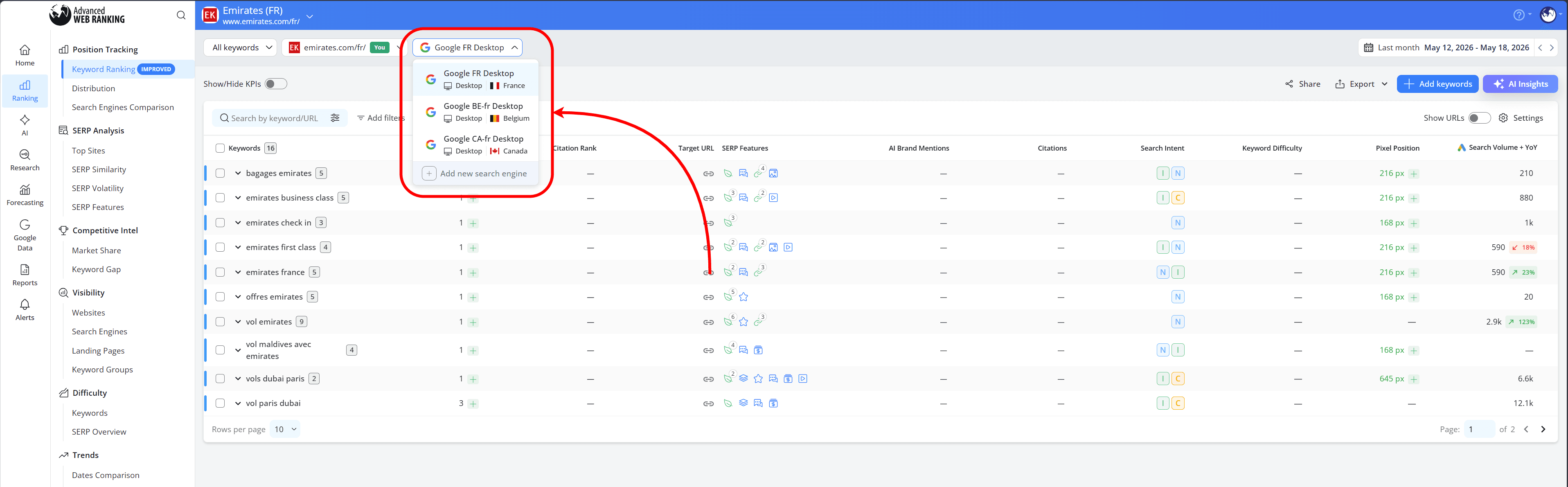
How this helps: Keeping countries that target the same language inside one project can simplify keyword management and reporting when the overall tracking setup remains consistent across markets.
Use Case 4: Desktop and Mobile tracking within the same country
When tracking both desktop and mobile rankings within the same country, language and market, both device types can usually be managed within the same project without any issues.
In these cases, we recommend keeping desktop and mobile tracking inside the same project when the search engines, locations and reporting structure remain consistent.
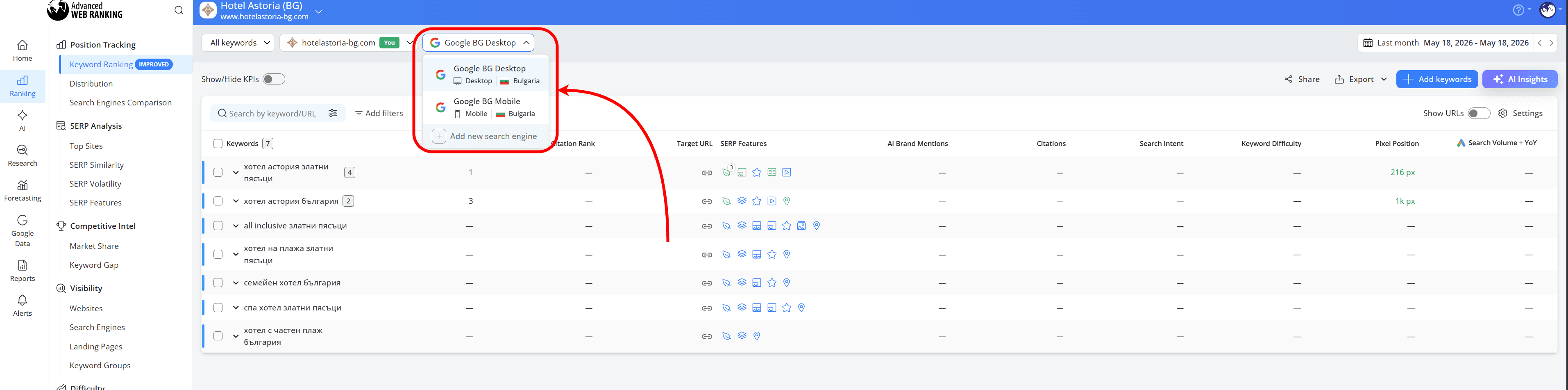
How this helps: Keeping desktop and mobile tracking together makes projects easier to manage and simplifies reporting for smaller or more centralized campaigns.
Use Case 5: Desktop and Mobile tracking across multiple locations
When tracking both desktop and mobile rankings across multiple locations, separating projects by device type can often make reporting and project management easier.
For campaigns tracking multiple locations, desktop and mobile setups are easier to manage when separated into different projects.
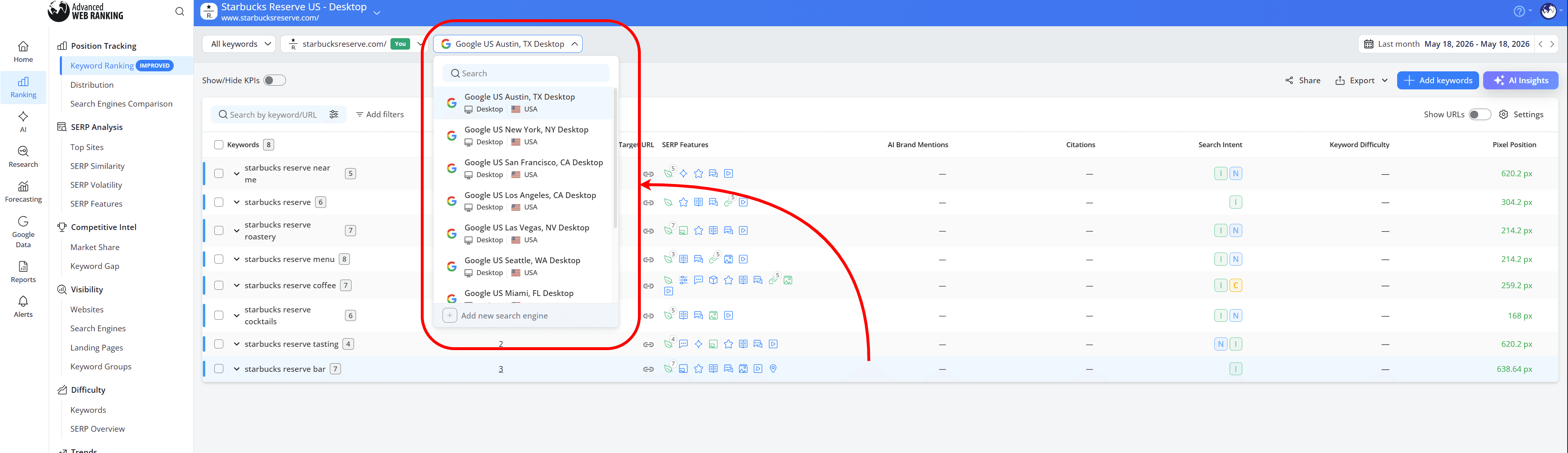
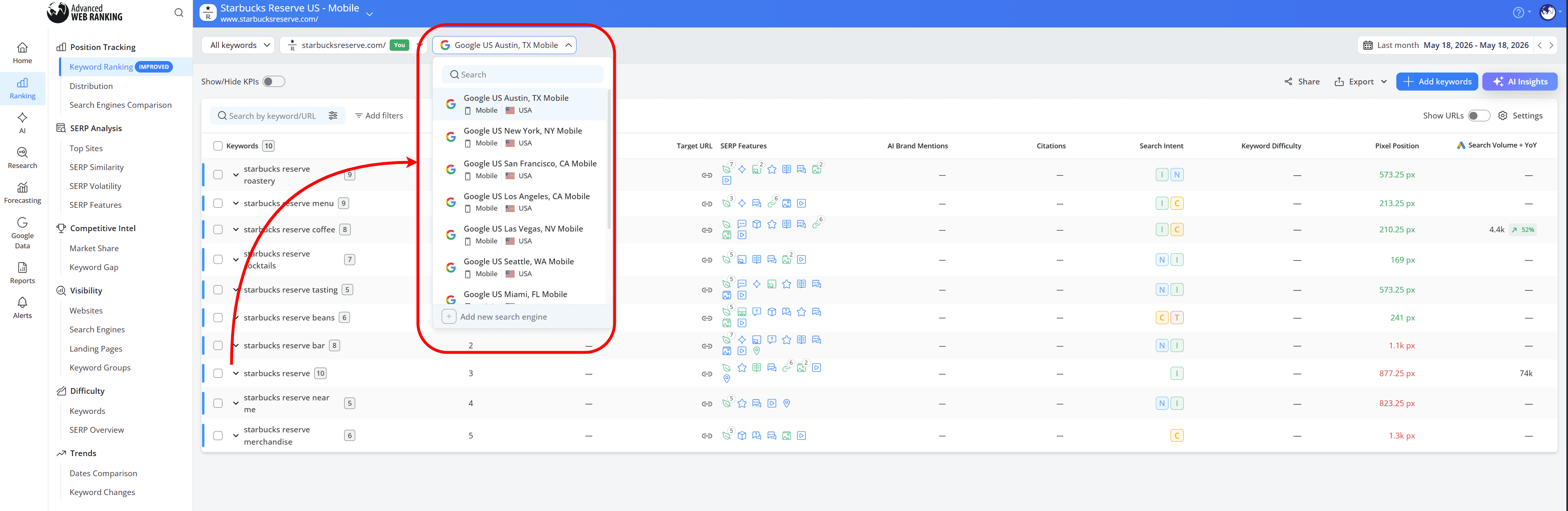
How this helps: Separating projects by device type becomes especially useful for larger campaigns with many locations, making filtering, reporting and resource management easier to handle.
Use Case 6: Different update frequency requirements
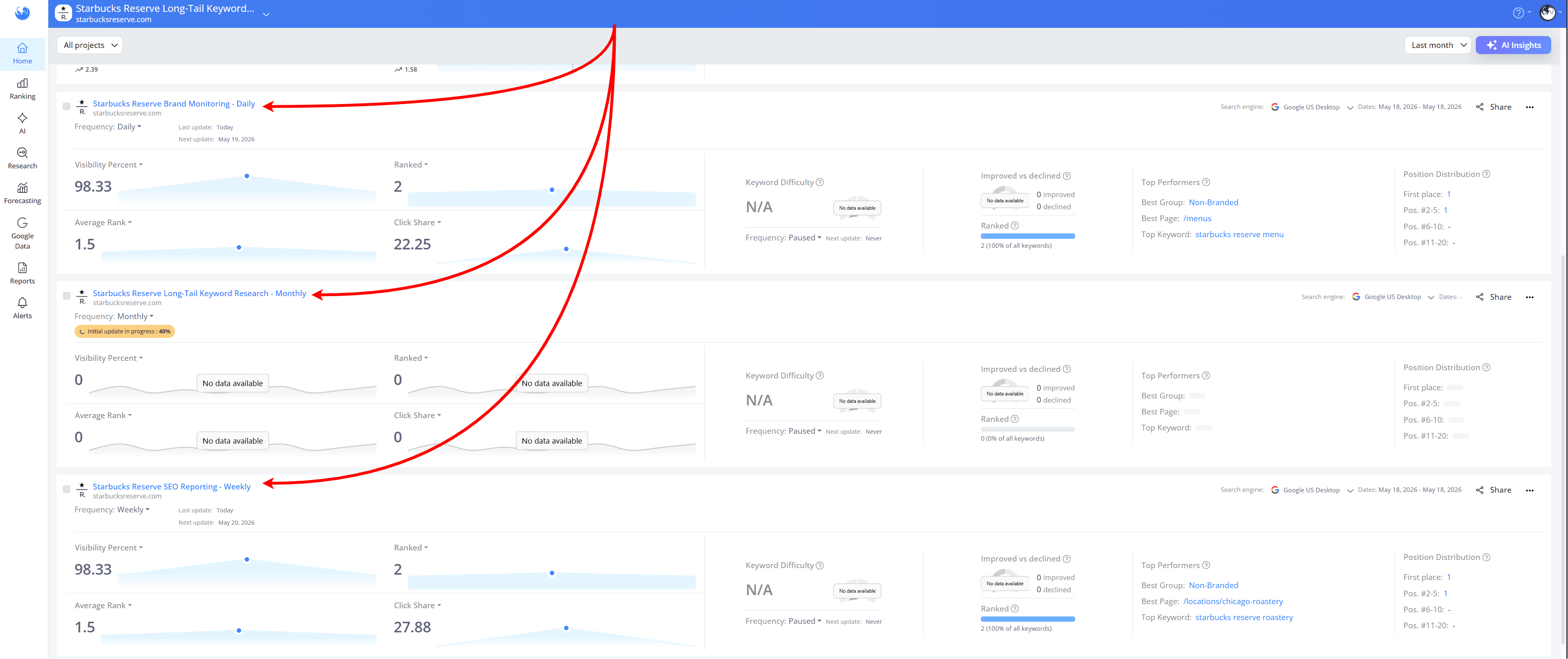
Another useful way to structure projects is by update frequency:
enterprise brand monitoring campaigns often rely on daily updates to closely follow visibility and ranking changes.
standard SEO reporting campaigns are commonly updated on a weekly schedule.
lower-priority campaigns or long-tail keyword research projects may only require monthly updates.
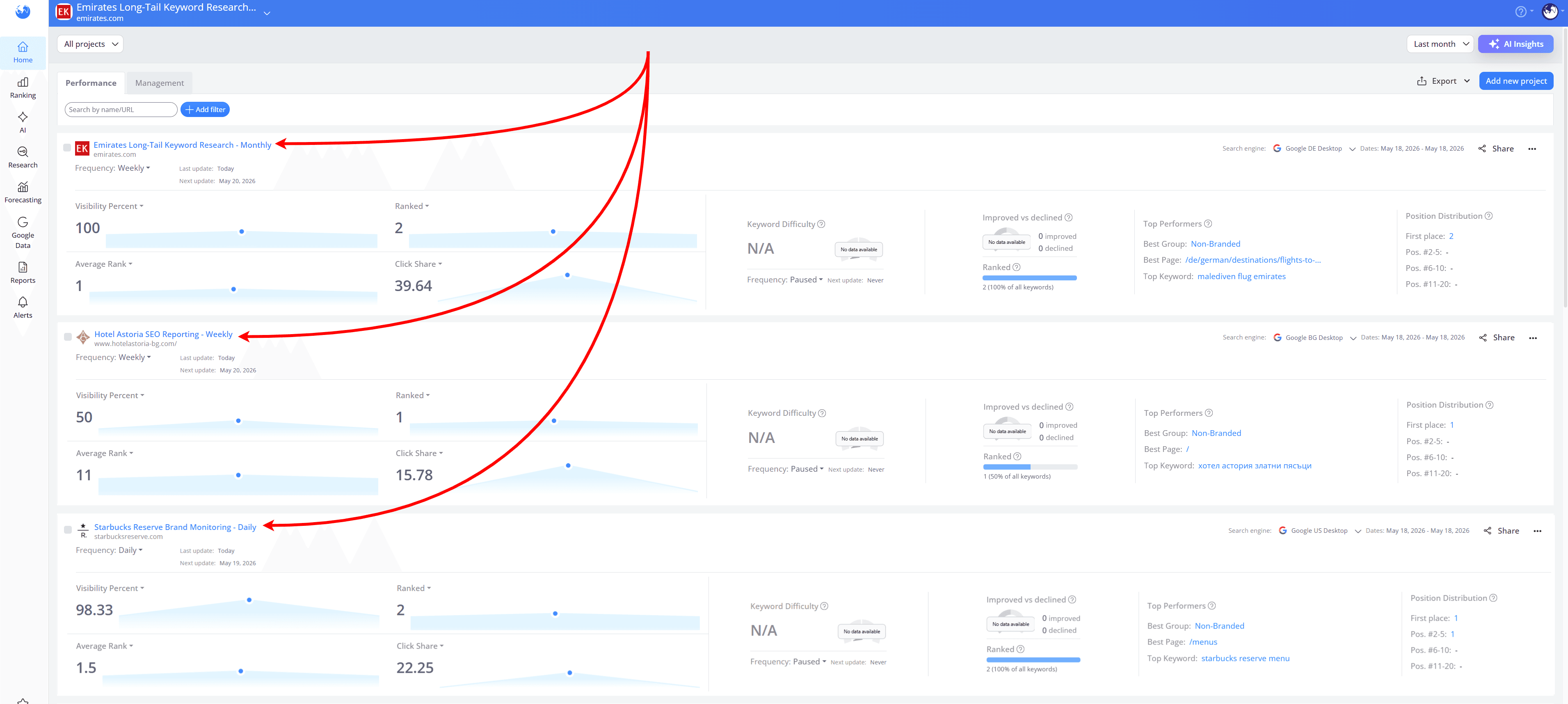
Depending on your tracking requirements, ranking update frequency can be configured either when creating a new project:
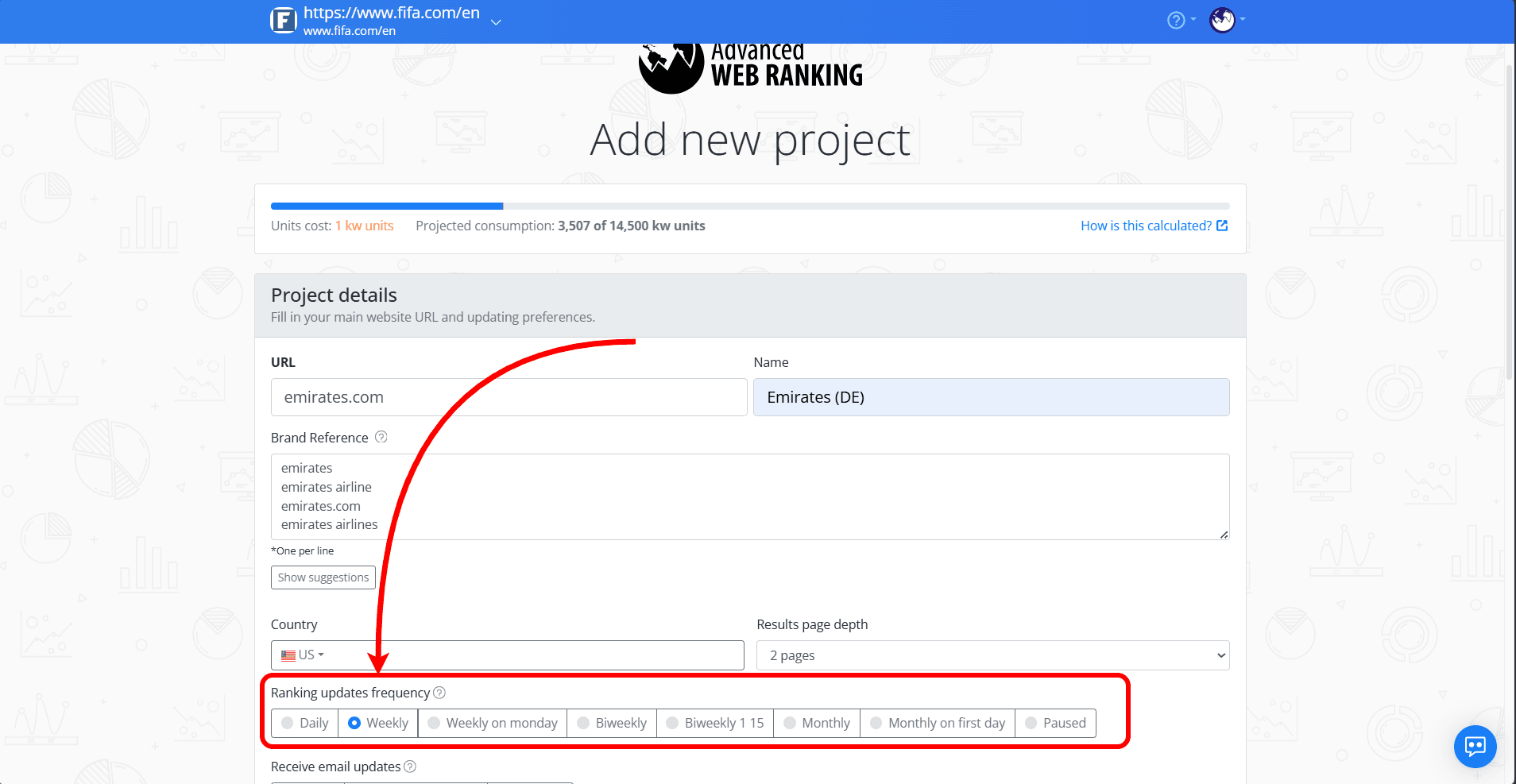
or later from Settings > Overview for existing projects:
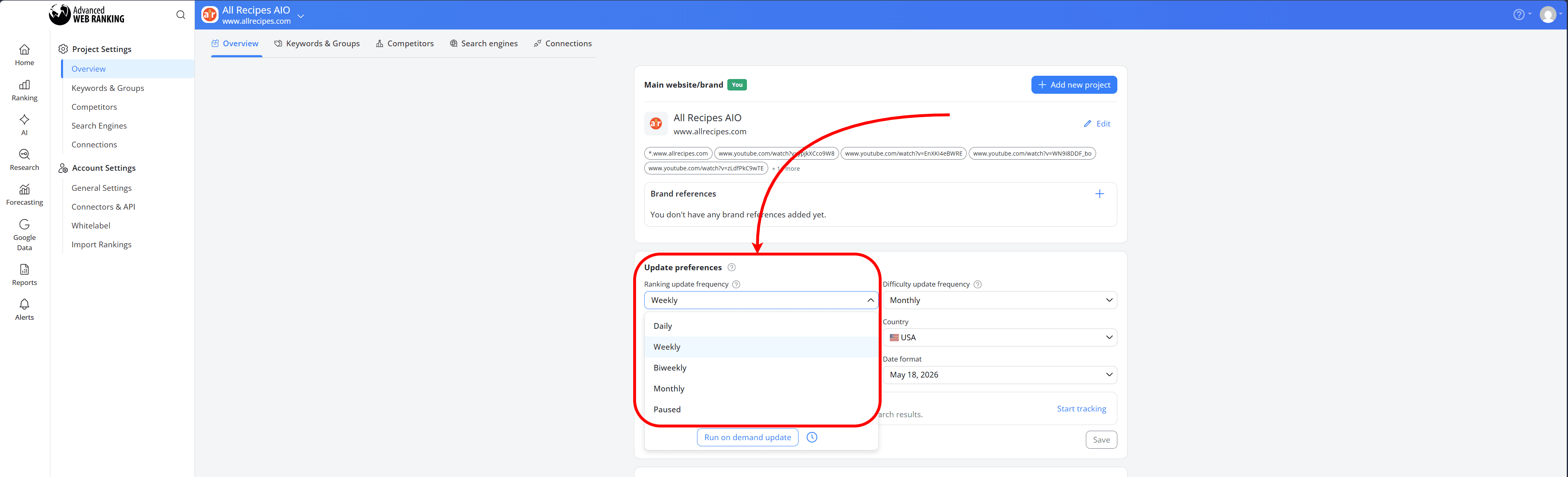
How this helps: Keeping projects separated by update frequency helps make reporting cleaner, resource usage easier to manage and project organization more consistent over time.
Use Case 7: Migrating from another tool
When migrating from another tool, it’s best to start by segmenting projects by language and then matching each project with the appropriate local search engines.
Projects that share the same update frequency should also remain grouped together whenever possible. For example, keywords that require daily monitoring are usually better kept in a separate project from campaigns that only need weekly or monthly updates.
This helps avoid unnecessary keyword unit consumption across projects with different tracking requirements.
For multilingual campaigns, it’s generally better to avoid mixing multiple languages into the same project unless all keywords are intentionally meant to be tracked across the same SERPs.
Before starting the migration, it also helps to prepare a simple overview of each campaign, including the target markets, preferred search engines, language targeting, device setup, and update frequency requirements.
How this helps: Having this structure prepared in advance usually makes onboarding much smoother and helps avoid reorganizing projects later.
Reporting for one client across multiple locations
When managing multiple locations for the same client, reporting structure becomes just as important as tracking structure.
For larger international campaigns, reporting can still stay organized and easy to present to clients even when campaigns are managed across multiple projects.
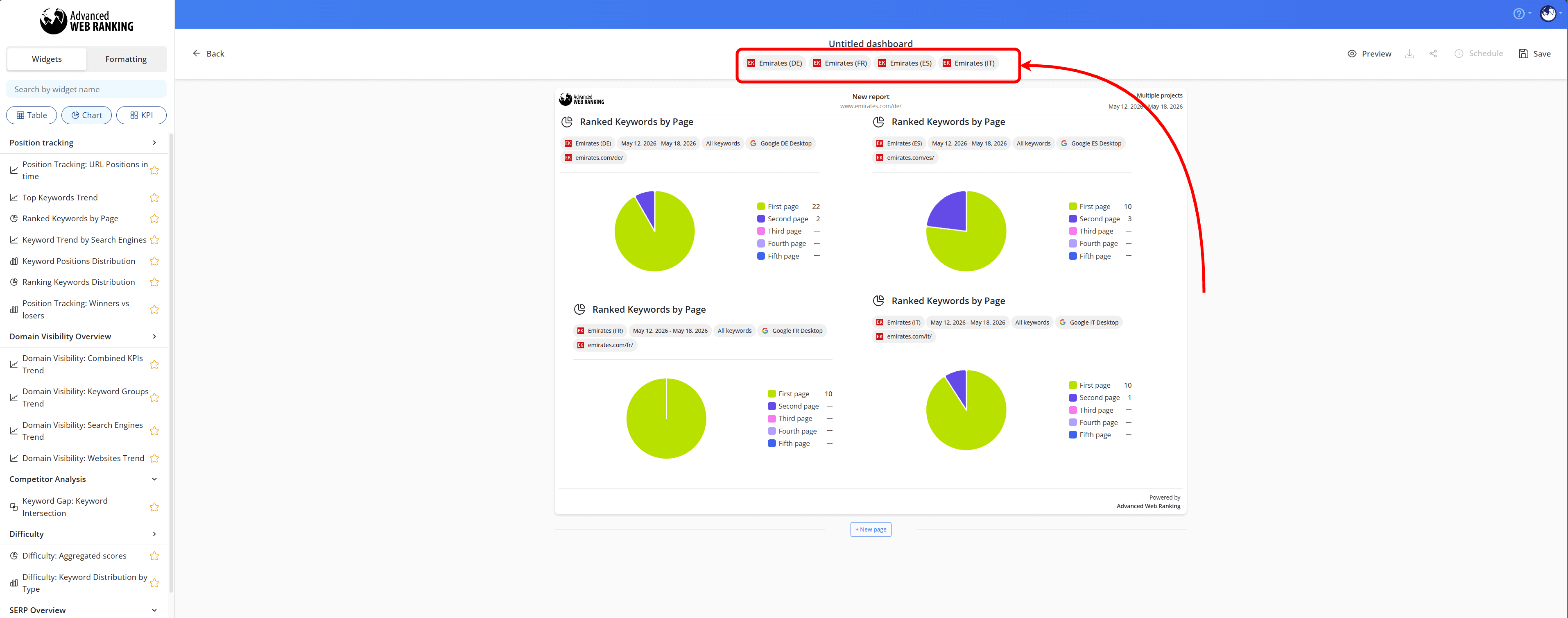
When creating customizable Dashboards, widgets from different projects can be added into the same report canvas, making it easy to create a single client-facing report covering multiple countries, markets or devices.
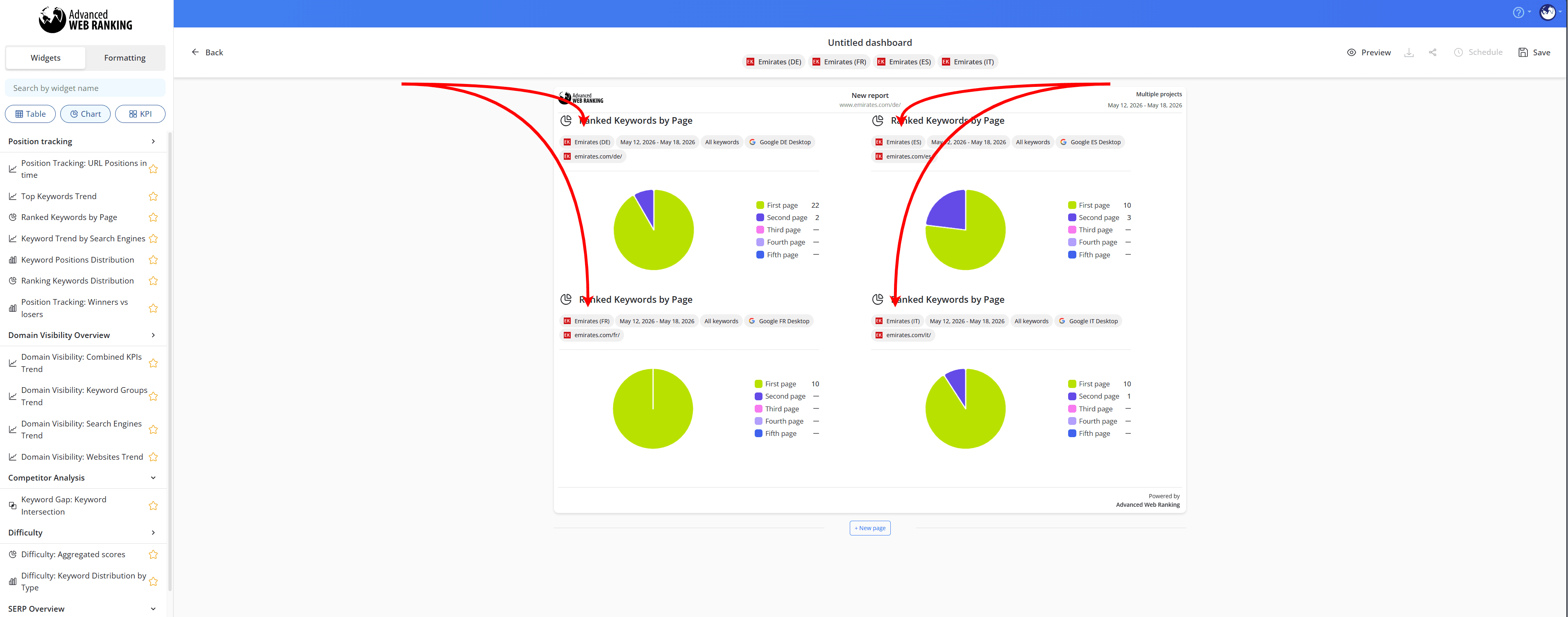
To do this, after dragging the widget onto the canvas and the configuration window appears, simply select the project you want the widget to display data from in the Project dropdown:
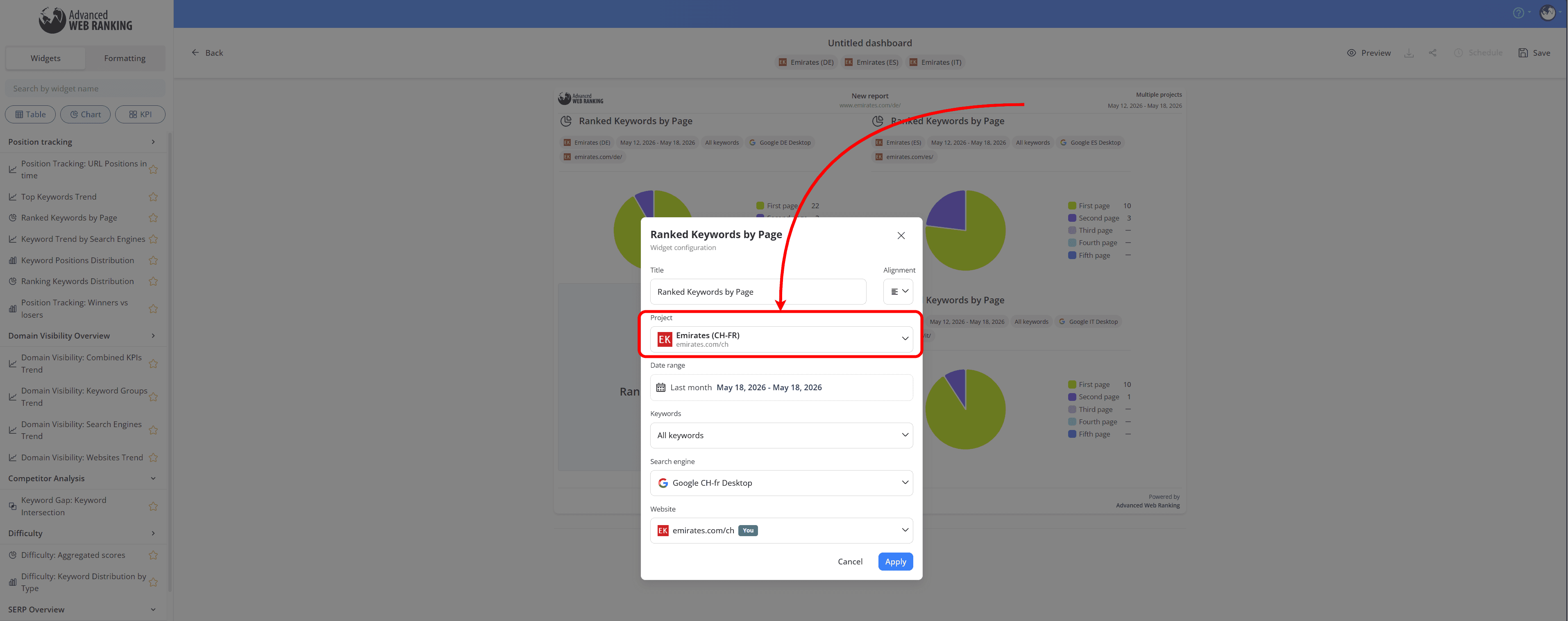
You’ll then be able to see that the projects used for each widget are automatically assigned to the dashboard:
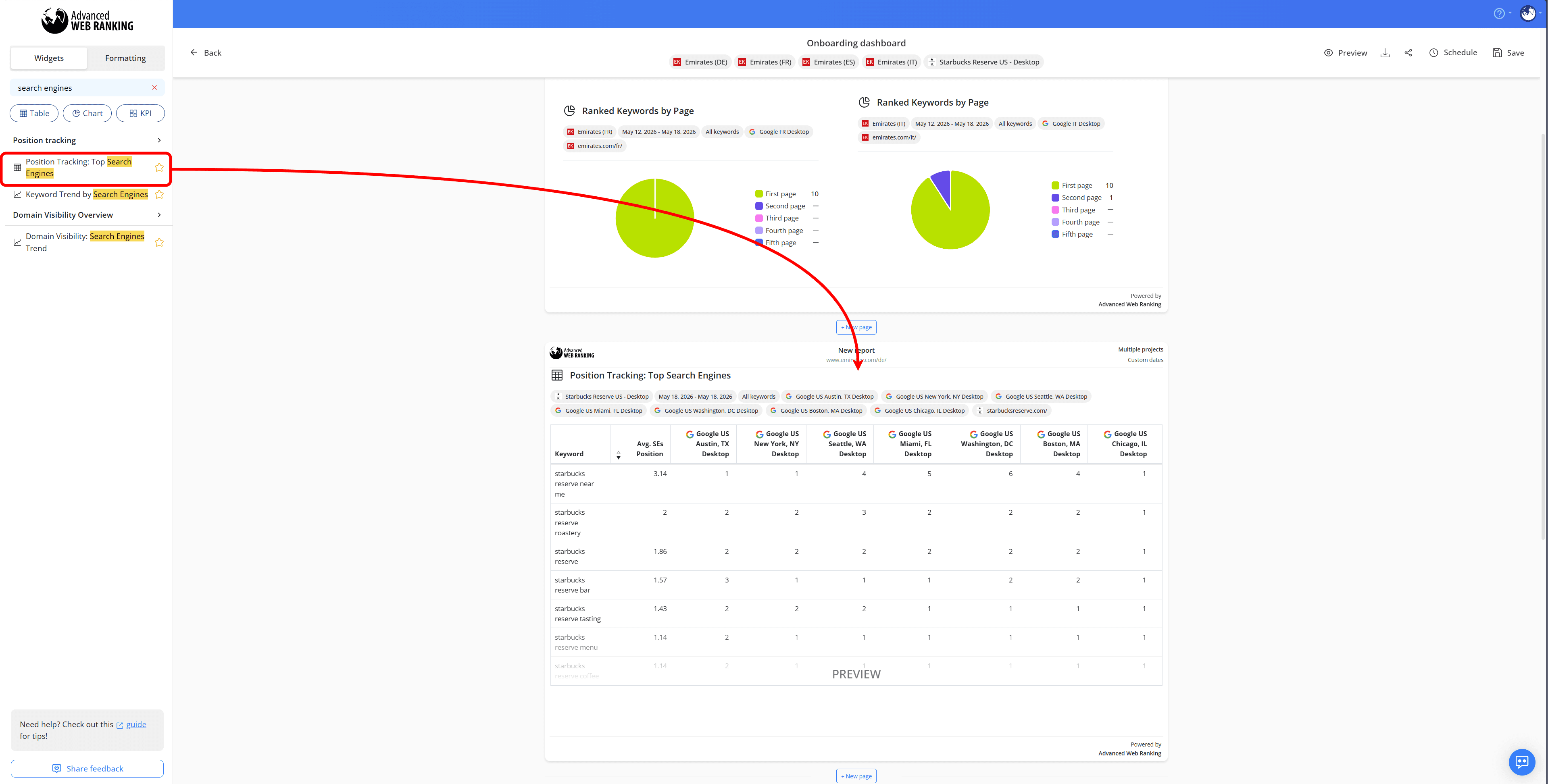
Search engine-specific widgets can also be used to compare performance across multiple locations within the same country:
Custom Dashboards and reporting are available with Agency plans and higher, as well as on all yearly plans.
Overall, the best project structure depends on the complexity of the campaign and the reporting requirements behind it.
Taking the time to organize projects properly from the start helps keep campaigns easier to manage, reporting more consistent and resource usage more efficiently as projects grow over time.
If you need help planning your project structure or onboarding larger campaigns, feel free to contact our Customer Support team, who can help advise on the best setup.
Do you have any questions? Don’t hesitate to get in touch and we will keep building the FAQ.
Frequently Asked Questions
Should keywords with different languages be added to the same project?
Is there a limit to how many projects can be created?
Can you select different update frequencies for keywords in the same project?
How should projects be named for large agency accounts?
Is it possible to combine desktop and mobile reporting later?
stay in the loop