

Advice and answers from the Advanced Web Ranking Team
Search for articles
>
>
Two new AWR updates: Gemini AI tracking and a new SERP Features data source for Data Studio
See how your brand shows up in Gemini responses across major markets, and pull SERP Features evolution data straight into your Data Studio reports
This article covers two updates that expand what you can track and where you can report it: another major LLM search engine added to AI Search available reporting options, and a long-awaited data view now available in Data Studio.
What this article covers
How to track your brand's visibility in Gemini AI Search across major markets
How to analyze how SERP features change over time directly in Data Studio
Gemini added to the AI Search tracking toolkit
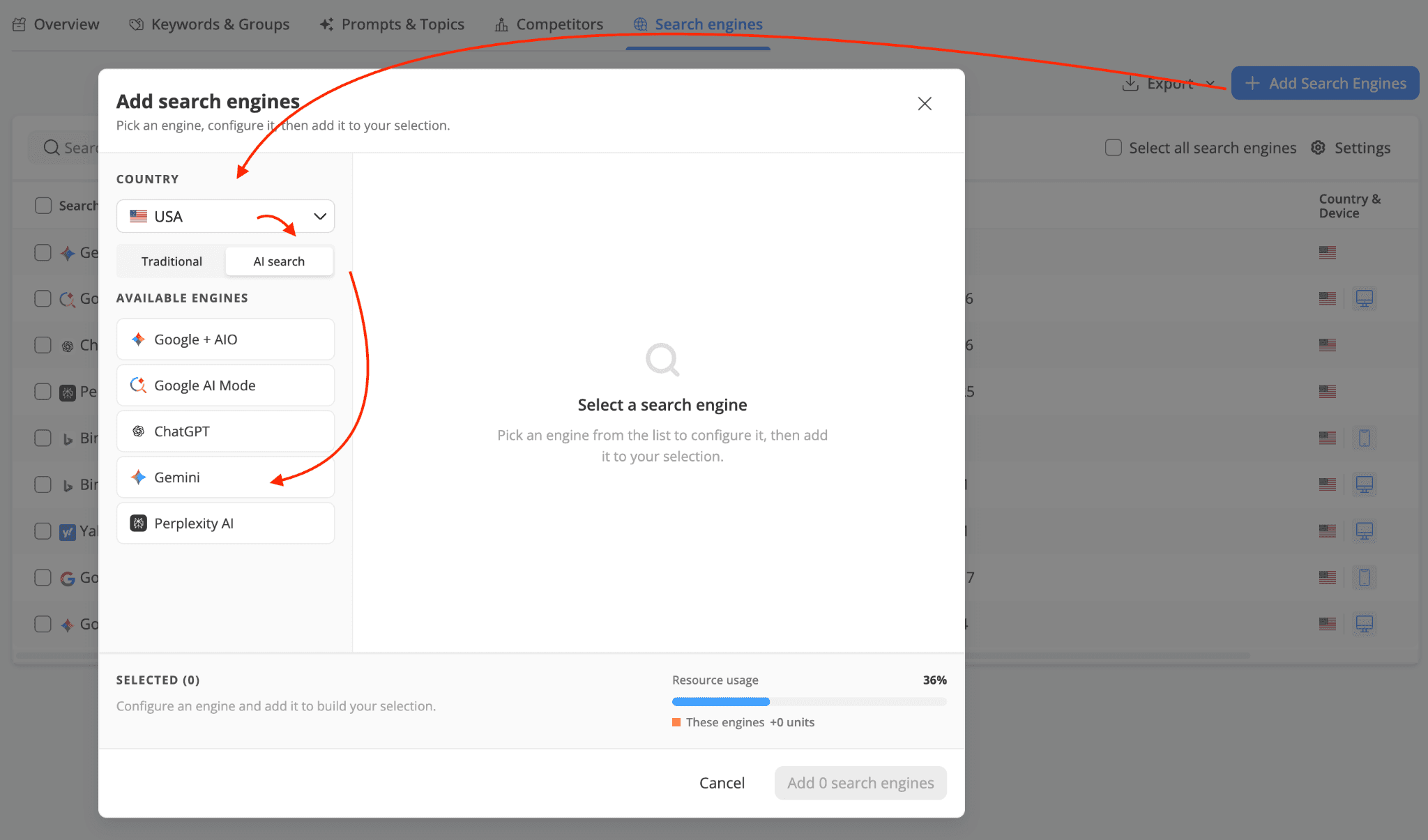
Gemini is now available as a search engine in AWR, joining ChatGPT and Perplexity in the AI Search line-up. You can add it to your projects from the Project Settings > Search Engines section the same way you'd add any other standard or AI engine, and start monitoring how your brand shows up in Gemini responses.
Where Gemini tracking is available
The Gemini search engine was added first as a tracking option for the US, UK, France, and Germany. More markets will be added over time, driven in part by user requests, so if you're waiting on a specific country, let our customer support team know.
What Gemini data is being reported by AWR
For each keyword you monitor on Gemini, AWR will show, among others:
AI Brand Mentions: both plain-text mentions of your brand and mentions that include a link to your website
Citations: the sources Gemini cites in its response, along with their position
SERP Snapshot: the actual Gemini result for each tracked keyword, so you can see how your brand appears in context and how the response is structured
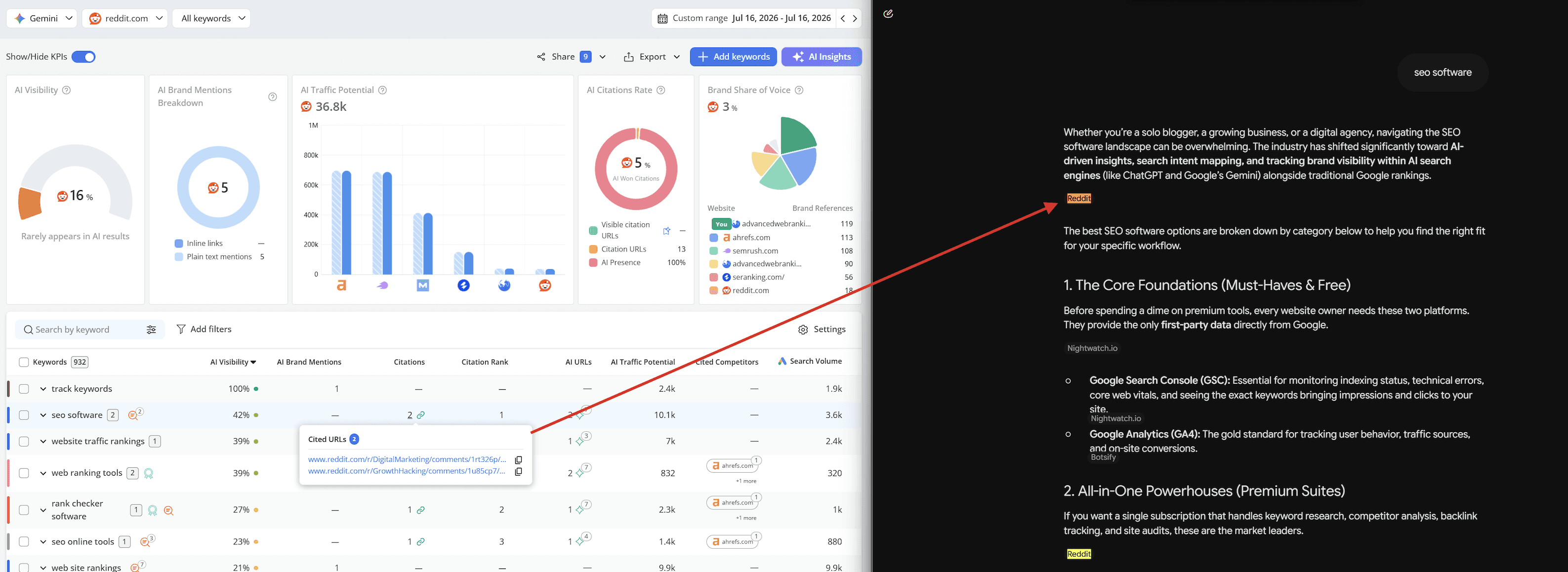
Gemini follows the same tracking model already in place for ChatGPT and Perplexity search engines, so if you've set up either of those before, the workflow will look familiar.
💡Gemini also uses keyword units just like any other standard search engine in AWR, meaning 1 unit per keyword tracked. For more details on keyword unit consumption, check out this article.
New data source for the Data Studio connector: SERP Features Evolution in Time
The AWR connector for Data Studio has a new data source: SERP Features Evolution in Time. If you've been relying on the in-app SERP Features view to see how the SERP landscape shifts across your tracked keywords, you can now pull that same data into your Data Studio dashboards, next to the rest of the AWR data source available.
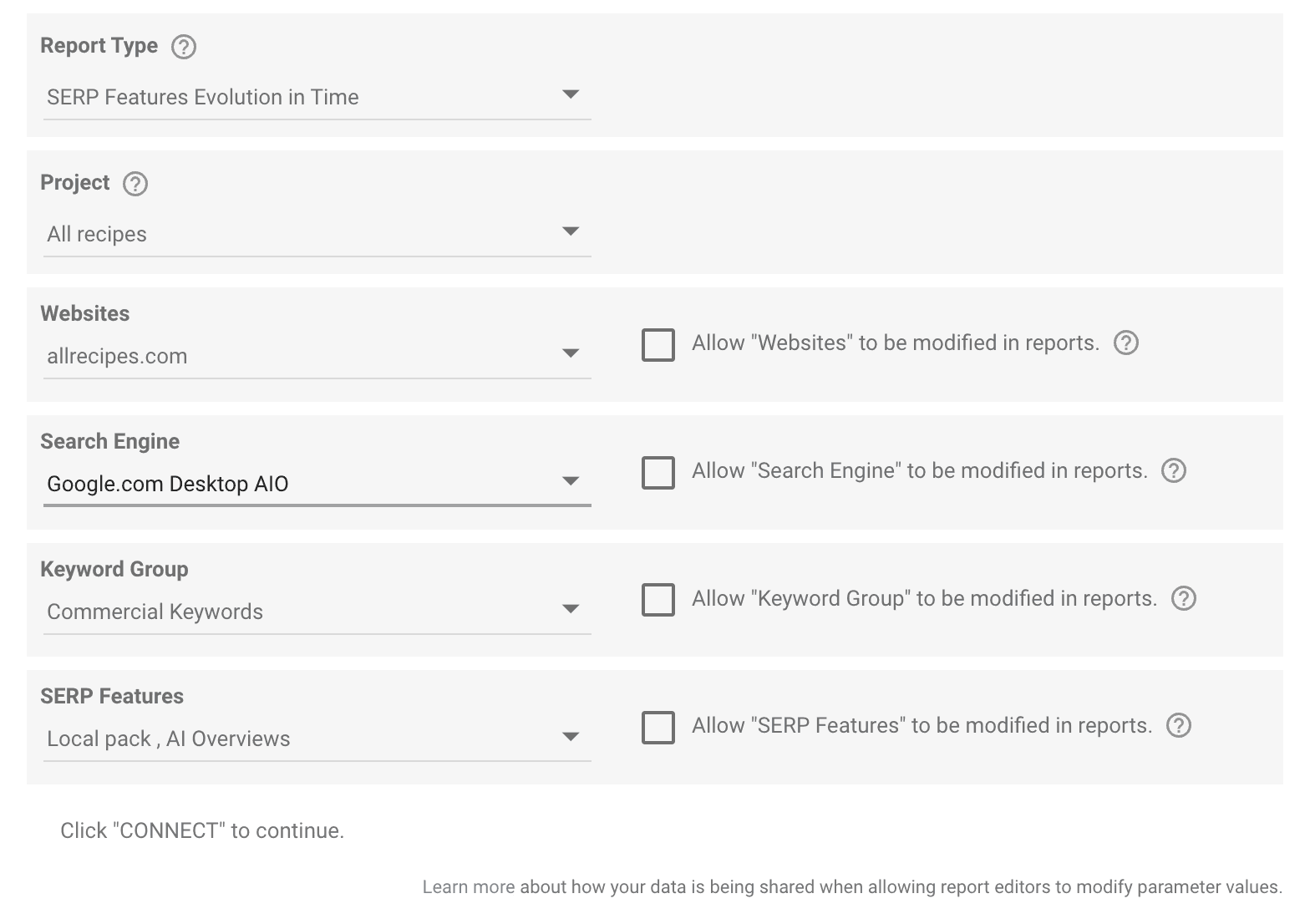
Once connected, you can build dashboards that show:
Which SERP features appear for your tracked keywords, and how their presence changes update by update
Trends in specific features you care about (AI Overviews, Featured Snippets, People Also Ask, Video Packs, and so on)
Comparisons across time periods, keyword groups, or search engines
How to set it up
The setup follows the same pattern as the other AWR data sources for Data Studio. You'll connect the data source using your AWR API token, pick the project and parameters you want to pull, and start building your report. For a smoother setup, please check these two articles:
SERP Features Evolution in Time data source: dimensions and parameters explained, a full reference of every dimension and parameter available in this data source, so you know exactly what you can pull and filter
Data Studio data source setup, the general setup guide covering how to connect any AWR data source to Data Studio, including SERP Features Evolution in Time
Do you have any further questions or need more information about these product updates? Don't hesitate to get in touch with our support team.
stay in the loop