

Advice and answers from the Advanced Web Ranking Team
Search for articles
New search option for Keyword / URL - phrase match
Discover new phrase match search options for Keyword/URL in AWR for more precise, filtered results.

The options for the Search for Keyword / URL functionality were renamed while phrase matching was implemented.

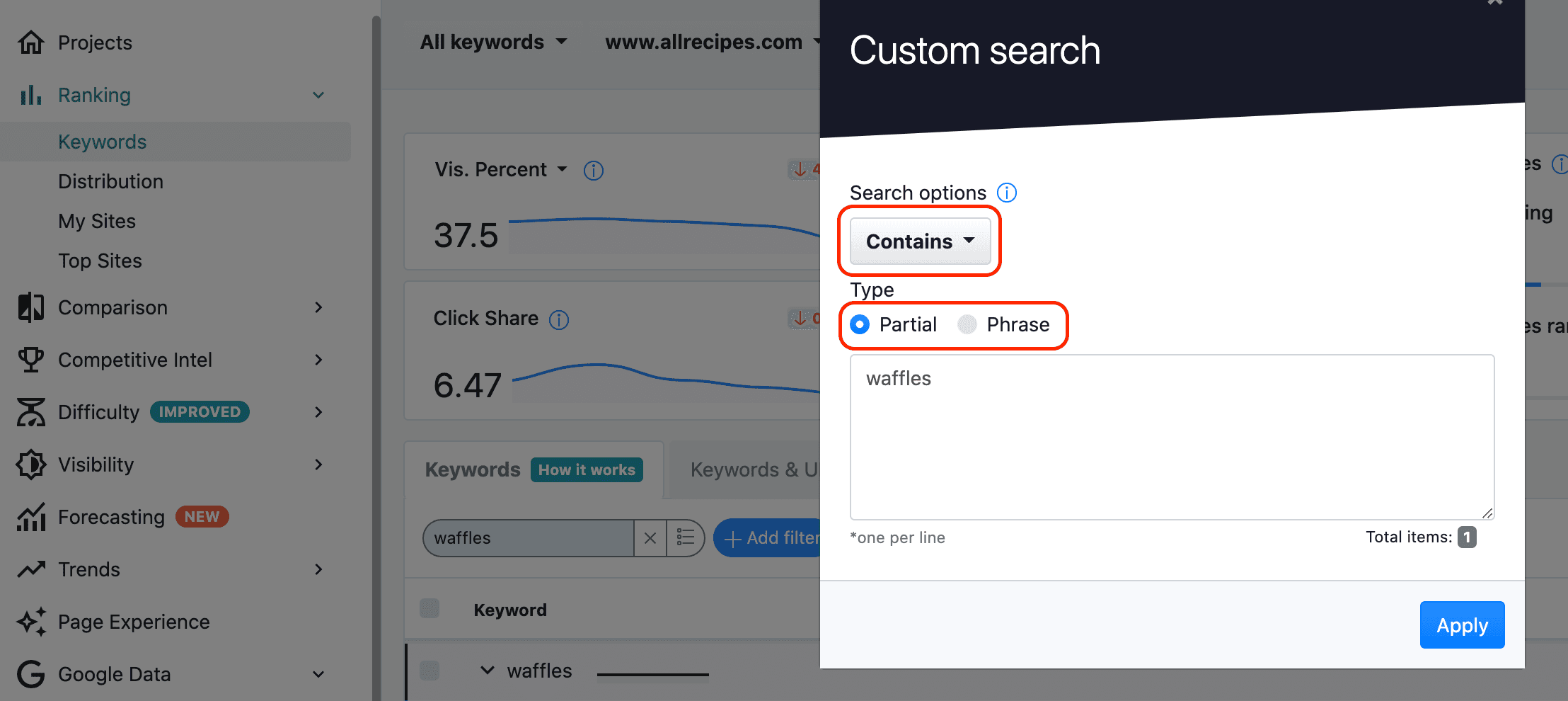
The following combinations can now be selected when searching for a keyword or URL, as follows:
Contains & Partial - matching phrases of the partial words / URLs used as input will be included
Contains & Phrase - matching phrases of the full words / URLs used as input will be included
Does not contain & Partial - matching phrases of the partial words / URLs used as input will be excluded
Does not contain & Phrase - matching phrases of the full words / URLs used as input will be excludedExact match - only phrases that match the exact words / URLs used as input will be included
The default option for Search for Keyword / URL will show the matching phrases of the partial words / URLs used as input (Contains & partial combination).
When filtering the keywords/URLs to be included/excluded, the word order in the input queries is followed.
For example, if the word track is used as input, the following phrases may be returned, depending on the option selected:
partial matching: track, online rank tracking, accurate rank tracker
phrase matching: track, SEO track, track keyword rankings
exact matching: track
Do you have any other questions? Don’t hesitate to get in touch, and we will keep building the FAQ.
Track this on your own keywords
Rankings, AI answers and Search Console data in one project. 7-day free trial, no credit card required.
stay in the loop