

Advice and answers from the Advanced Web Ranking Team
Search for articles
How to Measure A Brand’s Presence in AI Search Using AWR
Discover how to measure your brand’s presence in AI search, tracking mentions and citations as AI results reshape visibility, traffic, and SEO performance.

Search is no longer limited to a list of blue links.With the rise of AI features like Google AI Overviews and AI search engines like Google AI Mode, ChatGPT and Perplexity, users consume information in a completely different way.
They get direct, AI-generated answers that summarize multiple sources, act on the information, and often move on; sometimes without clicking any organic links.
For website owners and marketers, this creates a new challenge: understanding if and how their content is mentioned or cited within these responses. Traditional rankings alone no longer tell the full story.
To understand this shift, you need clear metrics that can capture and explain this new layer of visibility.
TL;DR: Measuring and improving your brand’s presence in AI search with AWR
The article explains that search is changing because AI now gives people direct answers instead of just showing links, which means users often don’t even click on websites anymore. Because of this, being “ranked first” isn’t as important as it used to be.
Instead, what matters now is whether your brand actually appears inside those AI-generated answers. The guide focuses on how to measure that using tools like AWR, looking at things like whether your content is cited as a source, whether your brand gets mentioned, how visible you are overall in AI responses, and how you compare to competitors.
It also highlights the need to track multiple AI platforms, not just traditional search, and to adapt your strategy by creating content that AI systems are more likely to use.
The focus shifts away from ranking positions and toward whether your brand is included in the answers people see.
Understanding Presence in AI Search
AI search works differently from traditional search results in one important way: people often get what they need without clicking a link. With features like AI Overviews, answers are generated right on the results page, pulling together information from multiple sources.
Because of this, success isn’t just about ranking first anymore. What really matters is whether AI responses:
Use your content when generating answers
Recognize and mention your brand as a reliable source
Include links to your pages
AI visibility tracking helps brands see how and where they show up in AI-generated answers, giving them a clearer understanding of how AI-powered search engines present their content and brand.
What Should You Track in AI Search?
AI search is no longer limited to a single search engine. People now get answers from multiple platforms, so tracking just one means you’re only seeing part of the picture. To truly understand your visibility, you can track the main AI search engines using AWR.
AI Overviews appear directly in Google’s search results, offering quick, AI-generated summaries that often include links to sources.
When looking at your presence here, it’s important to understand whether your website is being cited, how frequently your brand shows up in these summaries, and which keywords are triggering them in the first place.
If you’re not sure how to find the keywords that trigger AI Overviews, check out our guide here.
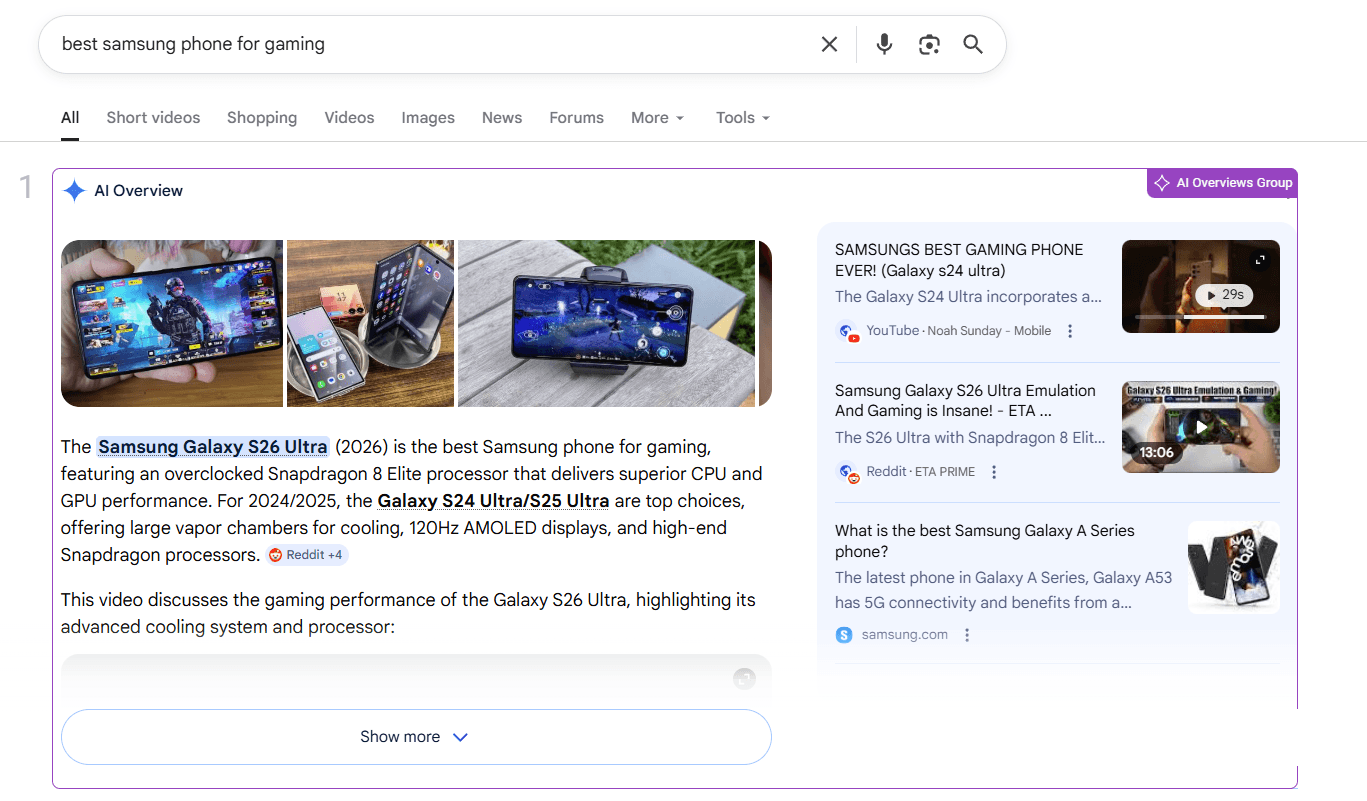
In AWR, both Google Universal (General Search + All Results) and Google Search + AIO are built to capture the full range of SERPs: Organic results and SERP features, including AI Overviews (ads excluded).
The key difference is in how AI Overviews are retrieved and reported.
With Google Universal, if the AI Overview appears right away when the query is triggered, AWR can capture its content. However, in some cases, the AI Overview takes a bit longer to generate, depending on how and where it gathers its sources.
Because of this, the Google Universal (General Search + All results) search engine detects the presence of an AI Overview in the SERP but does not always report associated URLs.
On the other hand, Google Search + AIO uses an optimized mechanism: it sends an additional query to fully retrieve the AI Overview, including the links to the featured websites in the AIO box.
Because of this extra step, it requires twice the resources compared to standard search engines.
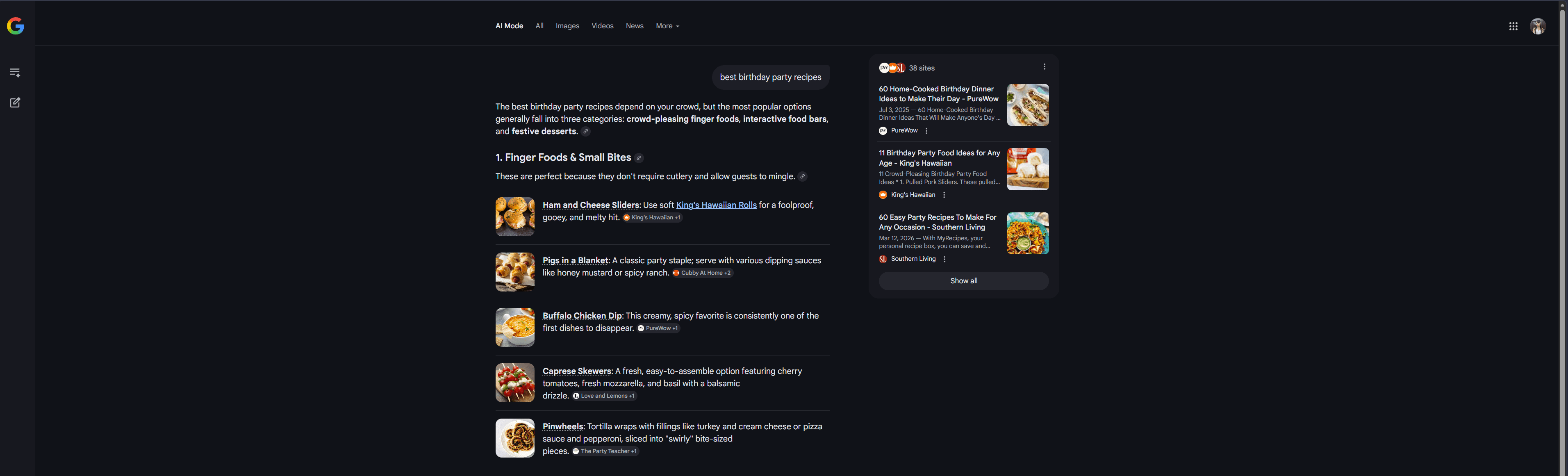
Google AI Mode prioritizes AI-generated responses, where results are largely generated by AI instead of relying on traditional rankings.
Here, it’s important to observe how often your brand is mentioned or cited, how you compare to competitors, and the types of searches where you’re visible.
ChatGPT is a conversational search experience where users expect direct answers and recommendations.
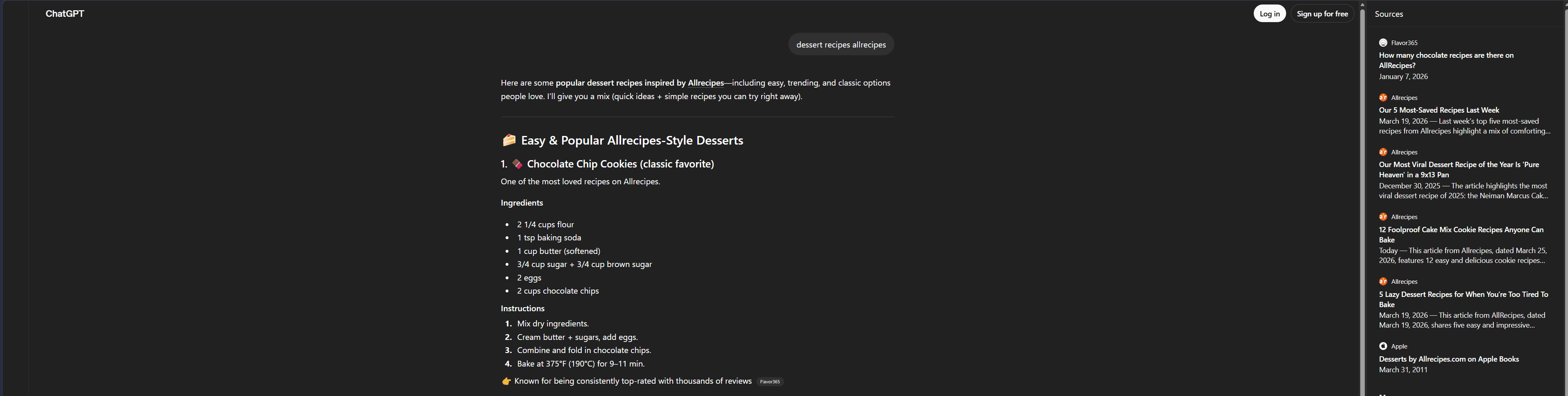
Tracking should focus on whether your brand is mentioned, whether your content is used as a source, and how your brand is positioned within responses.
Perplexity AI combines conversational answers with transparent source citations, making it easier to see which content is influencing results.
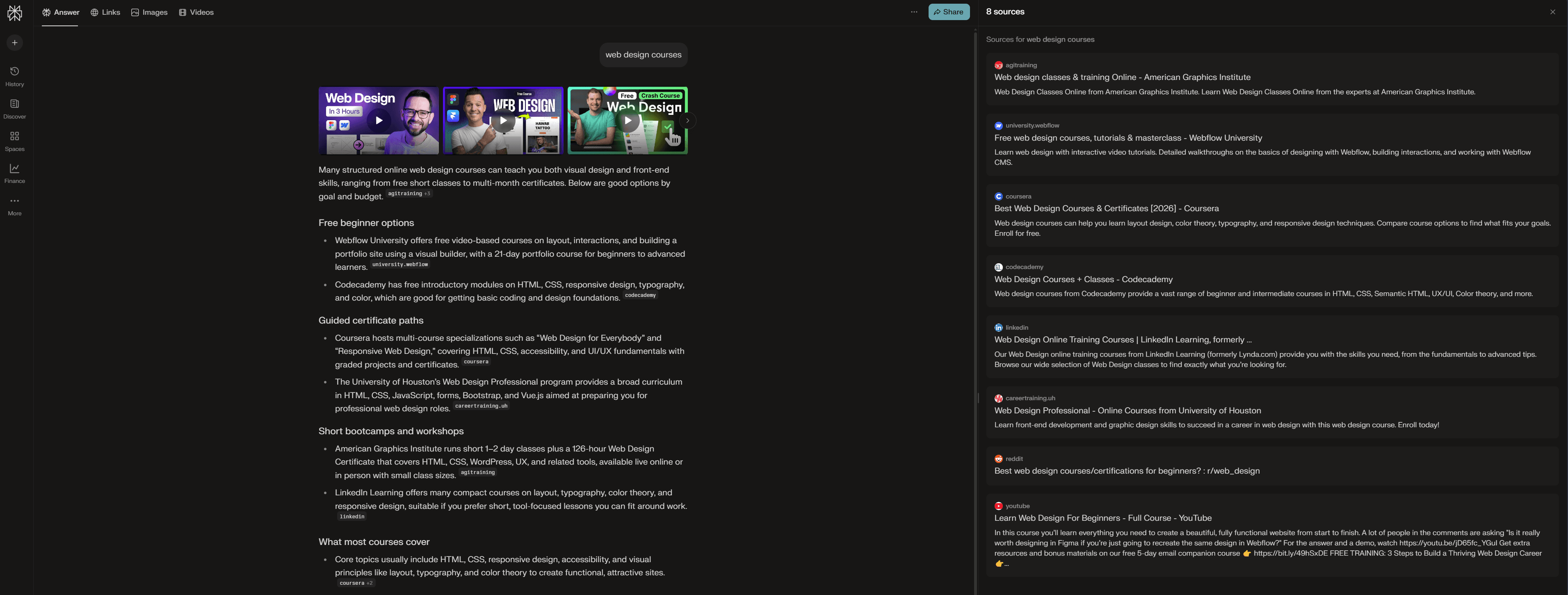
This allows you to evaluate how often your site is cited, how visible you are compared to competitors, and what types of content are most frequently referenced.
Which AI Search Engines Should You Track for Your Website?
The AI search engines you should track depend on where your audience is most active and how your content is discovered. People no longer rely on a single search engine, so your visibility can vary quite a bit from one AI search engine to another, depending on how each one builds and presents its answers.
In most cases, it makes sense to focus on Google AI Overviews and ChatGPT as your main sources of visibility. Google continues to shape what users see directly in search results, while ChatGPT is widely used for conversational answers, recommendations, and more in-depth exploration.
Focusing only on these two, however, can leave gaps. By also tracking Google AI Mode and Perplexity, you get a more complete view of how your brand appears across AI search.
Each search engine works a bit differently, which means your content might show up strongly in one and barely appear in another.
With AWR, you can track all of these in one place, making it easier to understand where your brand shows up, where it doesn’t, and how you compare to competitors across different AI search engines.
If you want to see the full list of supported AI search engines and countries in AWR, check out this guide.
Key Metrics to Measure Brand Presence in AI Search
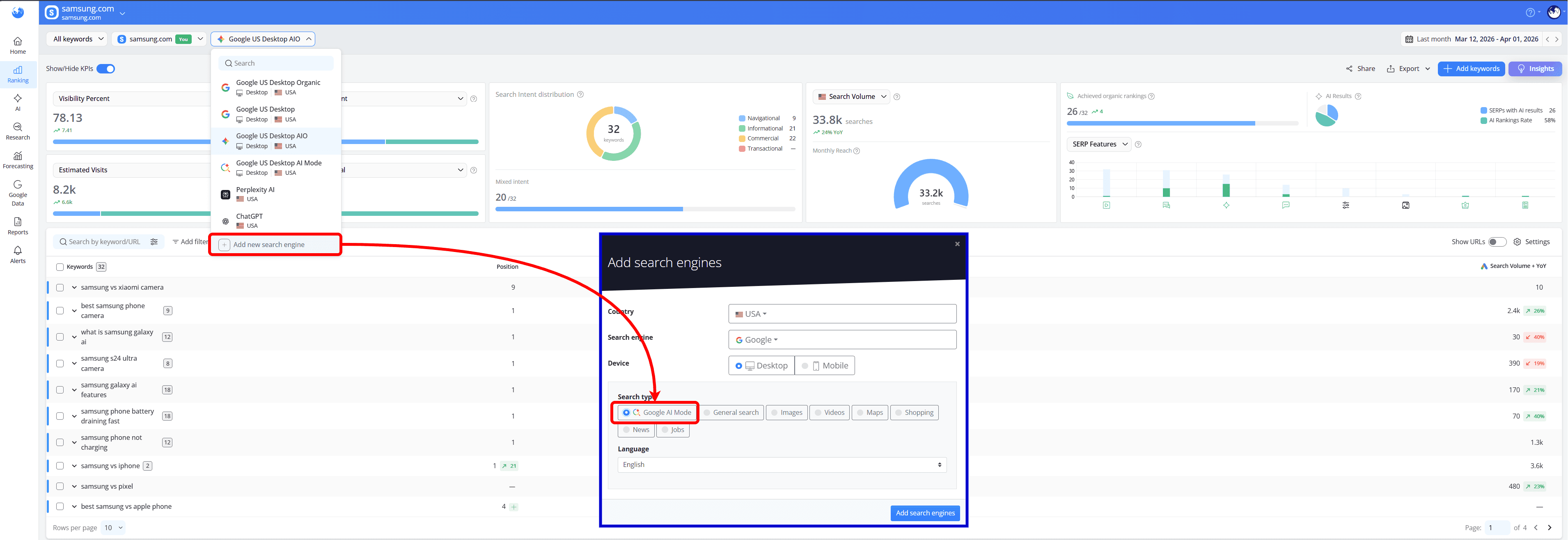
To get insights into your website’s presence in AI responses using AI metrics, you’ll first need access to the AI Keyword Performance report.
You can access it after adding an AI search engine (such as Google AIO or AI Mode, ChatGPT, or Perplexity AI) or Google Universal to your project, which enables tracking how your website performs in AI results.
AI Citations
Citations are one of the strongest indicators of presence in AI search. They happen when AI responses use your website as a source and include a link to it within generated answers.
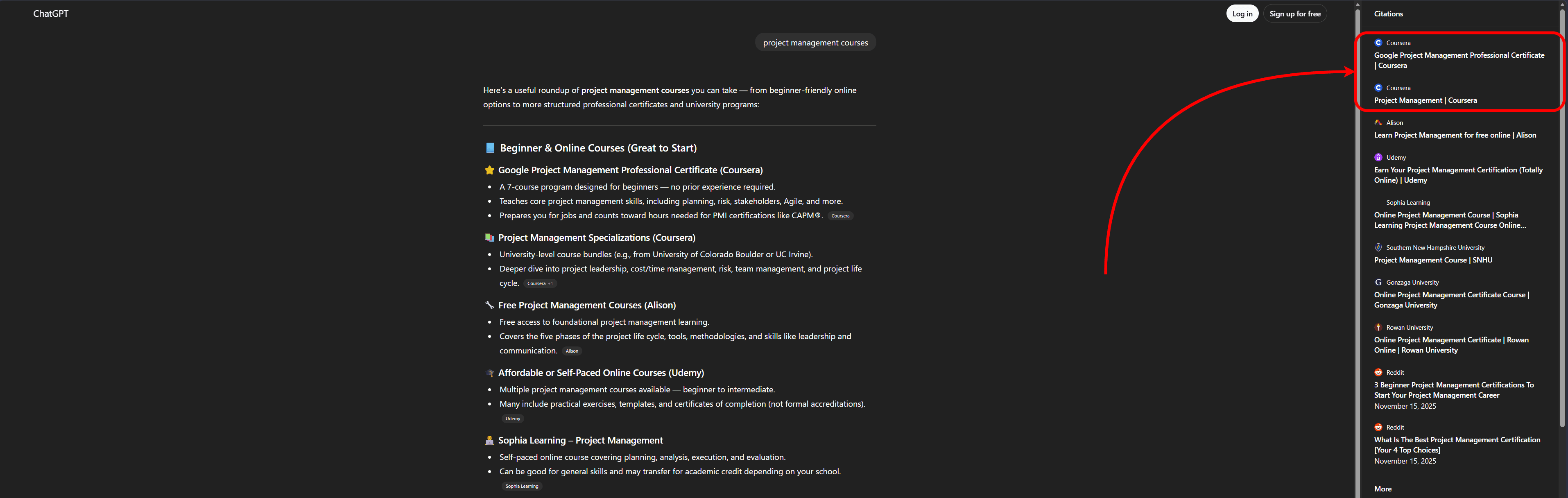
When this happens, it’s a clear sign that your content is seen as both relevant and trustworthy.
With AWR, you can track when your pages are being cited in AI answers, see which URLs are being selected, and understand how your visibility compares to competitors.

This is important because citations don’t just indicate authority; they can also drive traffic and strengthen your brand’s presence in AI results.
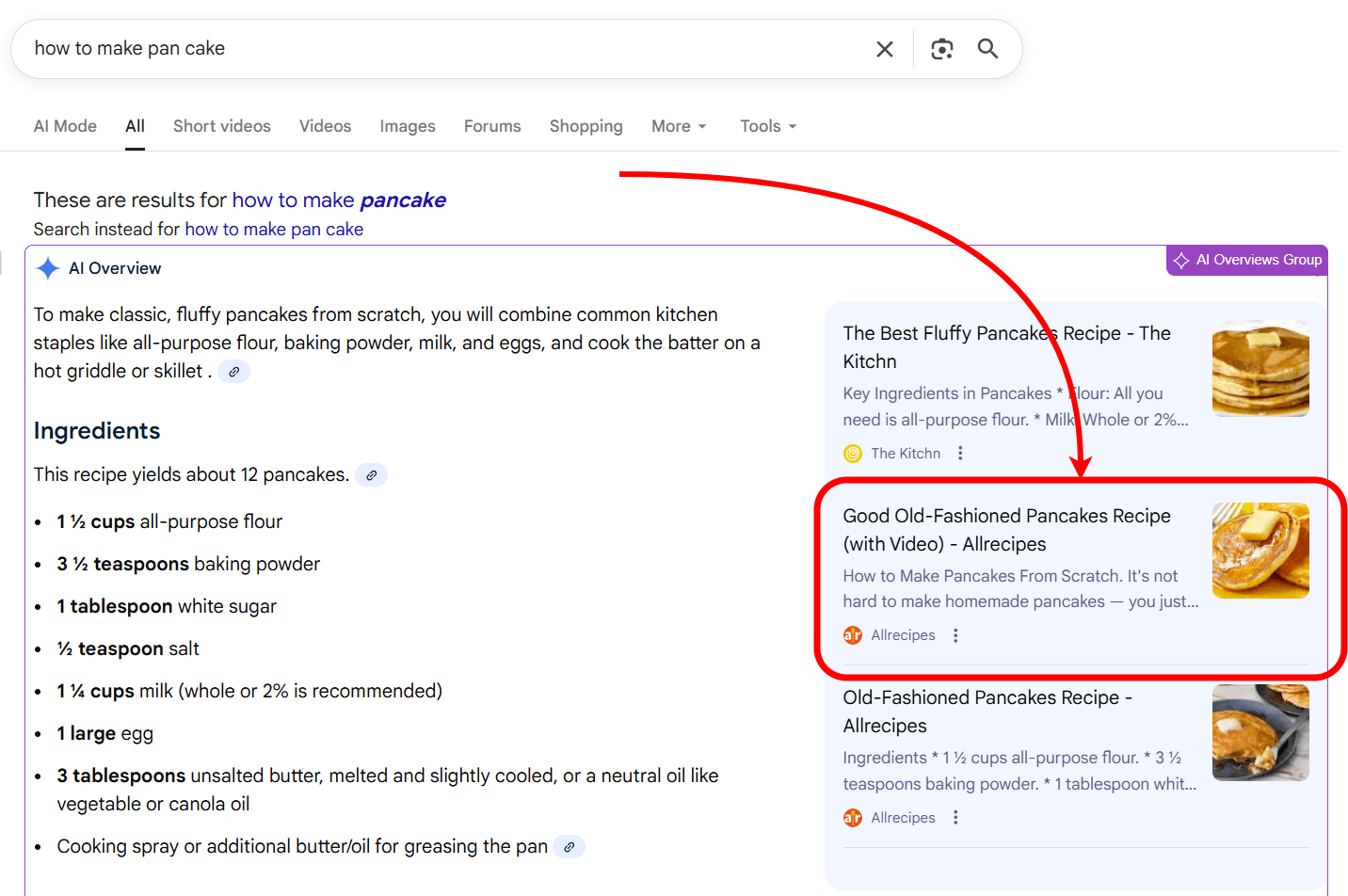
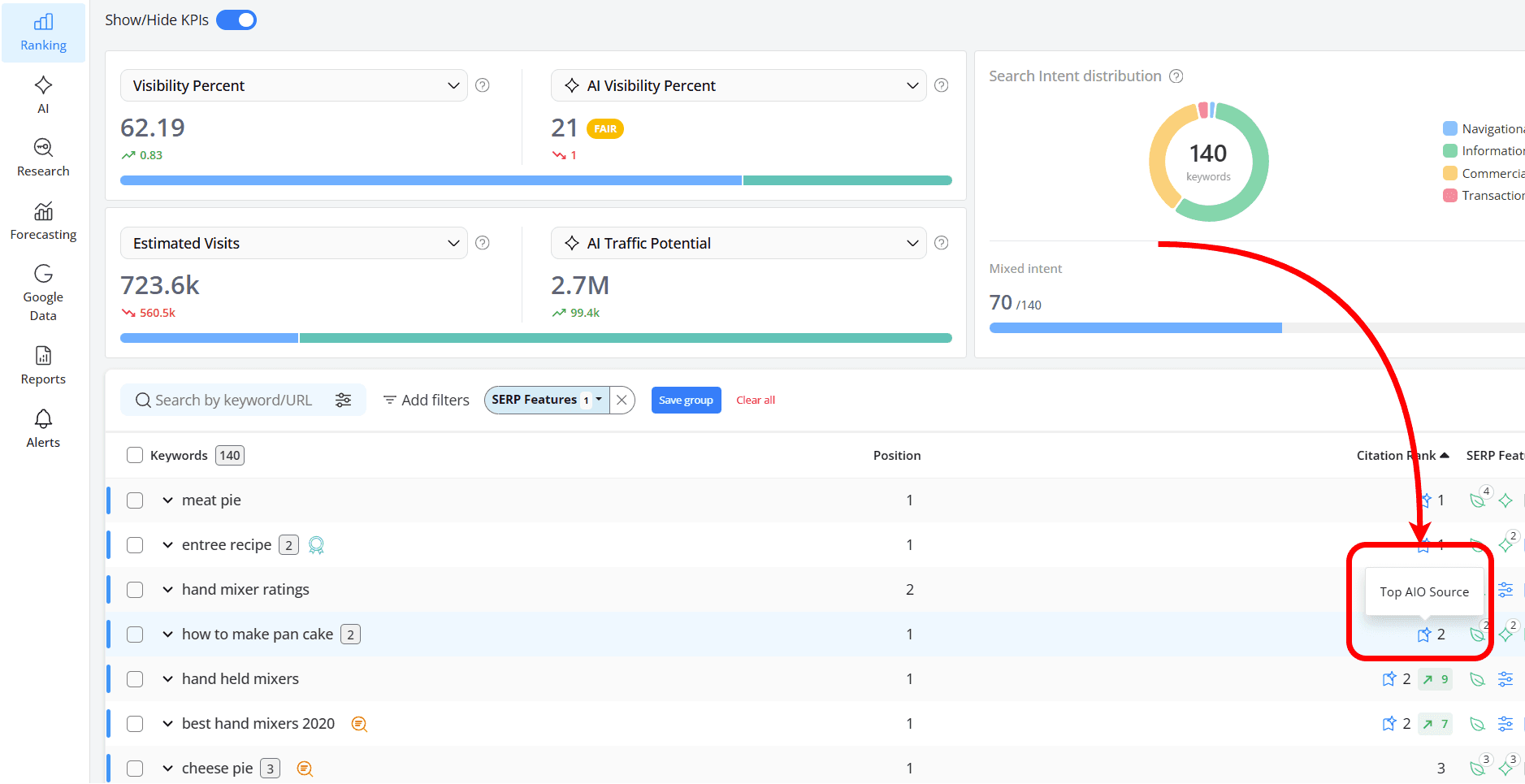
How does this help: using the AIO Citation Rank metric, you can easily see where sources show up in AI Overviews and how visible they are based on their position, whether they appear as a top AIO source or below the “Show more” button:
If you’d like to explore this metric in more detail, you can check out this article.
AI Brand Mentions
In both AI Overviews and AI Mode results, Mentions occur when a brand is referenced within the AI summary.
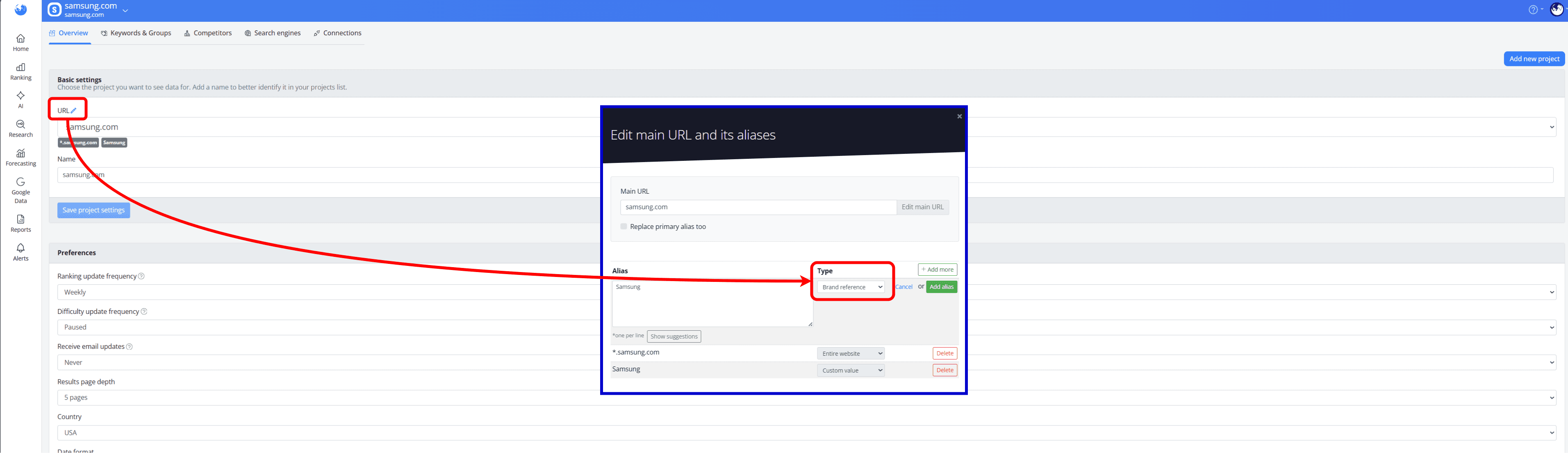
To view data for this metric, you’ll first need to set it up as a Brand Reference. Head to Settings > Overview, click “Add more”, select “Brand reference” as the type and input your website’s alias:
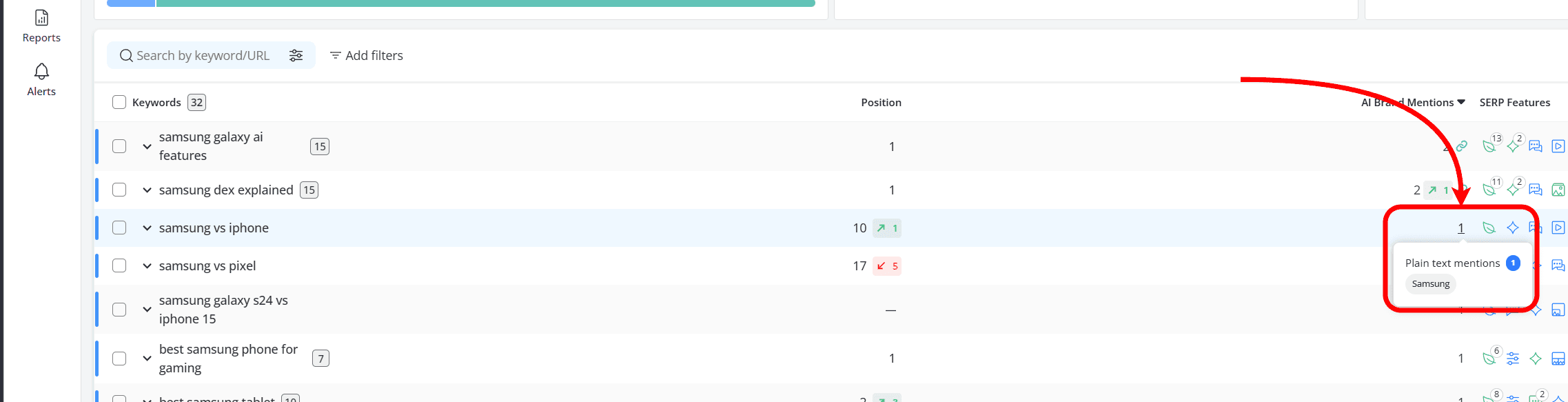
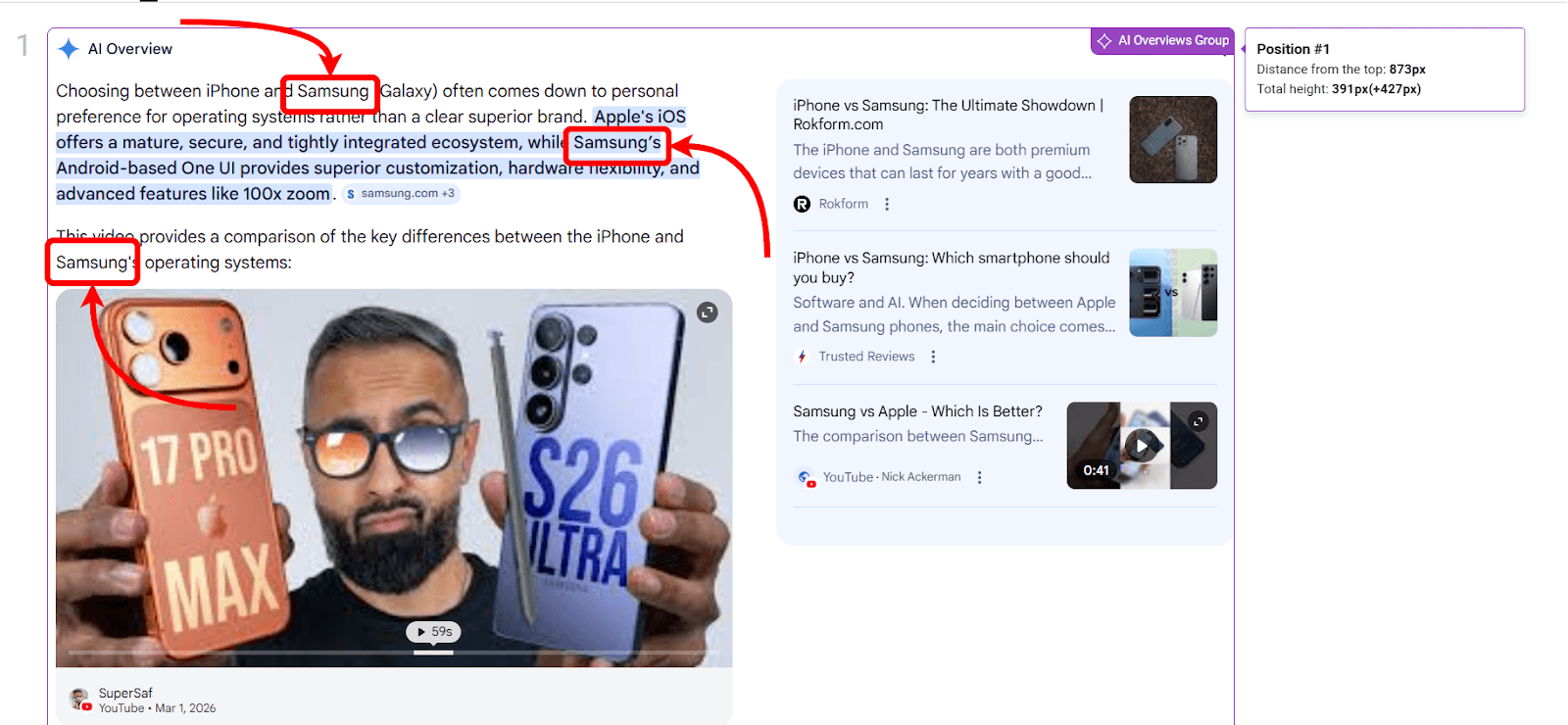
These mentions can take different formats, each reflecting a different level of visibility.
Plain text mentions appear as simple references to your brand name without a link. They show that your brand is recognized and included in the answer, even if users can’t click through to your site.
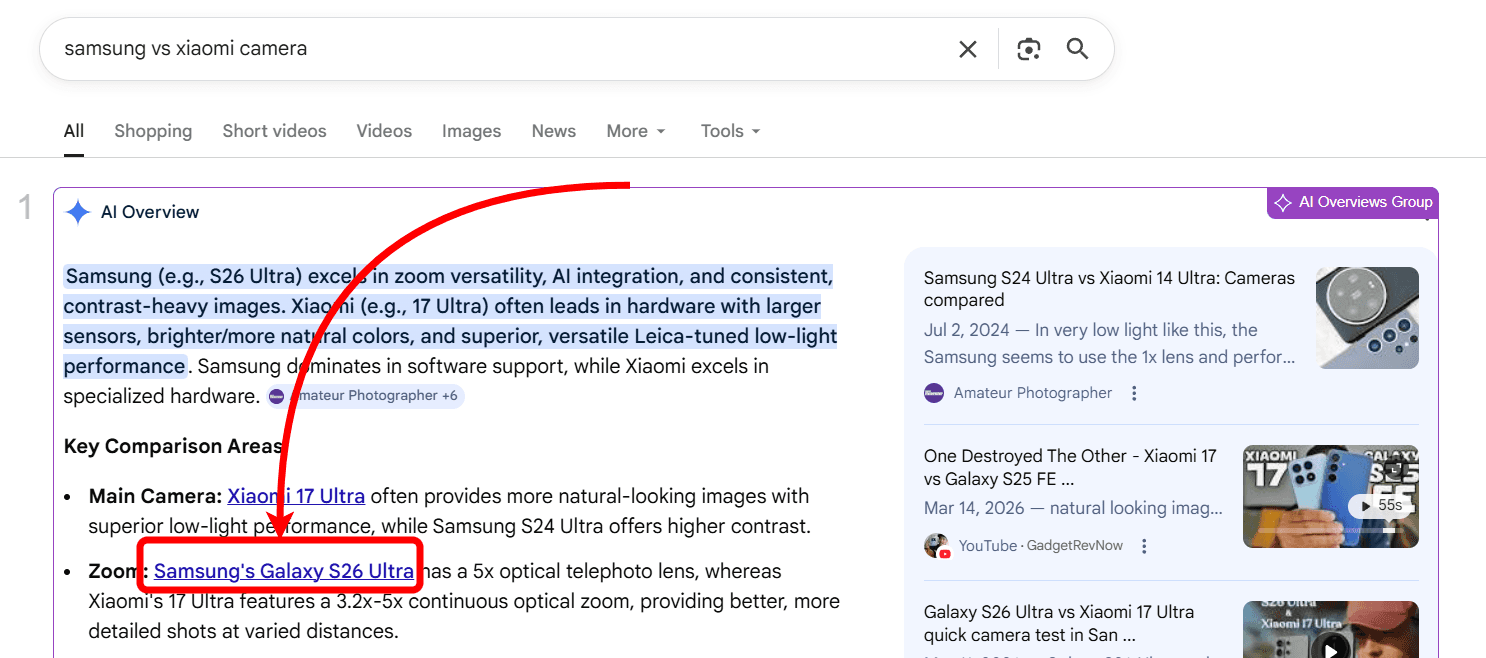
Inline links add a clickable link directly within the AI summary. This means your brand isn’t just mentioned, but also associated with a specific page, giving users a clear path to explore your content
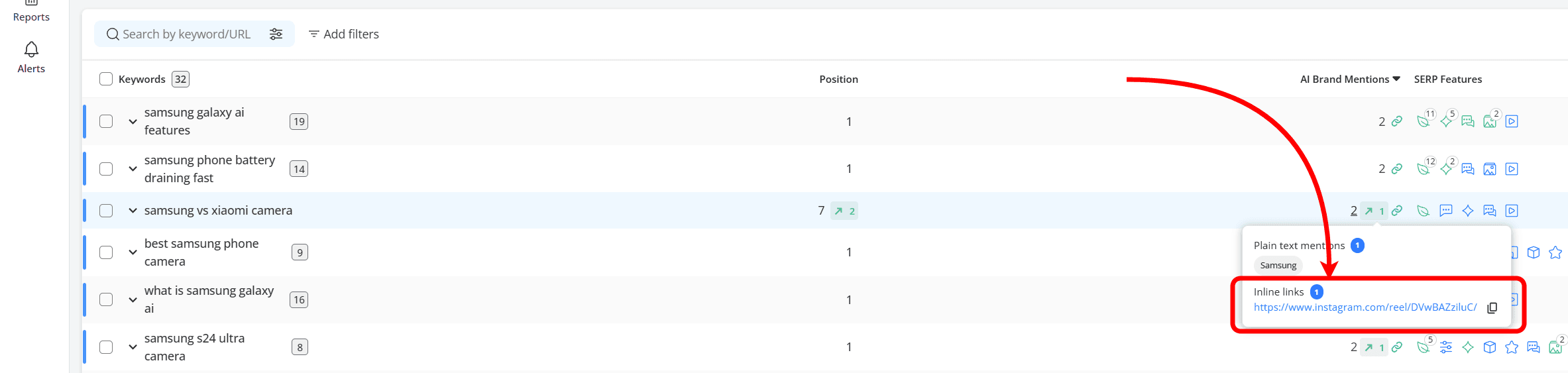
How this helps: They show how often your brand appears in AI-generated answers, what topics it’s connected to and the context in which it’s mentioned, helping you understand how your brand is perceived over time, even without direct traffic.
If you want to dive deeper into this metric, you can explore it further in this article.
Citations and mentions serve different roles: citations include links and can drive traffic, while mentions build visibility and brand recognition even without clicks.
AI Visibility
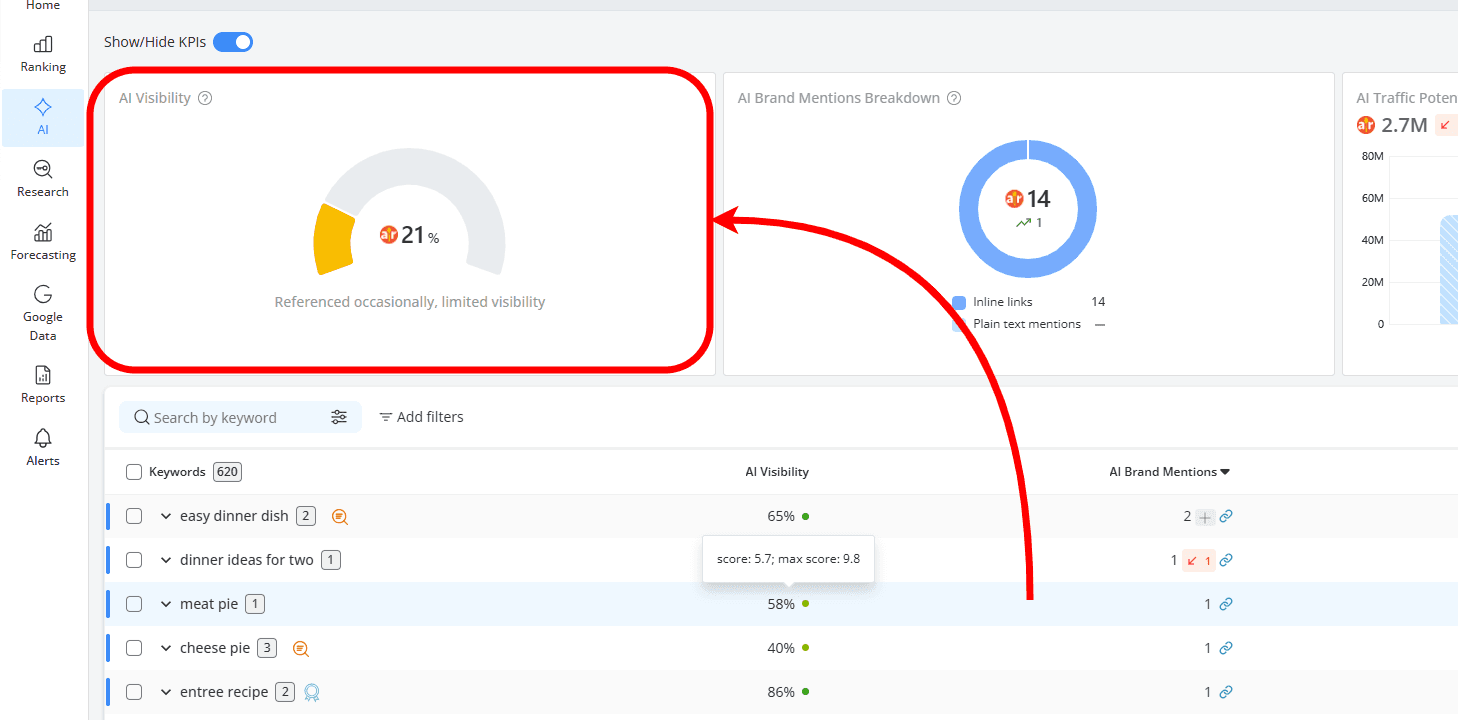
AI Visibility shows how visible your brand is in AI Overview results. It’s a weighted metric that takes into account how often you appear, the type of mentions you get, and how high your content shows up among cited sources.
By combining mentions with citation rank, it gives you a clear picture of your overall presence in AI-generated answers.
You can see this across all the keywords in your project for the selected website:
..or check it at keyword-level to see where and how your brand appears:
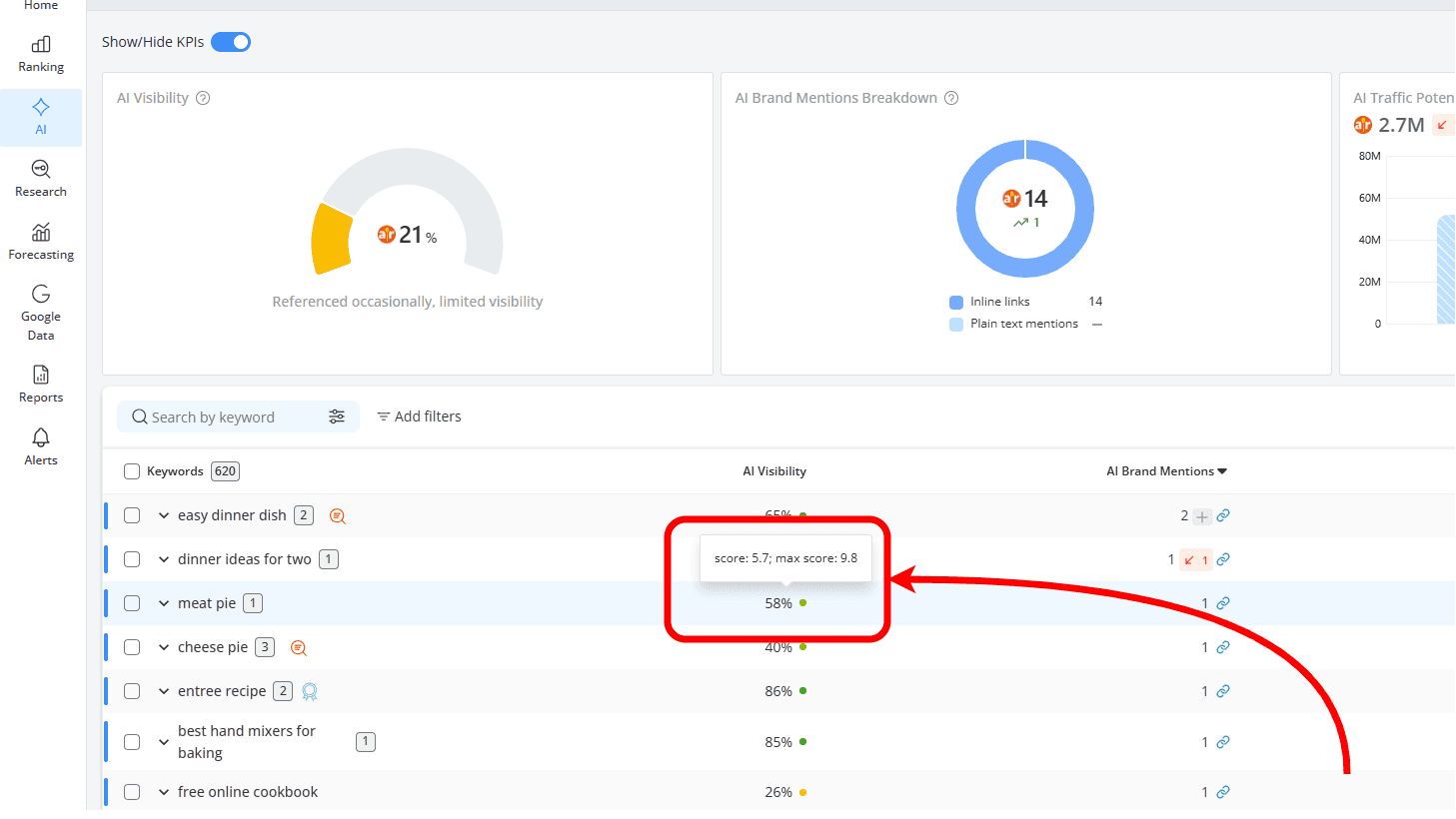
A higher score means you’re showing up consistently in AI responses, while a lower score means your visibility is limited. In some cases, it can also indicate that you’re being cited, but not among the top sources.
How this helps: it’s a quick way to see how strong your presence is in AI search and how it changes over time.
AI Traffic Potential
AI Traffic Potential gives you an idea of how much traffic your website could get from AI results. It’s based on how visible your brand is and how much search demand there is behind those queries.
You can look at this across all the keywords in your project for the selected website:
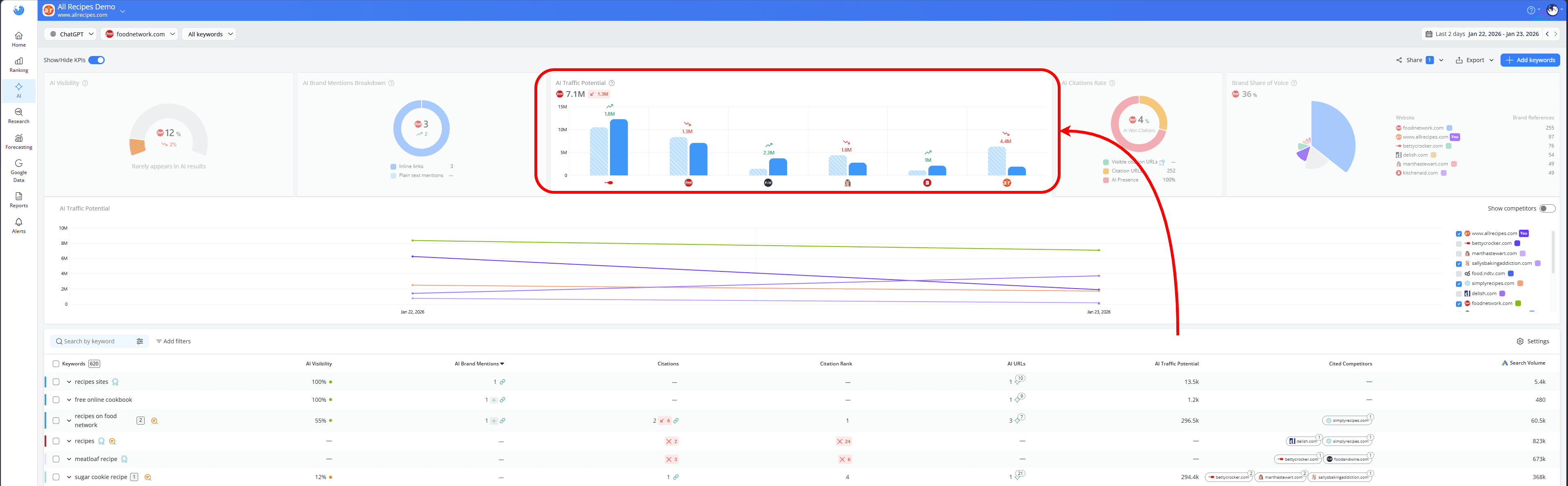
..or check it at the keyword level to see which searches have the most potential:
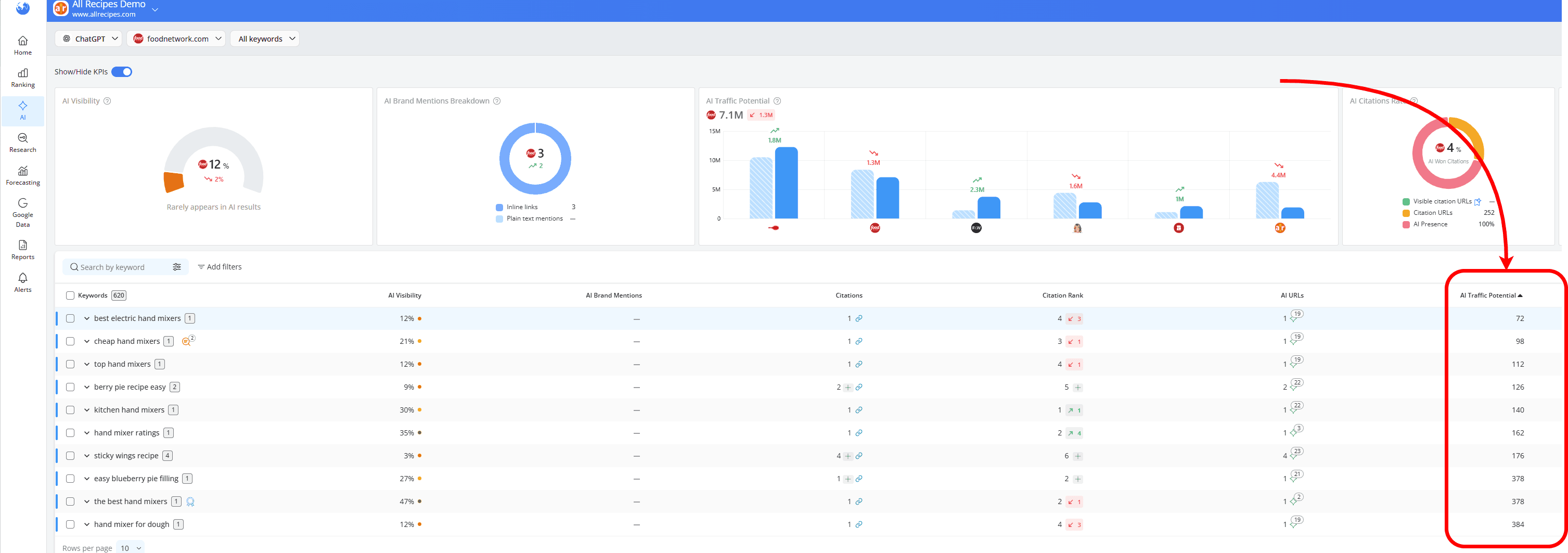
It combines each keyword’s average monthly search volume with your AI Visibility score, while deduplicating close variants.
How this helps: It helps you understand how valuable your visibility in AI results is and which keywords are more likely to bring in traffic.
Brand Share of Voice and Cited Competitors
Brand Share of Voice shows how much of the overall visibility in AI results belongs to your website compared to your competitors. It looks at all brand references in the AI summary, including both mentions and citation links, to calculate your share.
This metric is displayed as a percentage, along with how it has changed over time, so you can quickly see whether your presence in AI results is growing or declining compared to others.
You can see your Brand Share of Voice across all the keywords in your project for your website:
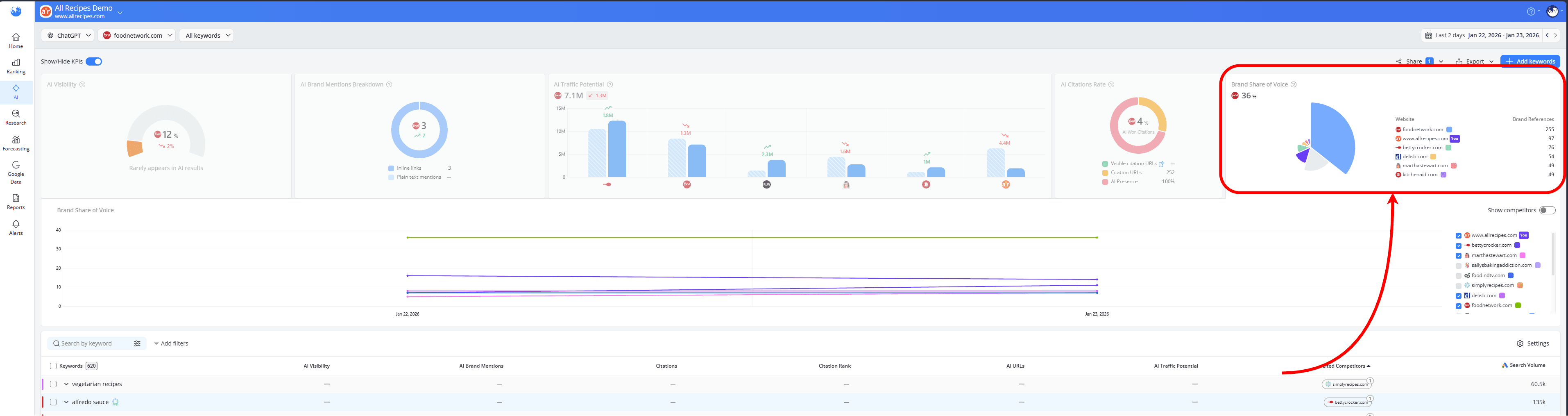
Cited Competitors adds another layer by showing which competing domains or brands are also included in AI responses. You can check them at the keyword level to see exactly who appears alongside you in a specific AI answer:
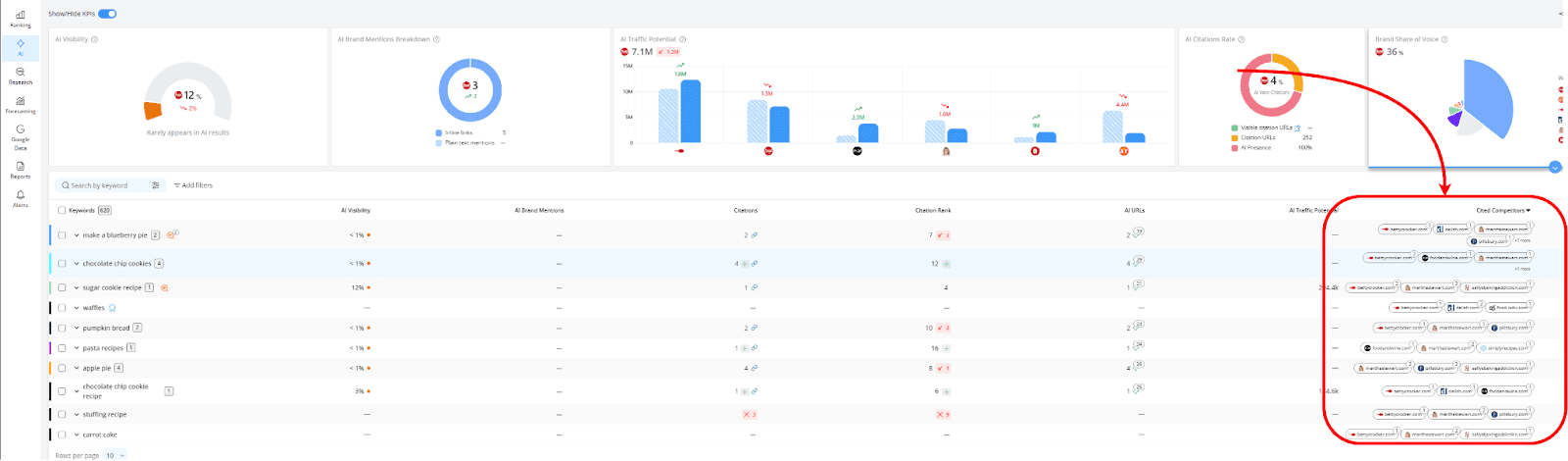
How this helps: It helps you understand how your visibility in AI results compares to competitors and how your position changes over time.
AI URLs
This metric shows the total number of URLs that appear in AI-generated results, including both inline links and cited sources.
If the same URL appears multiple times, each occurrence is counted separately, giving you a clearer picture of how often content is surfaced.
You can view this at the keyword level, where you’ll see the full list of URLs included in the AI response, making it easier to understand which pages are being featured and how often they appear.
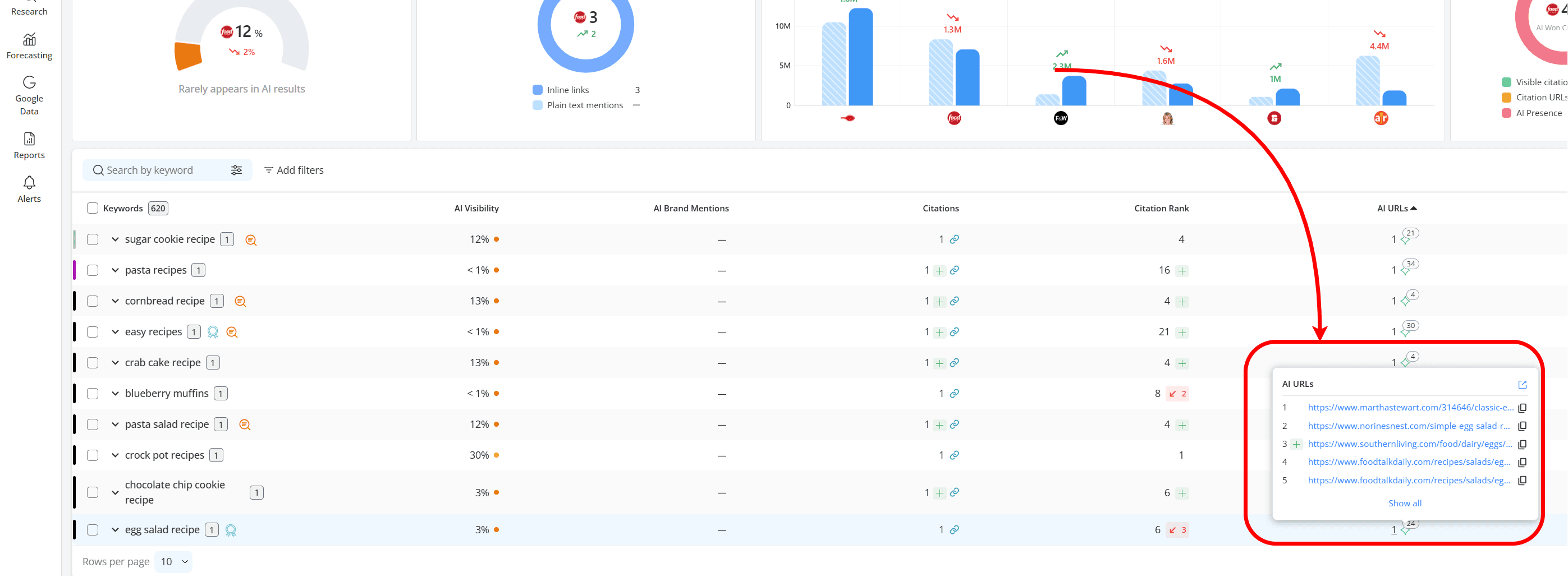
How this helps: This allows you to see which pages are being surfaced in AI results and how often they appear, so you can understand what type of content gets picked up and where your opportunities are.
Focus on keywords that trigger AI results
Start by identifying the keywords that generate AI answers, since these are the opportunities where your brand can actually appear in responses. This helps you clearly see where you’re already visible and where you’re not.
Once you identify them, you can see which ones you already appear for and which ones need attention, making it easier to decide what content to improve or expand.
If you’re not sure how to find these keywords, you can follow the step-by-step guide here.
See where you’ve lost visibility and which competitors have taken your place using the SERP Similarity report:
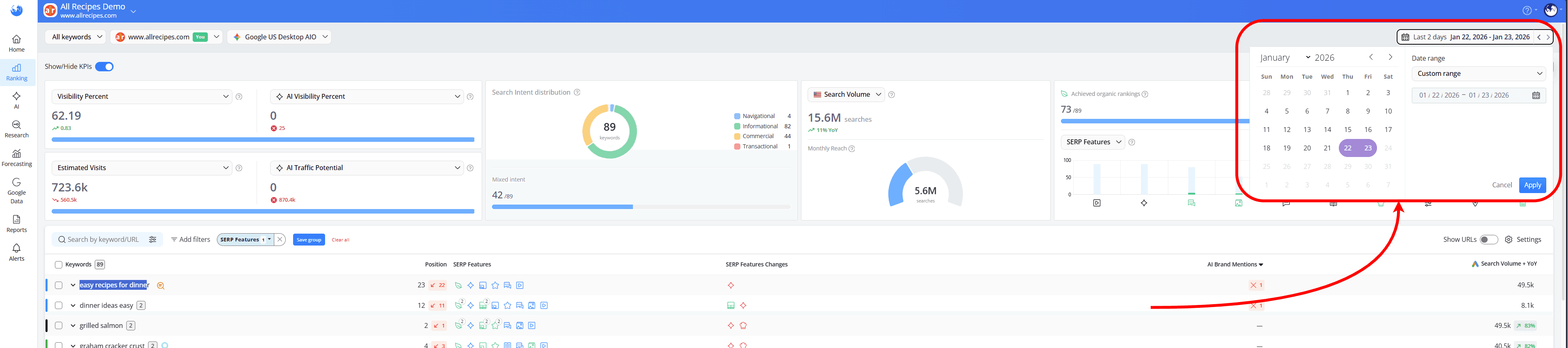
In the Keyword Ranking report, choose a date range from the top right corner:
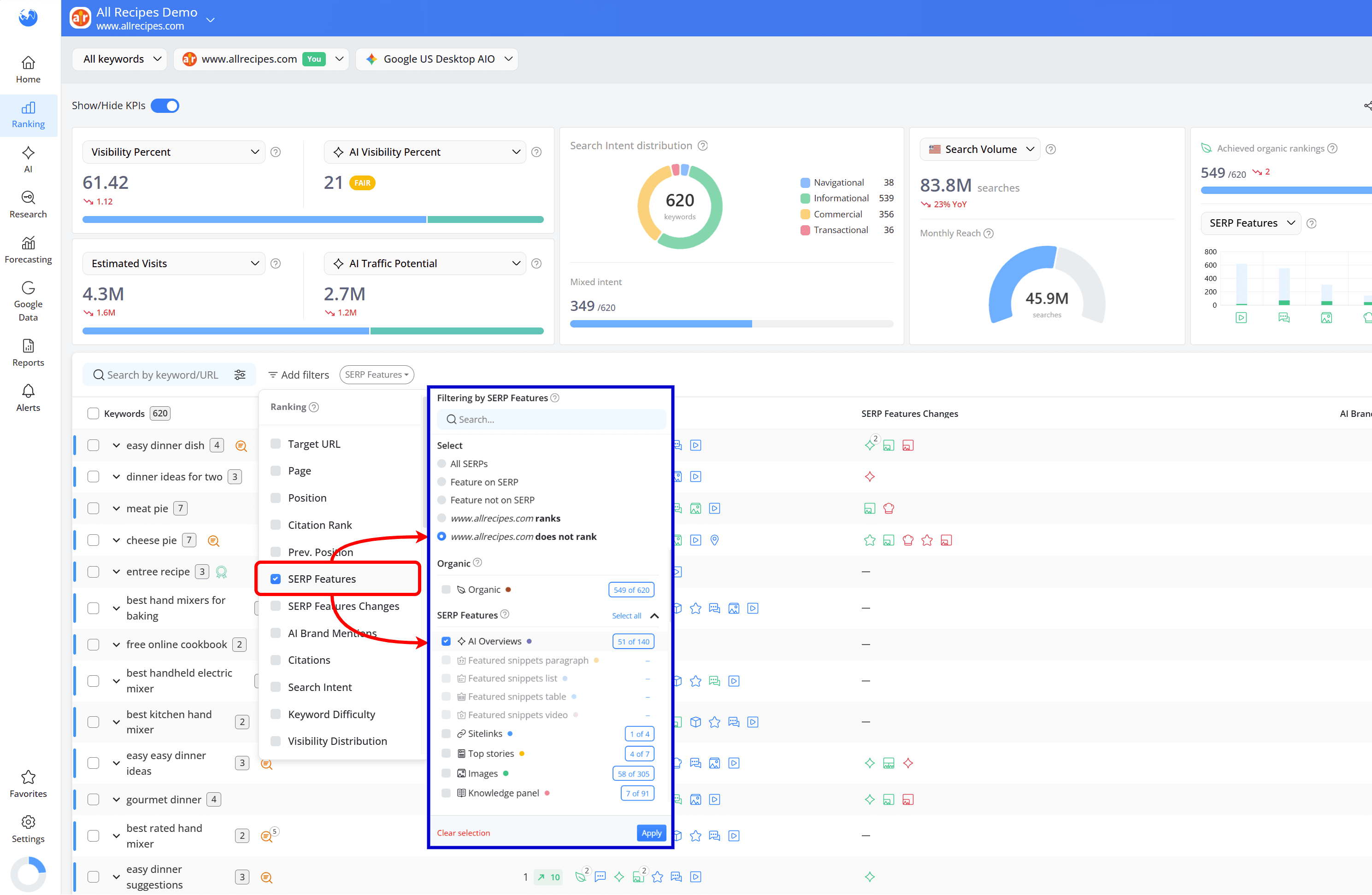
Then, click on the “Add filters” button, select “SERP Features”, choose “[website_name] does not rank” and “AI Overviews” from the dropdown that appears, and apply the filter:
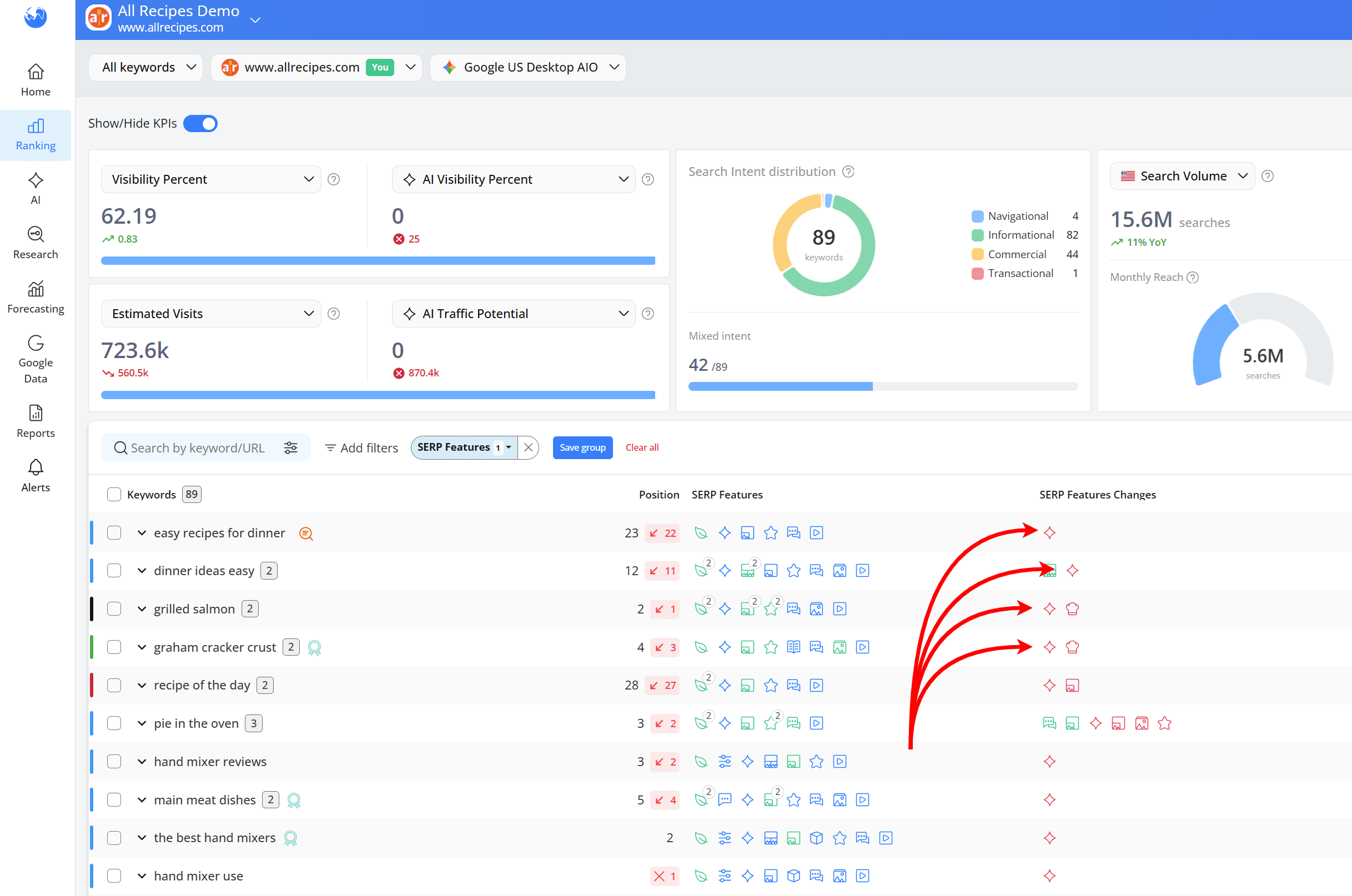
This will give you a clear view of where you’ve lost visibility in AI results:
You can then use the SERP Similarity report to see which competitor has replaced your website in the AI result for a specific keyword:
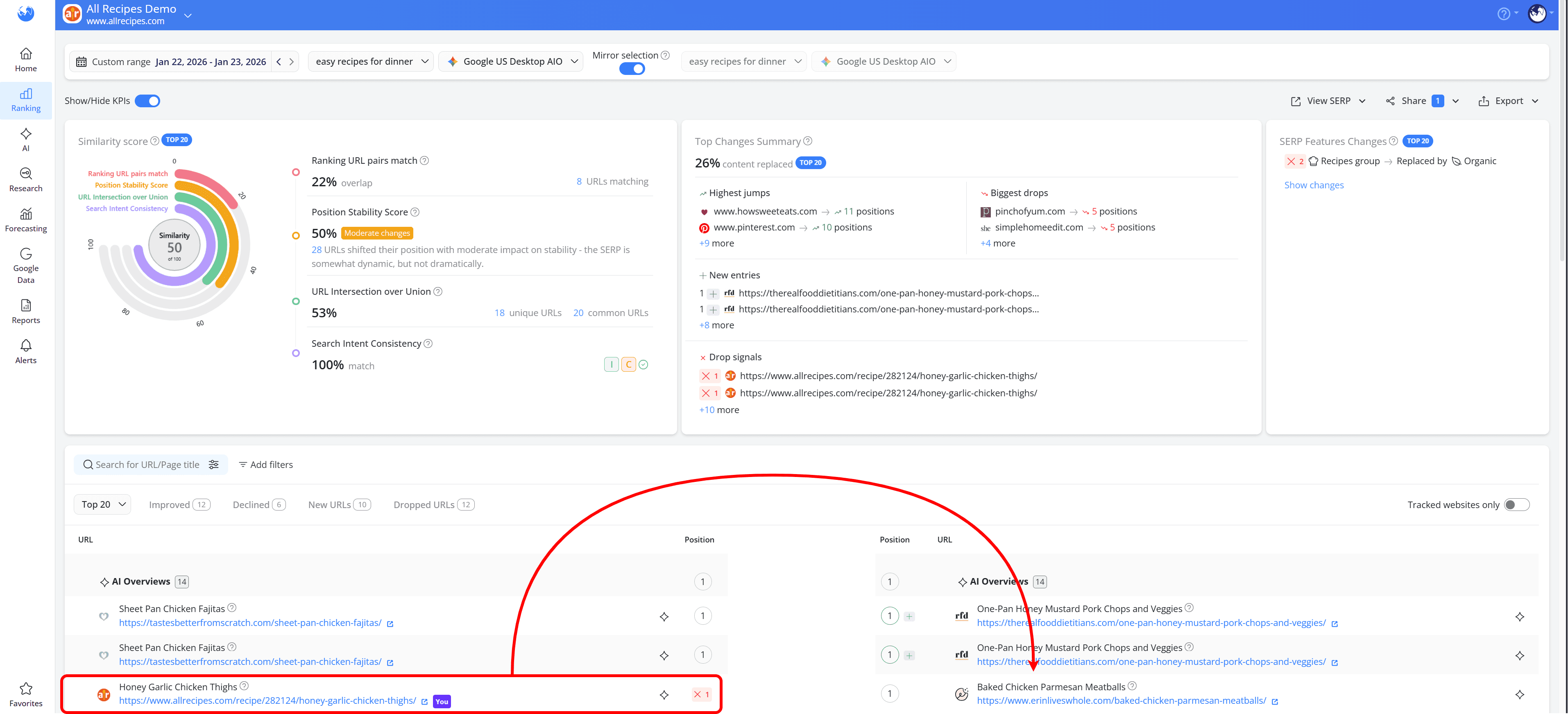
Once you see where you’ve lost visibility and who replaced your website in the AI response, look at their pages to understand what they’re doing better.
Use that insight to improve your content: make it clearer, more direct, and better aligned with the query, then monitor those keywords to see if you regain visibility.
Track your Brand Share of Voice
Tracking individual keywords helps, but it doesn’t give you the full picture of how your brand performs in AI results. To get a clearer view, you need to look at the bigger trend.
Once you’ve built a list of keywords that trigger AI answers, you can use the Brand Share of Voice KPI in the AI Keyword Performance report. This shows:
the percentage of keywords where your brand is mentioned
the percentage where competitors dominate the results
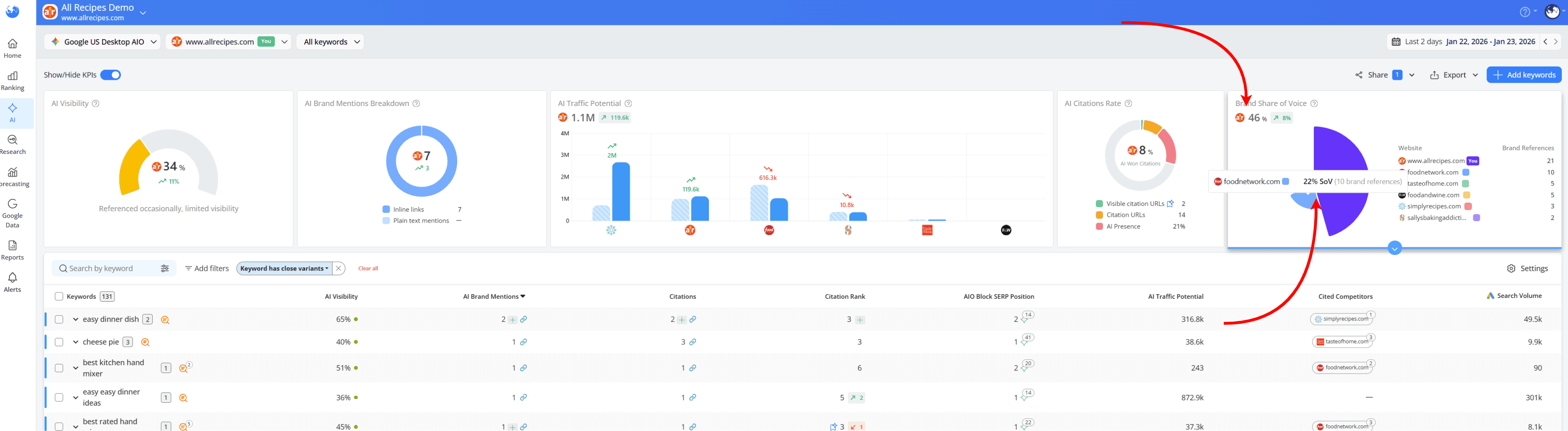
You can also analyze how this changes over time by expanding the chart data for this KPI. This allows you to track the evolution of Share of Voice for each brand and understand shifts in visibility:
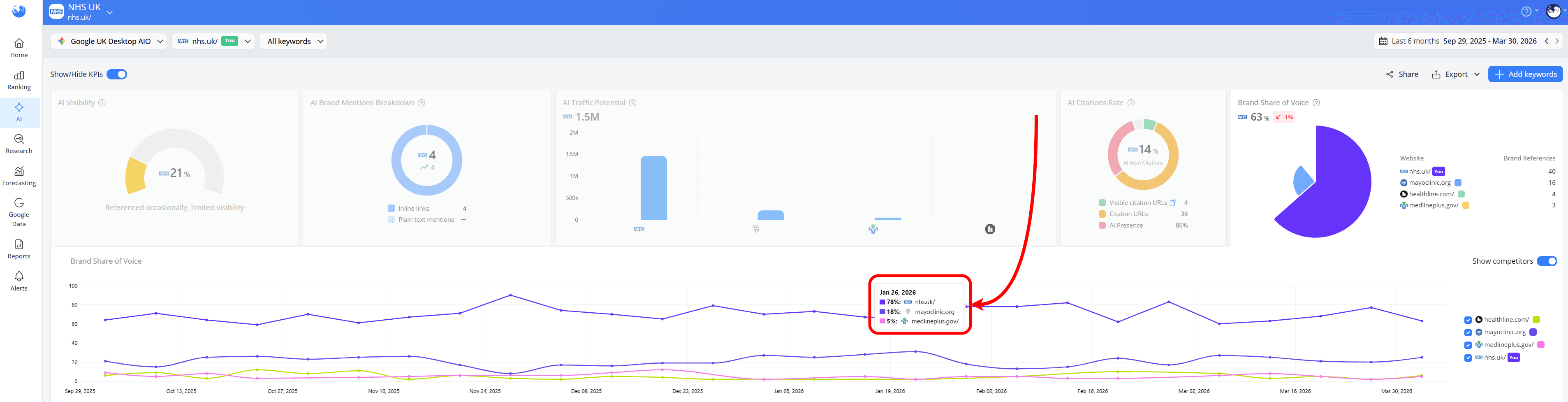
Track Brand Mentions and Citations
Once you have a list of keywords that trigger AI answers, tracking mentions and citations together gives you a much clearer picture of how your brand actually shows up in AI search.
Using search engines like Google Search + AIO, you can access both the AI-generated summary and the sources behind it by clicking on the AI Overviews SERP Features icon:
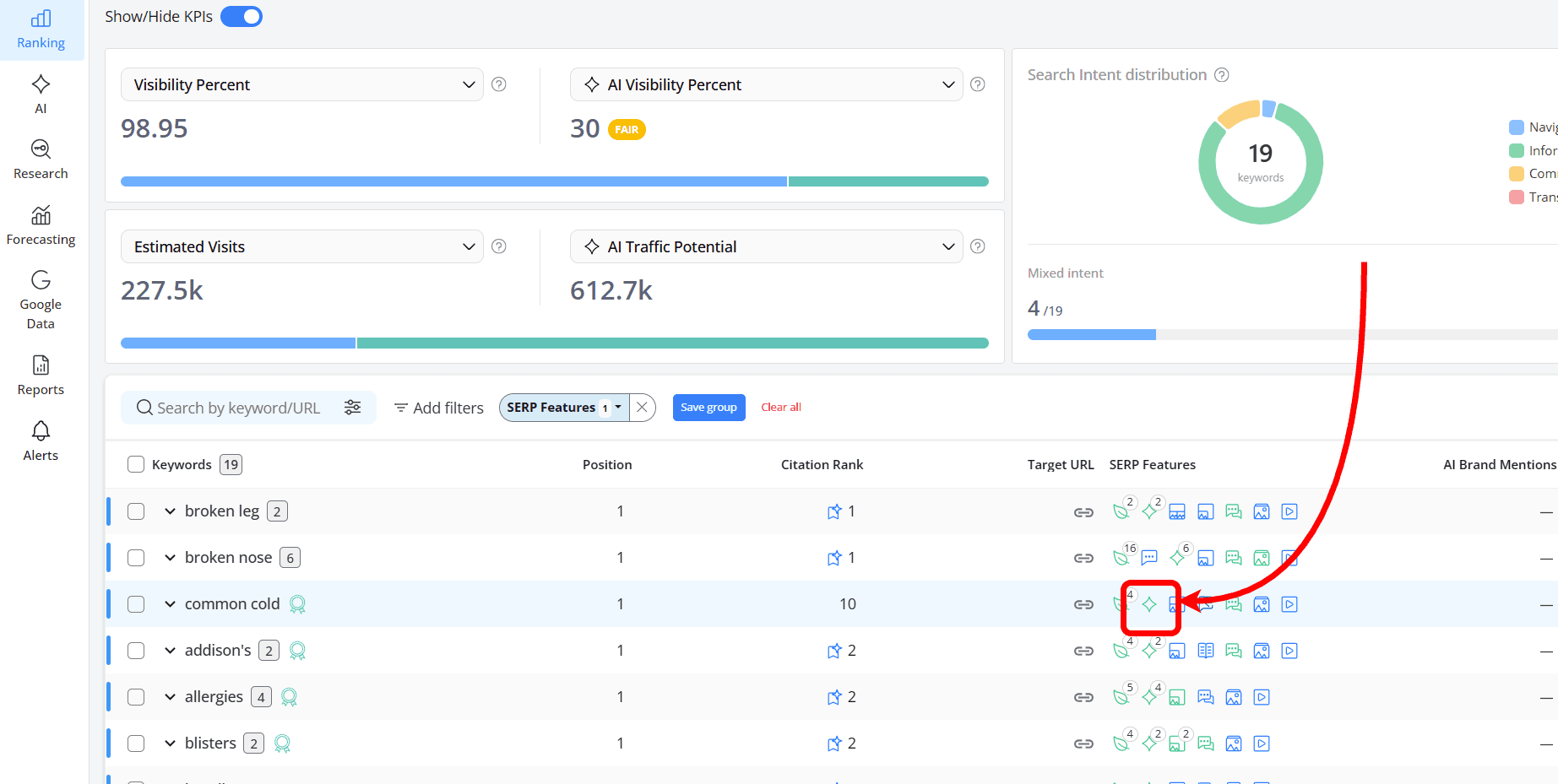
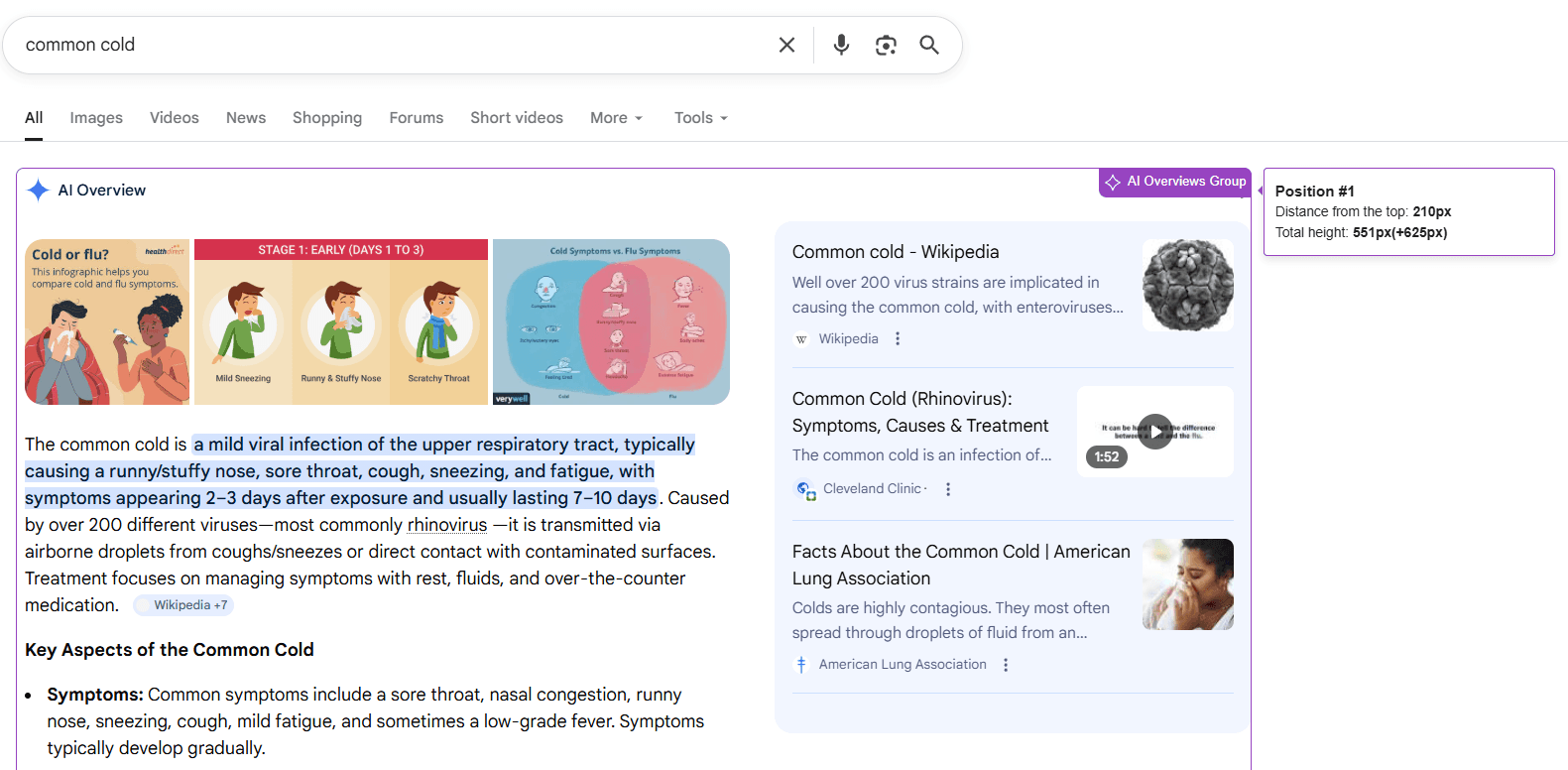
When reviewing each result, first look at the answer itself. Check whether your brand is mentioned and how it appears.
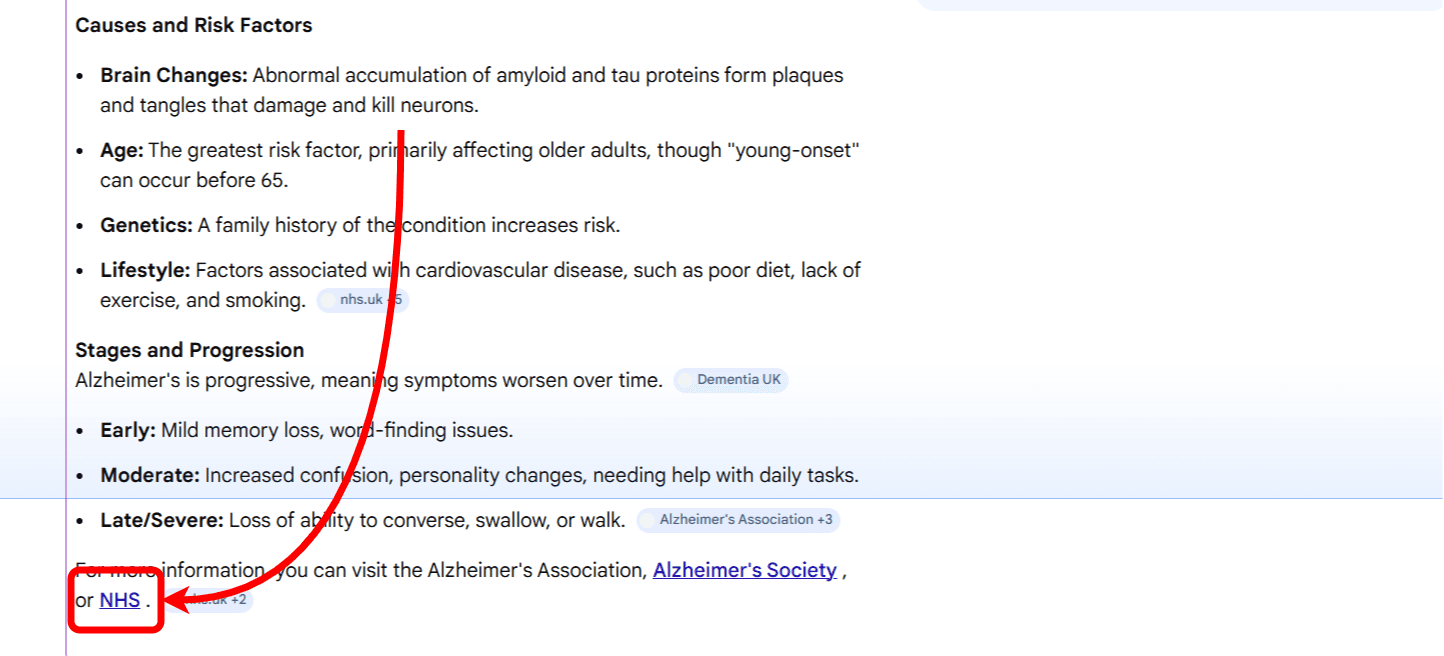

Over time, this helps you understand how often you’re part of the conversation and what topics you’re associated with
Then shift your attention to Citations. Look at the links included in the AI answer and see if your website is among them.
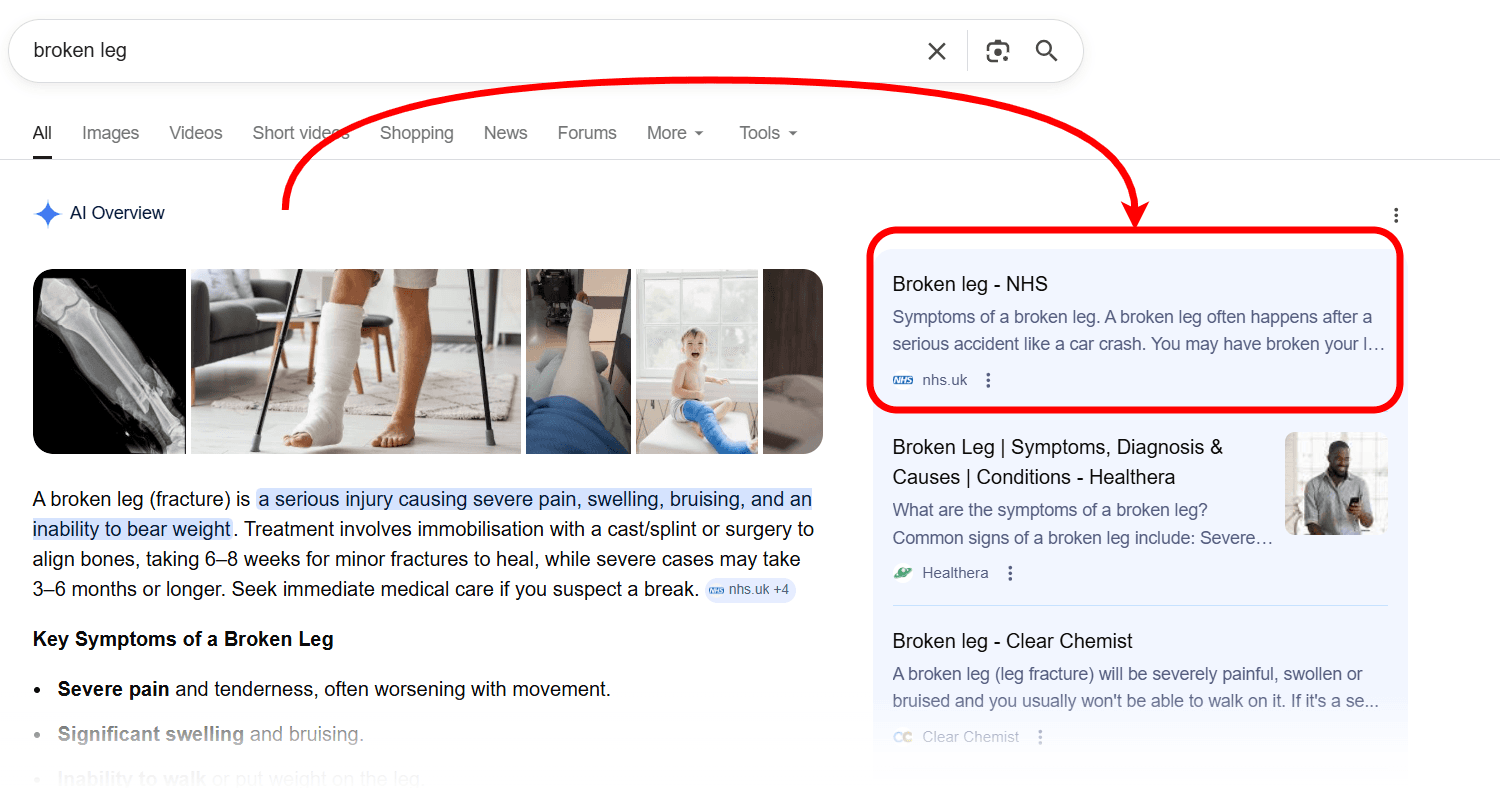
AWR makes this easier by showing which URLs are referenced and where they rank within the AI Overview.
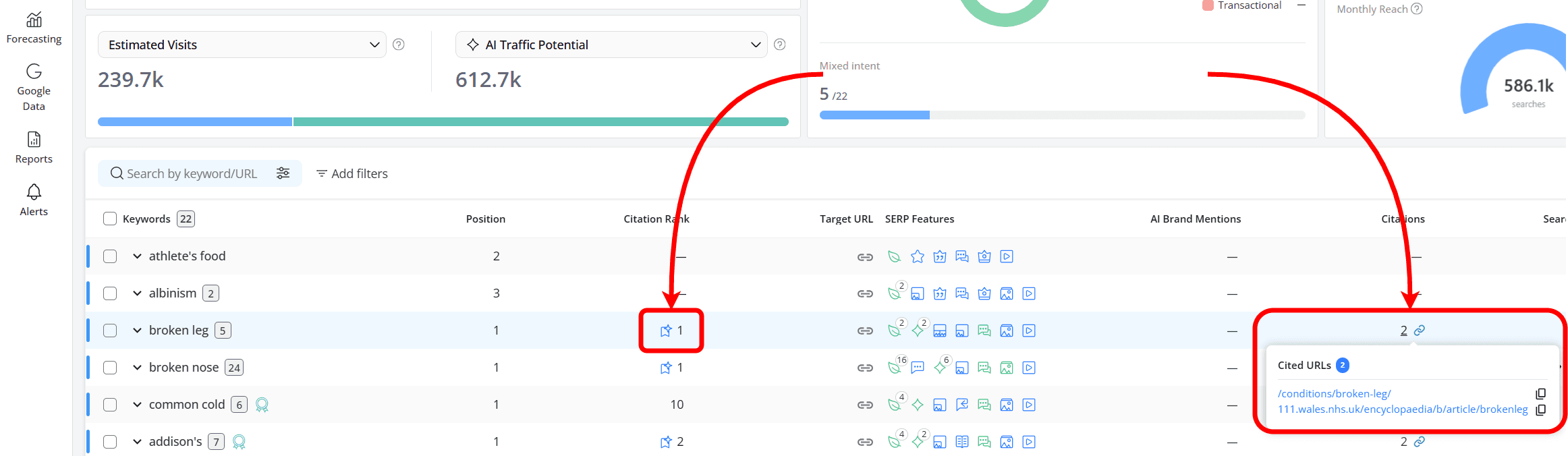
Tracking Citations helps you see which pages are being picked up and how your visibility compares to others.
Frequently Asked Questions
How does AWR retrieve AI search data?
How are AI Overviews different from other SERP Features?
What is the difference between Mentions and Citations in AI search?
Why should you track your brand’s presence in AI search?
Can I see which pages are used as sources in AI answers?
stay in the loop