

Advice and answers from the Advanced Web Ranking Team
Search for articles
>
>
15 AWR MCP Server Use Cases for SEO Insights and Performance Tracking
Explore 15 practical AWR MCP server use cases for SEO and digital marketing to analyze data, track rankings, and uncover actionable insights.

With the recent launch of our MCP (Model Context Protocol) server, SEO professionals can now chat directly with their AWR rank tracking data to get actionable insights in seconds.
MCP is an open standard that enables seamless integration between tools like Advanced Web Ranking and AI assistants like Claude and ChatGPT. Instead of manually navigating through reports and dashboards, you can simply ask questions in natural language and receive data-driven answers instantly.
Imagine you're managing SEO for an e-commerce client and need to quickly identify which keywords dropped in rankings this week. Rather than exporting data and creating spreadsheets, you can simply ask:
Show the top 20 keywords that experienced the biggest ranking drops compared to last week. Include their previous positions, current positions, search volume and estimated traffic loss.
Within moments, your AI assistant connects to AWR's data, analyzes your ranking changes, and presents a comprehensive breakdown, including context on why those changes matter and what you should investigate next.
The only challenge you might face is: "What should I ask?"
This guide aims to answer that exact question with 15 practical use cases across three difficulty levels, from simple queries to advanced strategic analysis.
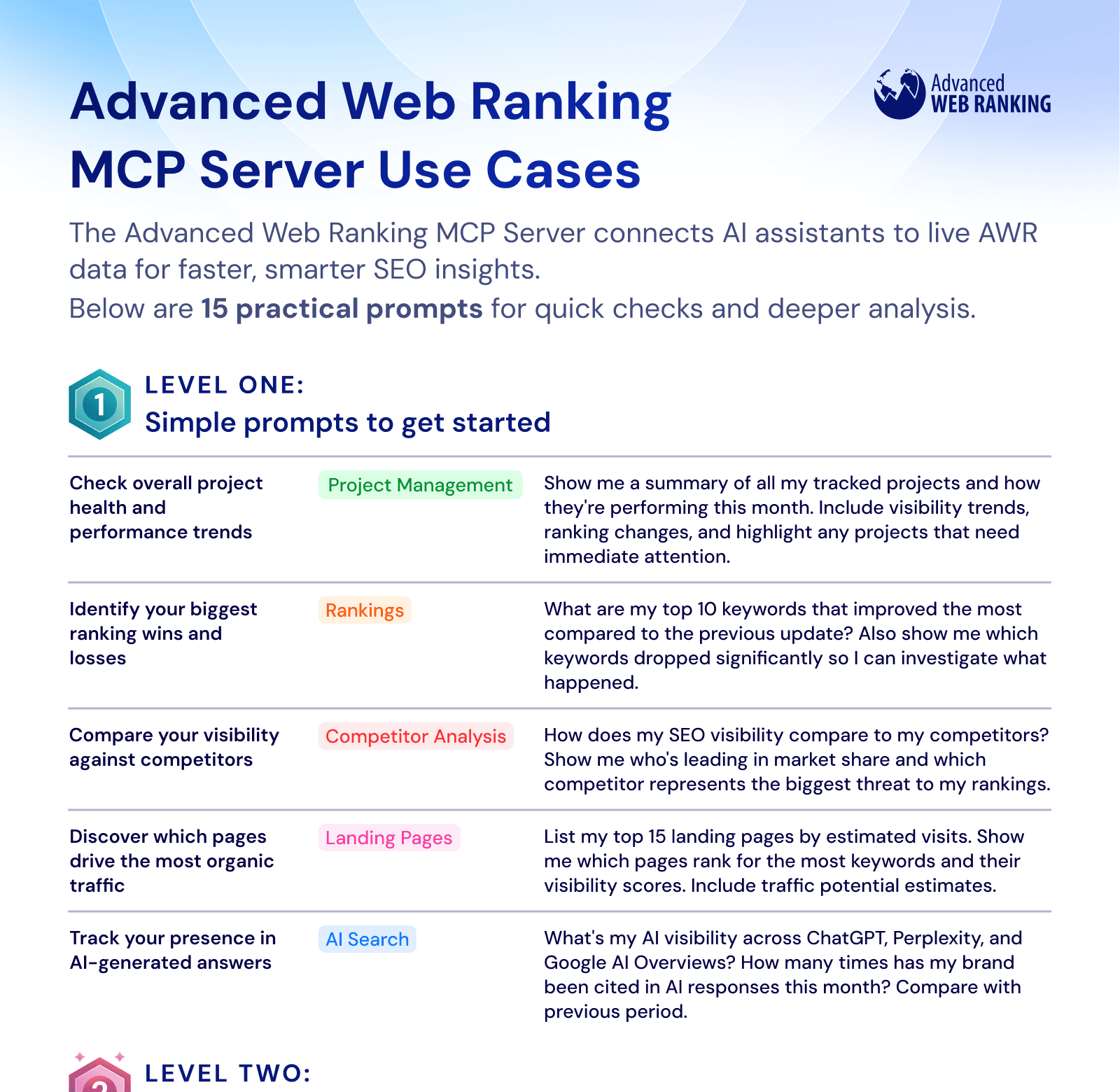
Download Our Prompt Cheat Sheet
Explore our 15 practical prompts for SEOs and digital marketers, covering everything from basic performance checks to more insightful, in-depth analysis.
Best Practices for Using AWR’s MCP Server in Daily SEO Workflows
After spending considerable time testing the AWR MCP server with real client data, we've discovered that it works best when you view it as a complement to your existing workflow, rather than a replacement.
Think of it like having an experienced SEO analyst on your team who has instant access to all your ranking data. It won’t make strategic decisions for you, but it can quickly surface insights, identify patterns, and help you prioritize where to focus your attention.
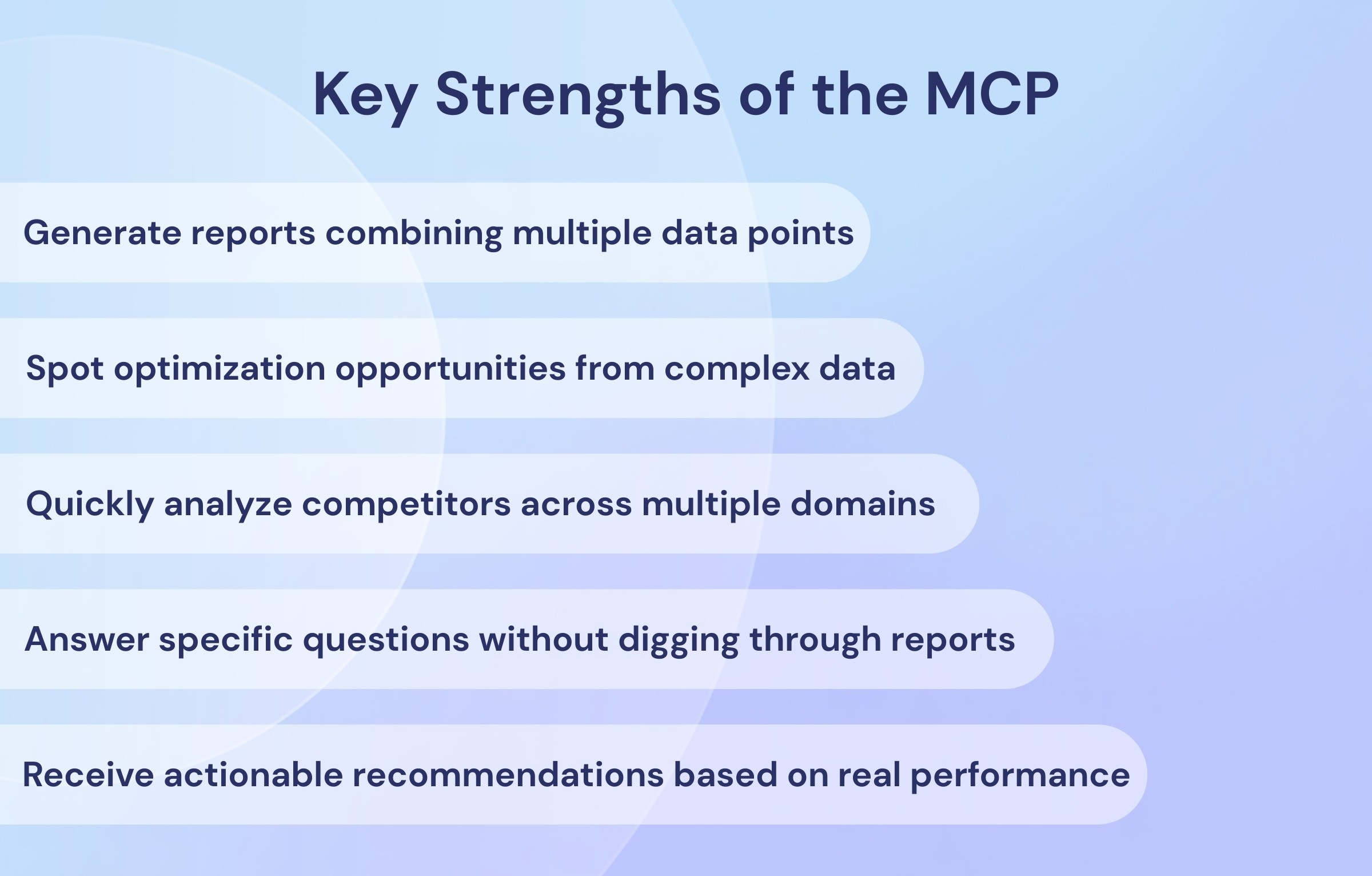
The MCP server excels at three things:
Speed: Get answers to complex questions in seconds instead of minutes or hours
Pattern recognition: Identify trends across large datasets that might be missed in manual analysis
Context: Receive insights with relevant context about why metrics matter and what actions to consider
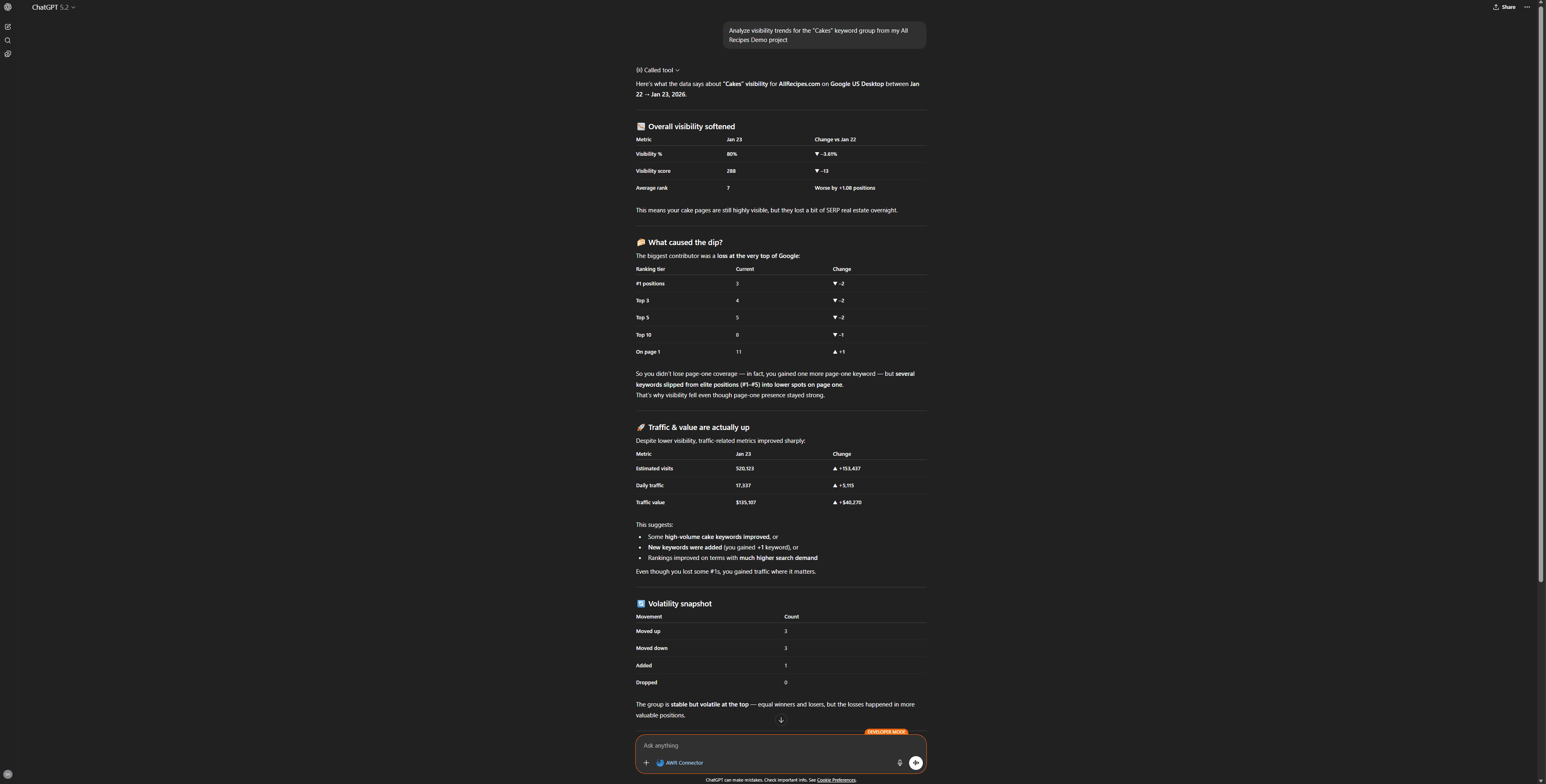
For example, when analyzing visibility trends across multiple keyword groups, the MCP can quickly identify that your brand keywords are stable but your product category terms are declining and suggest investigating recent SERP feature changes or new competitors entering those SERPs.
However, it's important to set realistic expectations. The MCP won't replace the AWR interface for detailed visual analysis, historical trend charting, or configuring tracking settings. Some tasks are simply better suited to a purpose-built UI.
Note on Setup
Connecting AWR to your AI assistant takes just a few minutes. Check our help article for step-by-step guides for Claude, ChatGPT, and other MCP-compatible tools.
The connection URL is :https://api.advancedwebranking.com/mcp
15 MCP Prompt Ideas Across Three Complexity Levels
We’ve grouped these prompts into three categories based on their response time and data complexity.
Simple prompts usually return results in under two minutes, while advanced prompts can take 5 to 10 minutes as they process larger datasets and generate more detailed insights.
LEVEL ONE: Simple prompts to get started
Response time: typically under 2 minutes
1. Monitor overall project health and performance
Prompt: Show me a performance summary for all my tracked projects this month. Include visibility trends, significant ranking changes, and highlight any projects experiencing concerning declines.
Benefits: This is perfect for agencies managing multiple clients or in-house teams tracking several websites. The MCP pulls data from AWR's multi-project performance metrics to give you an executive-level overview of everything in your portfolio.
You'll quickly identify which projects are thriving, which are stable, and which need immediate attention, saving hours of manual report checking.
2. Identify your biggest ranking winners and losers
Prompt: What are my top 15 keywords that improved rankings the most since the last update? Also show me the 15 that dropped significantly, with their search volumes and estimated traffic impact.
Benefits: Understanding which keywords are moving and by how much is essential in SEO. This prompt leverages AWR’s ranking data to instantly highlight your most significant changes, allowing you to celebrate gains and investigate potential issues.
The traffic impact estimates are particularly valuable for prioritizing which ranking drops to investigate first.
3. Compare visibility performance against competitors
Prompt: Compare my SEO visibility against all tracked competitors for the [Project Name] project. Show me market share percentages, who's leading in visibility score, and identify my biggest competitive threat.
Benefits: This prompt leverages that data to give you a clear competitive landscape view, showing exactly where you stand and who's gaining ground on you.
In AWR, you can add up to 50 competitors to be tracked for the same set of keywords for each of your projects without any additional cost.
4. Discover top-performing landing pages
Prompt: List my top 20 landing pages ranked by estimated visits. For each page, show how many keywords it ranks for, average position, visibility score, and traffic potential. Sort by highest estimated visits.
Benefits: This prompt uses AWR’s landing page performance data to show which pages are doing the heavy lifting for your SEO. You’ll often find that a small percentage of pages generate the majority of your organic traffic, a clear example of the 80/20 rule in action.
Use this insight to identify your top-performing pages so you can protect and further optimize them, as well as underperforming pages that require investigation and improvement.
5. Track AI search engine visibility
Prompt: What's my current AI visibility score across ChatGPT, Perplexity, and Google AI Overviews? How many brand mentions and citations did I receive this month compared to last month?
Benefits: With AWR’s AI search tracking capabilities, you can monitor your brand’s presence in AI generated answers. This prompt gives you a quick snapshot of your AI visibility trends, an increasingly important metric as more users turn to AI powered search.
The month over month comparison helps you determine whether your AI presence is growing or declining.
LEVEL TWO: Intermediate prompts for strategic decisions
Response time: typically 2-8 minutes
6. Find low-difficulty, high-opportunity keywords
Prompt: Analyze my keyword difficulty data and show me keywords with difficulty scores under 40 where I'm currently ranking in positions 11-30. Focus on keywords with monthly search volume above 500. These are my quick-win opportunities—rank them by traffic potential.
Benefits: This prompt is one of the most valuable ones for prioritizing your SEO efforts. It helps you spot the "low-hanging fruit" keywords that are within reach (on page 2 or the bottom of page 1) and can be improved without massive effort.
By combining AWR's keyword difficulty scores with your current ranking data, you can quickly identify these high-potential opportunities.
7. Analyze performance by keyword group
Prompt: Compare visibility, click share, and estimated visits across all my keyword groups. Which groups are performing best? Which are underperforming and need attention? Show me brand vs. non-brand performance breakdown.
Benefits: Keyword groups help you organize tracking by topic, product line, or intent. This prompt reveals which categories of keywords are driving results and which need work, which is essential for strategic resource allocation.
The brand vs. non-brand split is particularly telling: strong brand performance with weak non-brand performance suggests awareness is high, but discovery needs work.
8. Identify competitive ranking gaps
Prompt: For competitor [example.com], show me keywords where they rank in the top 10 but I'm ranking below position 20 or not ranking at all. Include their positions, my positions (if any), search volumes, and difficulty scores. Sort by highest search volume
Benefits: This reveals your competitive gaps, showing keywords where competitors are capturing traffic that you currently miss. These terms represent both threats, as they draw traffic away from you, and opportunities, since they reveal proven keywords worth targeting.
AWR's competitor tracking makes this analysis straightforward across all your tracked competitors.
9. Compare performance across search engines
Prompt: Compare my keyword rankings across Google US, Google UK, and Bing. Show me where I perform significantly better on one search engine versus another. Identify optimization opportunities for underperforming engines.
Benefits: Many sites focus exclusively on Google while ignoring opportunities in Bing or international markets. This prompt shows where your strengths lie and can be expanded, as well as areas with untapped potential.
AWR tracks 4,000+ search engines, making it ideal for international SEO and multi-engine strategies.
10. Understand ranking distribution patterns
Prompt: Show me how my rankings are distributed: how many keywords are in positions 1-3, 4-10, 11-20, 21-50, and 51+. Compare this distribution to my top three competitors. Highlight the biggest gaps and include movement trends over the past month.
Benefits: Your ranking distribution tells a story about SEO maturity and competitiveness. A healthy profile typically shows concentration in top positions with a natural spread across lower positions.
Comparing your performance to competitors reveals if you have many lower-position rankings on long-tail terms or if you are successfully competing for head terms with strong top-10 presence.
LEVEL THREE: Advanced, resource-intensive analysis
Response time: 5-10+ minutes depending on data volume
11. Comprehensive SERP difficulty analysis
Prompt: Analyze the top 30 keywords in my [Product Category] keyword group. For each keyword, show me SERP difficulty: who currently ranks in top 10, their domain difficulty, URL difficulty, content scores, and trust metrics. Create a prioritization matrix showing which keywords I should target first based on difficulty versus opportunity. Identify content gaps and ranking patterns I can exploit.
Benefits: This provides in-depth competitive intelligence. Rather than examining keywords in isolation, you analyze the competitive landscape for each term to see what it takes to rank.
AWR's SERP difficulty data includes Trust Flow, Citation Flow, referring domains and backlinks for each ranking URL, giving you a comprehensive picture of the competition.
The prioritization matrix helps you concentrate on achievable opportunities instead of wasting resources on terms that are unlikely to rank.
12. Multi-project portfolio audit
Prompt: Analyze all my projects over the past quarter. Show me which are growing, declining, or stagnating. Calculate the overall visibility growth rate across all properties, estimate total organic traffic, and provide strategic recommendations for resource allocation. Identify which projects need urgent intervention versus which are performing well and could benefit from additional investment.
Benefits: For agencies or enterprises managing multiple properties, this provides an executive-level view of your entire SEO portfolio. It's the kind of analysis that would take hours manually, but can be generated in minutes with the MCP.
The resource allocation recommendations are particularly valuable for justifying budget decisions to stakeholders.
13. AI search visibility strategy
Prompt: Provide a comprehensive analysis of my AI search performance across ChatGPT, Perplexity, and Google AI. For each engine, show: citation frequency, brand mentions, citation rank position, and how competitors are being cited. Identify keywords where competitors get citations but I don't. Build an actionable plan to improve my AI visibility based on patterns in successful citations.
Benefits: As AI search grows, understanding your presence in AI-generated answers becomes crucial. This prompt uses AWR's AI search tracking to develop a data-driven strategy for improving your visibility in this emerging channel.
The competitive citation analysis frequently uncovers content gaps, showing topics where competitors are recognized as authorities while your brand receives no mentions.
14. Landing page optimization roadmap
Prompt: Analyze all landing pages that rank for 5 or more keywords. For each page, show: current keywords, average positions, click share, estimated traffic, and underperforming keywords (ranking 11-50 where we could improve). Identify pages with the highest optimization potential. Create a prioritized list of pages to optimize based on traffic opportunity, with suggested target keywords for each page.
Benefits: This creates a data-driven content optimization roadmap. Instead of randomly choosing pages to improve, you're targeting pages where improvements will have the biggest traffic impact.
The "suggested target keywords" feature helps focus optimization efforts on the most valuable opportunities for each page.
15. Strategic SEO recommendations report
Prompt: You're an expert SEO consultant. Analyze my complete AWR data: rankings, visibility metrics, competitor performance, keyword difficulty, landing pages, and AI search visibility. Provide strategic recommendations to increase organic traffic by 30% in the next quarter. Prioritize opportunities into: quick wins (0-30 days), medium-term improvements (30-90 days), and long-term strategic initiatives (90+ days). Include specific keywords to target, competitors to monitor, content gaps to fill, and technical considerations. Make this highly actionable with clear next steps.
Benefits: This is the ultimate "consultant in a box" prompt. It takes your AI assistant from being a data retrieval tool to a strategic advisor, analyzing everything AWR knows about your SEO performance and providing comprehensive recommendations.
The time-based prioritization (quick wins, medium-term, long-term) makes it immediately actionable for planning sprints and setting quarterly goals.
Pro Tip
Save the output as a living document and revisit it monthly to track progress on recommendations and adjust strategy based on results.
How to Get the Most Value from Advanced Web Ranking MCP Server
After extensive testing, these are our top recommendations for getting the most out of the AWR MCP server.
Be specific about what you're analyzing
Instead of asking a general question like:
"How are my rankings?"
Include details such as project, search engine, keyword group, and time period. For example:
"How did rankings change for my [Project] project on Google US for the [Brand] keyword group between December 1st and December 15th?"
Being specific helps generate more accurate and actionable responses.
Start conversations by explicitly mentioning AWR
Begin prompts with "Using my AWR data..." or "Check my Advanced Web Ranking data..."
This ensures your AI assistant uses the MCP connection rather than searching the web or using general knowledge.
This is especially important in ChatGPT, where the MCP integration is still in beta.
Build on previous responses
AI assistants maintain conversation context. After getting initial results,you can ask follow-up questions to refine your insights, for example:
"Now show me which of those keywords have difficulty scores under 50" or "Which of these competitors has been gaining ground most rapidly?".
This iterative approach often surfaces insights you wouldn't have thought to ask about initially.
Request specific output formats
If you need data in a particular format, be explicit:
"Create a table with these columns..."
"Rank these results by estimated traffic potential..."
"Show this as a comparison chart..."
The AI can organize and present information in the format that best supports your workflow.
Combine multiple data points
The MCP's real power emerges when you ask questions that cross-reference different AWR datasets such as:
"Show me keywords where my ranking improved but my visibility decreased" (indicating SERP feature changes)
"Which competitors gained rankings in the keyword groups where I lost rankings?"
These multi-dimensional queries would be tedious to answer manually, but are perfect for the MCP.
Favorite AI Assistant?
Both Claude and ChatGPT work with the AWR MCP server.
Based on extensive testing, Claude currently provides a more consistent experience for tool-calling and complex queries. ChatGPT's MCP integration is in beta and improving rapidly.
Try both to see which you prefer.
Verify critical insights
While the MCP is reliable, always verify important findings directly in AWR before making major strategic decisions.
Think of the MCP as your initial analysis tool, with the AWR interface as your verification and deep-dive resource.
Save your best prompts
When you discover a prompt that provides exactly the insights you need, save it as a template.
You can reuse effective prompts across different projects or time periods by just swapping out specific details.
Over time, you'll build a library of custom prompts tailored to your specific workflow.
What's Next for AWR's MCP Integration
We're continuously expanding the AWR MCP server's capabilities based on user feedback.
Currently in development:
Historical trend analysis: Deeper insights into performance over extended time periods
Automated alerts: Set up AI-powered monitoring for specific conditions
Multi-project comparisons: Enhanced cross-project analytics for agencies
Export capabilities: Generate shareable reports directly from MCP conversations
We'd love to hear what capabilities would be most valuable for your workflow. Connect with our team via support or share your ideas on social media.
Keep an eye on our Product Updates section to stay up to date with the latest AWR improvements.
Start exploring your data in a whole new way
The AWR MCP server transforms how you interact with your rank tracking data. Instead of remembering where specific reports live or how to configure particular filters, you simply ask questions and get answers.
It does not replace the detailed insights and visual tools of the AWR app, but complements them by making your data easier to access and your analysis faster.
Whether you're managing a single site or an agency portfolio, the MCP server helps you uncover insights, identify opportunities, and make data-driven decisions faster than ever.
The 15 prompts in this guide are just a starting point. As you become more familiar with the technology, you will discover use cases tailored to your workflow and begin asking questions you never thought possible.
Do you have any questions ? Don't hesitate to get in touch with our dedicated support team.
stay in the loop