

Advice and answers from the Advanced Web Ranking Team
Search for articles
Spot SERP Changes with AWR's Side-by-Side SERP Comparison feature
Learn how to compare two SERPs side by side using AWR's SERP Similarity report to identify changes in search results across dates, keywords or search engines.

Whether you're investigating a ranking drop, checking the impact of a Google update or comparing how different keywords perform, looking at two SERPs side by side can quickly show you what changed.
With AWR's Side-by-Side SERP Comparison feature, available in the SERP Similarity report, you can now compare two search results pages without leaving the report.
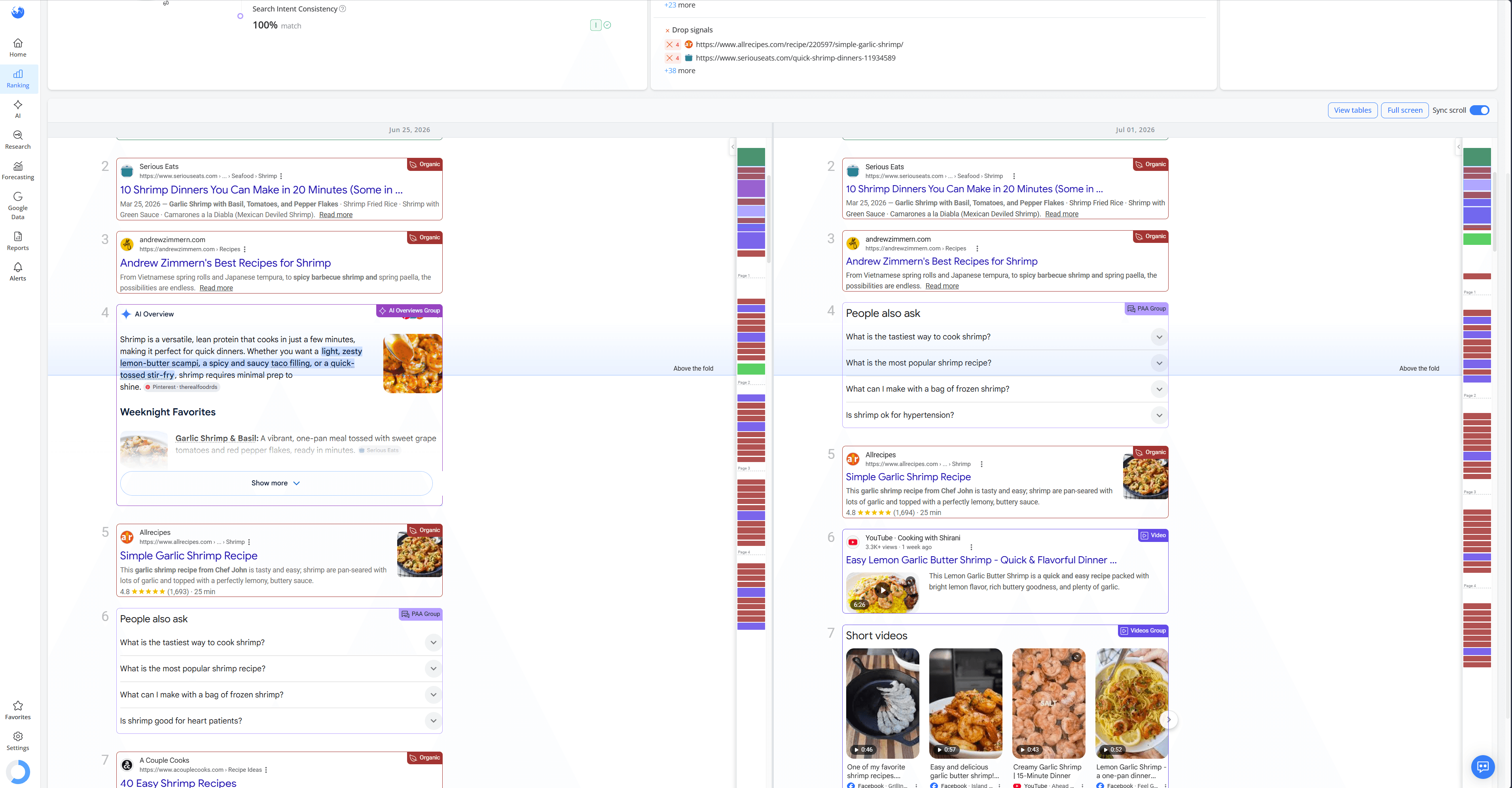
Depending on what you're trying to analyze, you can compare the same keyword over time or switch between different keywords and search engines.
What this article covers
In this article, you'll learn how to use the Side-by-Side SERP Comparison from the SERP Similarity report to:
Compare the same keyword across different ranking update dates to see how the SERP changes over time.
Compare different keywords, search engines, countries, locations and devices to understand why your website performs differently across search results.
Analyze ranking positions, competitors, SERP features, AI Overviews and AI-generated responses side by side using Full screen and Sync scroll.
Investigate common SEO scenarios, such as the impact of Google updates, changes in AI Overviews, differences between AI search engines, new ranking opportunities and competitors gaining or losing visibility
Why Compare SERPs Side by Side?
Ranking data tells you where your website ranks, but it doesn't show the search results your users actually see.
Comparing two SERPs side by side gives you the context behind your ranking data by showing you exactly what the search results look like.
Instead of jumping between reports or trying to work out what changed, you can see exactly what happened in the SERP and how it affected your website's visibility.
Having two SERPs right next to each other makes it easier to spot changes in the search results, such as new SERP features appearing, competitors entering the results, or the impact of Google algorithm updates on your website's rankings.
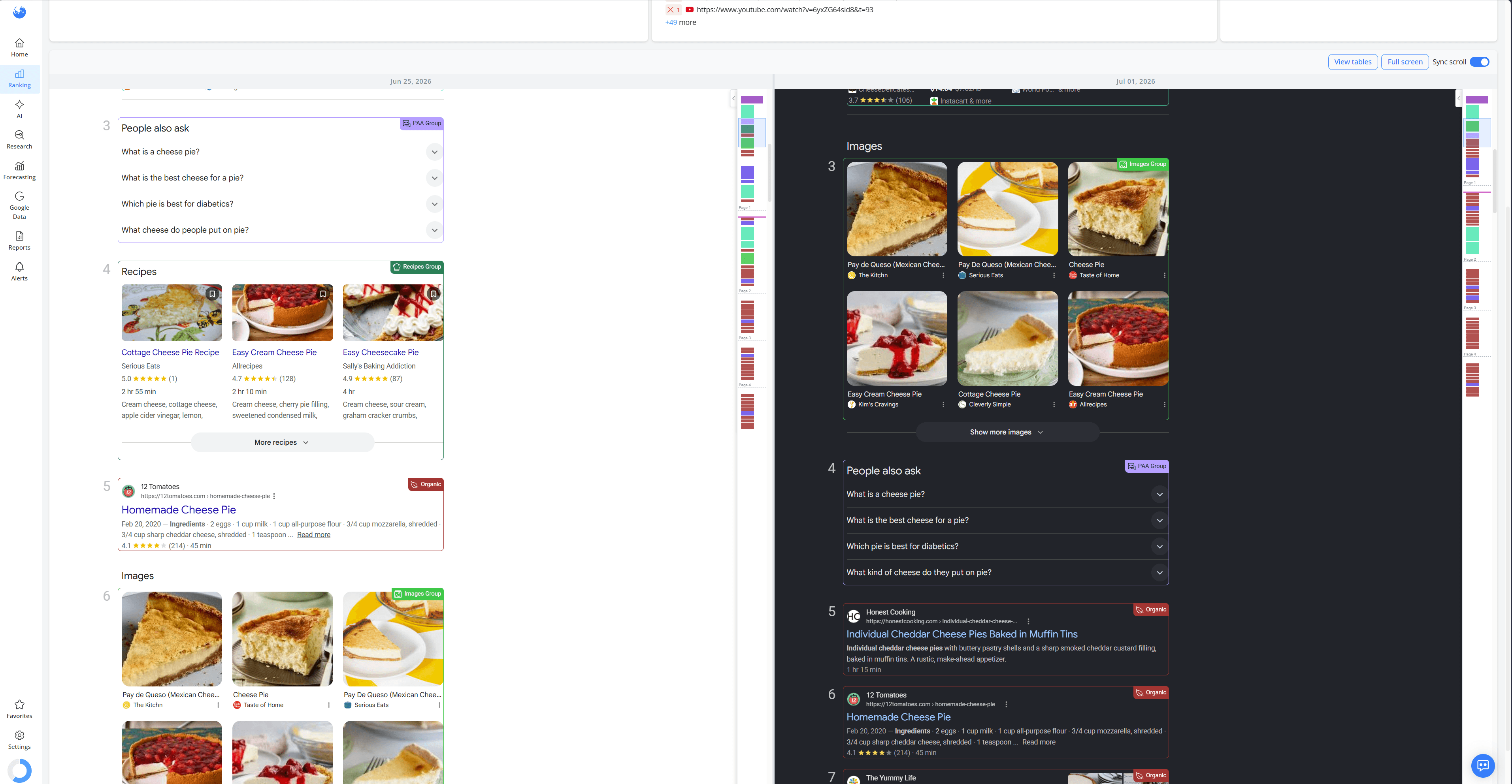
For example, this website lost its visibility in the Recipes SERP feature because Google replaced the Recipes feature with an Images feature.
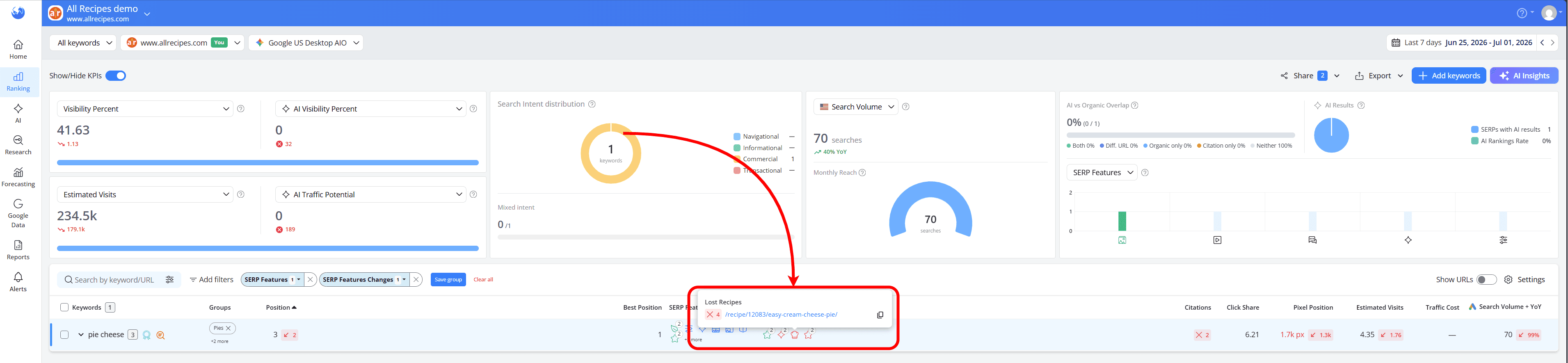
By comparing the two SERPs side by side, you can quickly see that the website didn't lose its position within the Recipes feature. Instead, the feature itself disappeared from the search results and was replaced with a People Also Ask feature.
What Exactly Can You Compare?
The Side-by-Side SERP Comparison helps you compare search results in two different ways.
Compare the Same Keyword Over Time
With Mirror Selection enabled, you can select a different ranking update date for each side while keeping the same keyword and search engine.
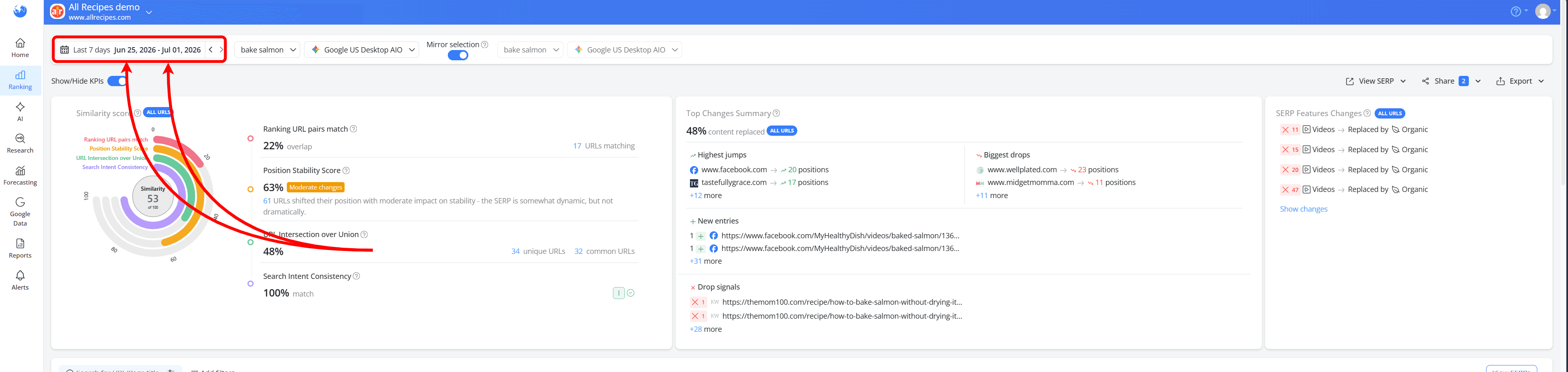
This helps you compare the search results for the same keyword across two different ranking updates. It's a simple way to see how the SERP has changed over time and understand what may have influenced your rankings.
For example, you can compare the search results before and after a Google update, see when competitors entered or left the SERP or identify new SERP features that may have affected your website's visibility.
Compare Different Keywords or Search Engines
With Mirror Selection disabled, you can configure each side independently, allowing you to compare different keywords or search engines.
You can compare:
The search results for different keywords on the same search engine: This is a great way to understand why one keyword performs better than another and identify which search queries offer better ranking opportunities or face stronger competition.
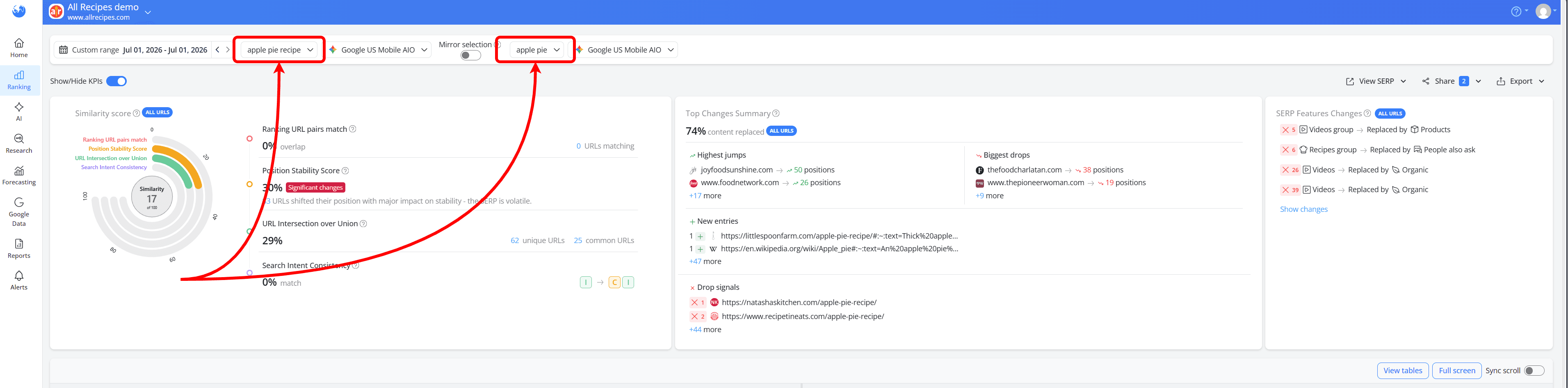
For example, comparing the SERPs for the same Google US Mobile AIO search engine on the same date shows our website ranking in Position 18 for the keyword "apple pie recipe", but in Position 3 for "apple pie".
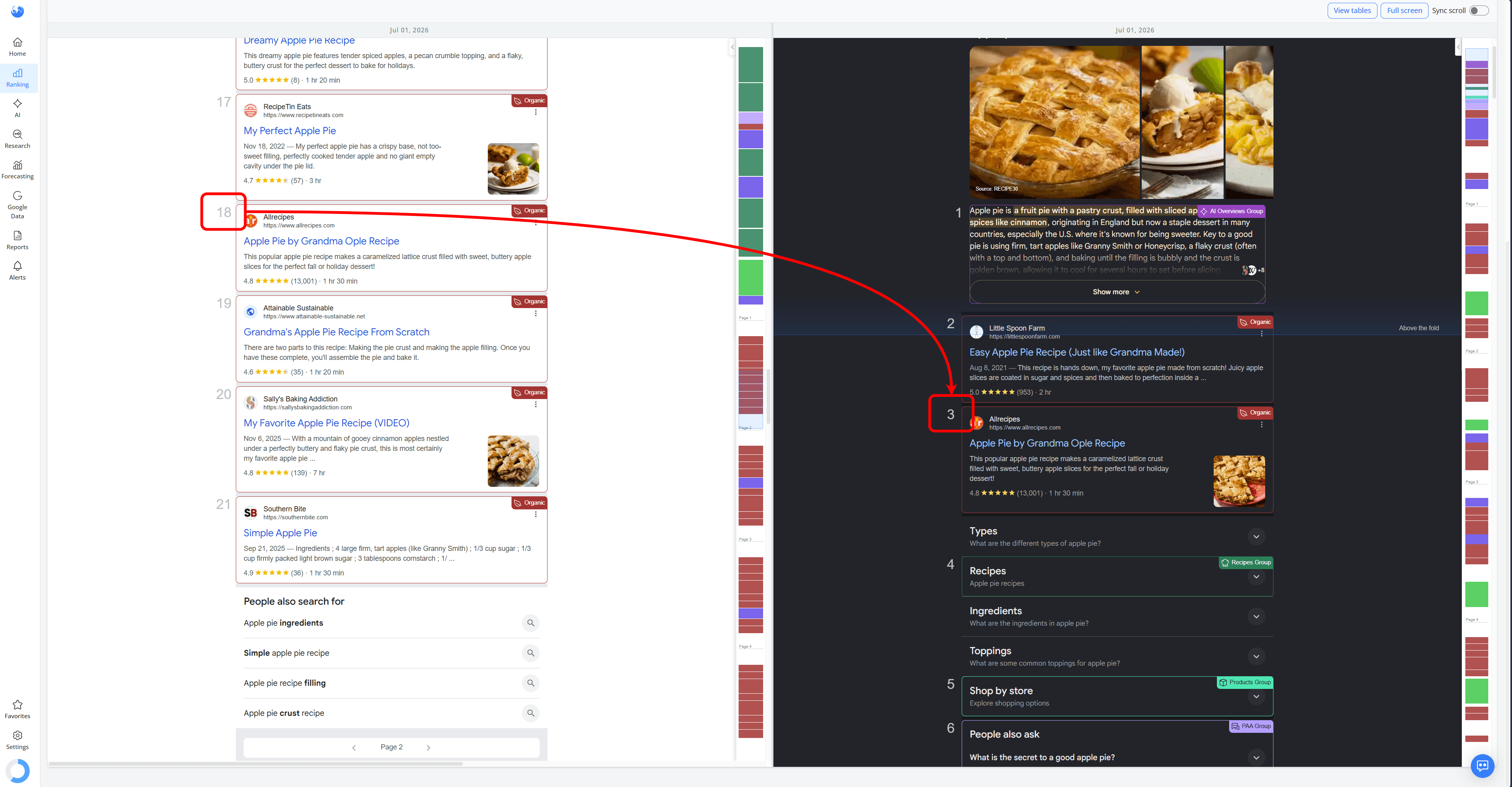
Although the keywords are very similar, the search results are different, leading to different competitors, SERP features and ranking opportunities. Viewing the SERPs side by side makes it easier to understand why one keyword performs better than the other.
The search results for the same keyword across different search engines. This helps you understand how different search engines rank your website for the same search query
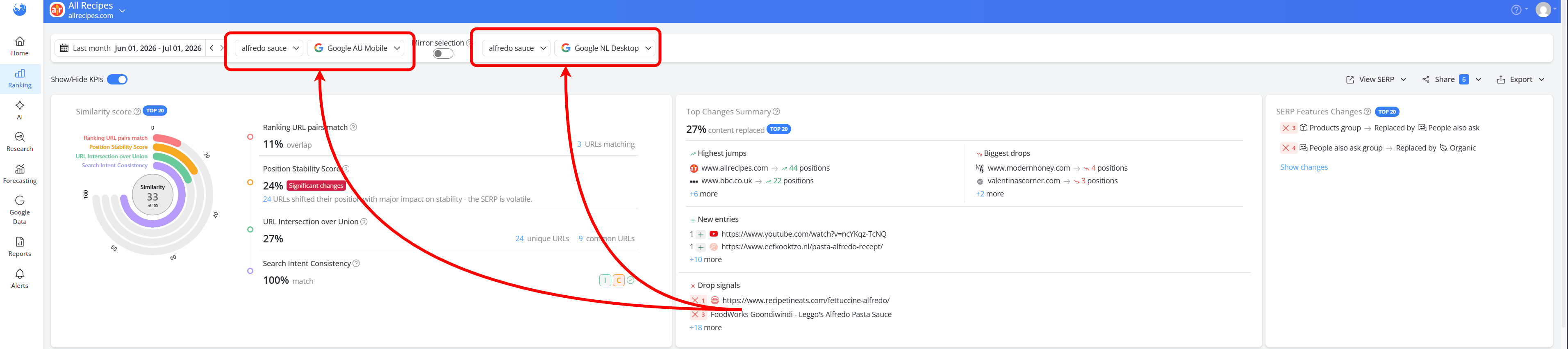
For example, when comparing the SERPs for the "appetizers" keyword, our website ranks in Position 13 on Google US Desktop, but in Position 1 on Google RO Desktop as part of an AI Overview.
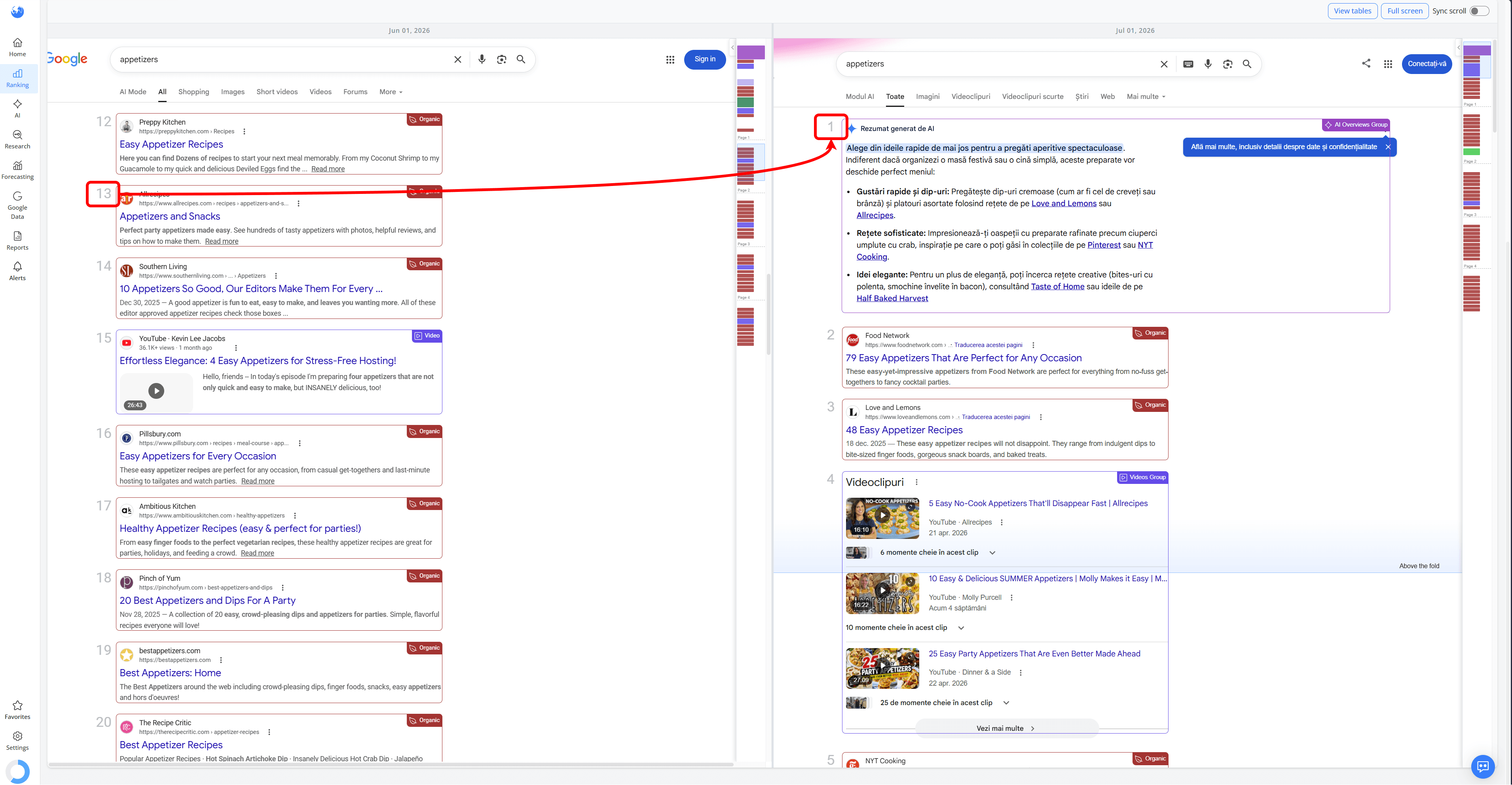
In this case, Google RO Desktop considered the website authoritative enough to include it as a source in the AI Overview, while Google US Desktop did not.
How to View and Analyze SERPs Side by Side
Once you've chosen what you'd like to compare, scroll down and click View SERPs.
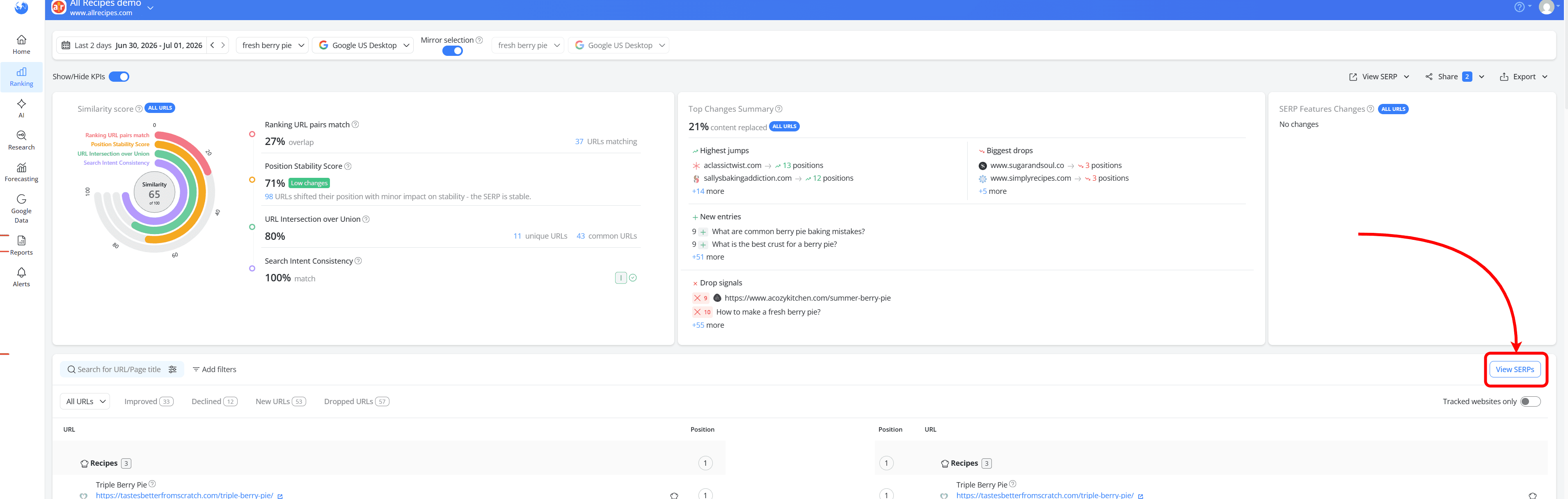
Both search results will open side by side, making it easy to compare ranking positions, competitors and SERP features without switching between tabs or reports.

If you'd like a larger view, click Full screen to expand the comparison. This gives you more space to review longer SERPs and makes it easier to spot differences between the two results.
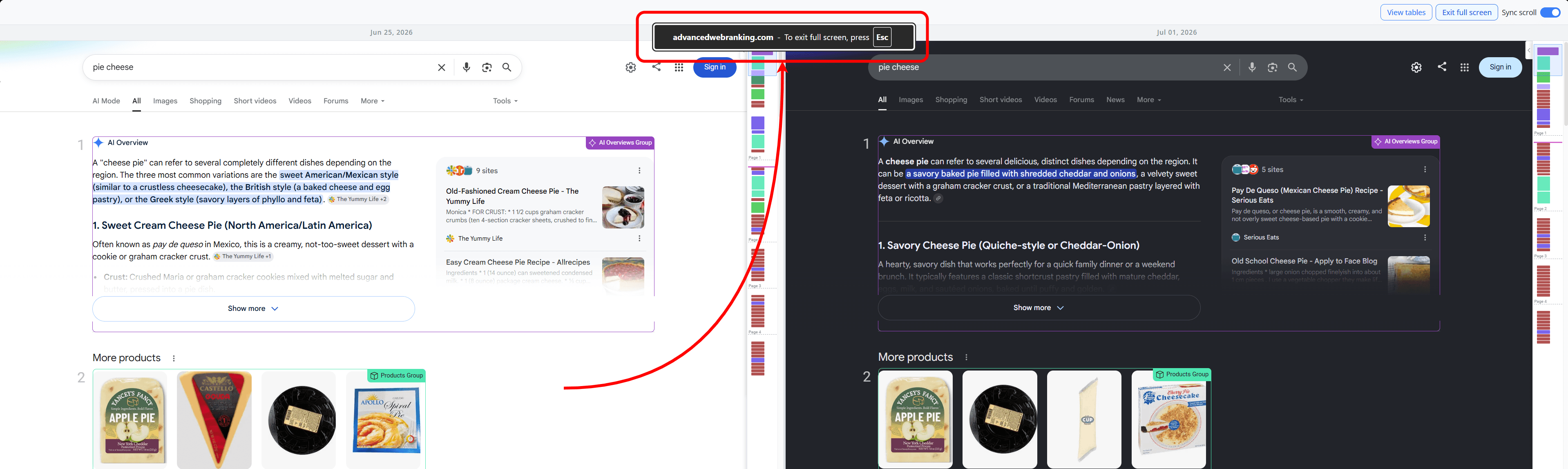
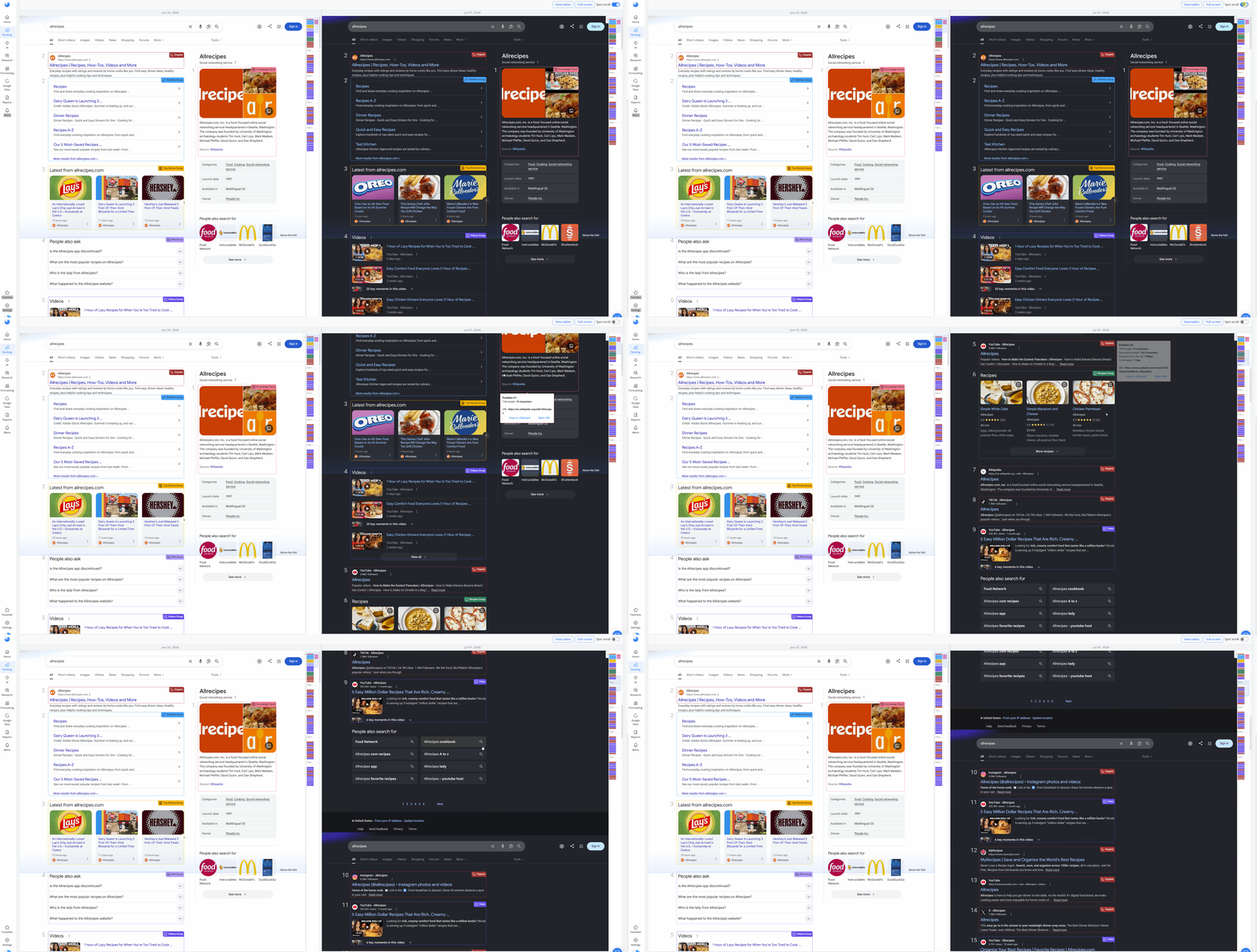
By default, Sync scroll is enabled, so both SERPs move together as you scroll. This keeps the same ranking positions aligned, making it much easier to compare results one by one.

If you want to examine each SERP at your own pace, simply turn Sync scroll off.
How Does Side-by-Side SERP Comparison Help Your SEO Analysis?
Use Case 1: Understand How Different AI Search Engines Rank Your Website
You can compare how your website performs across AI search engines such as ChatGPT, Perplexity AI and Google AI Mode. This helps you understand how your visibility differs across LLMs and whether your website is consistently featured or cited in AI-generated responses.
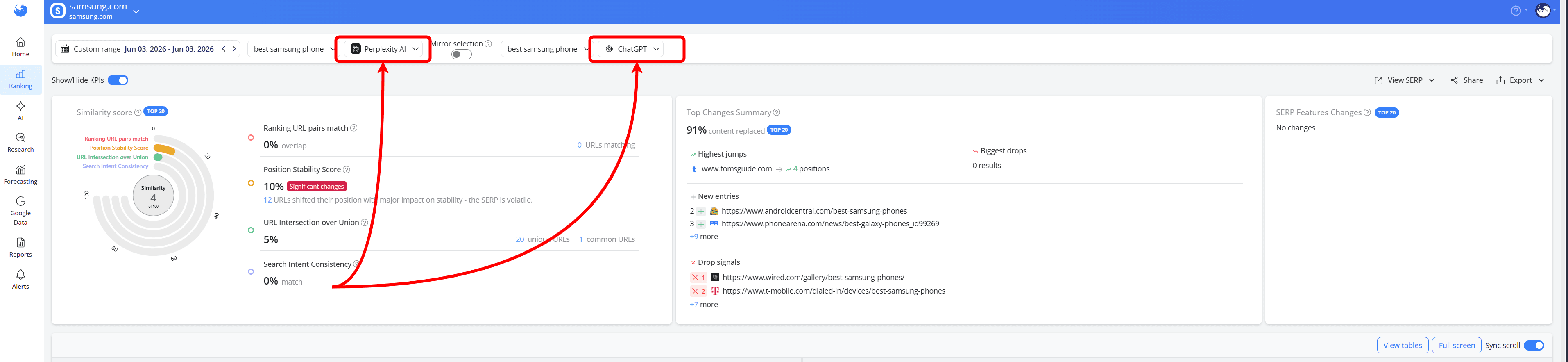
For example, for the the query "best samsung phone":
Perplexity AI focuses on a detailed, text-based comparison supported by citations from review websites
ChatGPT generates a more visual shopping-style response with product images, prices, sellers and recommendations.
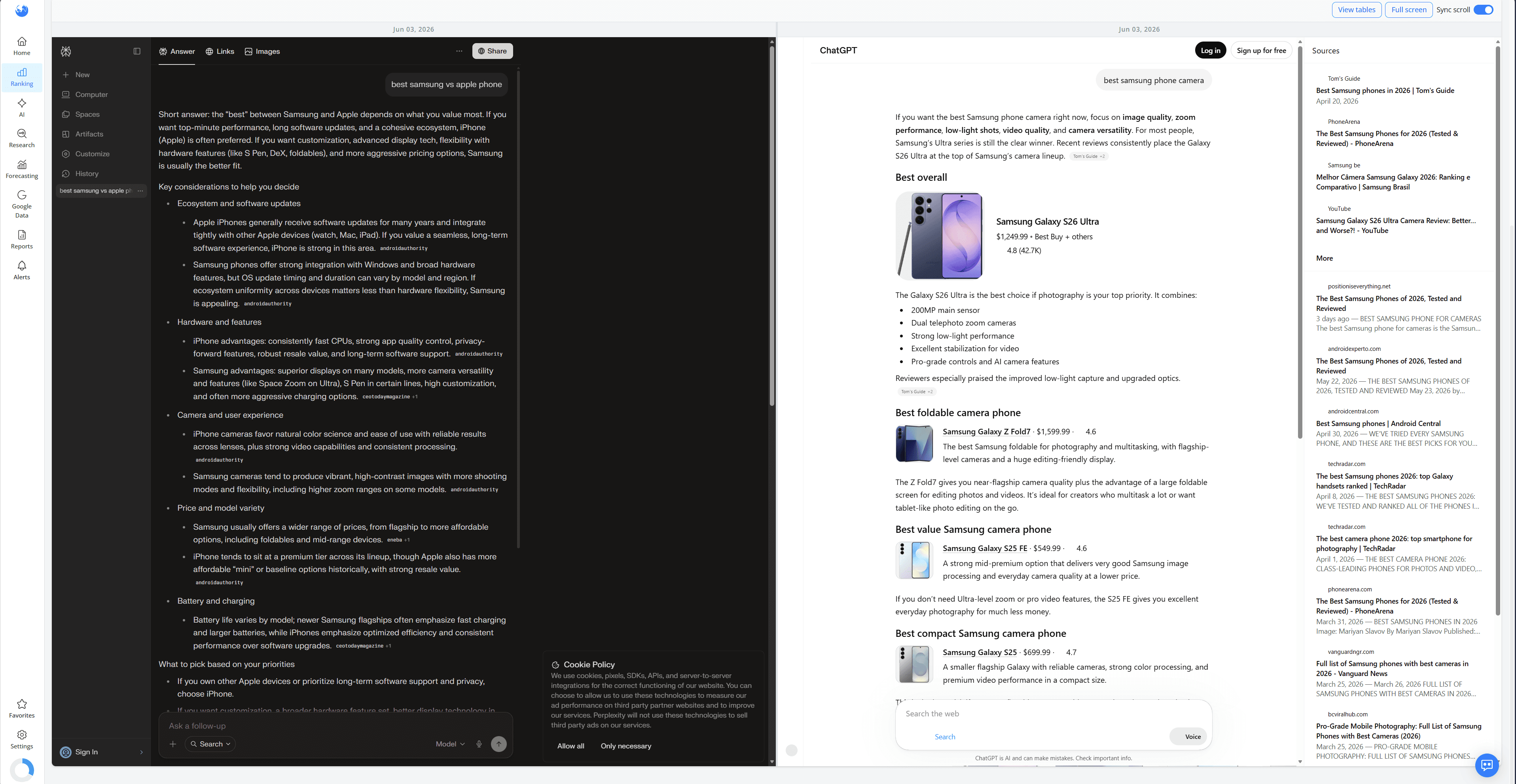
Viewing both results side by side helps you understand how each AI search engine presents information and where your website has the greatest visibility.
By switching back to the table view using the “View tables” button, you can also see the citations used by each AI search engine. In this example, Perplexity AI cites the official samsung.com website, while ChatGPT relies on review websites instead.

Use Case 2: See how your website ranks differently across countries
If you're tracking multiple countries or locations, compare the same keyword across each market on the same ranking update date to see how the SERPs differ.
This makes it easy to see how your website performs in each market and understand why rankings aren't always the same. Local competitors, country-specific SERP features and differences in search intent can all influence the results.
For example, even comparing a country-wide search engine, such as Google US, with a more specific location like Google US Los Angeles can produce different rankings and SERPs.
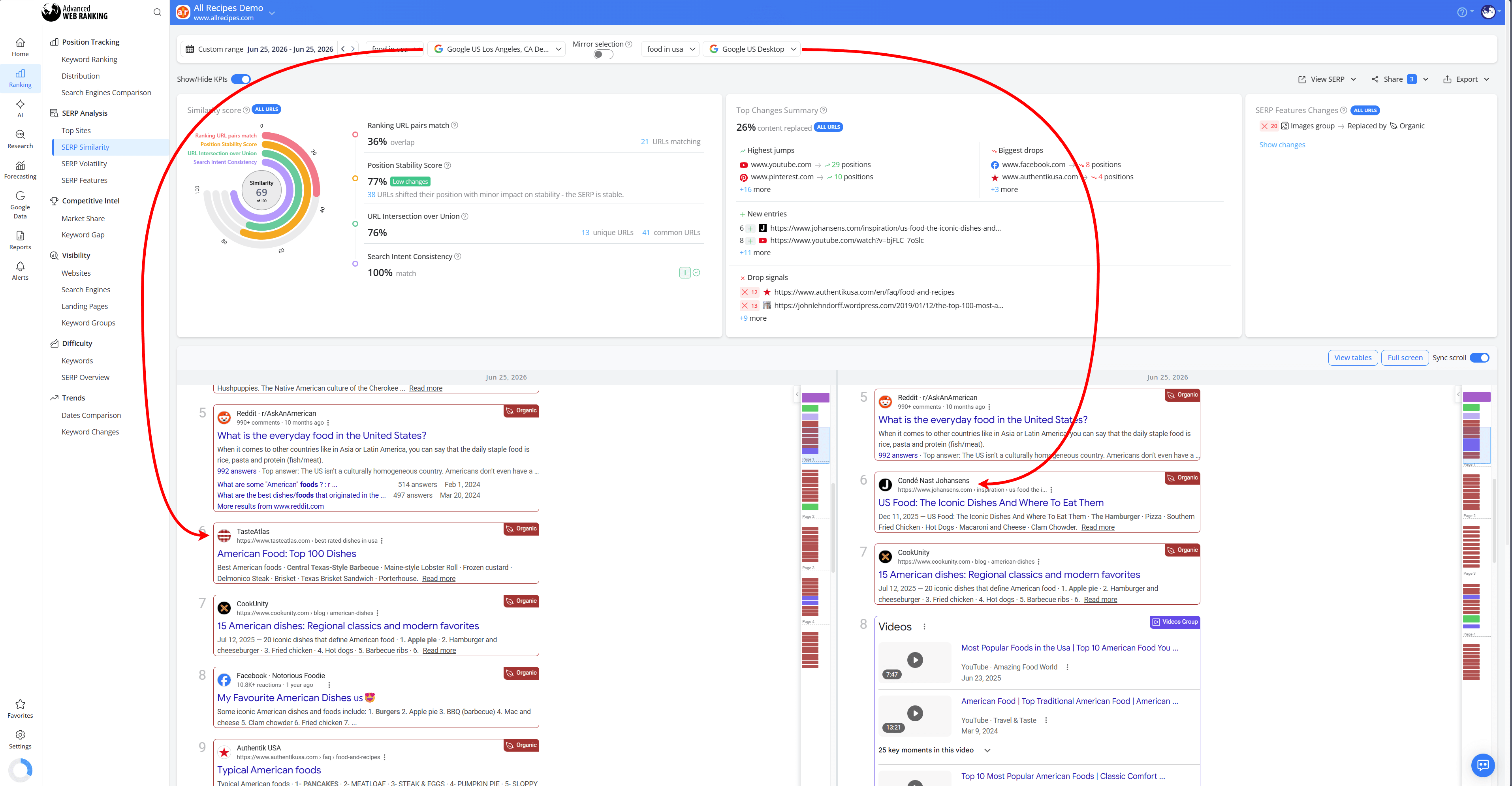
For agencies managing international clients, this is a quick way to compare search results across markets, explain ranking differences and identify new opportunities to improve visibility where it matters most.
Use Case 3: Spot Differences Between Desktop and Mobile Results
You can view the same keyword on Desktop and Mobile to see how your website ranks on each device. This helps you identify differences in ranking positions, competitors and SERP features that may affect your visibility depending on how users search.
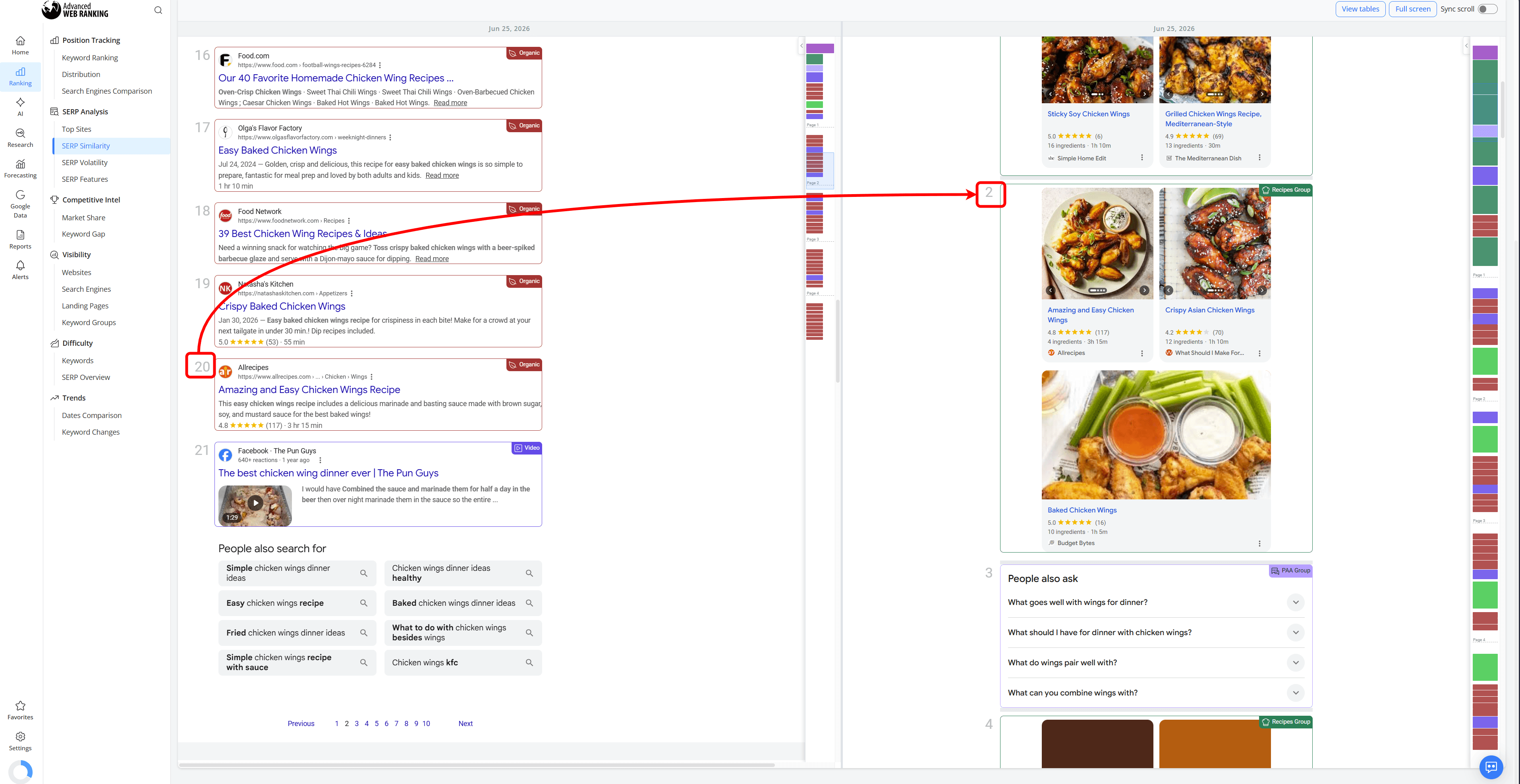
For example, for the keyword "chicken wings dinner ideas", the website ranks in Position 20 on Google US Desktop, but appears in Position 2 on Google US Mobile within the Recipes SERP feature.
This shows how the same query can have different search results depending on the device. In this case, Google US Mobile highlights the website in the Recipes feature, giving it significantly more visibility than on the desktop SERP.
Use Case 4: Measure the Impact of a Google Update
View the same keyword for the same search engine across ranking updates before and after a Google update to see how the SERP changed.
For the most meaningful comparison, first check the Google Algorithm Updates tool to see when a Google update started and finished rolling out.
Then, compare a ranking update from before the rollout with one taken after the rollout has completed and the search results have stabilized.
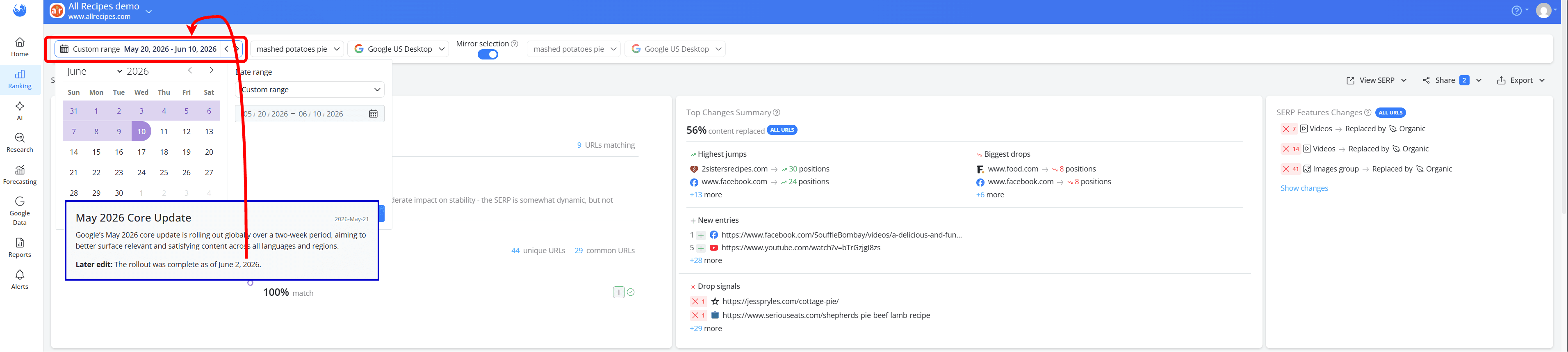
Rankings often fluctuate while a Google update is still in progress, so waiting until the rollout is complete gives you a clearer picture of its impact.
This makes it easier to understand how the update changed the SERP and whether those changes affected your website's rankings.
Use Case 5: See How AI Overviews Affect Your Visibility
Select two different ranking updates for the same keyword to see whether an AI Overview has appeared, disappeared or changed over time.
This helps you understand how AI-generated results affect your website's visibility. You can quickly see whether your website is still being cited in the AI Overview, whether it has lost its citation or whether the appearance or disappearance of an AI Overview changed how visible your organic result is on the page.
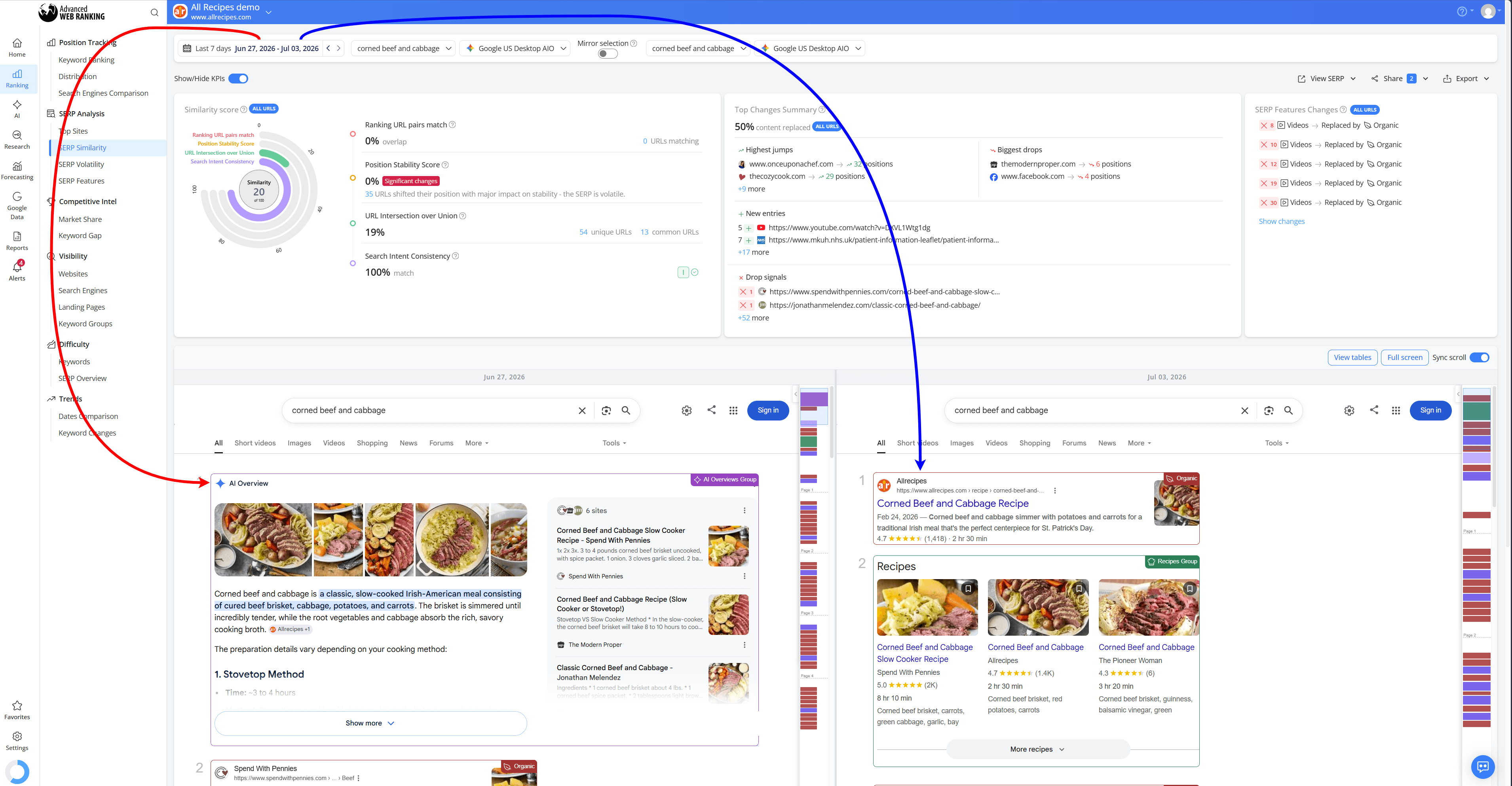
For example, on June 27, the keyword "corned beef and cabbage" returned an AI Overview that cited our website. By July 3, the AI Overview had disappeared entirely and our page became the first organic result.
Viewing both SERPs side by side makes it easy to see that the increase in visibility wasn't just due to a ranking change. It was also the result of the AI Overview no longer occupying the top of the page.
Use Case 6: Find New Ranking Opportunities
Select two related keywords on the same search engine and ranking update date to see how small changes in a query can affect your website's rankings.
This helps you identify keywords with better ranking opportunities, lower competition or a more favorable SERP. Even closely related keywords can produce very different search results and ranking outcomes.
For example, on July 3, allrecipes.com ranks in Position 34 for "baked chicken wings recipes", but in Position 17 for "baked chicken wings recipe easy".
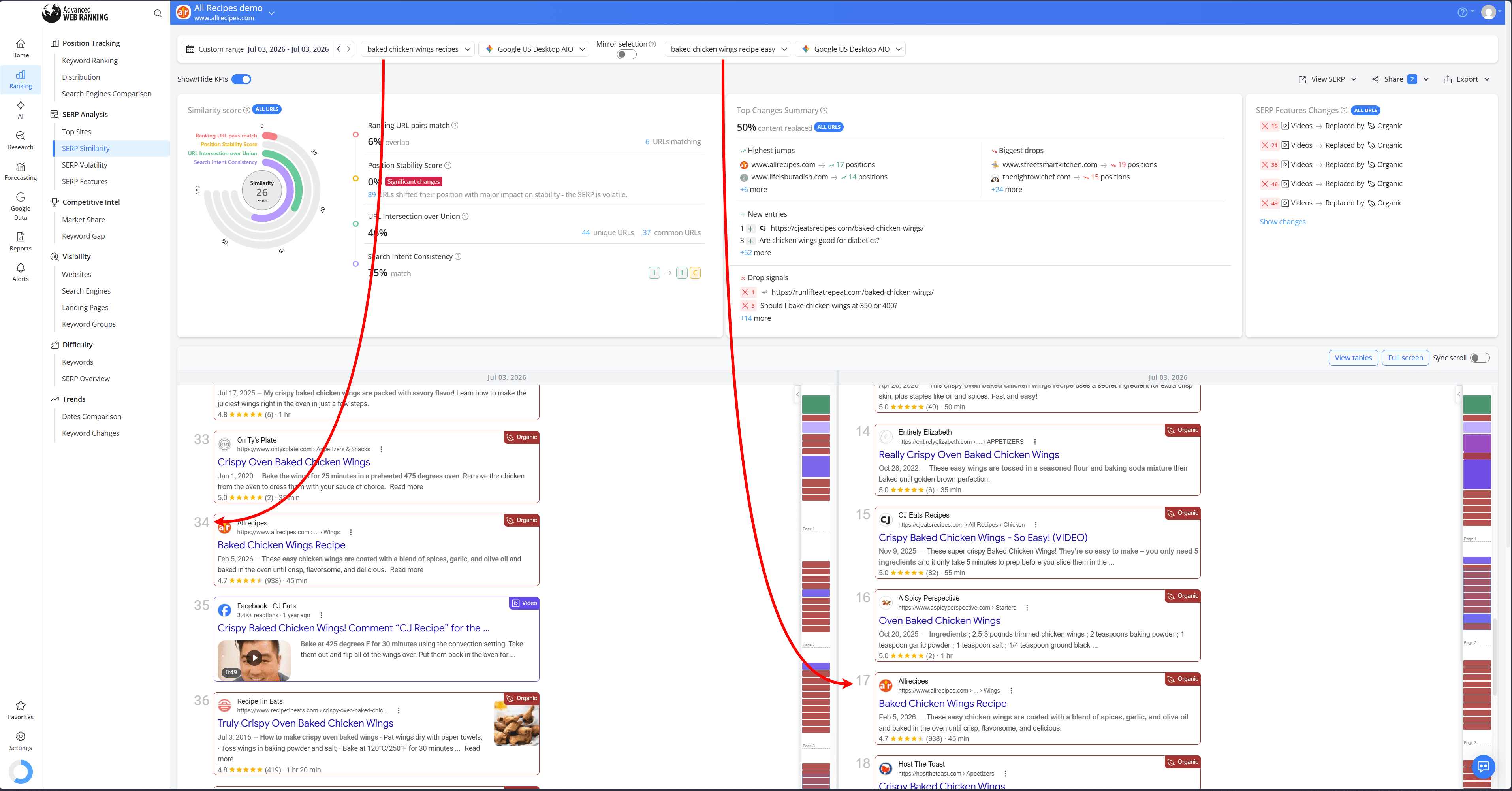
Although the keywords are very similar, Google returns different SERPs for each query, with different competitors and ranking distributions. Viewing both SERPs side by side makes it easy to spot these differences and identify which keyword offers the better opportunity to improve your visibility.
Use Case 7: Identify New Competitors
Review the same keyword across different ranking updates to see when new competitors start appearing in the search results or existing ones become more visible.
This is especially useful as Google continues to show more content from forums like Reddit for many searches. As these discussions move higher in the SERP, they can take visibility away from traditional websites and change the competitive landscape.
For example, for the keyword "recipe of the day", a Reddit discussion ranks in Position 43 on May 3.
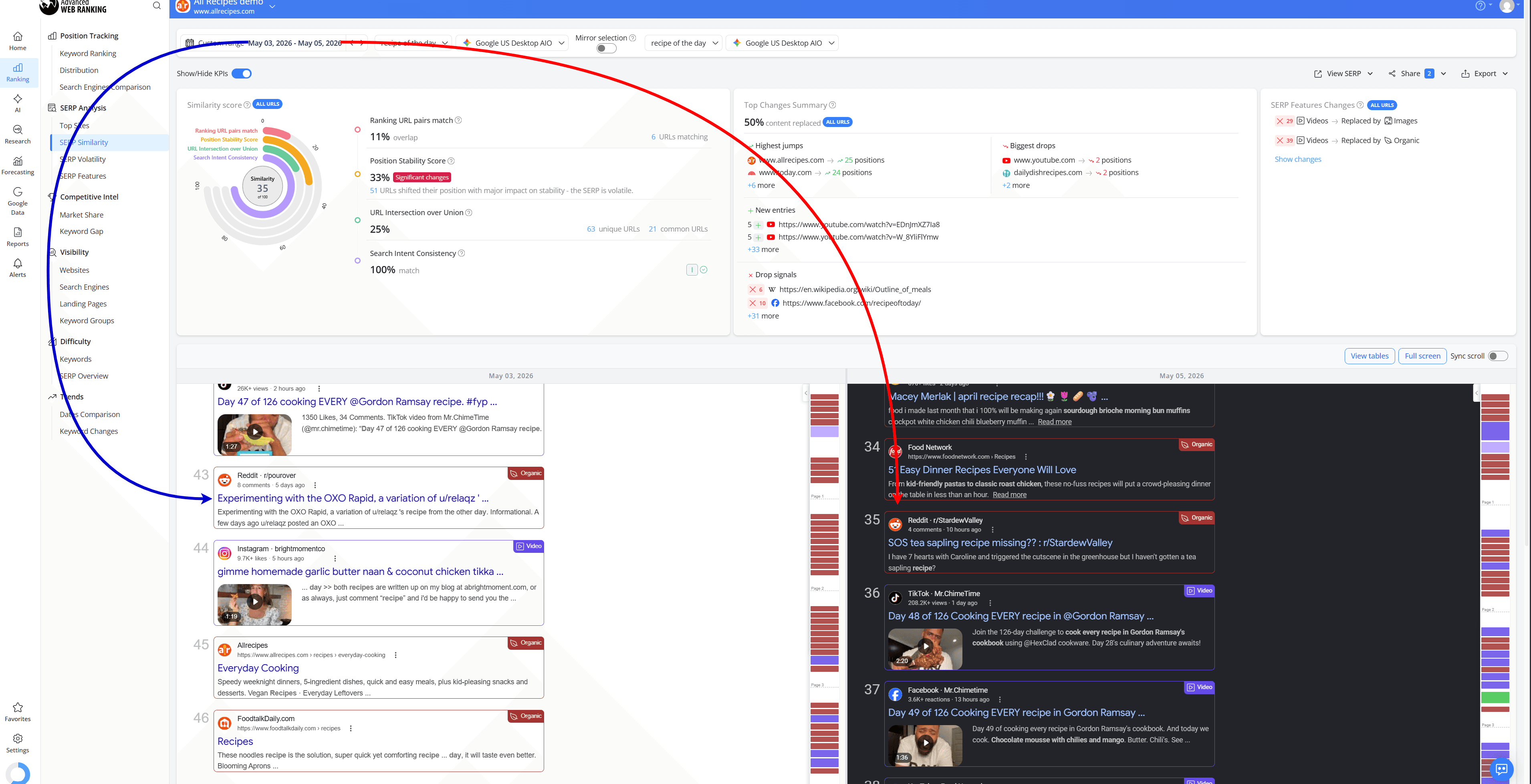
By May 5, a different Reddit thread had moved up to Position 35, making Reddit more visible for the same search query.
Analyzing SERPs side by side makes it easy to spot these changes and see how new competitors may have affected your website's rankings and visibility.
Do you have any other questions? Don’t hesitate to get in touch and we will keep building the FAQ.
Frequently Asked Questions
Why did my rankings change even though my website didn't?
Can I compare AI search engines with traditional Google search engines?
Can I see which websites are cited by AI search engines?
Why does my website appear in one AI search engine but not another?
stay in the loop