

Advice and answers from the Advanced Web Ranking Team
Search for articles
Smarter Branded Keyword Detection on Google, Now Expanded to LLM Engines
Branded keyword detection in AWR just got smarter. It now factors in AI Overviews and works across LLM engines too, like AI Mode, ChatGPT, and Perplexity.

Branded keywords have always been one of the most important splits in any SEO or AI visibility analysis. They tell you whether people are finding you because they already know your brand name, products, or services, or whether you’re showing up in searches that could bring in someone new. Getting that distinction right shapes how every other number in your reports reads, from visibility scores to AI traffic potential.
We've taken another look at how AWR decides which keywords are automatically marked as branded, and we've rebuilt the logic to keep up with how search actually works in 2026. AI Overviews, AI Mode, ChatGPT, and Perplexity have changed what a "branded query" looks like, and the old rules couldn't keep up. Here's what's new.
What this article covers
For Google Search and Google Search + AIO search engines, the algorithm now factors in AI Overviews and SERP feature patterns when deciding what's branded. Keywords where the project's main domain doesn't hold #1 organically (because Amazon, Reddit, or other aggregators sit above) can now get labeled correctly as branded, as long as the rest of the SERP still points to that domain.
For LLM search engines (Google AI Mode, ChatGPT, and Perplexity), tracked keywords can now be labeled as branded too. Since SERP features don't exist inside an AI answer, the algorithm looks at other signals: whether the keyword is already branded on Google Search, whether the keyword contains your brand word, and the citation patterns when the keyword itself doesn't say your name.
Branded labels are refreshed automatically once a month, so as the SERPs evolve and new SERP features appear, the classification keeps up. However, any keywords you've manually marked as branded or not branded stay untouched, your call always wins over the automatic one.
This update is included in all AWR subscriptions, no add-on or upgrade needed.
A quick refresher on why branded labels matter
Before we get into what's new, here's a short reminder of what this label actually does for you. When a keyword carries the Branded tag in AWR, it tells you that this search term is tied to the project's main domain, or one of its variations. It's how AWR separates the searches people make because they already know you from the ones where they're discovering you for the first time.
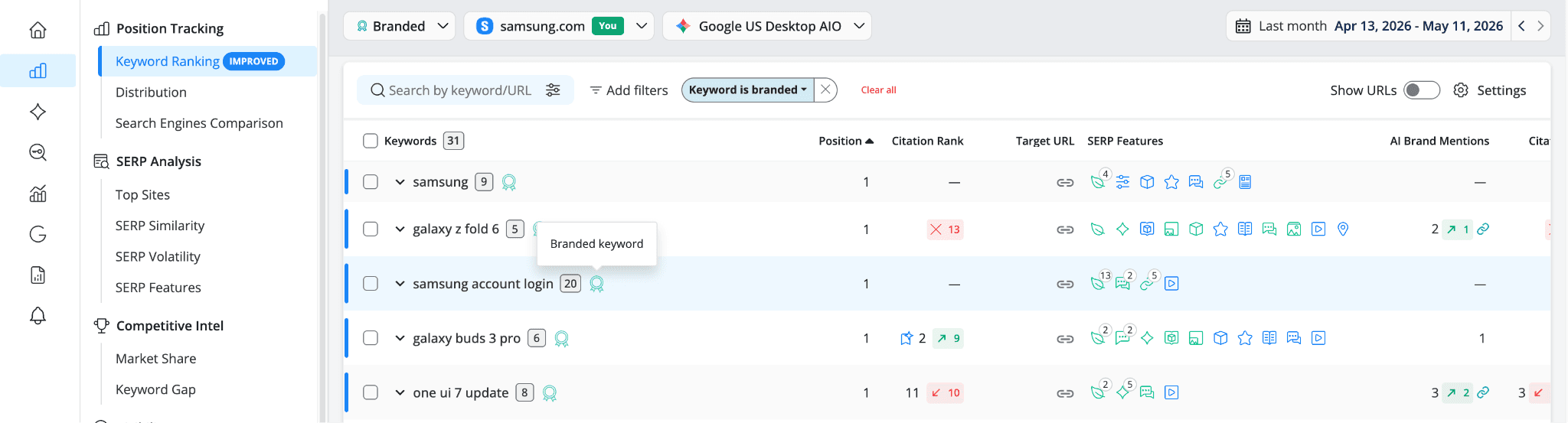
Based on this classification, your keywords can be monitored separately using the Branded and Non-Branded dynamic groups or the Keyword is branded/ Keyword is not branded filters, available across reports like Keyword Ranking, Search Engines Comparison, Dates Comparison, or AI Keyword Performance. This way, you can isolate brand-driven performance from broader SEO performance and read each downstream metric (visibility, AI visibility, traffic potential, AI traffic potential, etc.) with more clarity, since branded and non-branded performance usually behave very differently.
A quick note on the "brand word"
Throughout this article, the "brand word" refers to two things combined: your brand name as derived from the project's main domain (for samsung.com that's "samsung," for advancedwebranking.com that's "advancedwebranking"), plus any brand reference aliases you've configured for AI Brand Mentions (think "AWR" for advancedwebranking.com, or "Galaxy" and "SmartThings" for samsung.com). If you've already set up brand references for AI Brand Mentions, the new branded detection logic picks them up automatically. One setup, two features.
Brand references are now also auto-populated whenever a new domain is entered for tracking, whether it's your own or a competitor's. That means even if you don't configure them manually, the branded detection algorithm still picks up the right brand variations for your project.
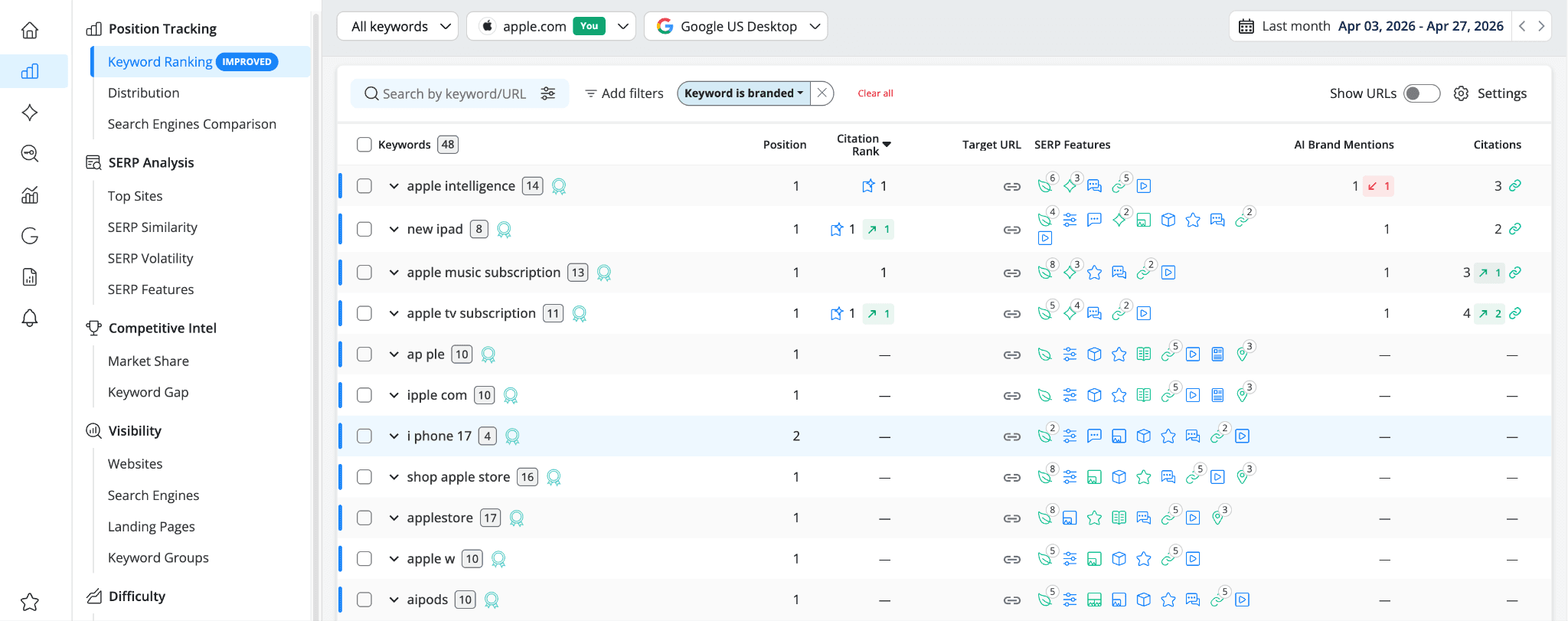
What's new for Google search engines
Until now, AWR considered a keyword branded if any of these were true: it triggered Sitelinks or a Knowledge Panel, or it contained your brand word and your domain ranked #1 organically.
That logic worked well for clean cases, but it missed a fairly common scenario: searches that clearly belong to your brand, except a popular aggregator (think of Amazon, Reddit, eBay, a comparison site, etc.) sits above you in the organic results. Even when Google's AI Overview cited your domain and Google trusted you enough to pull a Featured Snippet from your site, the keyword could still be considered non-branded just because you weren't #1.
The new logic adds three checks to close those gaps:
Brand word + top 3 + corroboration. If the project's main domain ranks in a top 3 position and there's a corroborating signal (an AI Overview citing your domain, a Featured Snippet from your site, Sitelinks in the top results, or a Knowledge Panel on the SERP), the keyword is marked as branded. This is the fix for the aggregator-outranks-you problem.
Brand word + AIO dominance. If at least half of the AIO citations point to your domain, the keyword is branded regardless of where you sit organically. When Google's own AI summary leans heavily on you, that's a strong brand signal.
Brand word + two SERP features. If two branded SERP features show up together (think AIO citation + Featured Snippet from your domain, or Knowledge Panel + Sitelinks), that combination alone is enough.
The original Sitelinks, Knowledge Panel, and brand word + #1 organic checks all still apply. The new rules sit alongside them, catching cases the old logic couldn't.
What's new for LLM search engines
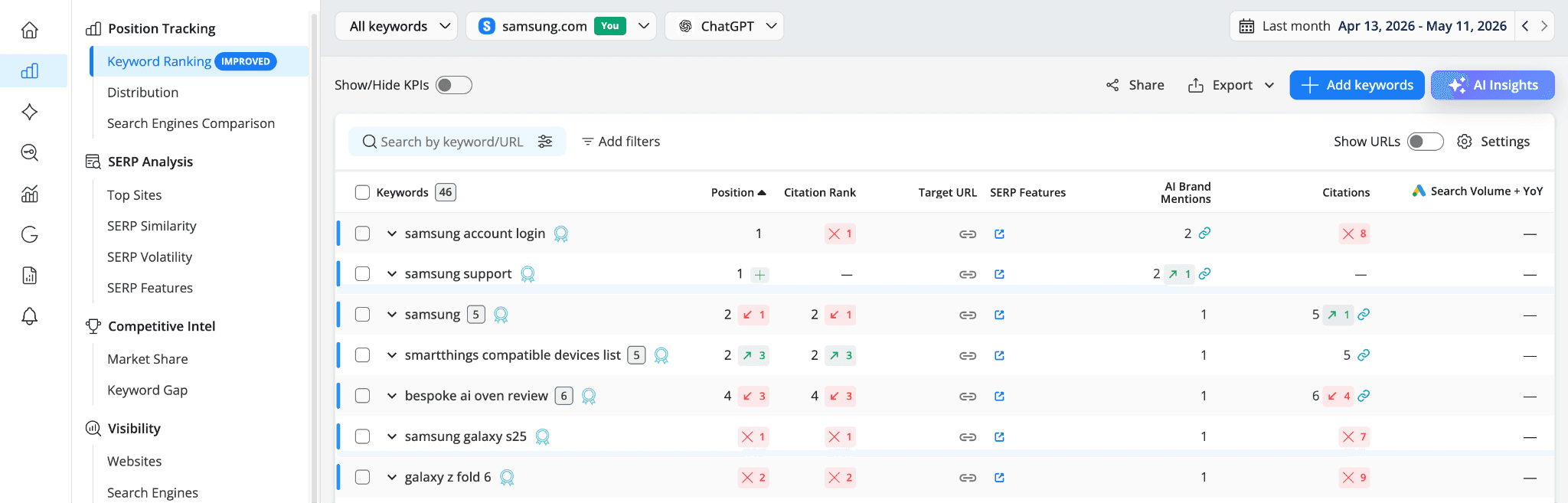
This is the bigger shift. Until now, keywords tracked on Google AI Mode, ChatGPT, and Perplexity had no branded label at all. There simply wasn't a meaningful way to apply the old Google-only logic to a chat-style answer that doesn't have organic positions, Sitelinks, or Knowledge Panels.
Now they do, and the system works in tier order, meaning it tries the simplest, most reliable check first and moves to the next one if needed:
1. Cross-engine inheritance. If a keyword is already labeled branded on a Google search engine inside your project, it inherits that label automatically on every LLM engine you track. The reasoning is straightforward: if it's a brand keyword on Google, it's a brand keyword everywhere.
2. Lexical brand match. If the keyword contains the project's main domain name or any configured brand alias, it's branded. No position check needed, because LLMs don't really have positions to check. The presence of the brand name or aliases in the query is enough of an intent signal on its own.
3. Citation signals. For keywords without a brand word, the algorithm looks at citation concentration and first-citation patterns to decide the label. If at least half of the LLM's citations point to your domain, the keyword is branded.
Real-world use cases
Here's where this lands in day-to-day work:
See the full picture of your branded demand.
If you run a retail or marketplace-adjacent business, you probably know the pain of having a big player such as Amazon, Walmart, or eBay outrank you on your own product searches. Before, those keywords showed up as non-branded, which made your branded performance look smaller than it actually was. Now, as long as Google's AIO recognizes you or you have a Featured Snippet, those keywords get classified correctly.
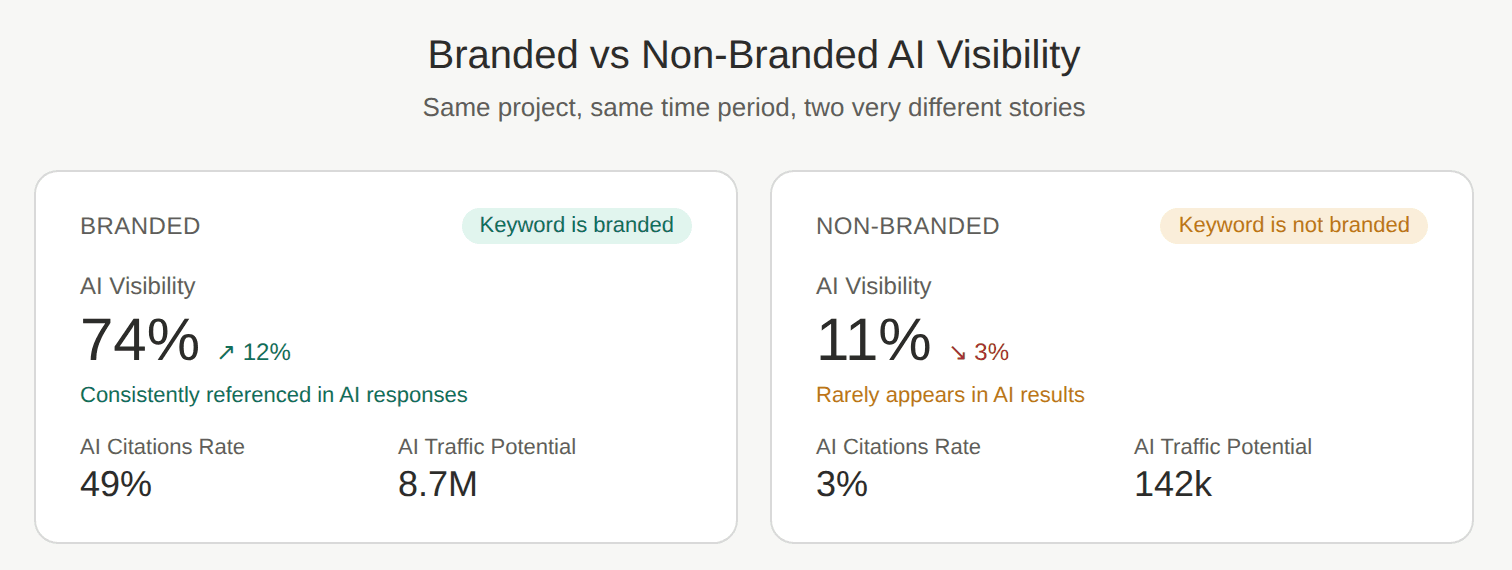
Branded vs non-branded AI visibility becomes a useful split.
With LLM engines now getting branded labels, you can apply the Keyword is branded / Keyword is not branded filter on reports like AI Keyword Performance. That means you can answer questions like: "How visible am I in AI answers for queries where people aren't already searching for me?" That's the AI equivalent of non-branded organic traffic, and it's a much sharper read on whether AI search is actually helping you reach new audiences.
Spot topics that are quietly becoming brand territory.
The citation signals rule for LLMs is great for finding keywords that don't mention your brand but where AI engines treat you as the de facto source. For Samsung, that might be a generic-sounding query about “OneUI” features. For a SaaS company, it might be a how-to topic where the LLM keeps citing your docs. These are searches where you've earned authority without owning the brand word, and they're worth protecting.
Cleaner reporting for clients and stakeholders.
If you build SEO or AI visibility reports for clients, having branded and non-branded properly separated means your numbers tell a more honest story. No more "wait, why is that keyword in the non-branded group when it literally contains our name?" conversations.
A few things worth knowing
Branded keyword detection is fully automatic, you don't need to change any setting or rerun anything yourself. Still, here are a few details about how the new logic behaves day to day:
Manual marks are preserved. If you've marked a keyword as branded or not branded yourself, that decision stands. The algorithm won't overwrite your call.
The label is consistent across engines. Branded status is assigned at the keyword level, so once a keyword is labeled branded in your project, it carries that label across all the search engines you track it on, Google and LLM alike.
Labels stay fresh over time. The algorithm runs monthly in the background to pick up changes in your SERPs, AIO citations, and LLM responses. Adding a new search engine or editing your brand references can also trigger a re-evaluation.
Dynamic groups update on their own. The Branded and Non-Branded dynamic groups reflect the latest labels automatically, so you don't need to rebuild them.
Brand references are worth setting up. If you haven't configured any yet, this is a good moment. They make both branded detection and AI Brand Mentions more accurate. You can add them in Project Settings > Overview, or rely on the auto-population to do it for you.
That's it. Same Branded label, smarter logic behind it, and now it works across every engine AWR tracks.
Do you have any further questions or need more information about this product update? Don't hesitate to get in touch with our dedicated support team.
stay in the loop