

Advice and answers from the Advanced Web Ranking Team
Search for articles
How to Manage Your AWR Resource Usage Effectively
Learn how to make the most out of your resources and set up projects to gain deep insights while staying within your keyword quota

You have full control over the configuration of your projects, allowing you to focus on the data that matters most and retrieving rankings as needed.
Depending on your tracking needs, planning how to use your keyword units is essential for setting up your projects in a way that works best for you and getting the most out of Advanced Web Ranking.
How to set up your project for optimized resource usage
Understanding your website’s tracking requirements, including the types of updates you need, how often you want ranking data, and how many result pages to have retrieved, helps you manage everything effectively.
Scheduled ranking updates
Set your project’s update frequency based on how dynamic SERPs are for your area of focus.
1 keyword unit means 1 keyword updated weekly on 1 search engine unit with a depth of up to 5 pages. Changing the update frequency to:
bi-weekly - requires 0.5 keyword units (weekly/2)
monthly - requires 0.25 keyword units (weekly/4)
daily - requires 7 keyword units (weekly x 7)
Bi-weekly and monthly updates require fewer units than weekly updates, allowing you to track more keywords with the same number of units. Daily updates require 7 times more units than weekly allowing you to track fewer keywords.
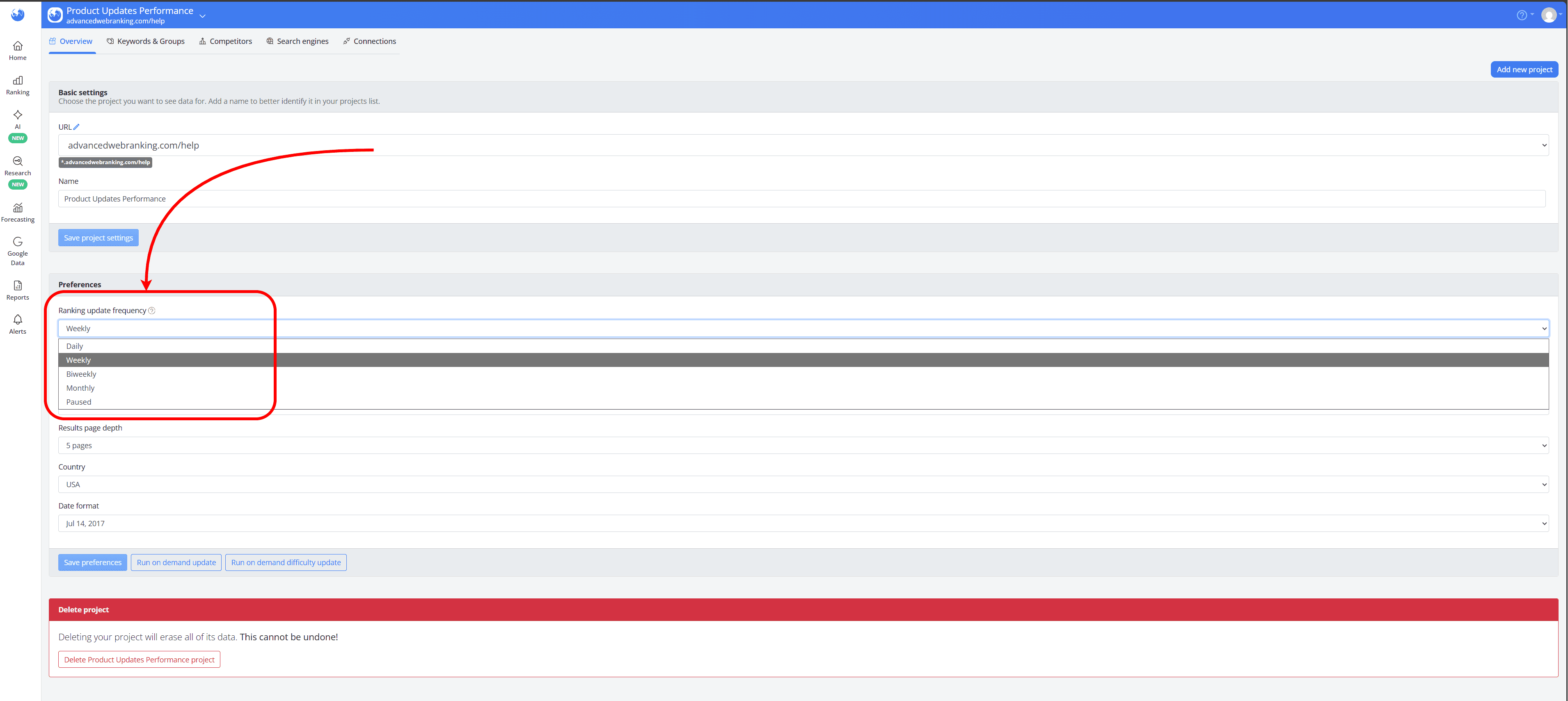
If your project’s current ranking update frequency doesn’t fit your tracking needs, you can change it anytime in Project Settings > Overview, in the Preferences section.
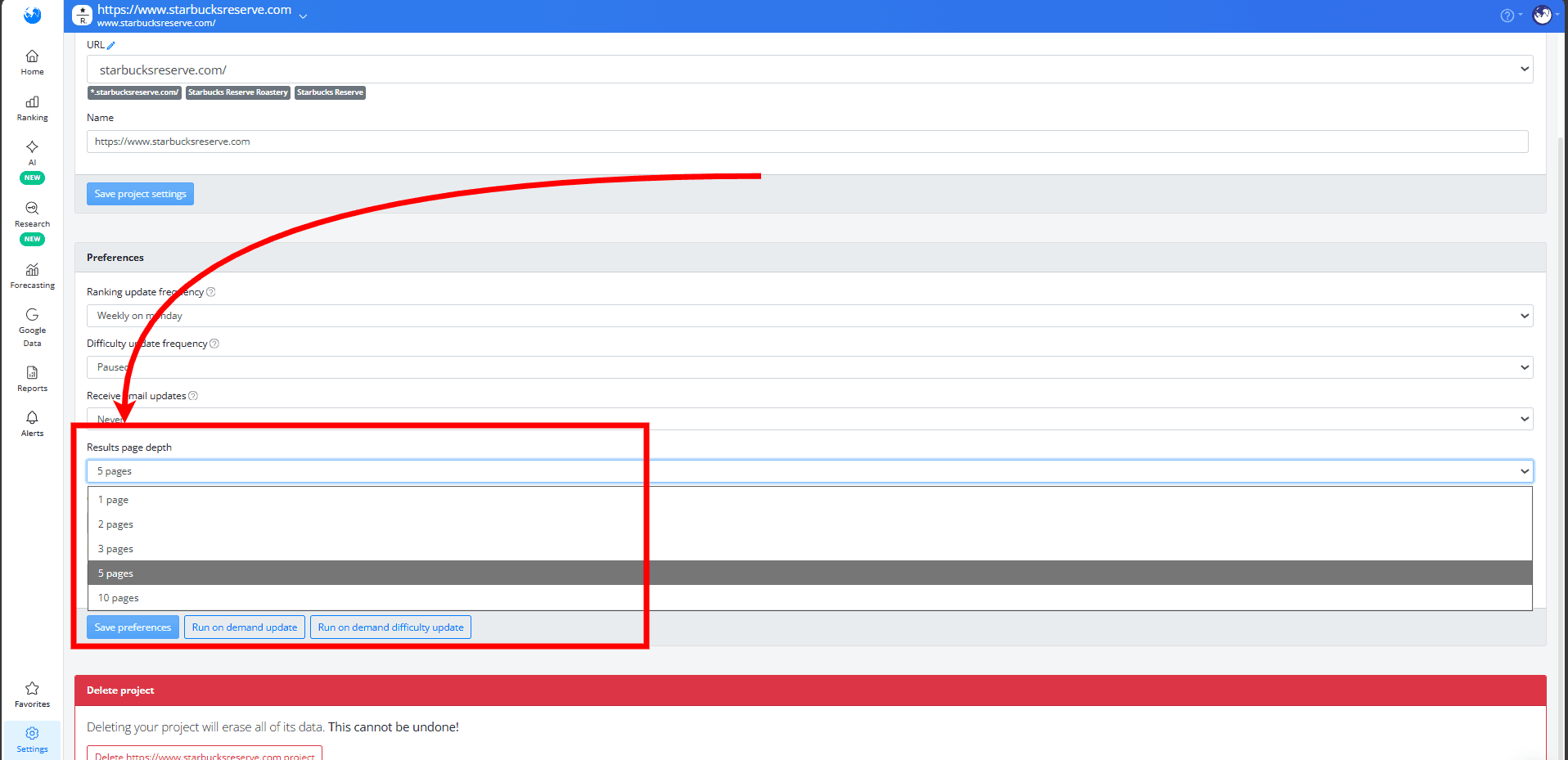
Results page depth
Knowing your website’s likely positions in SERPs and how many search results are relevant for your analysis allows smarter resource management.
Choosing a search depth of 10 pages will consume twice the resources of tracking 1, 2, 3 or 5 pages.
You can change the results page depth in the Project Settings > Overview section.
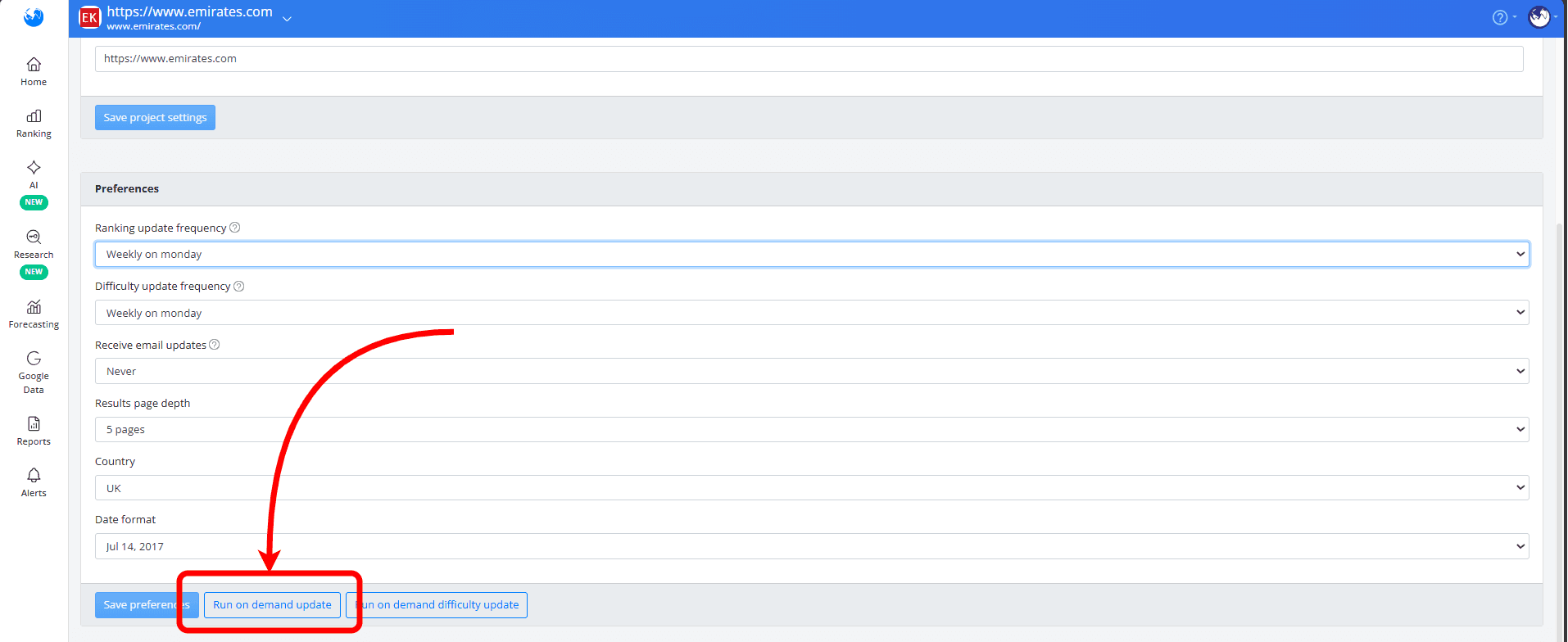
On-demand ranking updates
If you prefer not to receive rankings on a regular schedule and only want updates when needed, you can set your project’s scheduled ranking updates to Paused and then run an on-demand update whenever you want.
Choosing the timeframe for completing an on-demand ranking update will help spare resources. The shorter timeframe uses more resources, while longer ones use less:
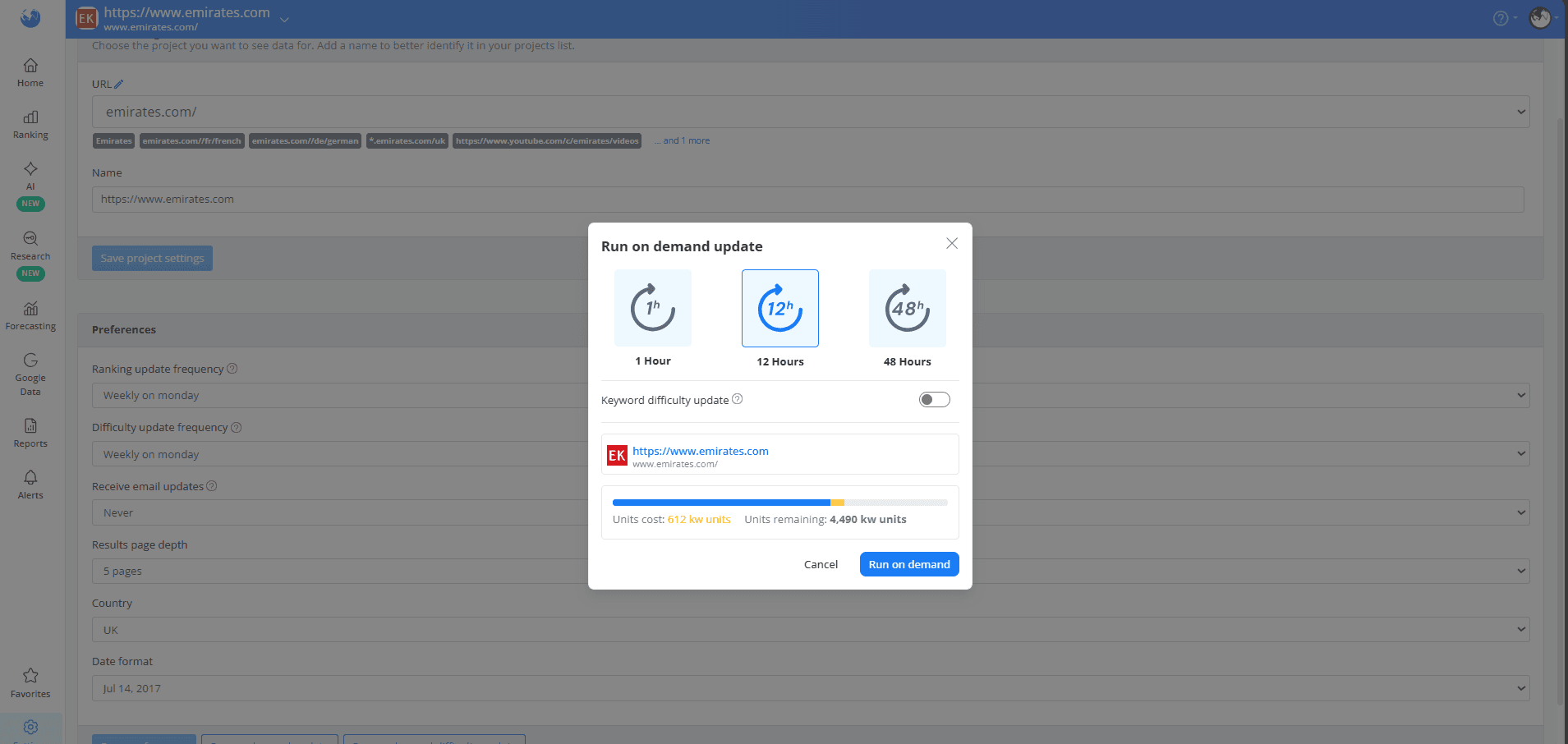
1-hour: same amount of resources as a weekly ranking update.
12-hour: half the resources of a weekly ranking update.
48-hour: one quarter of the resources of a weekly ranking update.
Scheduled on-demand ranking updates
If you want to keep your usage low while still receiving ranking data on a schedule, you can set up scheduled on-demand updates from the Home section.
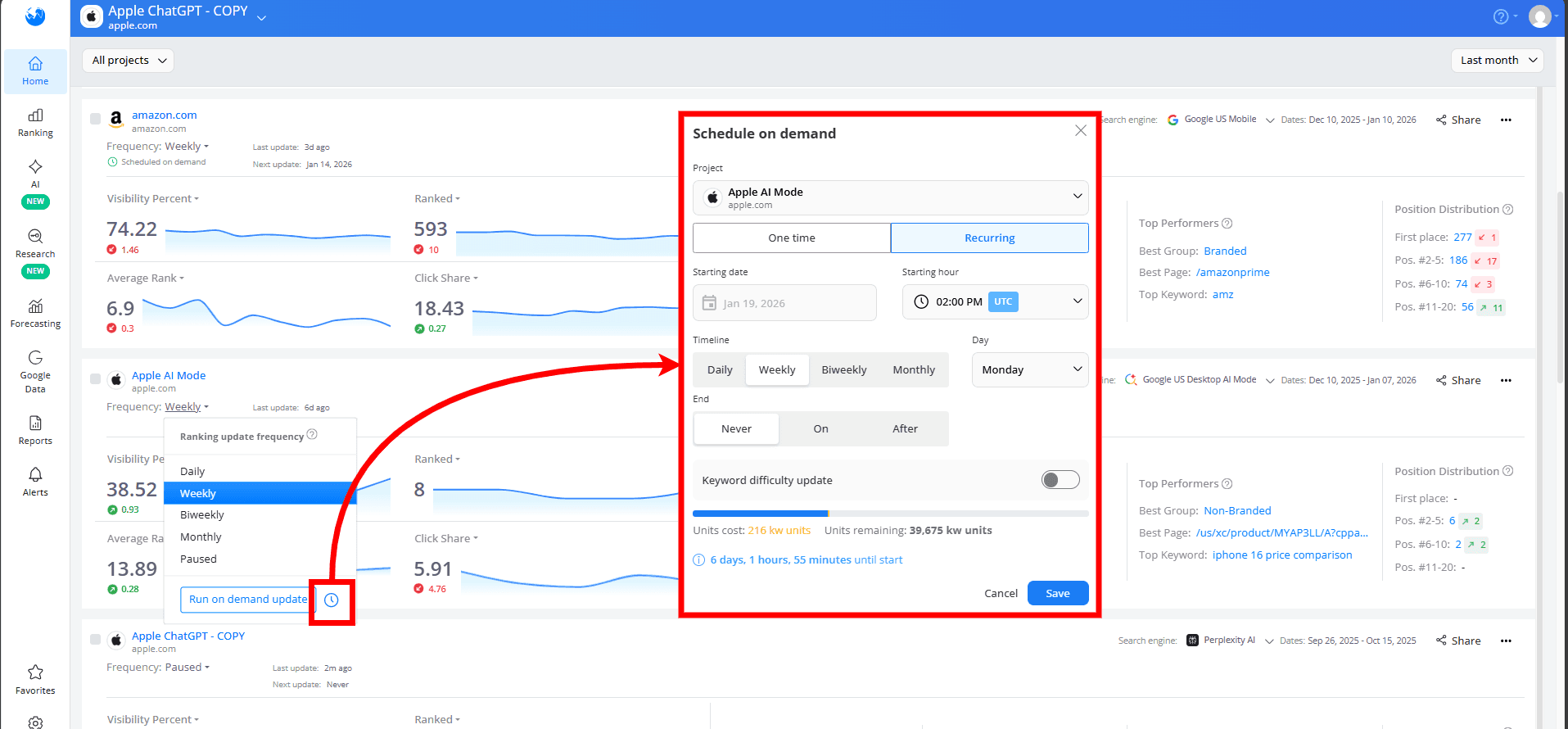
You can set up these updates to fit your needs:
One-time updates: set for a specific date and time
Recurring updates: scheduled at your preferred frequency and time, with options to stop on a specific date or after a number of occurrences
These updates run on a 12-hour timeframe, which uses half the resources of a weekly ranking update, and allow the consumption of up to 5,000 keyword units per update.
This feature is available for Enterprise and higher-tier plans.
Keyword Difficulty updates
Deciding whether you actually need Keyword Difficulty data for your tracked keywords and how often you need it, can help you adjust your resource consumption.
Each Keyword Difficulty update, whether scheduled or on demand, requires 2 keyword units for one keyword on one search engine, so frequent updates can significantly increase overall resource usage.
AI Brand Visibility updates
The resource consumption of this update type is determined by the update frequency, the number of LLMs and topics, and whether web search grounding is enabled or disabled.
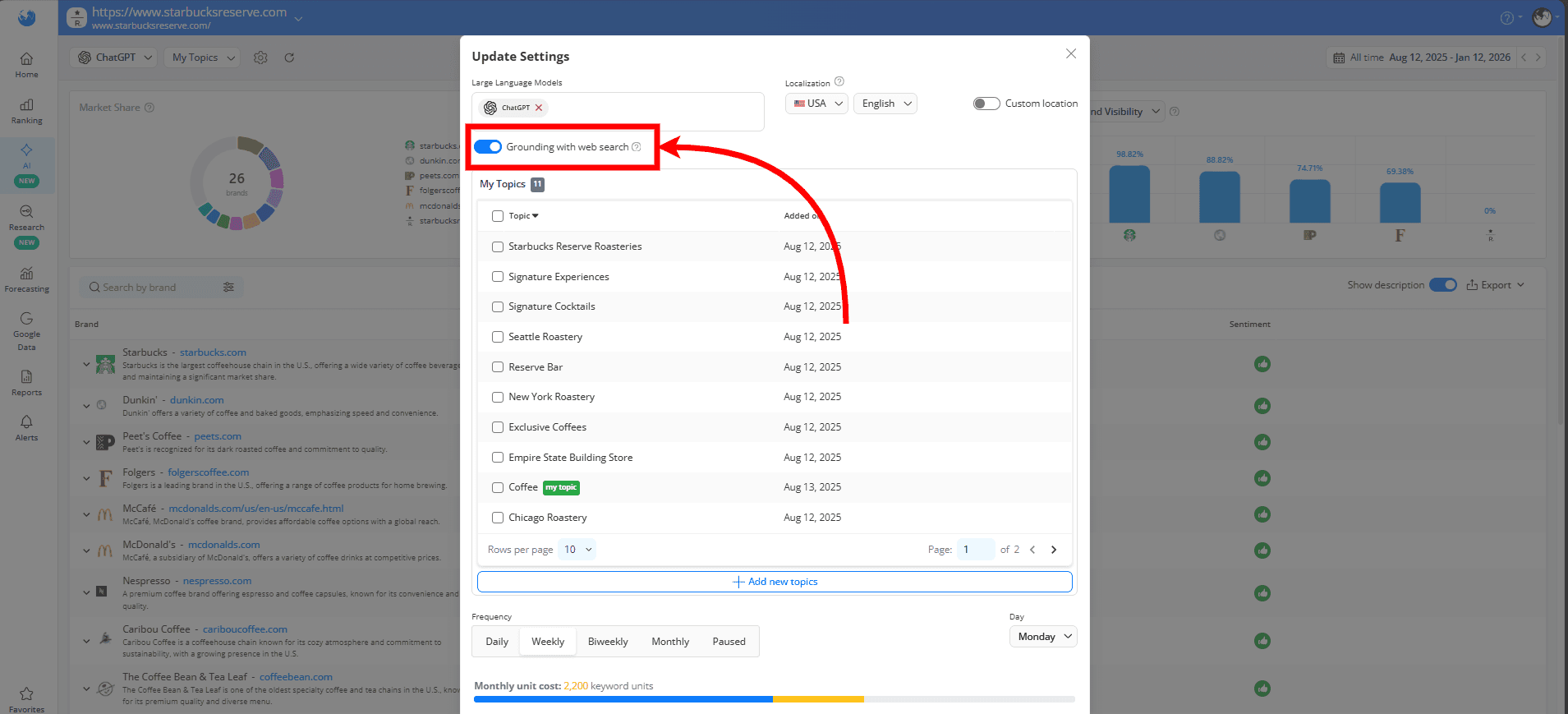
With the “Grounding with web search” option disabled, responses are created using static, pre-existing LLM data, resulting in resource usage of:
If “Grounding with web search” is enabled, each query performs a live web search and analysis, including fetching and filtering current web content, validating results, and updating topic responses with the latest information. This significantly increases resource usage to:
This means that by deciding how you want your responses retrieved and carefully choosing your update frequency, number of topics, and number of LLMs, you can better manage your resource usage, ensuring you get the insights you need without unnecessary consumption.
Monitoring relevant search engines
For certain industries, Desktop and Mobile SERPs may be pretty similar. Decide if it’s necessary for your project to include search engines for both device types in your project.
Additionally, both the Google Search + AIO or Google AI Mode search engines use a more advanced query mechanism to capture data accurately, which consumes twice the resources of standard search engines.
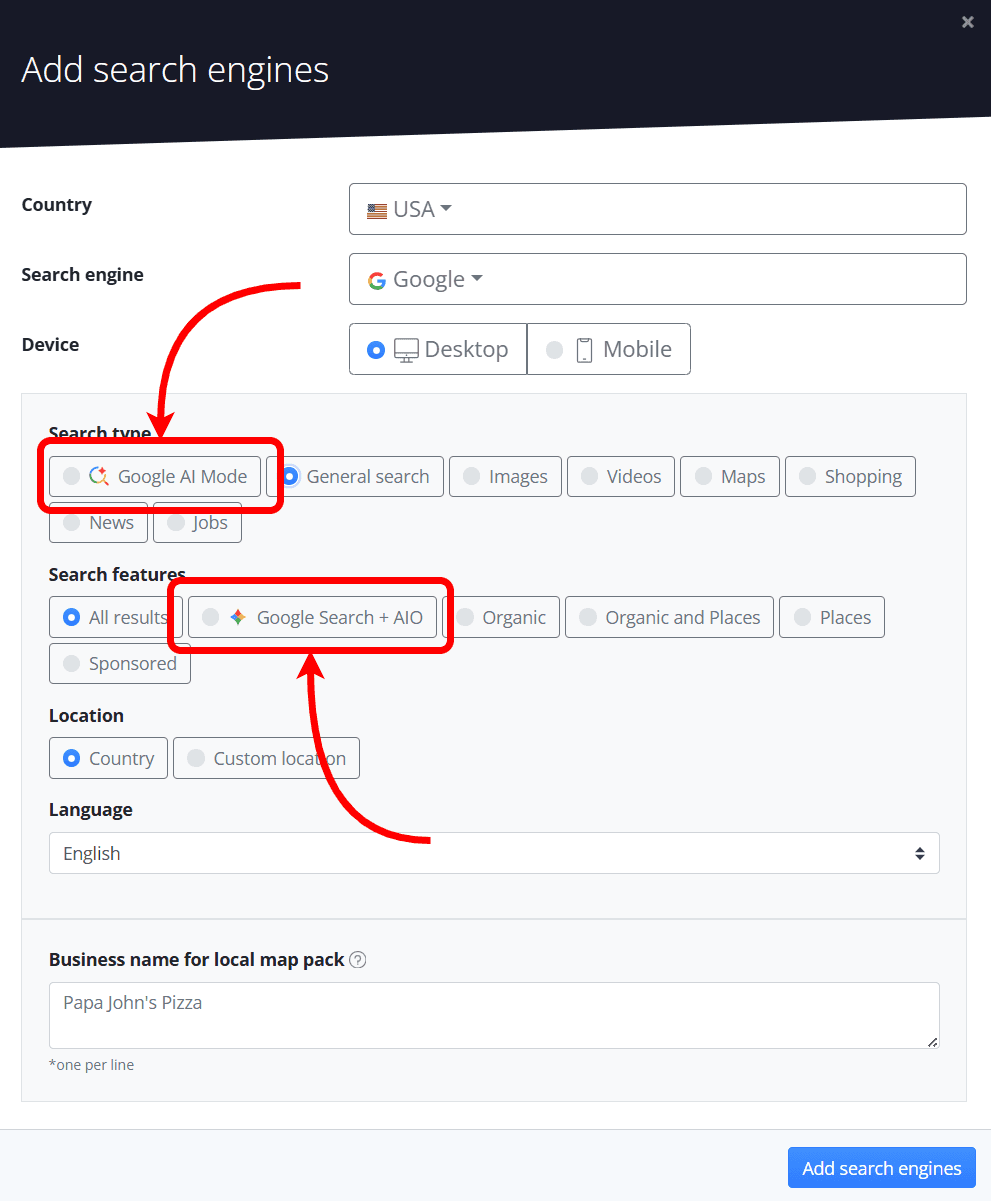
Evaluating whether your project requires AIO or AI Mode tracking and deciding how many of these search engines to add to your project can reduce unnecessary resource usage.
Tips on how to optimize resource consumption
If you’ve exceeded your quota, need more units for creating a new project or adding extra keywords, or require more units to update existing projects, there are ways to free up your resources so you can use them as needed:
Changing the update frequency
When project updates are scheduled, the required keywords are reserved in advance, and remain reserved for as long as the project stays scheduled.
Changing the frequency of any scheduled Ranking, Keyword Difficulty or AI Brand Visibility updates will free up your resources and they will be released back into your account.
Changing the results page depth
Changing a project’s results page depth from 10 pages to up to 5 pages will consume only half of the initial resources.
Deleting underperforming keywords and search engines
You can delete keywords that don’t provide meaningful insights to your domain in Project Settings > Keywords & Groups.
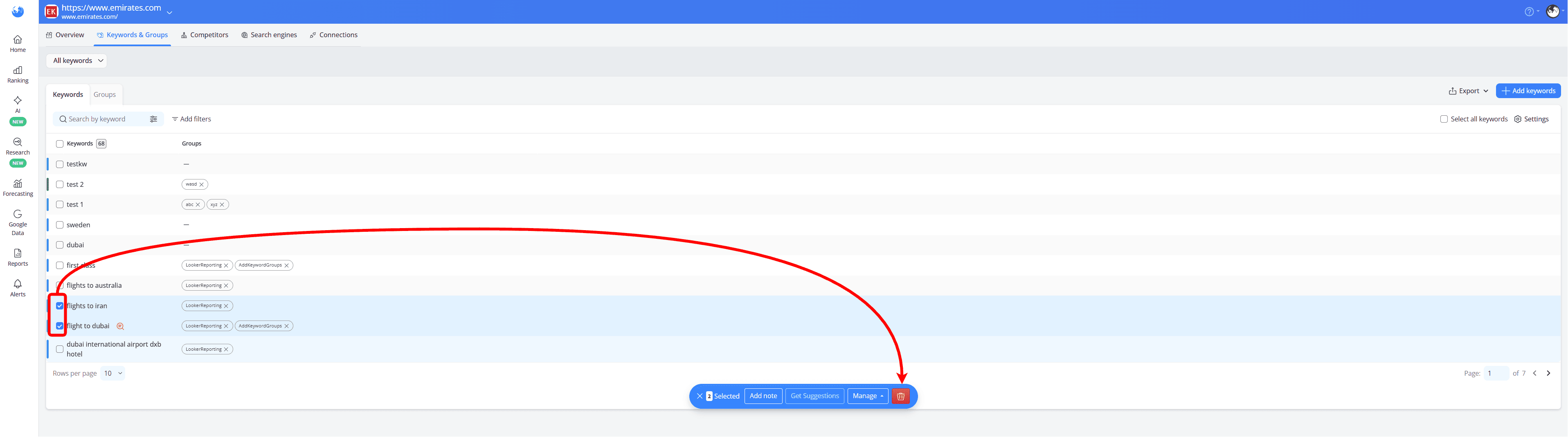
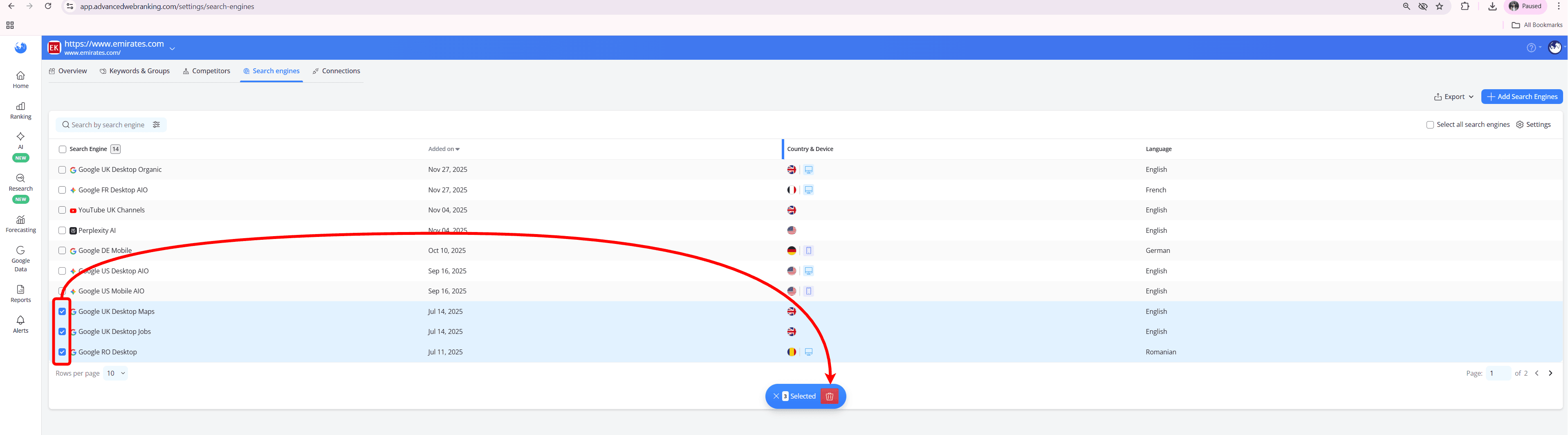
Any search engines that are no longer relevant to your website can be deleted in Project Settings > Search engines.
Deleting irrelevant topics and LLMs
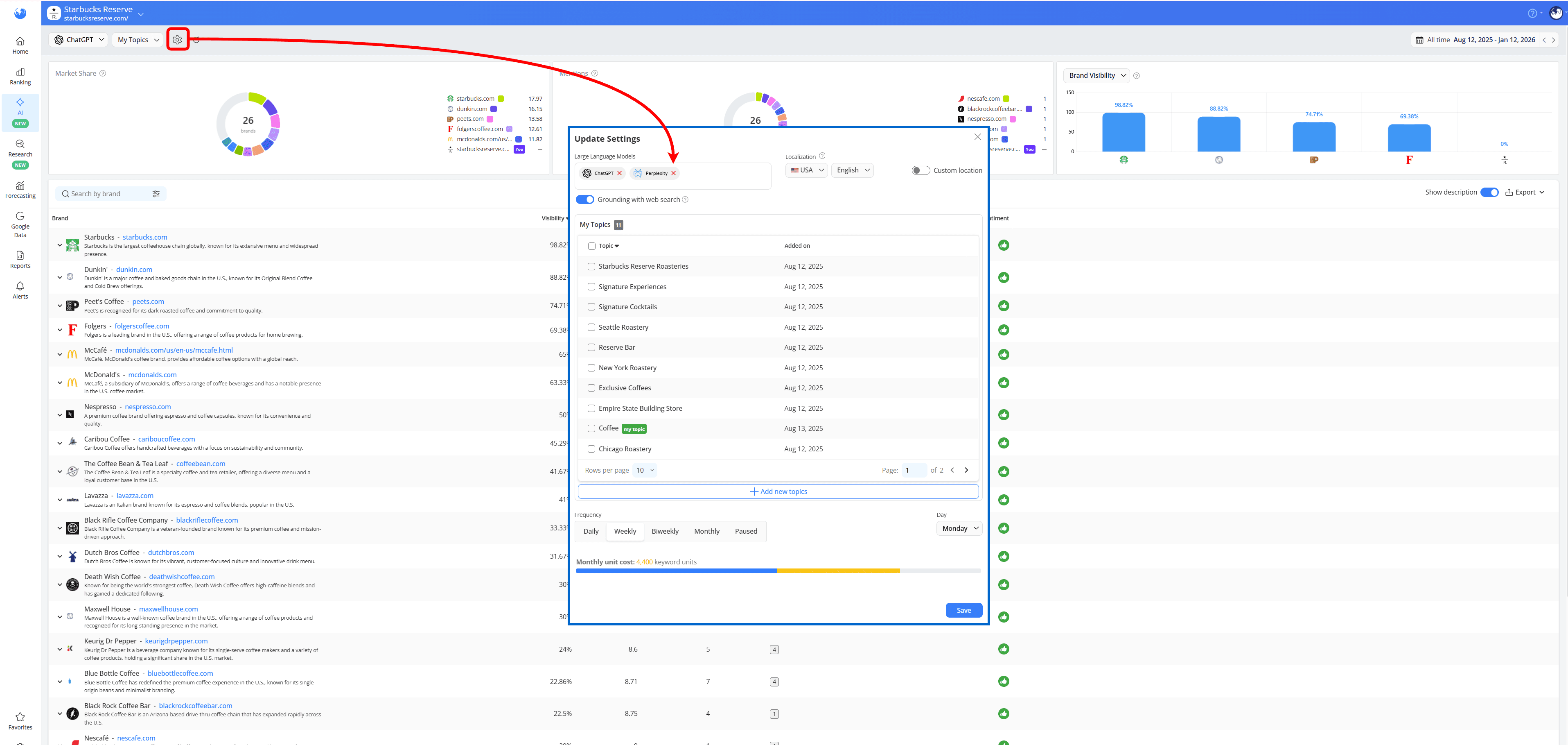
In the AI Brand Visibility report, you can always adjust the number of LLMs used for insights anytime in the Update settings wizard
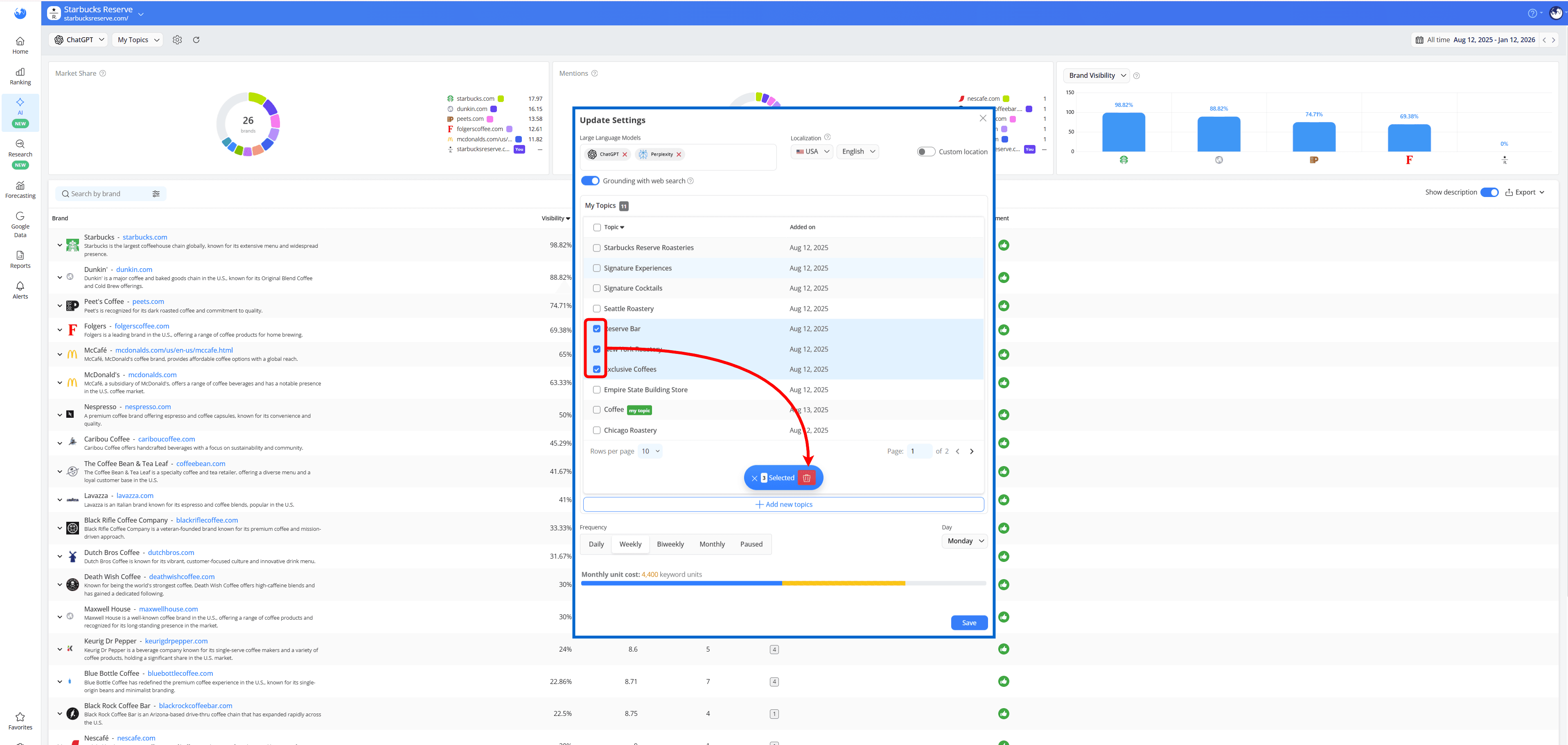
..or, if there are topics that you're no longer interested in monitoring, you can select and delete them in the same wizard.
Do you have any other questions? Don’t hesitate to get in touch and we will keep building the FAQ.
stay in the loop