

Advice and answers from the Advanced Web Ranking Team
Search for articles
How to Configure Google Search Engine Tracking Settings
Learn how to configure Google search engine settings to collect accurate ranking data based on the types of results you want to track.

Advanced Web Ranking gives you full control over the type of search results to be collected from Google, allowing you to customize search engine monitoring based on country, device, location, language, search type, and SERP features.
In addition to traditional Google results, you can also monitor AI Overviews and Google AI Mode results, helping you understand how your brand appears in AI-generated search experiences.
Whether you are tracking desktop and mobile rankings, monitoring international markets, analyzing specific Google verticals such as Images, Maps, or News or evaluating visibility within AI-powered results, AWR enables you to configure detailed monitoring preferences that align with your SEO strategy.
Let’s explore the search engine settings you can customize and how each one influences the ranking data retrieved.
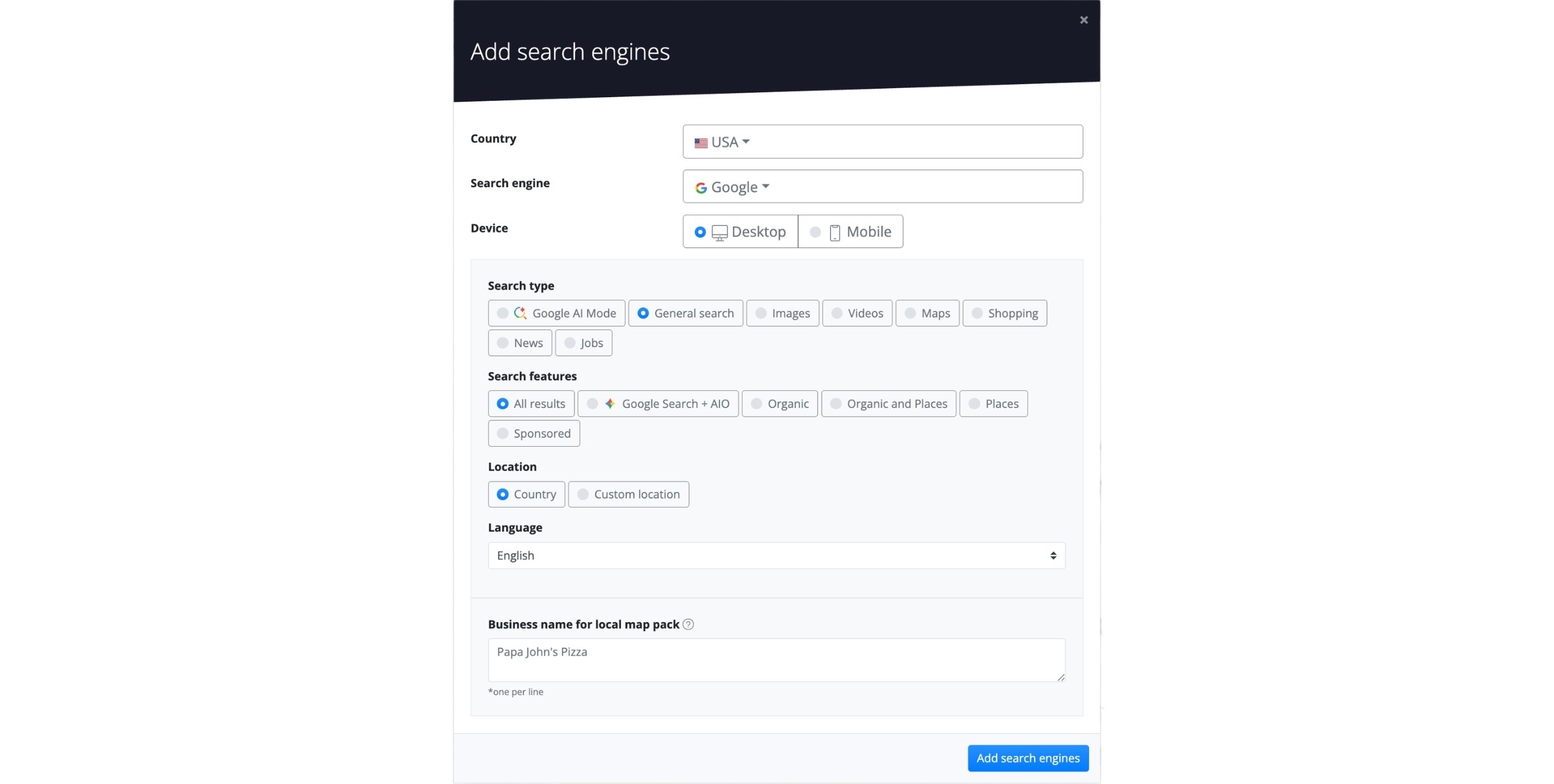
Country - allows you to select the country from which the ranking data will be retrieved.
In AWR, you can track rankings from over 170 countries. You can find the full list here.
To monitor ranking positions across multiple international markets, a separate search engine must be defined for each country.
Search engine - allows selecting the search engine that will be queried using the keywords added to the project.
Adding multiple versions of the Google search engine increases the number of keyword units required to update a project, as each search engine counts as a separate search engine unit (for example, Google Desktop + Google Mobile equals 2 search engine units). You can find more details on how keyword units are calculated in this article.
Device - allows you to retrieve rankings for searches performed on either Desktop or Mobile devices.
Search type – lets you set the Google search engine to track ranking positions from Google AI Mode results, the regular web search (General Search) or only on specific verticals such as Images, Videos, Maps, Shopping, News or Jobs.
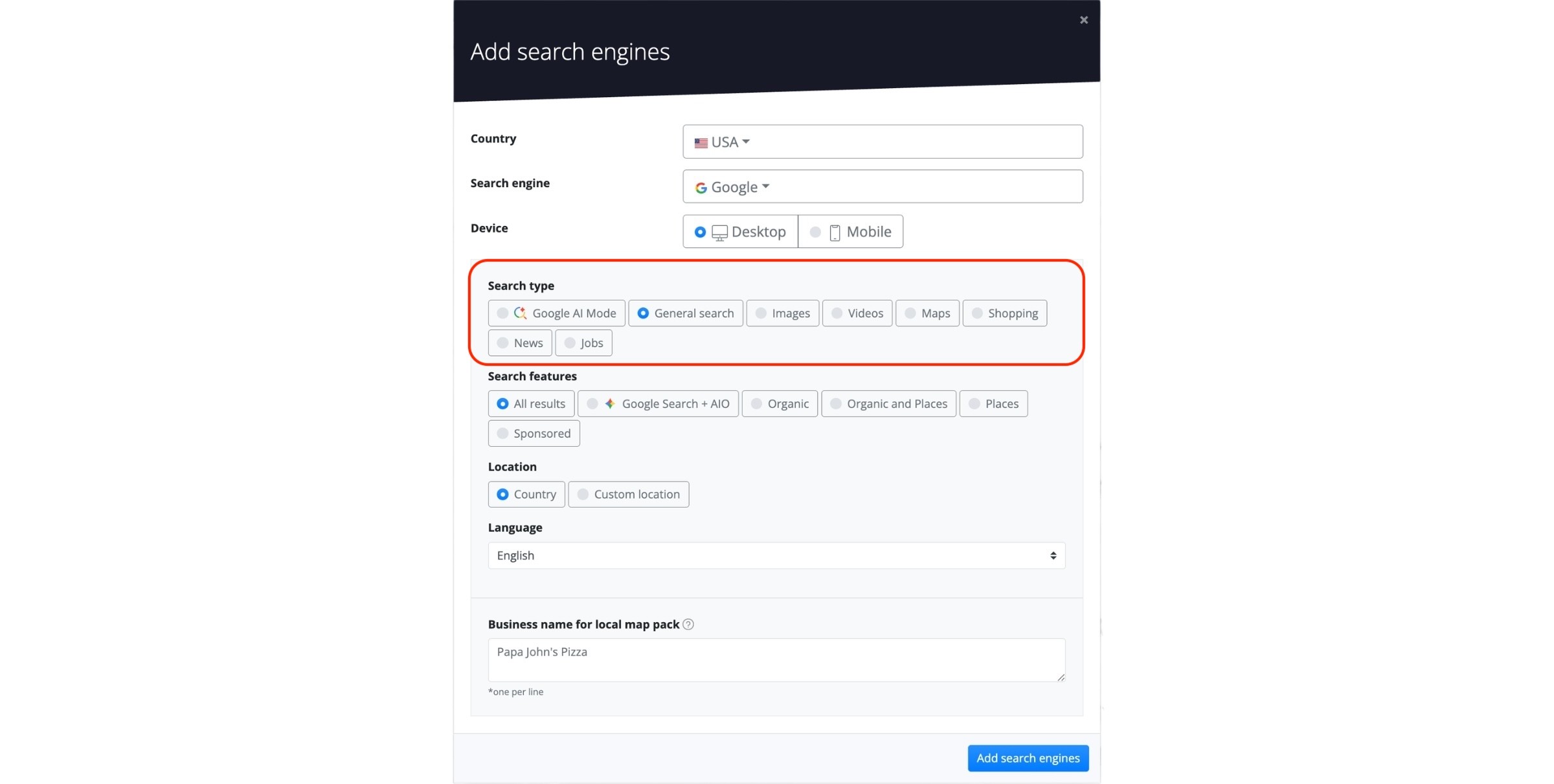
Tracking AI Mode allows you to monitor results separately from traditional SERPs, providing an unblended and accurate view of your website’s presence within AI-generated summaries.
Additionally, AI Mode uses an advanced query mechanism to capture data accurately. Due to the complexity of this process, AI Mode consumes twice the units of standard AWR search engines.
To ensure plain-text mentions (not just links) are tracked by AWR in Google AIOs and Google AI Mode, you’ll need to add your brand references as aliases in your project.
Videos and Maps search engines also require a custom alias setup in order for ranking positions to be reported. More details are available in the Website alias setup article.
Search features – when setting up a Google search engine to track pages from Google’s regular web search, you can choose which types of SERP results should be taken into account when computing the ranking positions.
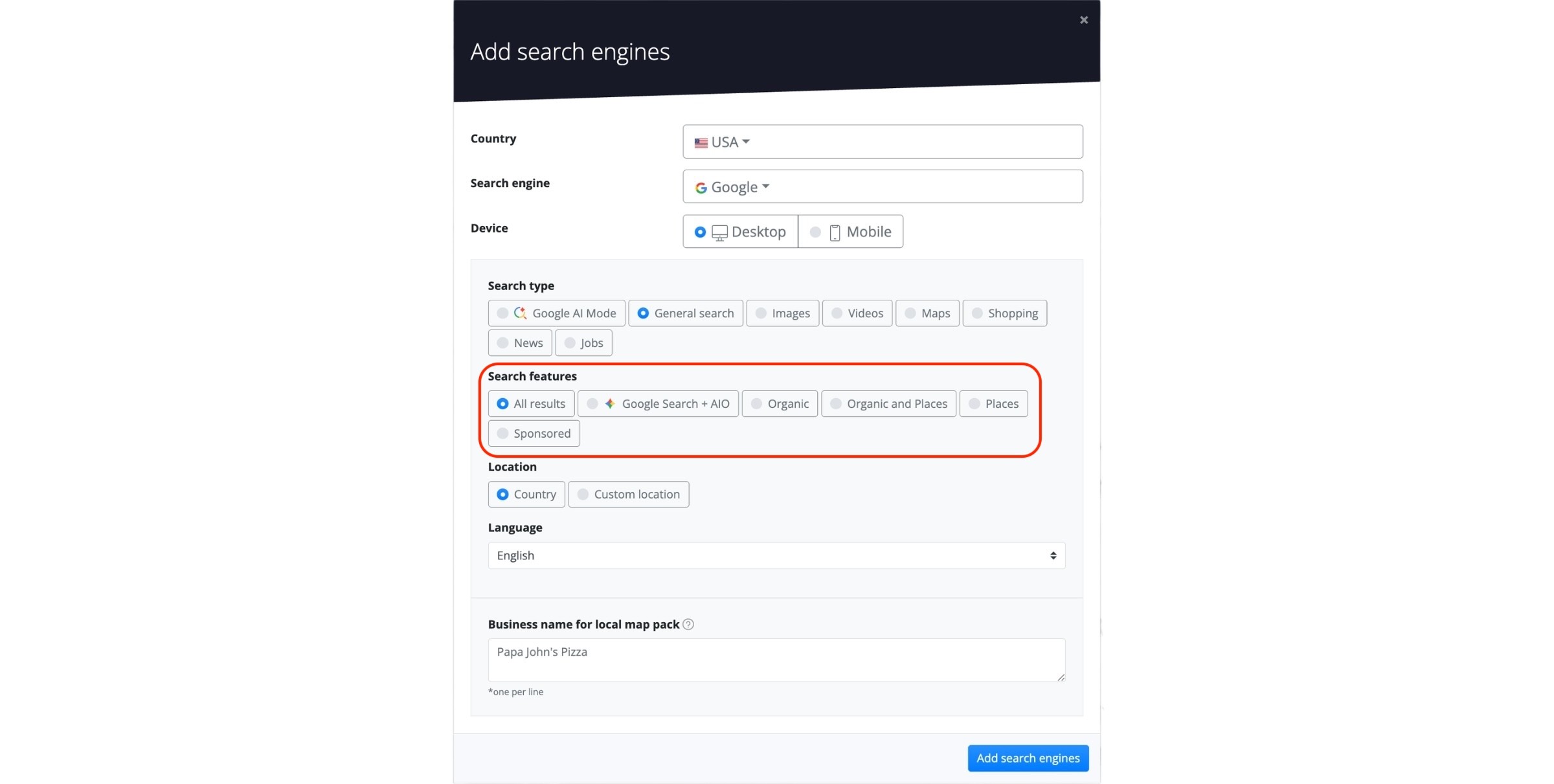
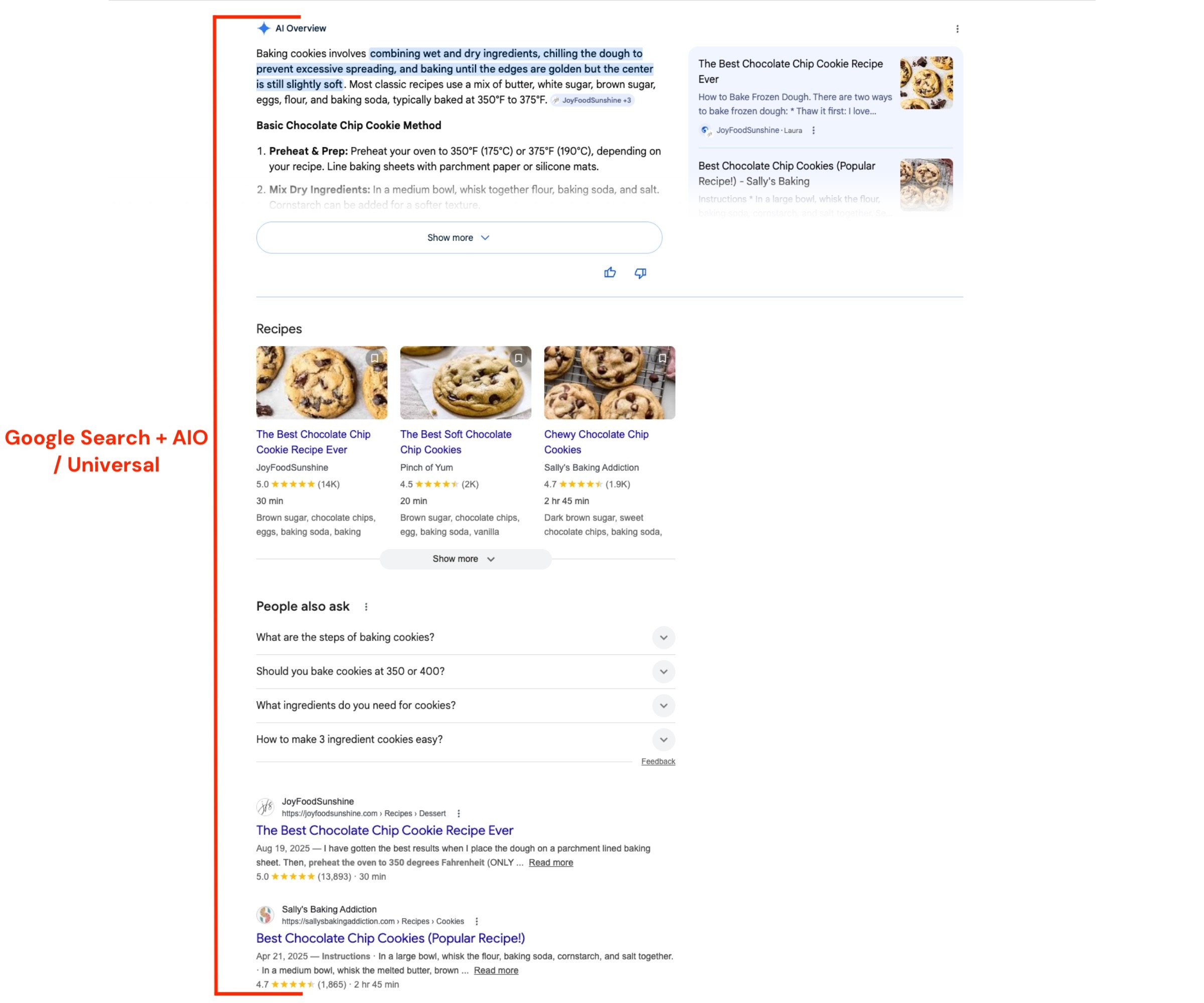
Google Search + AIO - provides enhanced tracking of AI Overviews in Google’s search results.
Unlike the standard Google Universal search engine, which may occasionally encounter cases where source URLs are missing or incomplete, this option uses a dedicated scraping mechanism to ensure more consistent retrieval and accurate reporting of AI Overview results.
Similar to the Universal search engine type, it captures all types of web search results (excluding Ads) from both Desktop and Mobile SERPs. Any clickable URL is treated as a competitor and counted when calculating ranking positions.
Because the Google Search + AIO engine uses an advanced query mechanism to capture data accurately, it consumes twice the resources of a standard search engine.
This is because AI Overviews load dynamically and require an additional query for each keyword, resulting in two queries per keyword to report results correctly.
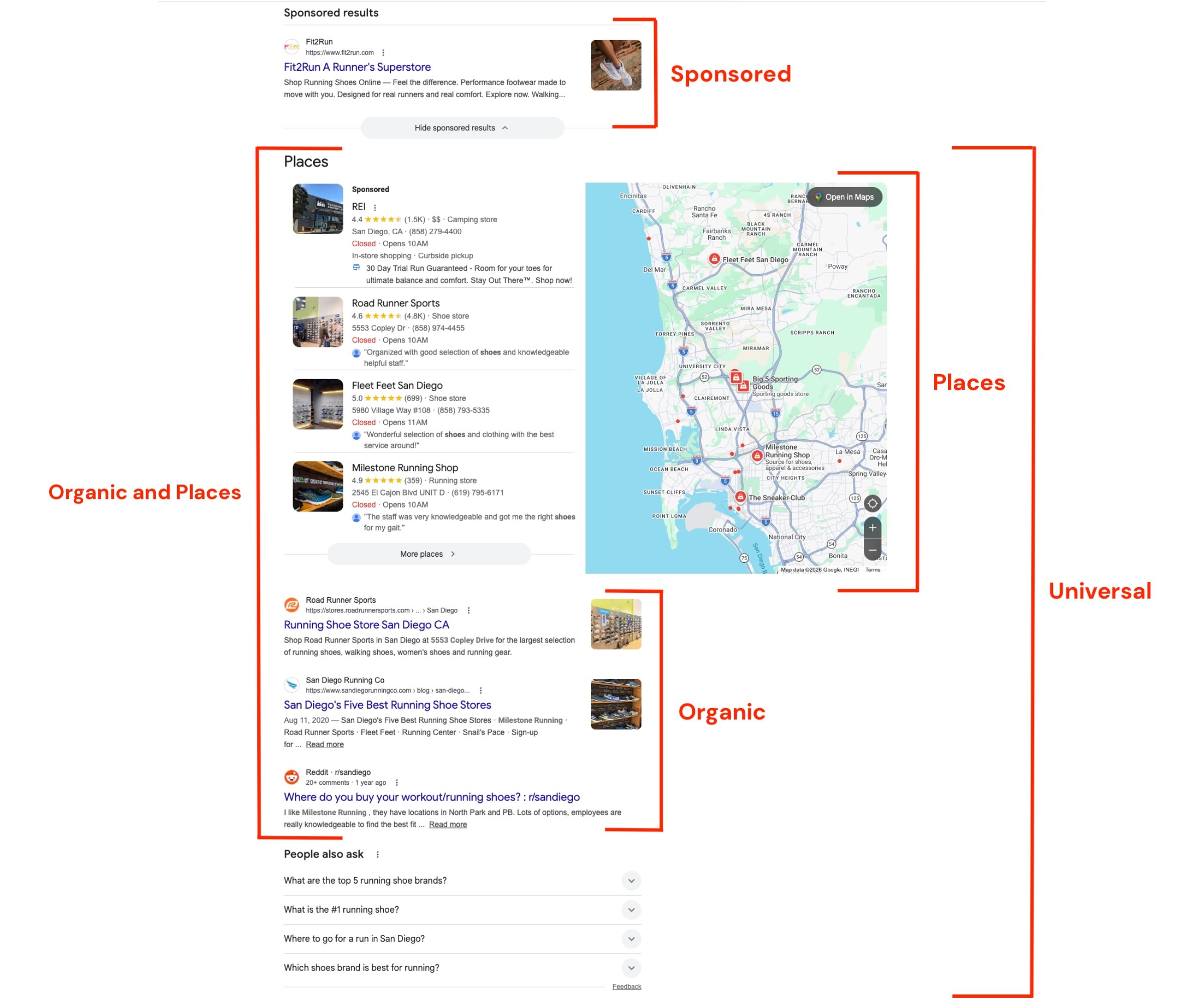
All Results (Universal) - considers all types of web search results (except Ads) from Desktop or Mobile SERPs. When tracking a Universal search engine, any URL that a searcher can click is treated as a competitor and counted when computing the ranking position. Featured Snippets, People Also Ask,Top Stories and other result types returned for Desktop or Mobile searches are captured when using the Universal search engine.
Organic - considers both Featured Snippets and traditional Organic listings from standard web search results. When tracking an Organic search engine, all other types of results are ignored when calculating a URL’s ranking position.
Organic and Places - tracks both Organic results and Local Pack listings from regular web search pages.
The Places search option is available only for searches performed on Desktop devices.
Sponsored - only Paid search results are being returned.
Location – allows you to retrieve rankings at the country level by leaving the search engine set to Anywhere, or to narrow the ranking process to a specific region or even a ZIP code by selecting the Custom location option.
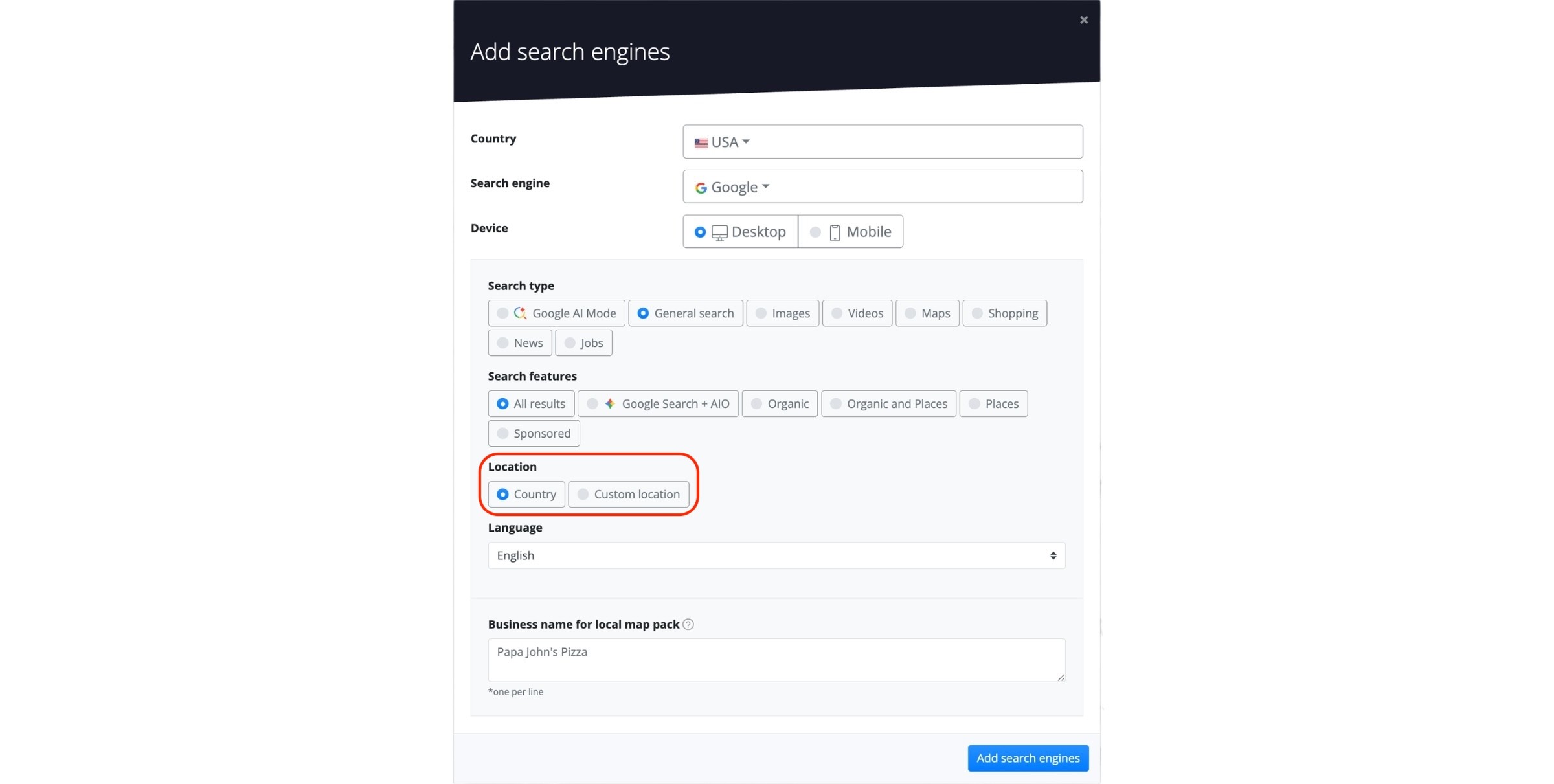
For the United Kingdom, predefined regions are available, enabling you to track keyword rankings for clients in Wales, Northern Ireland, Scotland, Greater London, and other regions across England. This helps deliver accurate, location-specific ranking data.
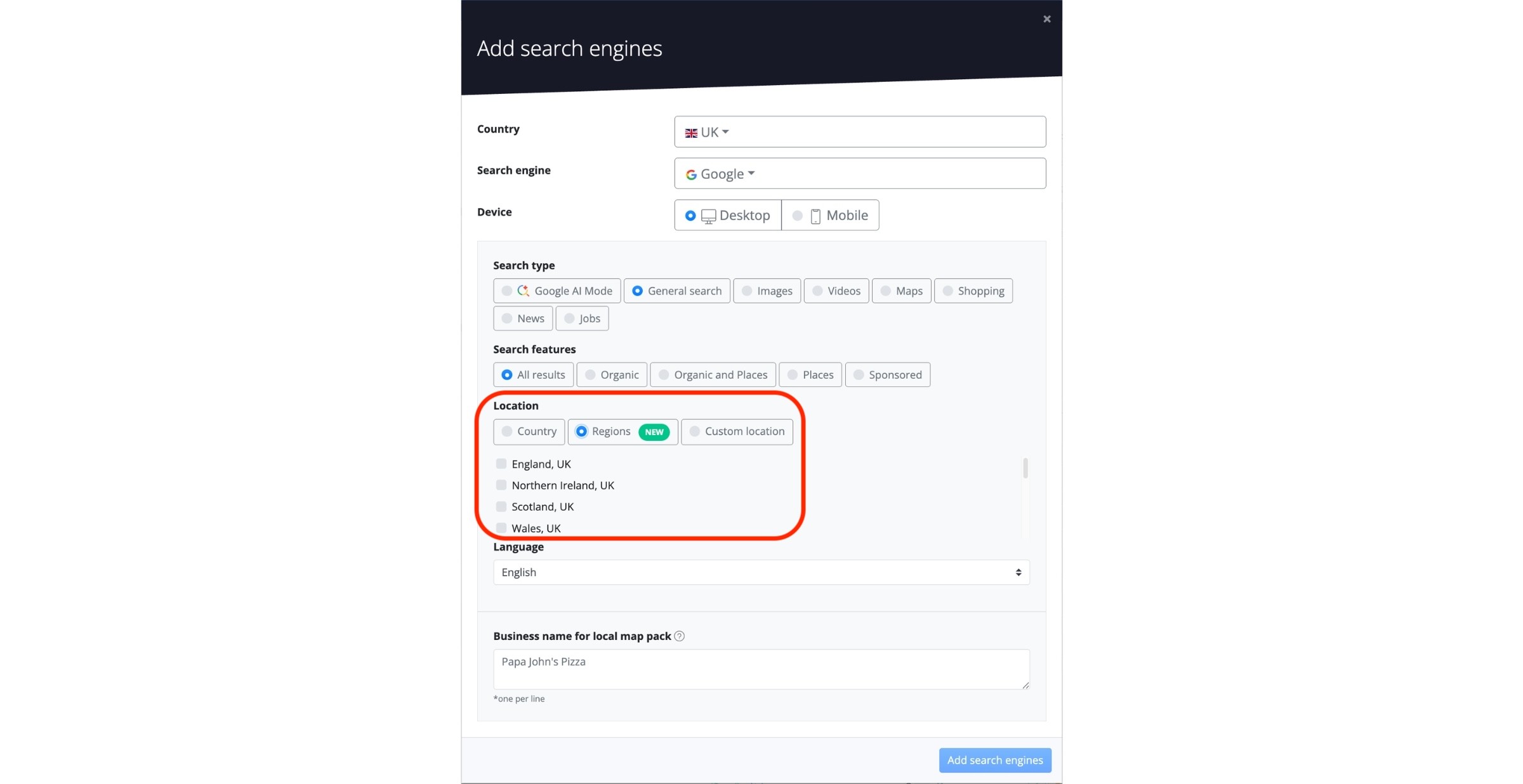
Language – allows you to filter search results and retrieve rankings only from searches performed in the selected language.
The keyword queries added to the project should match the language selected at the search engine level.
Business name for local map pack - to accurately track results from Local Pack listings, other SERP features, and the Maps vertical, you need to enter your Google My Business name(s) in this field.
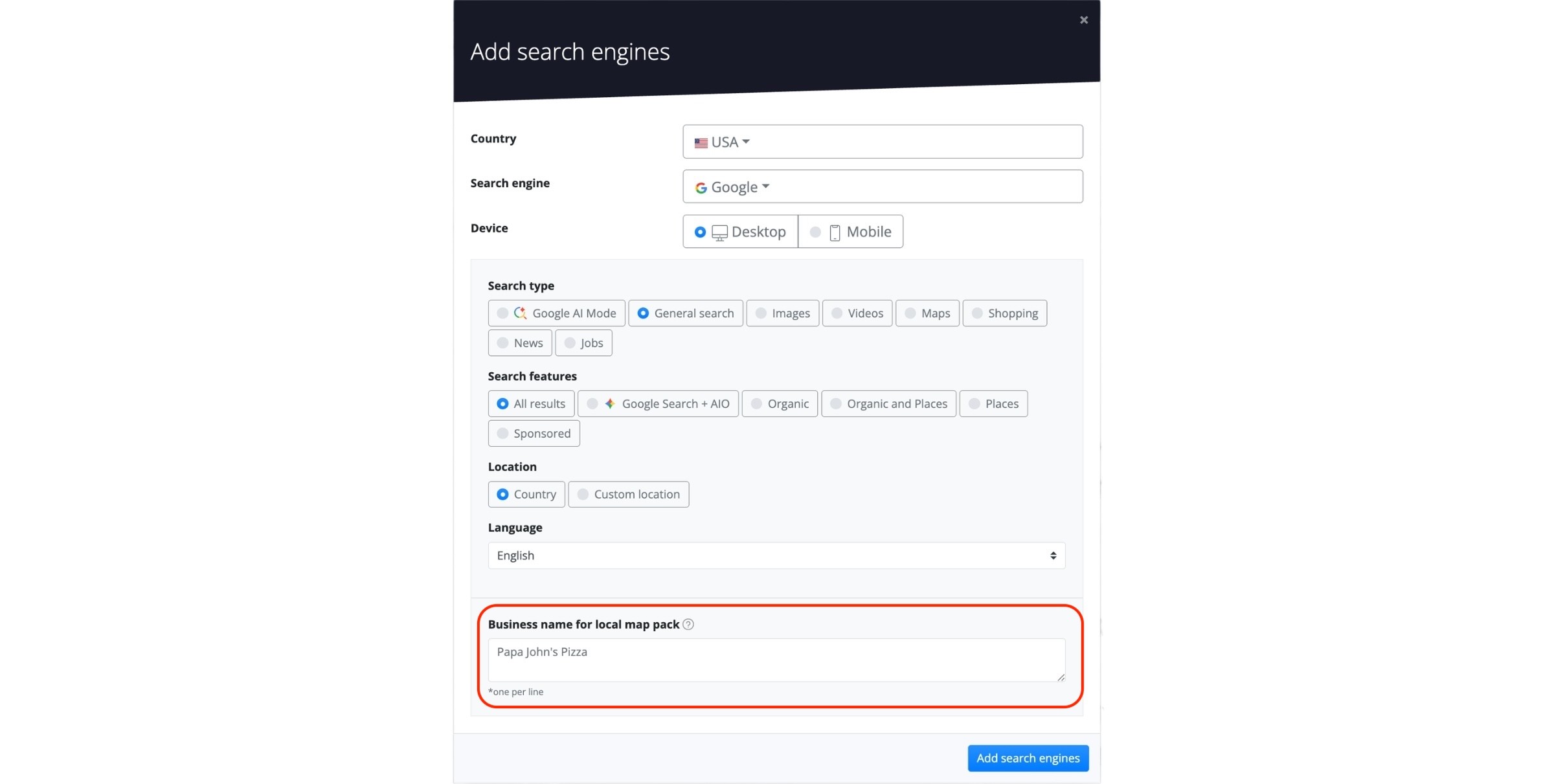
Make sure to enter the exact full name of your business as it appears in your GMB account. If it doesn’t match exactly, the result won’t get matched.
After adding a Google search engine to a project, the monitoring preferences can no longer be edited from the user end.
If you have any questions about configuring your search engines, contact our support team and they will be glad to help.
stay in the loop