There is a chance that your client asked one of these questions in the past few months:
How often does our brand appear in LLMs versus our top competitors in the same query?
When someone asks an AI about our money keywords, does our brand show up at all?
Are visitors from AI converting better or worse than those from Google?
No doubt that the pressure behind these questions could send chills down the spine.
Your clients now know that we’re in the AI age, and millions of people are making decisions based on AI-generated answers. So they want to know how and when they show up in LLMs.
Elena Dyulgerova, SEO and AEO Lead at Scalerrs, put it plainly after reviewing her last two quarterly client reports:
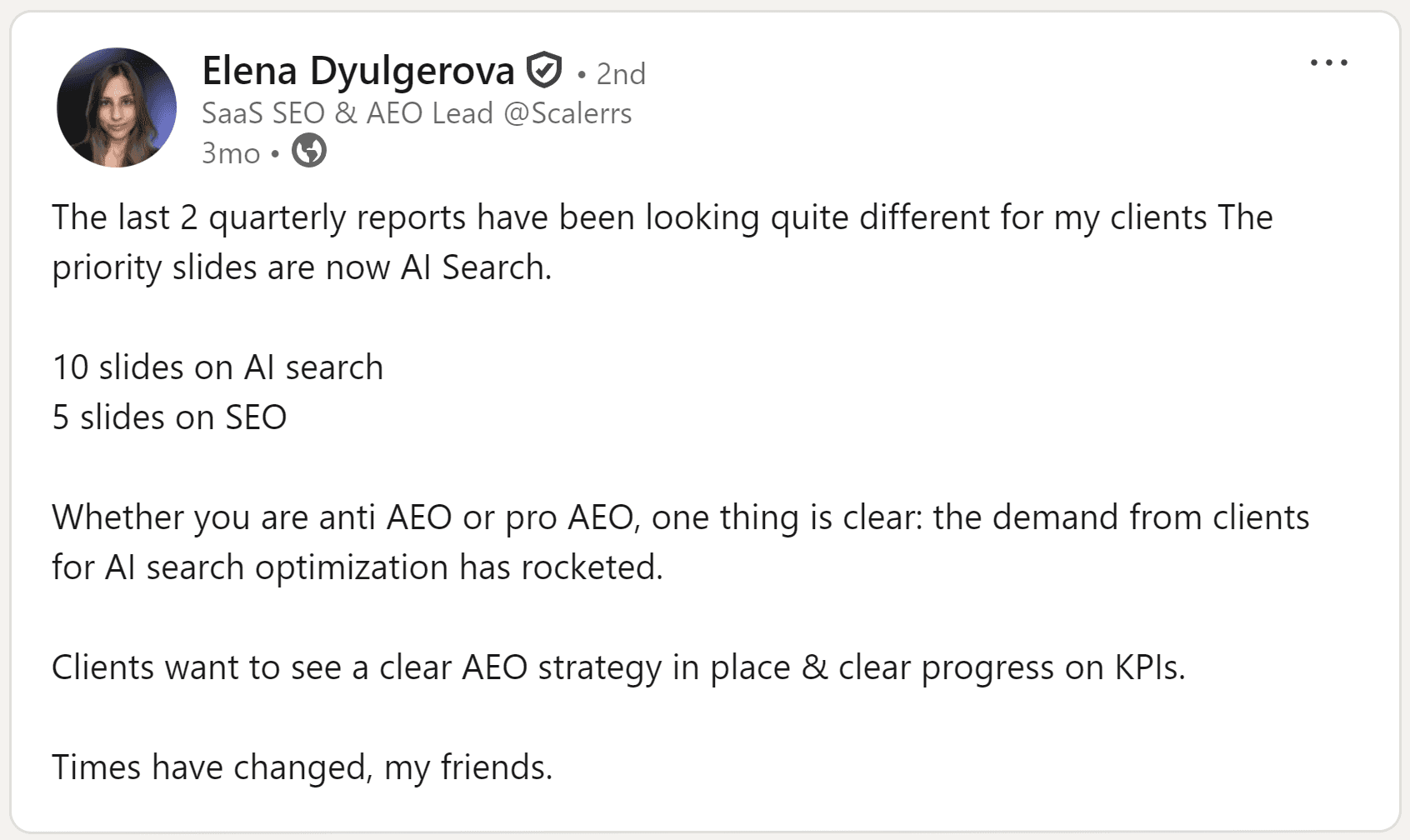
Image: LinkedIn post on the increased demand for AI search tracking
The problem is that pulling a standard rank-tracking spreadsheet and renaming a column to “AI Visibility” does not answer any of those questions.
Your clients want metrics that show their brand’s AI search visibility and whether that presence is generating measurable business outcomes.
This guide walks you through the specific AI search metrics worth putting in a stakeholder report, explains why each one carries business weight, and shows how AWR’s AI Brand Visibility tool helps you track them without rebuilding your reporting process from scratch.
What Stakeholders Are Actually Asking About AI Search (But Can’t Articulate)
Your clients may not know the industry terms about AI visibility, but they’re quietly worried about the impact of AI search engines on their brand. They don’t show up to a review meeting asking about “LLM citation rates” or “generative engine optimization.” Rather, they ask questions like:
Are we being mentioned by LLMs at all?
Which competitors are showing up in AI answers instead of us?
Are we gaining or losing authority in our space?
Is AI search helping or hurting demand for our brand?
Is our brand showing up in the channel where consideration now starts?
Is AI sending the right signal about our brand?
Is AI worth paying attention to now?
The rest of this article shows exactly what to put in front of them every month to keep that conversation grounded in data.
The AI Search Metrics Stakeholders Actually Need (And How AWR Tracks Them)
Many AI tracking tools generate several metrics that are relevant only to SEO experts but irrelevant to CEOs, as they don’t demonstrate business value.
AWR AI brand visibility and AI search tracking tools provide both categories of metrics so you can see how visible you are in AI and how that visibility is generating business value.
Side note: AWR requires a simple process to set up your AI tracking. Take the following actions:
Select the AI search engines you want to track
Choose your location
Enter the topics to track
Select your preferred tracking frequency

AWR AI brand visibility also automatically retrieves topics related to your brand and tracks them alongside your entered topics.
Now, let’s walkthrough the AI metrics your client wants to see in quarterly campaign reports:
1. Brand Mention Frequency
Start by clicking “AI Brand Visility” → “Brands” on the menu bar.
The page shows your brand metrics, including Market Share, Mentions, Brand Visibility, and more.
In this case, you primarily need the Mentions KPI. This metric shows the number of times your client’s brand appeared on the selected LLM for the selected topic(s) and date range.
The metric adds your brand to the list, regardless of the number of mentions, alongside competing brands.

You can click the Mentions metrics to view a comprehensive chart comparing brand mentions to market share.

AWR also has a topic filter at the top of the page that narrows down the results to:
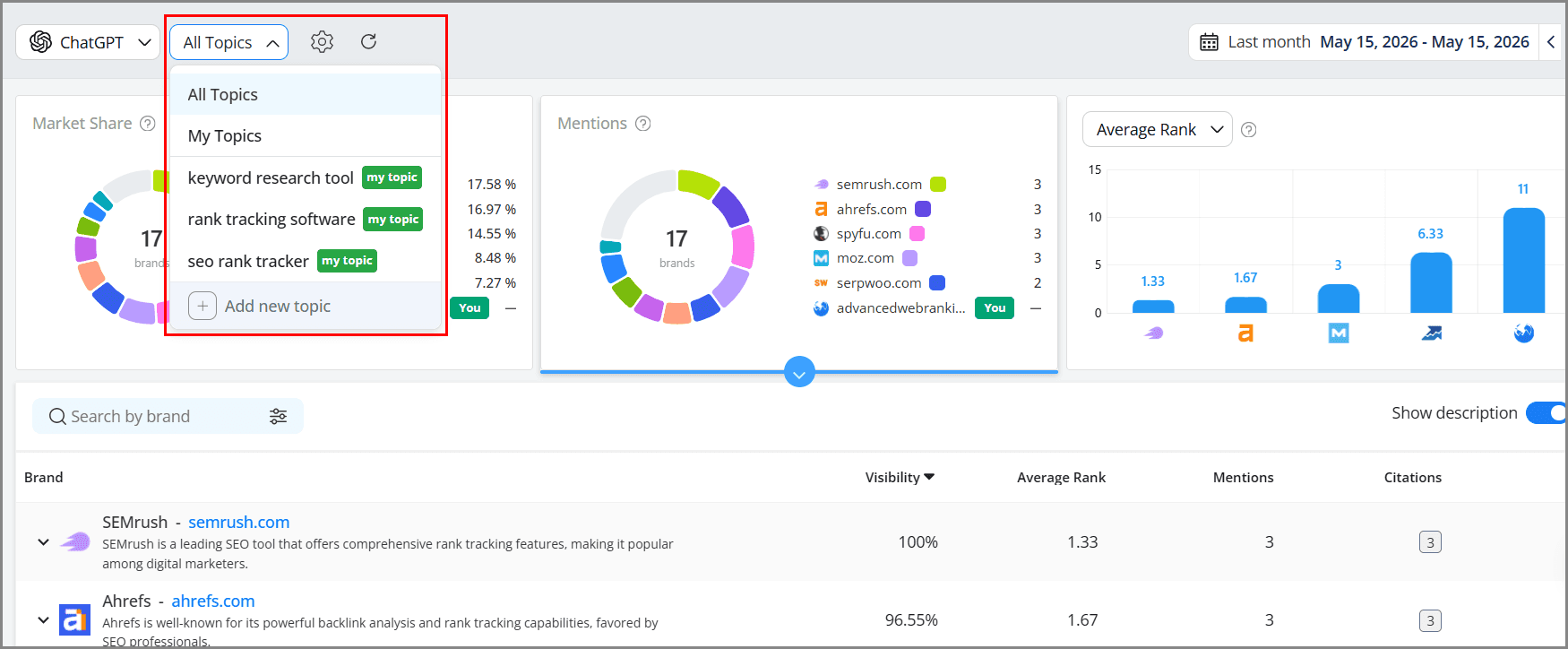
All topics: include automatically AI topics + any custom topics you’ve added
AI topics: include automatically retrieved topics
My topics: which include the custom topics chosen during the update setup.
Individual topics: allow analyzing data for one topic at a time.
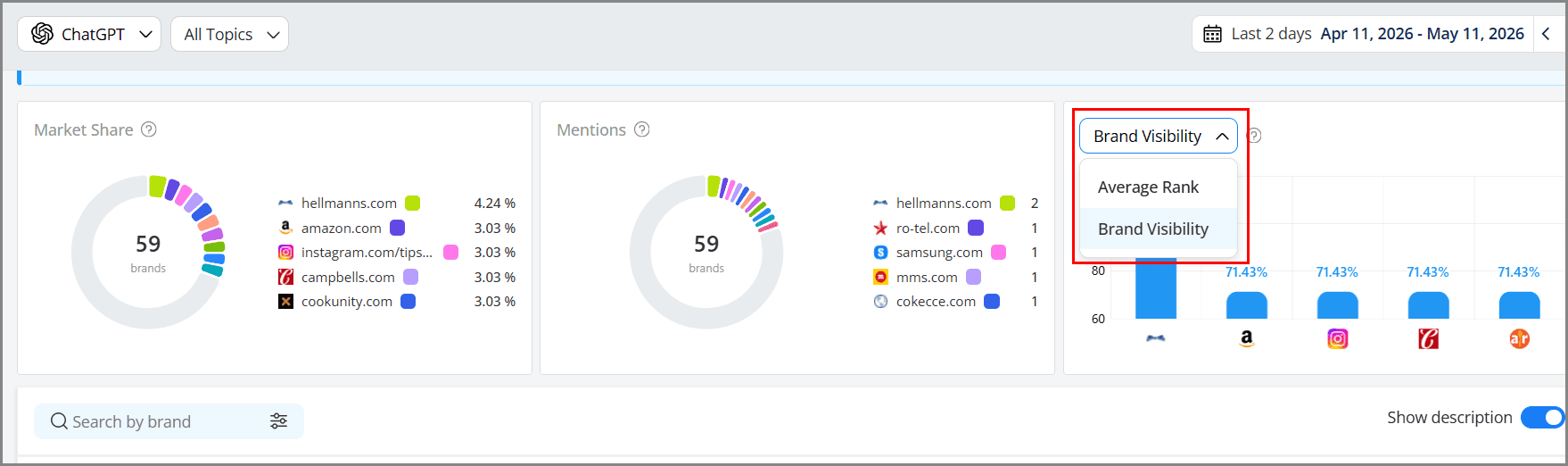
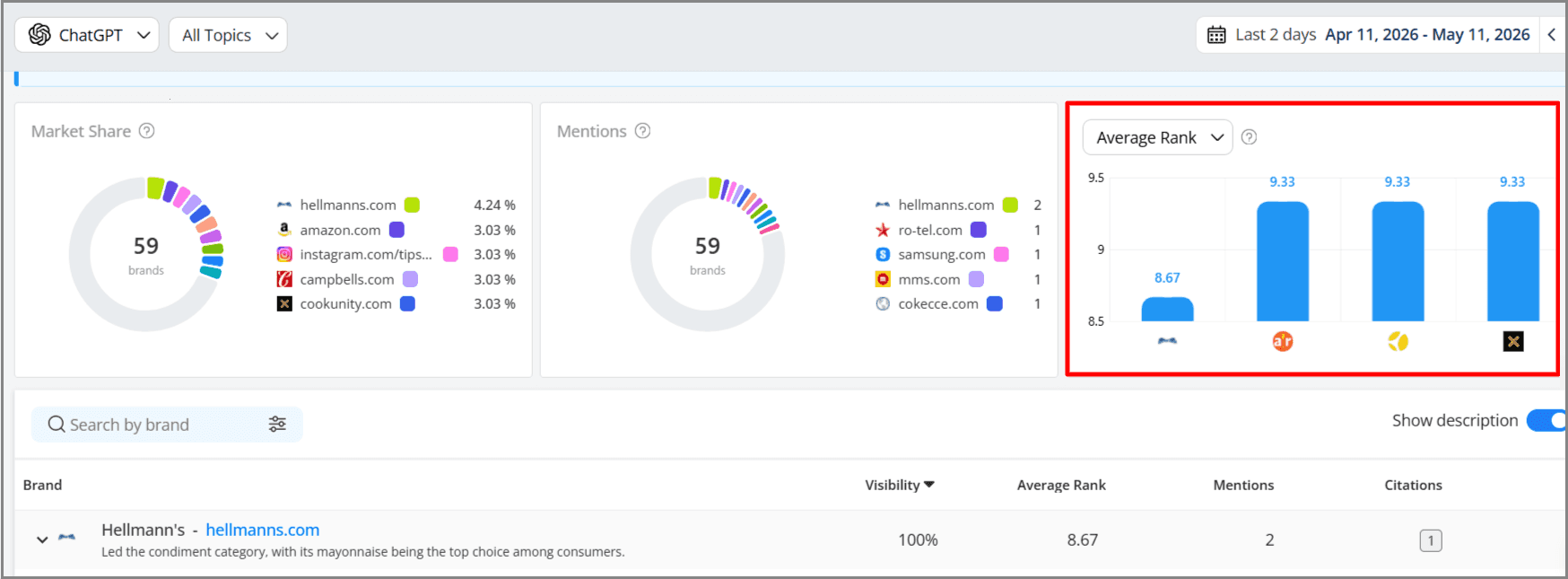
You can take a step further to see the Average Rank of your brand mentions across the selected LLM and topic(s). To see it, click the drop-down icon beside “Brand Visibility.”
The lower the value, the stronger your brand presence.
2. AI Citation Share (Citation Rate and Rank)
Brand mention isn’t enough. Your client needs to know if those mentions send traffic back to their site, i.e., if the AI engine provides a link to the source pages. That’s what AI citation is about.
AWR AI visibility tool tracks AI citation visibility and ranking for your site and competing brands across multiple LLMs.
Start with AI Brand Visibility → Citation.
The page shows an overview of your citations in the selected LLM and topic(s) across your preferred date range.
In this case, your client only needs the citation visibility, average rank, and number of citations metrics.
The Citation Visibility shows how much visibility your brand and competing brands get based on how often they appear in the top 10 citations in the selected AI engine, for the selected topic and date range.
If you click the “Citation Visibility” metric, it will show a detailed graph of each brand’s citation visibility.

If you scroll down the page, AWR provides each brand’s number of citations and the citations’ average rank for the selected LLM and topic(s).
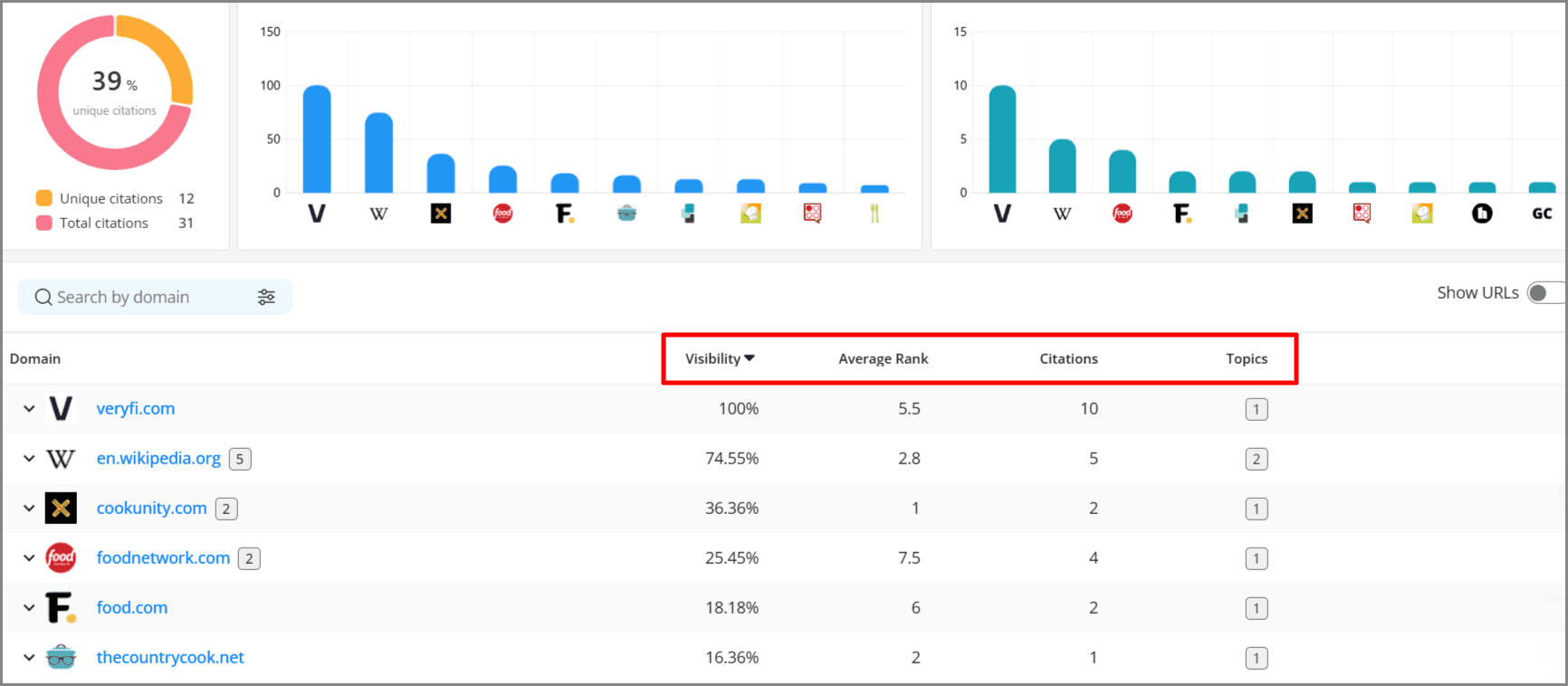
The lower your citation rank, the higher your visibility.
Interestingly, when you click the drop-down icon beside your client’s brand, AWR displays the URLs of the cited pages along with their average rank and number of citations.
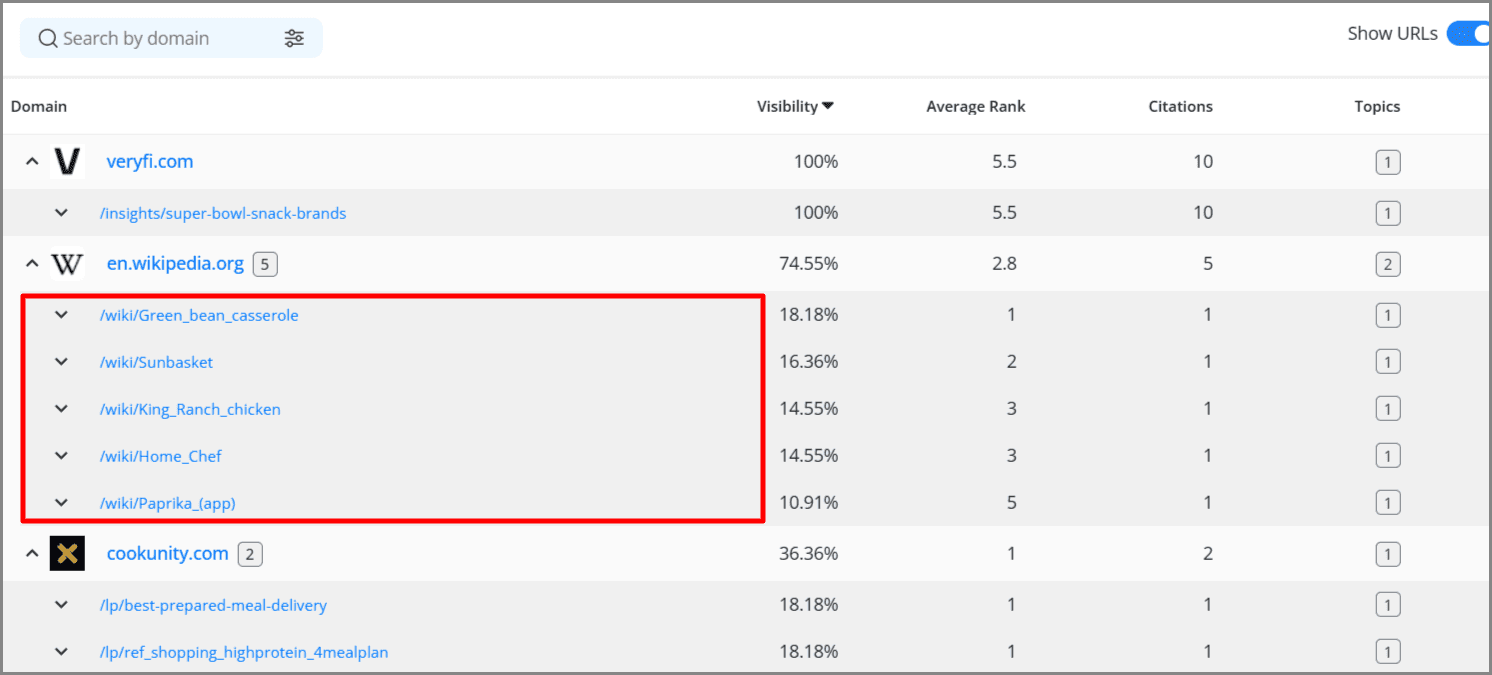
Note: Don’t just show the citation rate metrics. Include the keywords/prompts AI cites your clients’ pages.
3. Competitive AI Share of Voice
As much as your stakeholders are concerned about their brand presence in AI answers, they are much more interested in their search visibility in AI answers compared to their top competitors.
The AWR AI Search Tracking tool measures your client’s brand Share of Voice for the selected AI engine and topic(s).
To see it, click AI Search Tracking → Keyword Performance. The metric is available on the right side of the page.
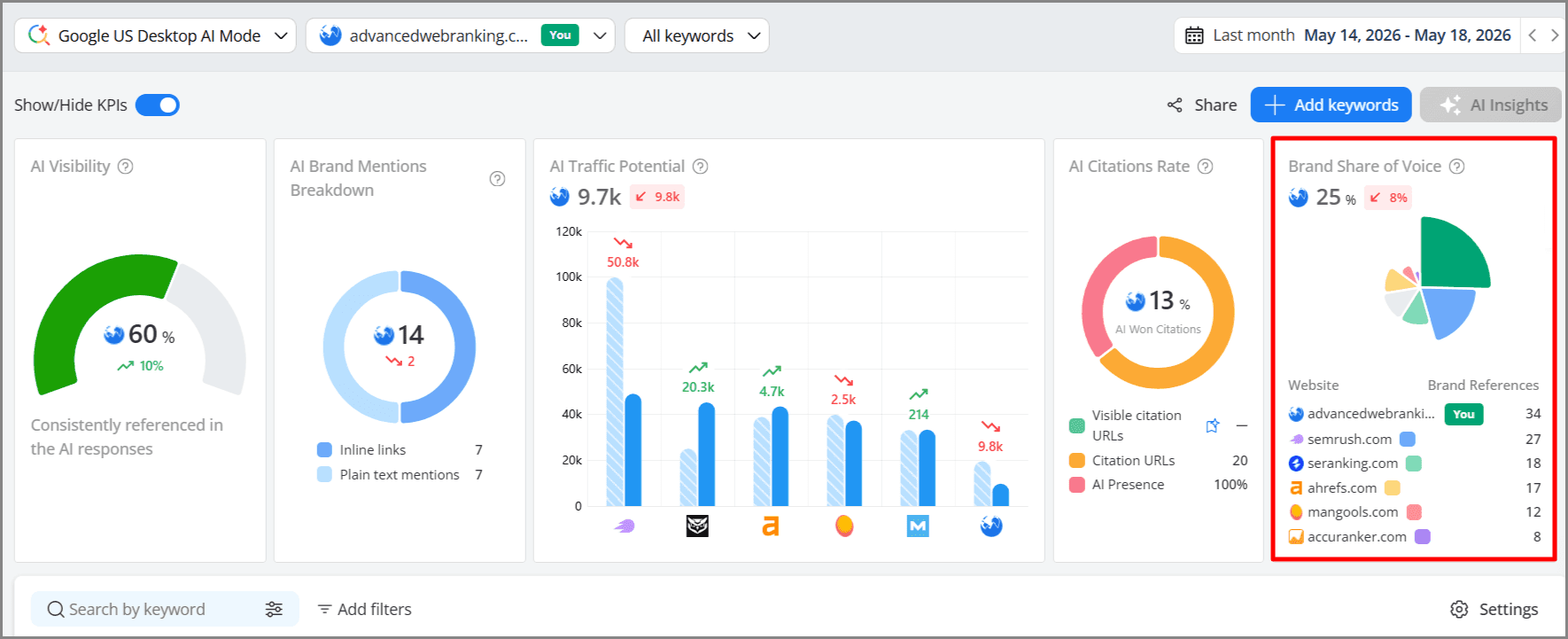
The higher the Share of Voice, the greater the AI’s visibility. AWR also provides the Share of Voice percentage gain or loss for the selected date range.
Note: AWR AI Search Tracking tool tracks brand Share of Voice across multiple AI search engines, including Google AI mode, AI Overview, ChatGPT, and Perplexity.
4. AI Traffic Potential
AI traffic potential isn’t the same as organic traffic; however, it’s a forecast of the number of site visitors to expect when you show up in AI answers for your selected LLM and keywords.
The AWR AI Visibility tool does a good job of this metric. Our AI Traffic Potential metric estimates the potential visits a brand could receive from AI-generated responses, based on search demand and the brand’s weighted AI visibility strengths. It’s calculated using the keyword’s Google average search volume and the brand’s AI visibility score.
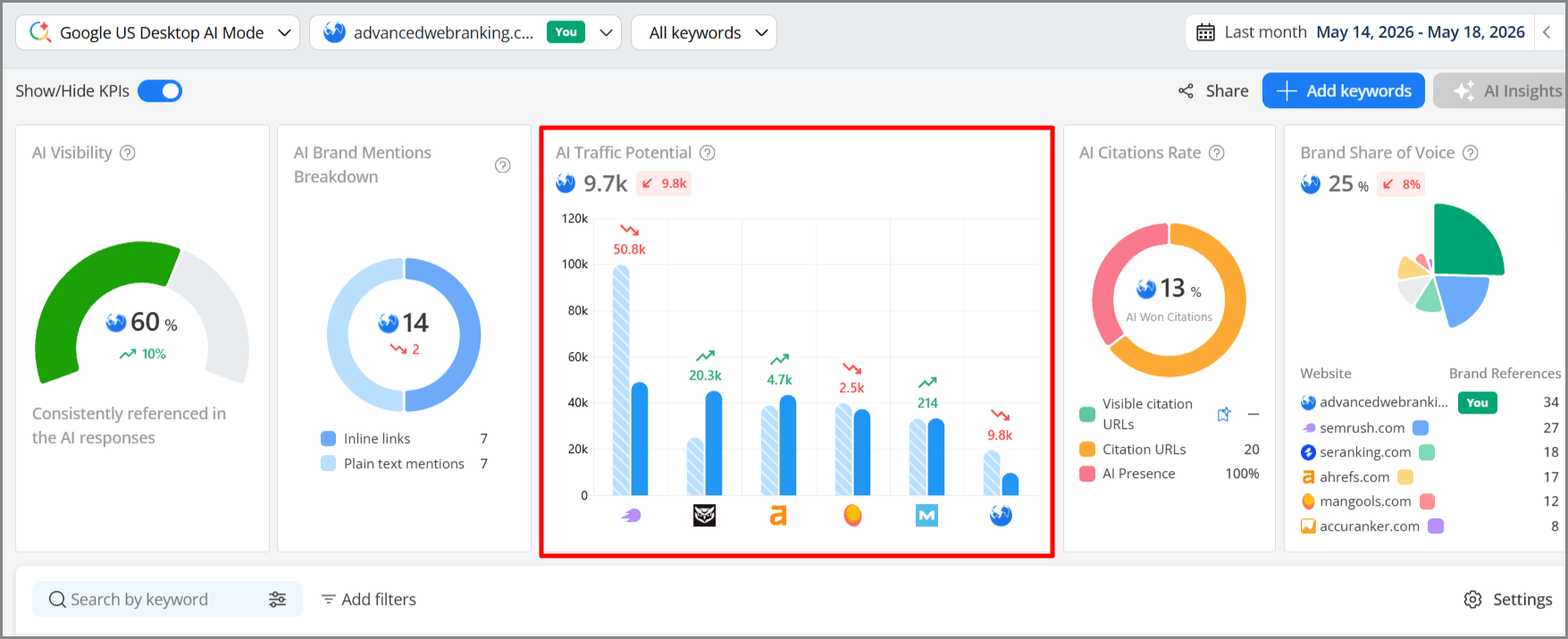
We recommend that you mention in your report that this traffic potential doesn’t guarantee site visits. Factors that trigger AI search site visits include brand mention position, citation ranking, brand sentiment, and more.
5. Brand Sentiment & Reputation Signals
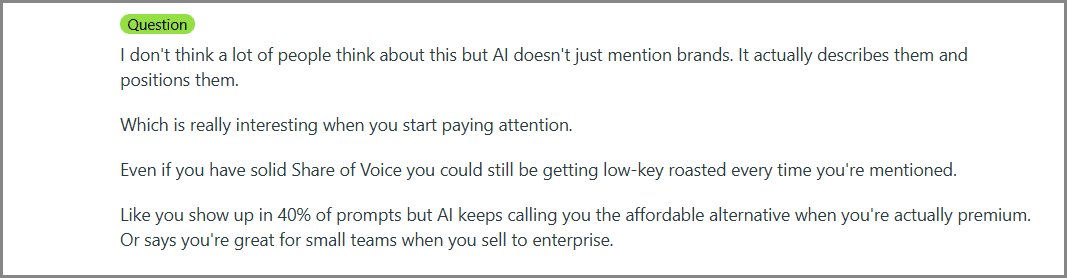
A Redditor shared an interesting post about brand description and positioning in AI answers.
Source: Reddit.com
Sometimes, your clients worry about how AI describes their brand in its responses. They want to know whether AI recommends their brand favorably, just mentions it, or negatively frames it.
You should include the brand sentiment metric in your report to clear this doubt.
The AWR sentiment metric shows how the audience is talking about your brand online: positive, neutral, or negative.
You will see the sentiment signal under the “AI Brand Visibility” → “Brand” page.
Scroll down and check the right-hand side of the page.
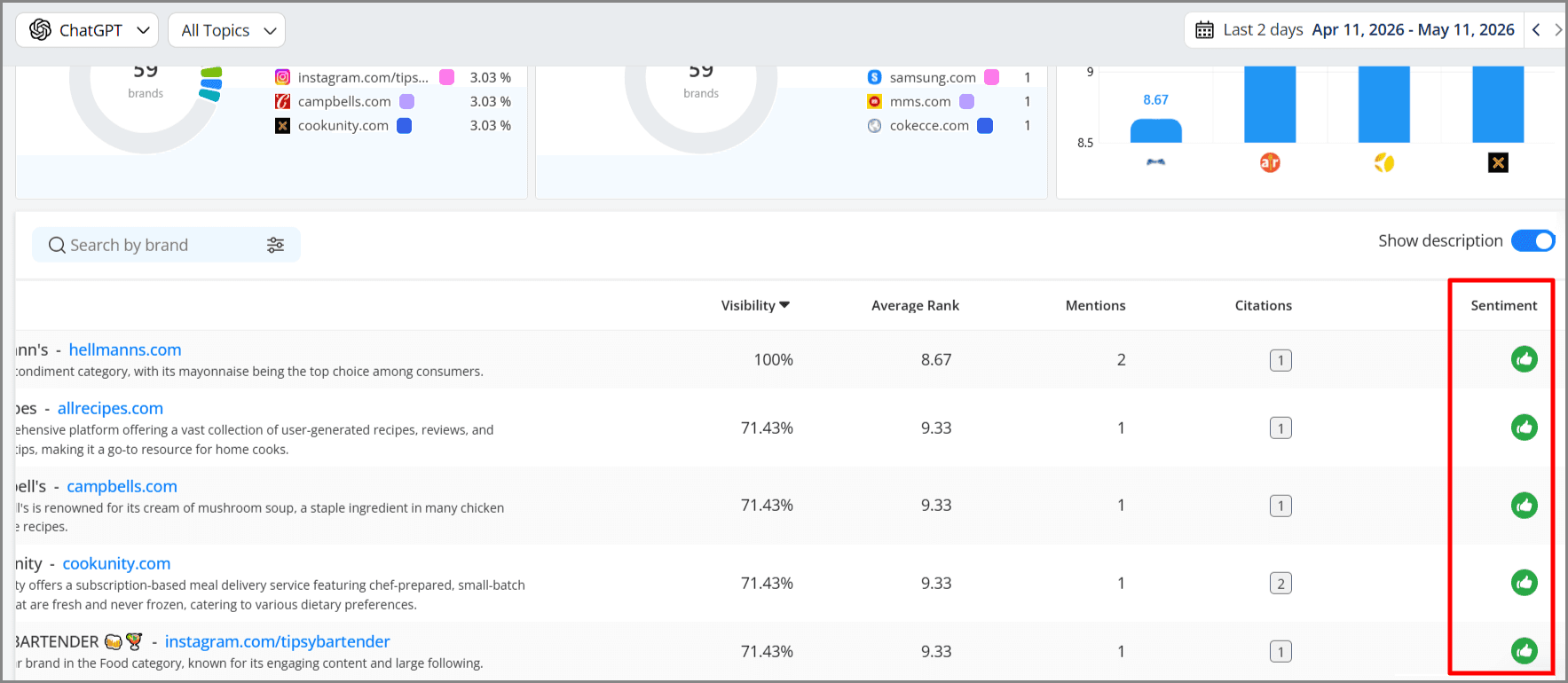
The sentiment signal appears in three categories:
Positive (green thumbs up): Indicates the AI response describes or recommends the brand favorably.
Neutral (grey dash icon): Indicates that AI mentions the brand without a strong positive or negative stance.
Negative (red thumbs down): Shows that the AI response unfavorably frames the brand.
Beyond these five metrics, your stakeholders also need business outcome metrics that show the impact of your AI search strategy, e.g., how AI visibility correlates with conversions.
You can get these metrics by connecting AWR with Google Analytics. AWR syncs seamlessly with several tools, including Google Analytics, and easily extracts relevant metrics to its dashboard. That means you can have a comprehensive view of several site data in one place.
How to Create AI Search Reports to Send to Your Clients
The AWR reporting feature helps create custom, white-label AI search reports that are repeatable without having to rebuild them from scratch every month. The reports are also easy to read and let you add as many metrics as needed, so your clients can see the return on investment from your services.
Follow these steps to create your next AI Search report:
1. Choose the Right Report Format
Go to Reports in the side menu bar and click “Dashboards.”
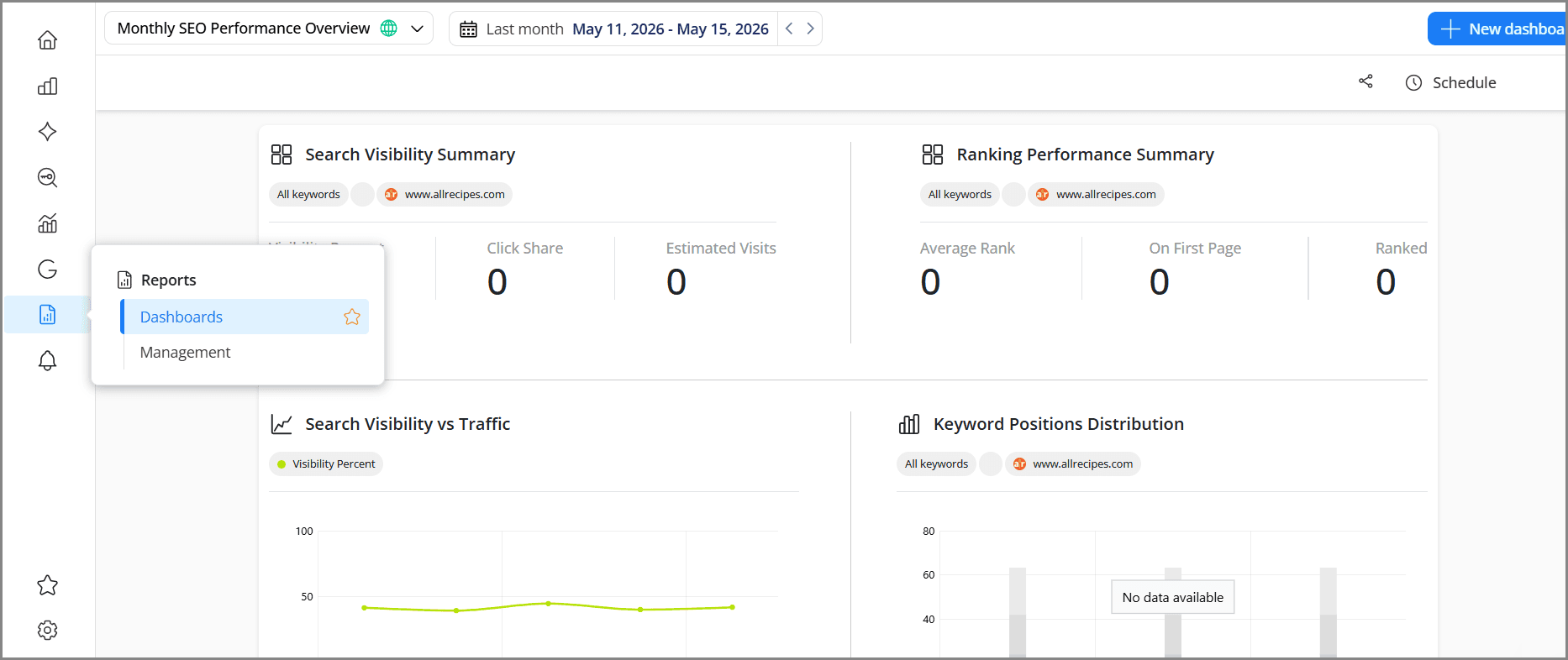
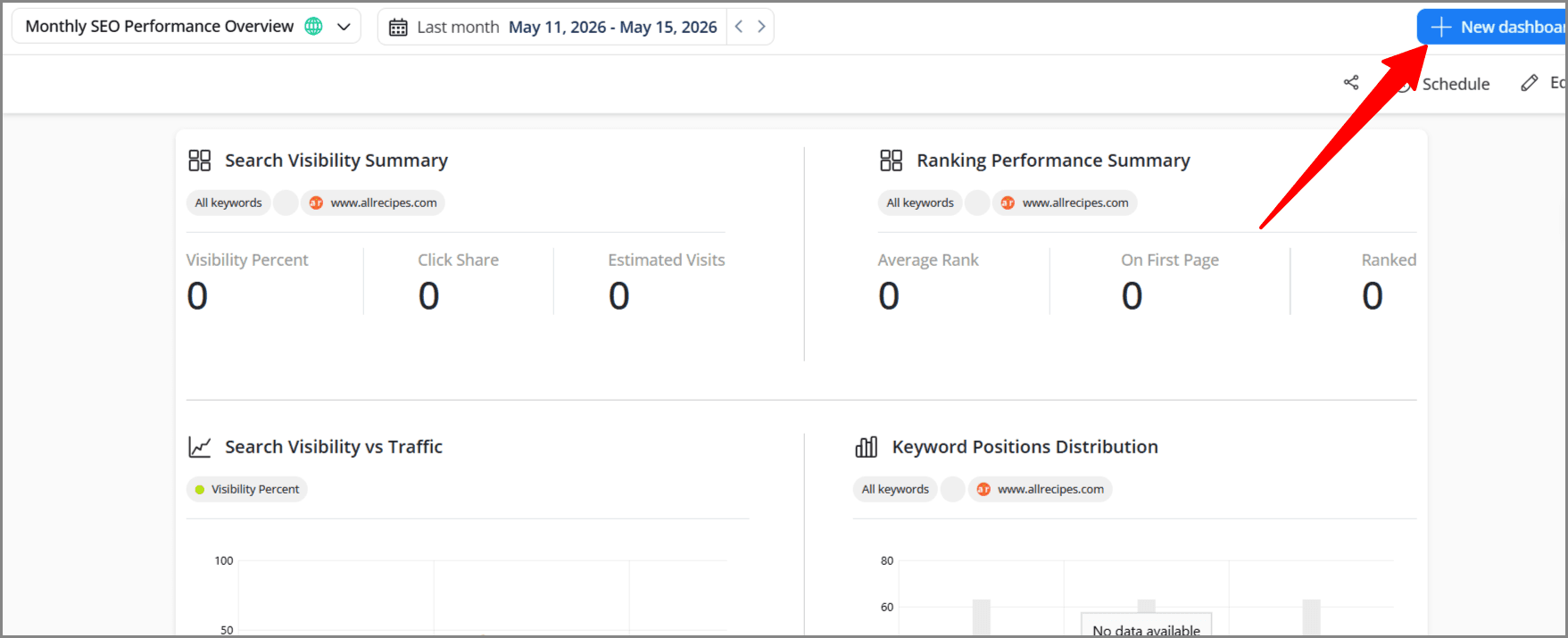
Next, click “New dashboard” to create a new report.
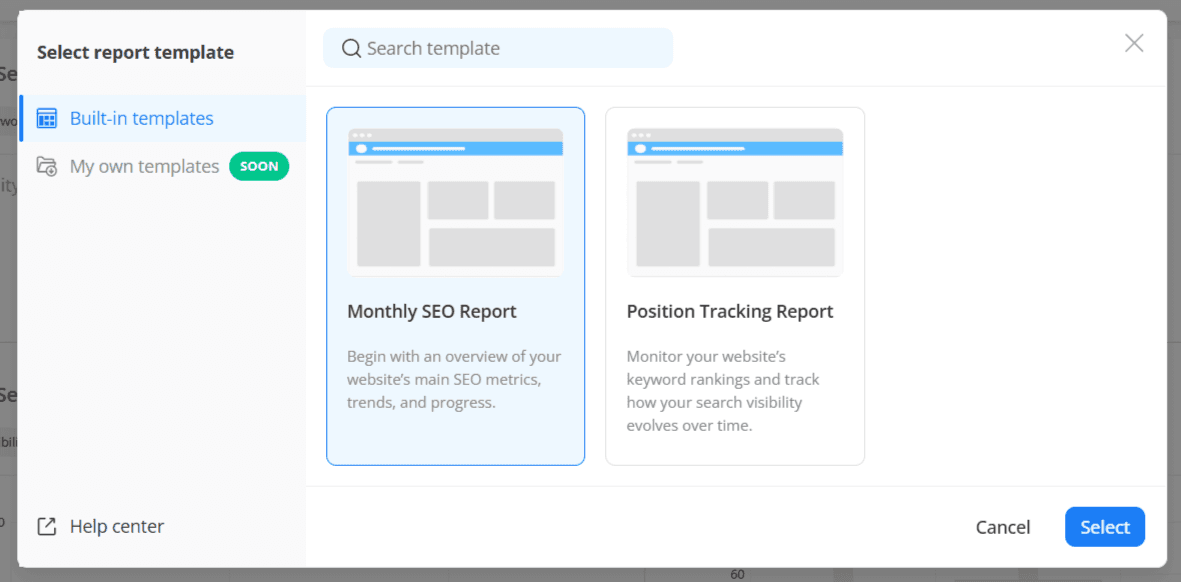
You can choose from the list of reporting templates. Each template has its widgets, charts, and details corresponding to its name.
Alternatively, you can build your report from scratch. That gives you total control of the report framework.
2.Include the AI Metrics That Showcase Your Service Success
Show the progress of your AI search strategy services by adding relevant AI search metrics such as AI visibility, AI brand mention breakdown, AI citations rate, brand Share of Voice, AI traffic potential, citation rank, sentiment signals, and more.
You can also include metrics from AWR’s Google Analytics integration, such as AI traffic overview, top traffic channels, purchase revenue, and more.
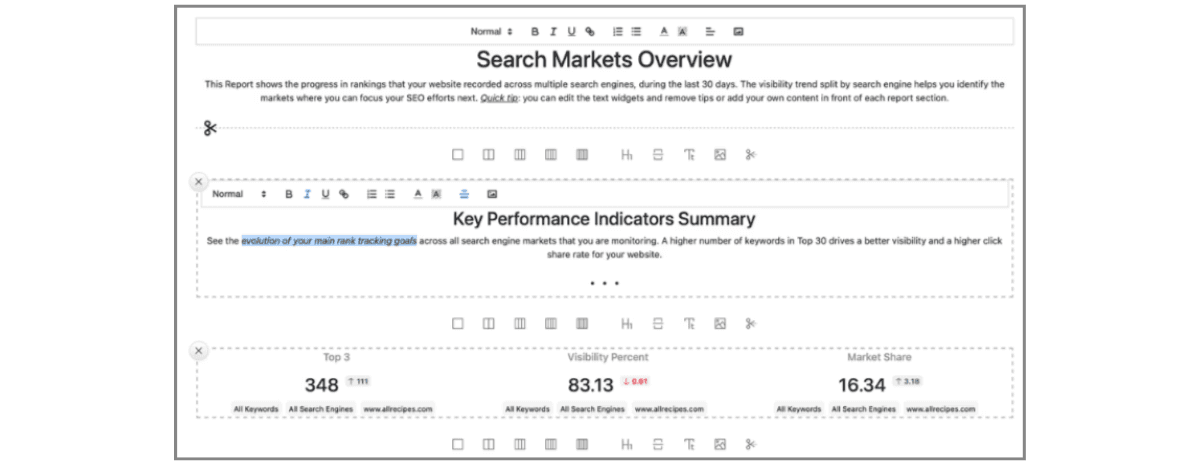
AWR has a WYSIWYG feature that lets you create your report visually, even if you have no coding experience. You can turn your metrics into charts, tables, or images.
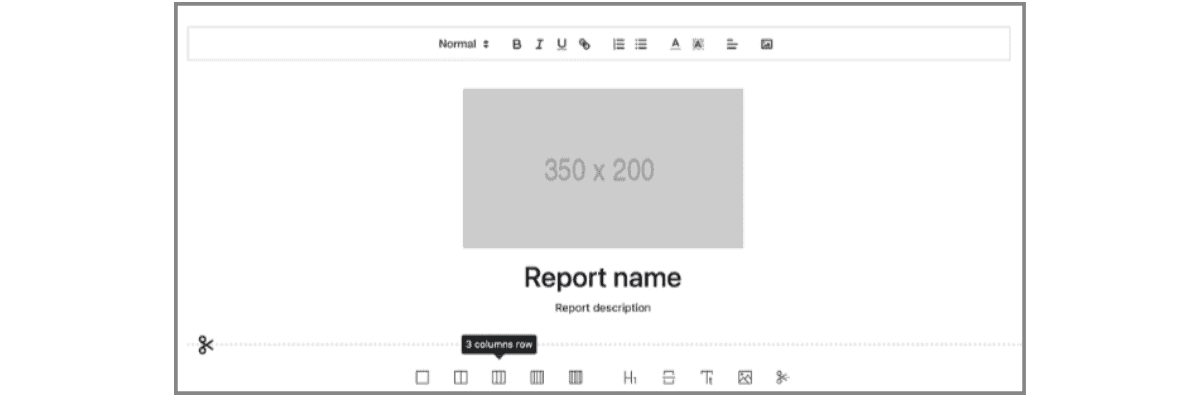
Most importantly, you can add personal notes to any part of the report to better explain the data.
3.Brand the Report as Your Own
If you’re an agency sending reports to clients, AWR’s white-label feature allows you to add your website domain, upload your own logo and favicon, and personalize reports with your company name and brand.
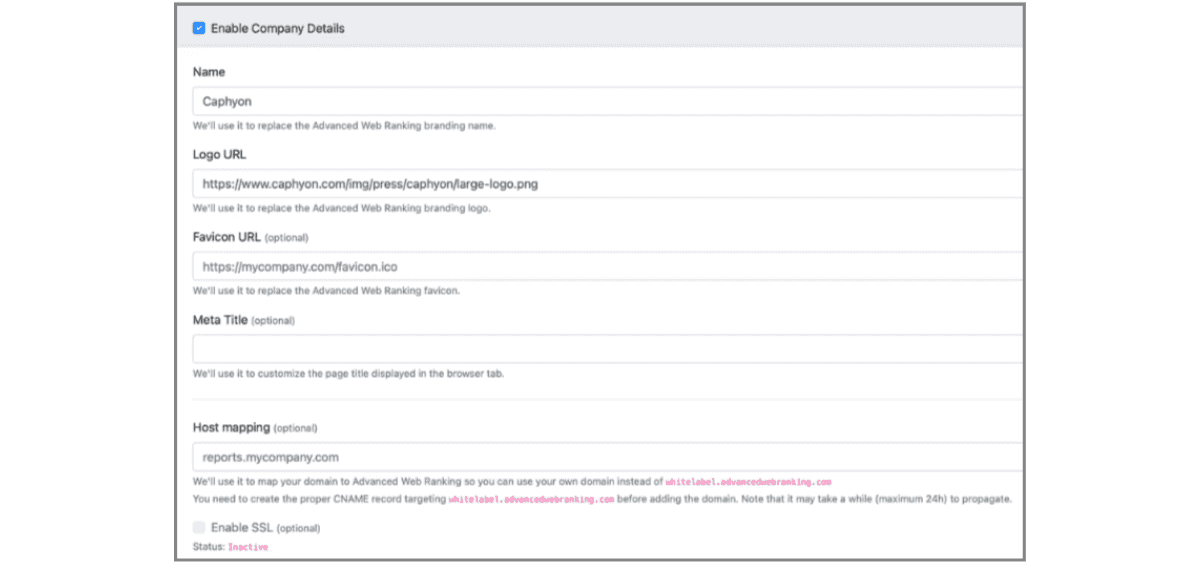
AWR also allows you to host the report on your domain. That means you can send the report with your custom domain URL. In addition, all email notifications and reports sent from within AWR to clients appear as being sent from your business domain.
4.Set Up Automatic Report Creation
You can create the report once and schedule automatic generation for every project update or at the interval you choose.
You can even set it up to automatically share scheduled reports with clients, with no effort on your end.
5.Share the Report
AWR gives you five delivery options depending on what works for your stakeholders:
PDF: best for executive reports and board presentations
CSV or XLSX: best for stakeholders who work in spreadsheets
Live shareable link: best for stakeholders who want real-time access to the data without logging into AWR
Google Drive upload: best for teams that centralize documents in one place
Email: Works for all stakeholders’ categories.
Frequently Asked Questions on AI Search Reporting
1. What is the difference between traditional SEO reporting and AI search reporting?
2. How often should AI search reports go out to stakeholders?
3. Which AI platforms should a brand track visibility on?
4. Can AI search visibility be directly tied to revenue?
5. What should a first AI search report to stakeholders include?

Article by
Success Olagboye
Success Olagboye is a content strategist and writer who helps SaaS brands increase their organic traffic and revenue through customer-focused content. He has created successful content assets for leading European and American SaaS brands.
Success loves to explore nature when he is not working.