
The Search Session Advent ·
7 December
Read the SERP as a shop window of your market

Ramon Eijkemans
Founder of Eikhart and TrueRoot.ai
Why Ramon’s idea matters
Ramon says a Google results page is a shop window for a whole market. Search “running shoes” in London and you might see two brands, an online marketplace, a Reddit thread, a video and a map. Together they show you how people in that market want to buy, not only who ranks for one keyword.
Each part of the page tells you something. A Reddit thread means people want opinions before they buy, a map means they want somewhere nearby, and product listings mean they are ready to compare prices. An AI Overview at the top means Google thinks it can answer the question without sending anyone to a website.
When these parts change, the market has changed, often before your client’s ranking moves. Compare the same results page across different dates, devices and cities. That shows you where your client appears and where it is missing.
Put Ramon’s idea into practice
Try with AWR
Look at everything on the results page, not just your ranking
Using AWR’s SERP Similarity report
Step 1
Open the SERP Similarity report. In Side-by-Side SERP Comparison, keep Mirror Selection on and pick two ranking update dates for the same keyword. Click SERPs and leave Sync scroll on, so the same positions line up on both sides.

Step 2
Look at everything on the page, not only your client’s result. Check which SERP features appeared or disappeared, whether an AI Overview now sits at the top, and which new websites showed up.

Step 3
Compare a search engine for the whole country with one for a single city, or desktop with mobile. The same search can show different competitors and SERP features in each, so check each one on its own.

Step 4
Check the Top Changes Summary KPI card to see who moved between the two dates: the websites with the Highest jumps and Biggest drops, the New entries and the Drop signals. Hover over New entries to see every new URL and its position.

Step 5
Open the Market Share report. It lists every website in the results you track, grouped by main domain, including competitors you did not know about.
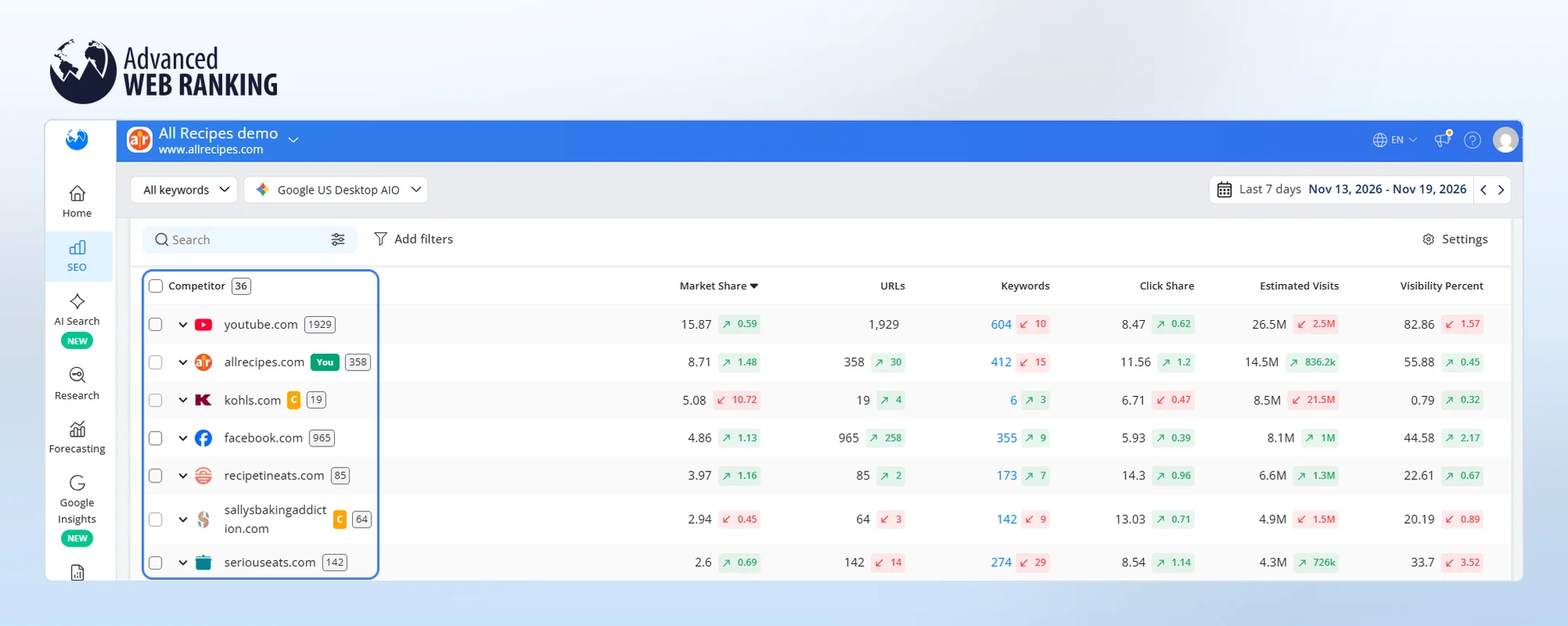
In the chart, the higher and further right a website sits, the bigger competitor it is.

Learn more here: Spot SERP changes with Side-by-Side SERP Comparison
More from Ramon
This idea is a small taste of what Ramon Eijkemans brings to search. The full conversation with Gianluca Fiorelli is worth hearing, and Ramon’s work is worth following.
← Back to the calendar