
The Search Session Advent ·
21 December
Buyers check your brand everywhere, not only on Google

Emina Demiri-Watson
Head of Digital Marketing at Vixen Digital
Why Emina’s idea matters
A buyer rarely goes from one Google search straight to a purchase. Before they buy, they read reviews on Amazon, compare prices in other shops, check what people say on social media and ask ChatGPT. Emina found herself doing this to buy a simple coat hanger for her hallway.
So a buyer forms an opinion about your client’s brand in places you may not be tracking. If you only report Google rankings, you miss most of what the buyer sees before they decide.
Start by listing every place your client’s buyers look before they buy. Then check how the brand and its main competitors show up in each one, starting with the places where buyers spend the most time.
Put Emina’s idea into practice
Try with AWR
See who wins product searches, then check why
Using AWR’s Market Share report
Step 1
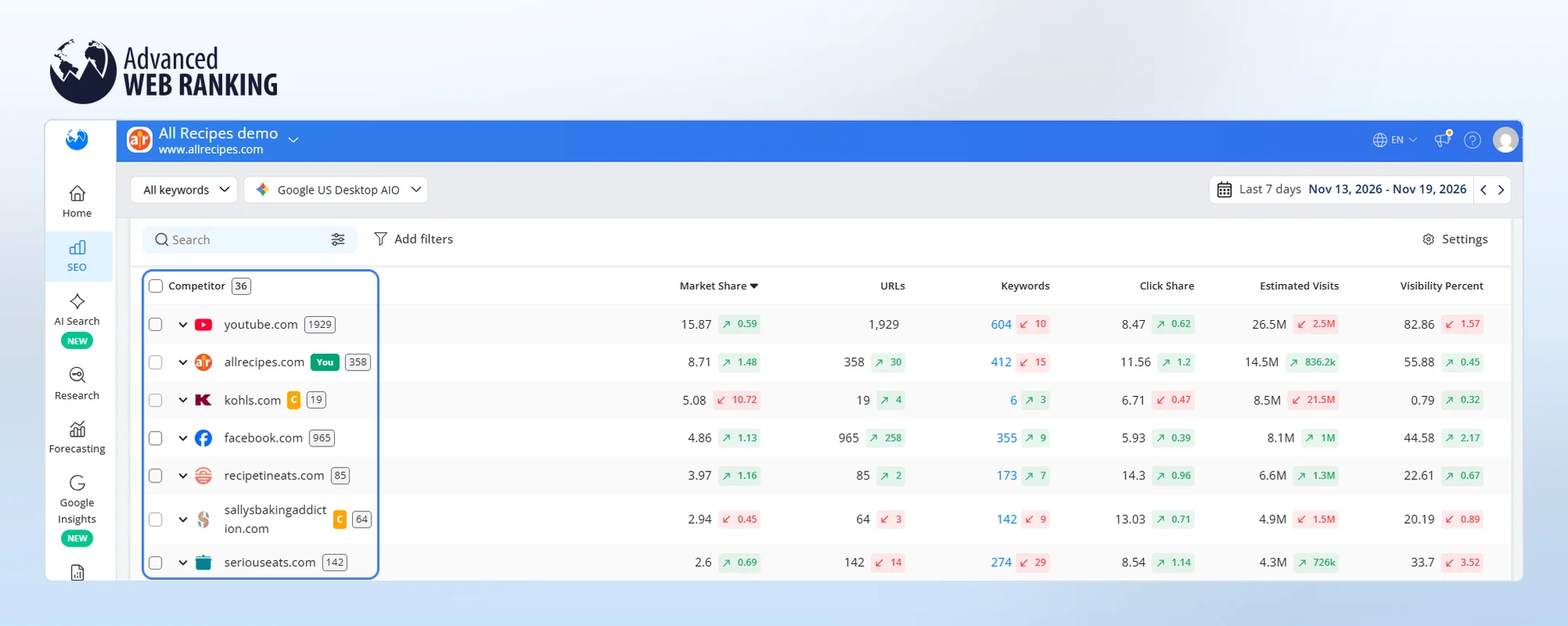
Open the Market Share report for your client’s product keywords, such as “trail running shoes”. Set the start date before you fixed the schema or feed and the end date after. Compare your client’s Click Share with the competitors that rank for the same keywords.

Step 2
Look at share next to the number of keywords and pages each competitor ranks with. A competitor can rank for fewer keywords with fewer pages and still get a bigger share, because it ranks higher where it appears. When you see this, open their product pages and check whether the page, the markup and the feed all say the same thing.
Step 3
Open the SERP Features report to see how often your client appears in each feature compared with competitors. Features that depend on structured data are usually where a mismatch between the page and the markup shows up first.
Step 4
Open the SERP Similarity report for an important product keyword over the same dates, and click SERPs to compare the two results pages side by side.

Learn more here: Google Update just released? See if and how your website’s performance changed
More from Emina
This idea is a small taste of what Emina Demiri-Watson brings to search. The full conversation with Gianluca Fiorelli is worth hearing, and Emina’s work is worth following.
← Back to the calendar