



Winter's last month brings some pretty new updates to Advanced Web Ranking. We've got refined Keyword Ranking KPIs, richer API data exports, and a new Resources layout.
So let’s get right into it - use the sidebar on the right to jump to a particular update.
Upgraded Keyword Ranking KPIs
The KPIs in the Keyword Ranking section just got a major revamp:
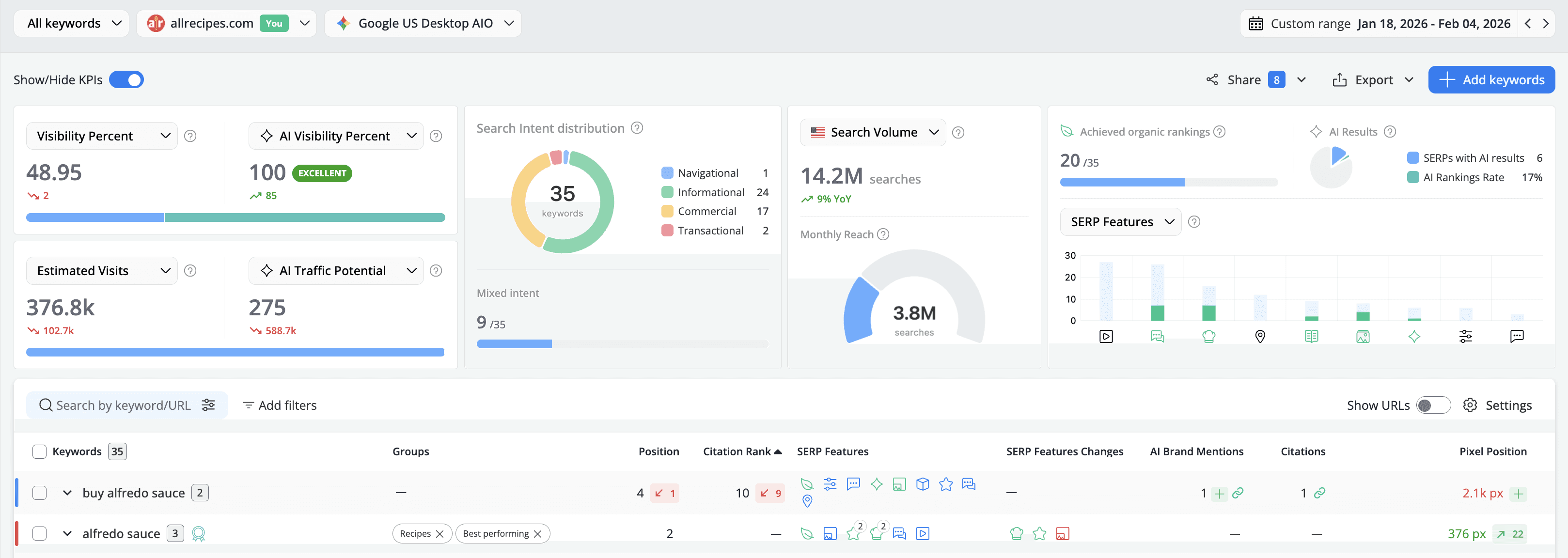
- Web and AI Search, side by side: You can now filter Visibility and Estimated data by Organic vs. AI, allowing you to prioritize your efforts more effectively without having to switch between different reports.
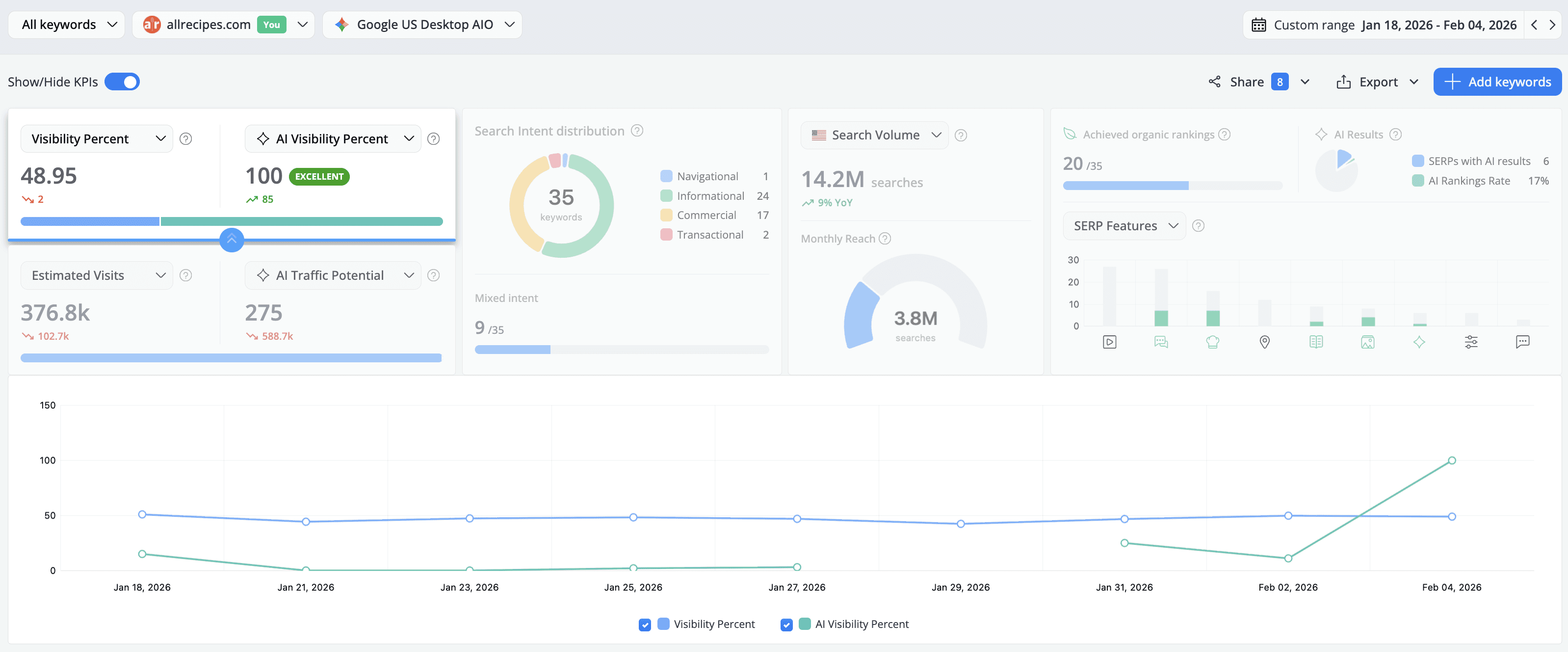
- Search Volume: We’ve expanded the Search Volume KPI to provide a 12-month Year-over-Year comparison, making trend spotting effortless. This update also introduces Monthly Reach, a powerful new metric that calculates the total search volume across every keyword where your domain ranks. Plus, by popular demand, you can now export Search Volumes and YoY summaries via CSV. These tools offer a definitive look at your market trends and the true scale of your reachable audience.
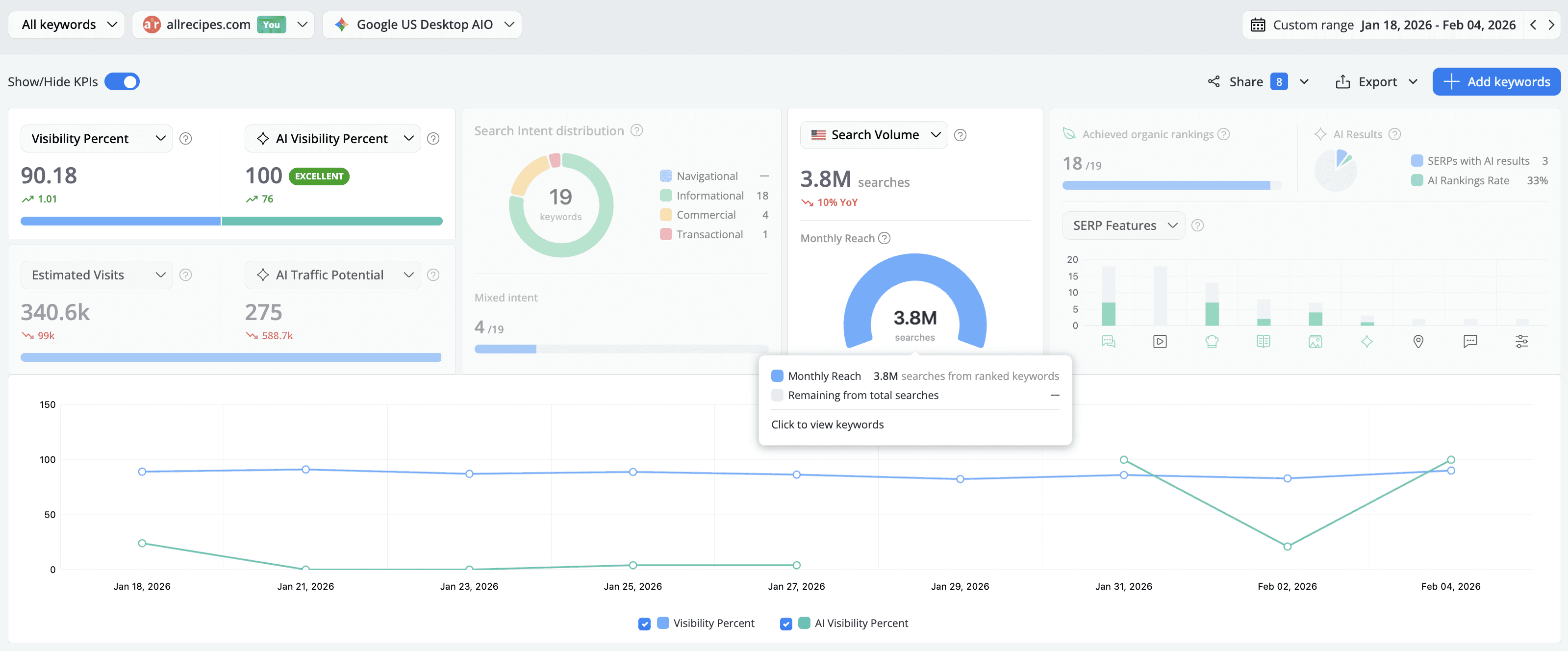
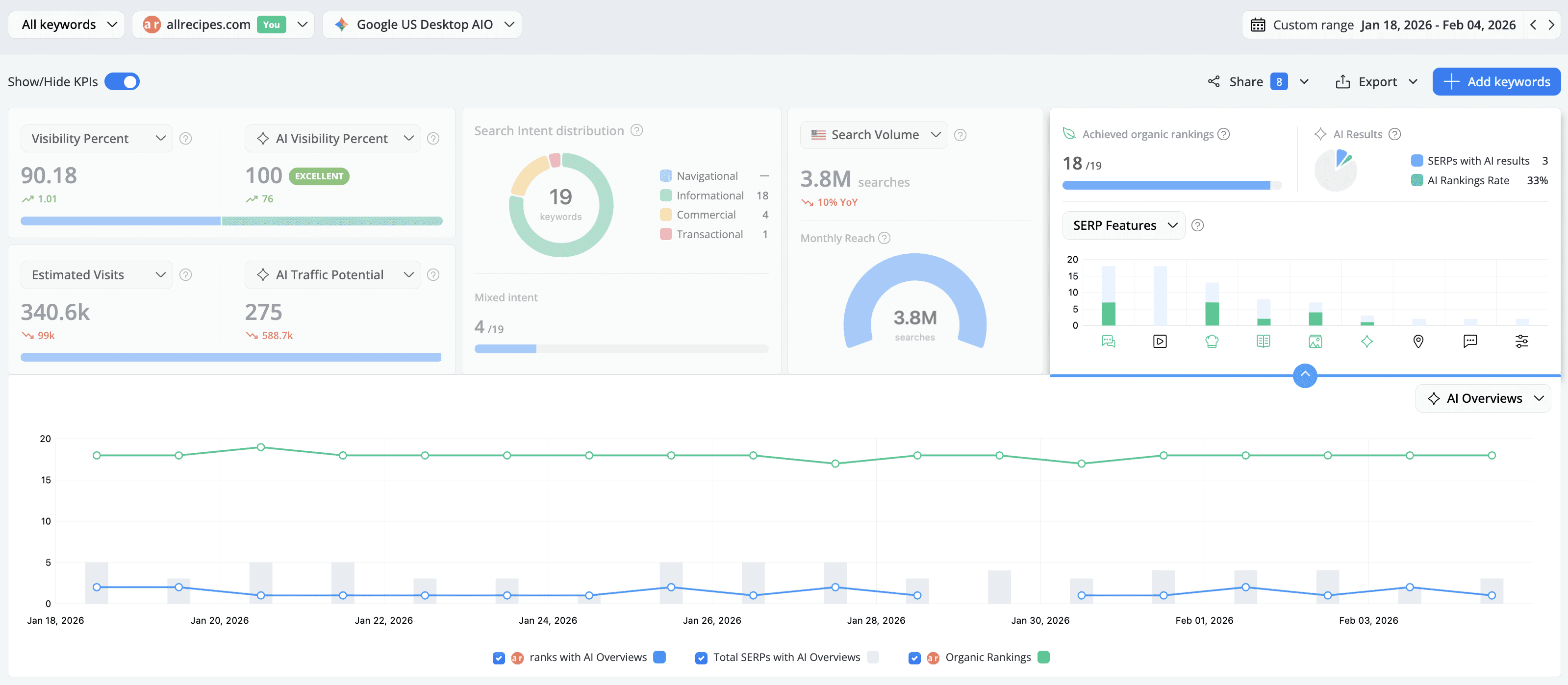
- SERP Features: Track your Organic Rankings (the total number of keywords ranking with an organic result) and AI Presence (the number of keywords for which an AI result appears) side by side. The new historical charts reveal the ratio of how often a feature appears on SERPs vs. how often your website actually achieves it, providing the data you need to decide where to invest your SEO resources.
More Insights via the API Exports
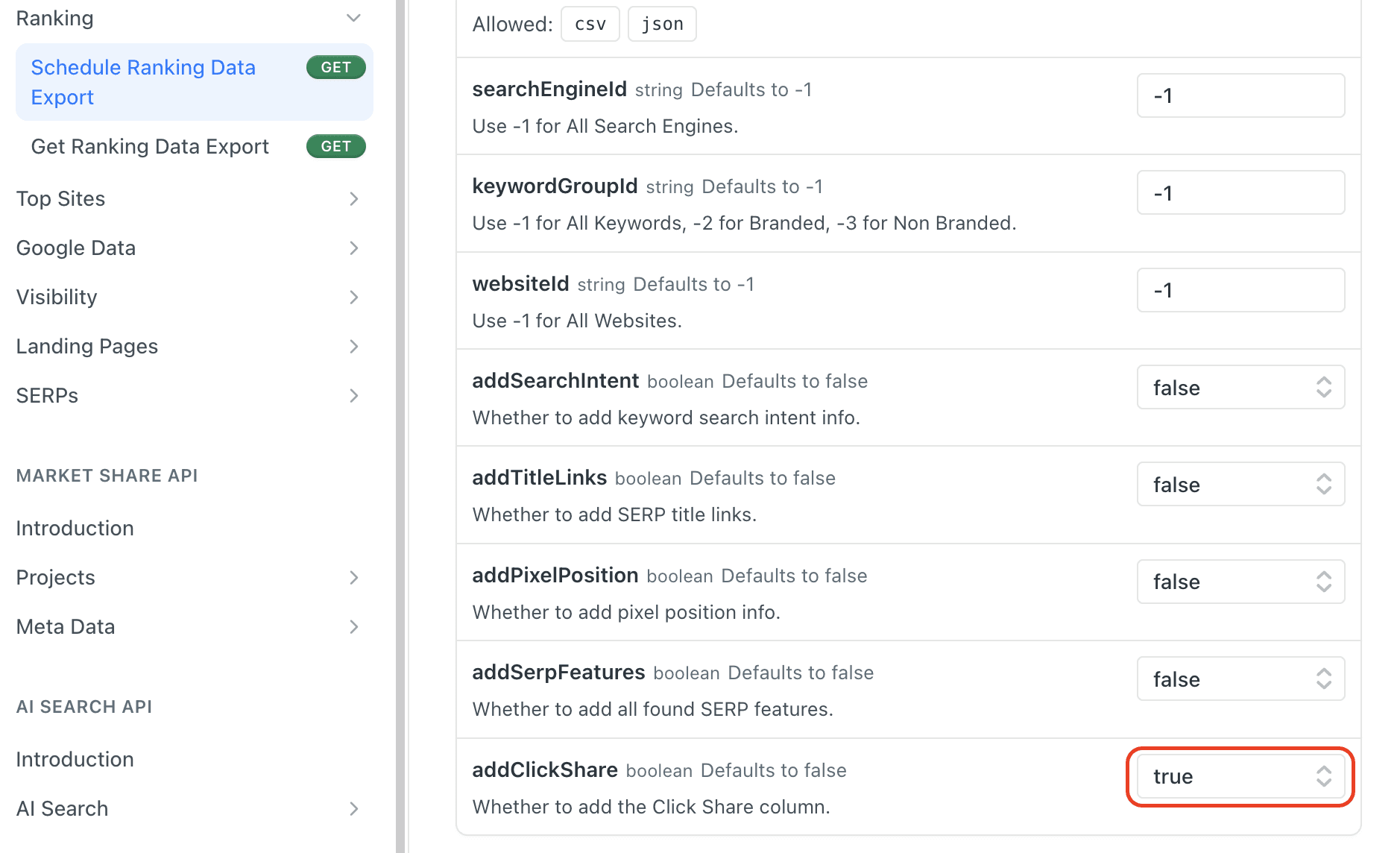
You can now add the Estimated Visits and Click Share columns to your keyword ranking API exports.
The first metric is added by default, while to include Click Share data in your export_ranking API* output, simply set the addClickShare parameter to true in your request.
*developer API is available starting with Agency monthly plans and all our yearly subscriptions
Updated Resources Menu
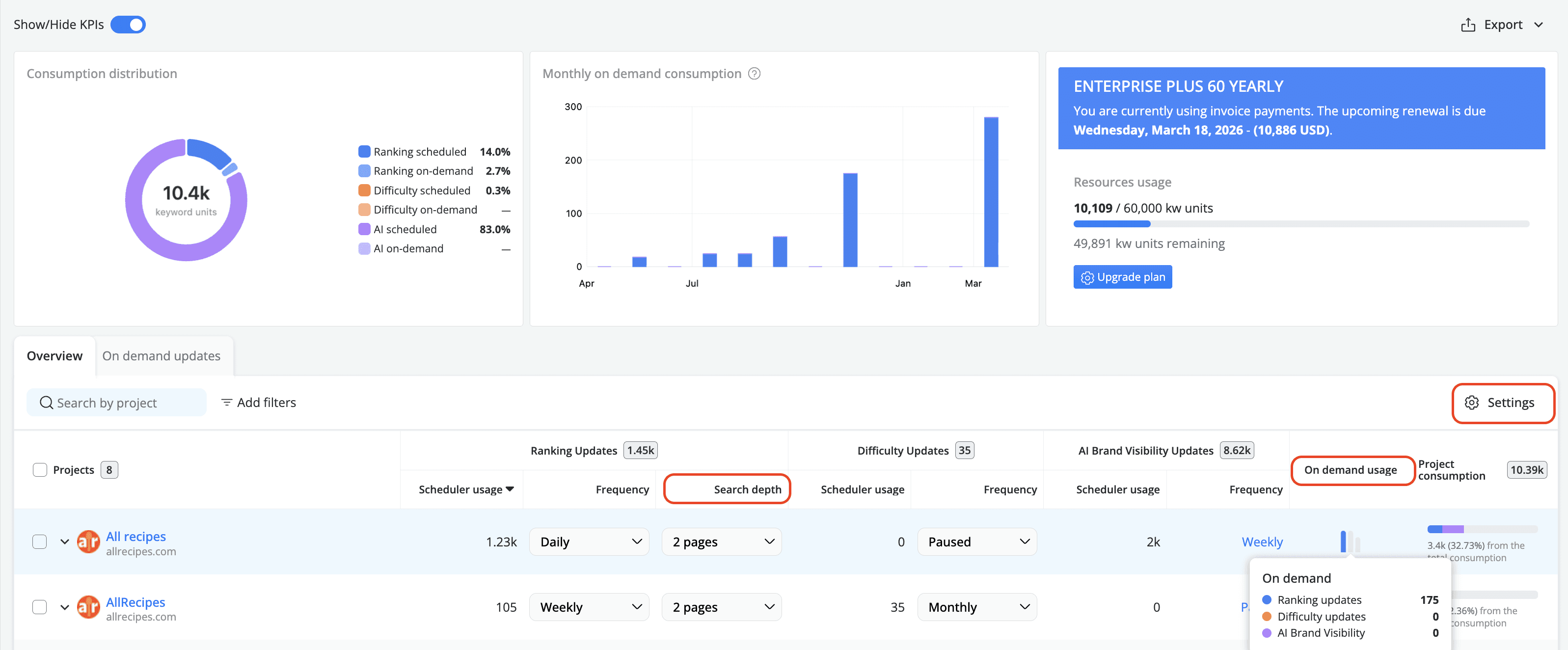
Keeping track of your resources and understanding how the keyword units are consumed has never been easier. Here's what's new in the Resources section:
- Search depth: The number of results retrieved from SERPs is displayed in the Ranking Updates section, positioned immediately after the Frequency column.
- Selectable table settings: Tailor your view with columns for Difficulty Updates, AI Brand Visibility Updates, and Project Consumption using the Settings option.
- On-Demand Column: Located right before Project Consumption, this new column displays your total project consumption split by on-demand type.
And that’s pretty much it for February! 🙂
Want to be up-to-date with all the new features and improvements that we add? Make sure to follow our Product Updates collection.
And of course, please reach out if you have any feedback on this. We’d love to hear your thoughts!
P.S. Make sure to check out the ‘How-to’ series to find out how to get the most out of AWR.

Article by
Dan Popa
Dan Popa is an Online Marketing Strategist at Caphyon. He is passionate about both Online and Offline Marketing and he's always looking for new ways of applying the basic principles of marketing in the fast-evolving SEO field. He's always in the mood to chat about new creative ideas for campaigns, so you can find him on Twitter.