
The Search Session Advent ·
3 December
Invented brands sent by email showed up in AI Mode

Garrett Sussman
Marketing Director at iPullRank
Why Garrett’s idea matters
Garrett set up test Google accounts and let Google Personal Intelligence read their emails. Then he emailed each account a recommendation for a brand. Brands that had not appeared before started showing up in AI Mode answers, and their visibility for those prompts went up 40%.
Then he emailed recommendations for brands that did not exist. Those showed up too, and AI Mode repeated the exact wording from the email. No SEO tool can see what is inside someone’s inbox, so this is a part of search you cannot track directly.
This means what people say about your client in emails, newsletters and messages a friend forwards can change what AI recommends to them. Talk to your client’s email and partnerships teams before you plan next quarter. What they send out can now affect what people see in AI search.
Put Garrett’s idea into practice
Try with AWR
See which buyers AI recommends your client to
Using Personas in AWR’s AI Search reports
Step 1
If you’re tracking AI search engines like AI Overviews, AI Mode, ChatGPT or Perplexity, open the Prompts section. In the Personas column, click “Add Persona” next to the questions your client’s buyers ask.

Describe each type of buyer the way your client sells to them: their experience, their budget and what they care about. AWR then tracks a separate AI answer for each Persona, so you can see how the answer changes depending on who asks.

Step 2
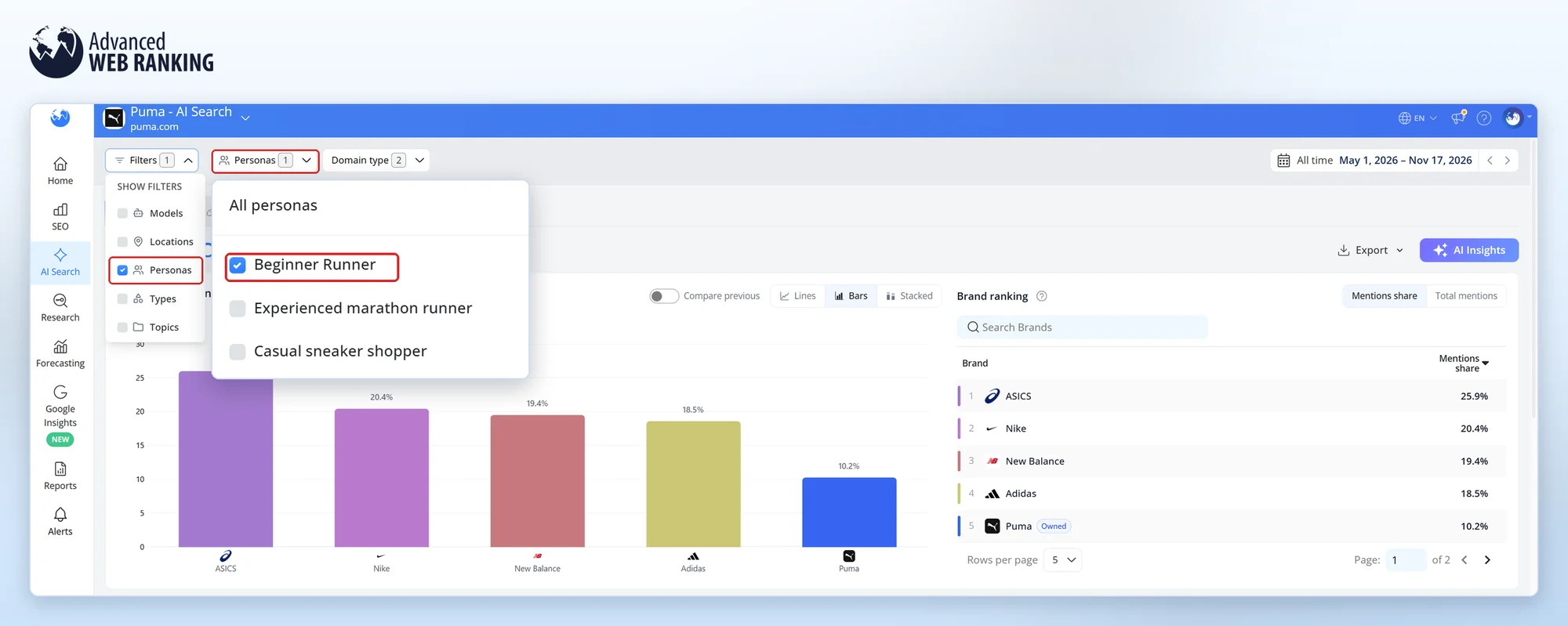
Open the Answers report and pick one buyer type in the Personas filter.

Apply the “Not mentioned” filter and select your client’s brand.

You now see every answer that leaves your client out for that buyer type, and the brands AI recommends instead.
Step 3
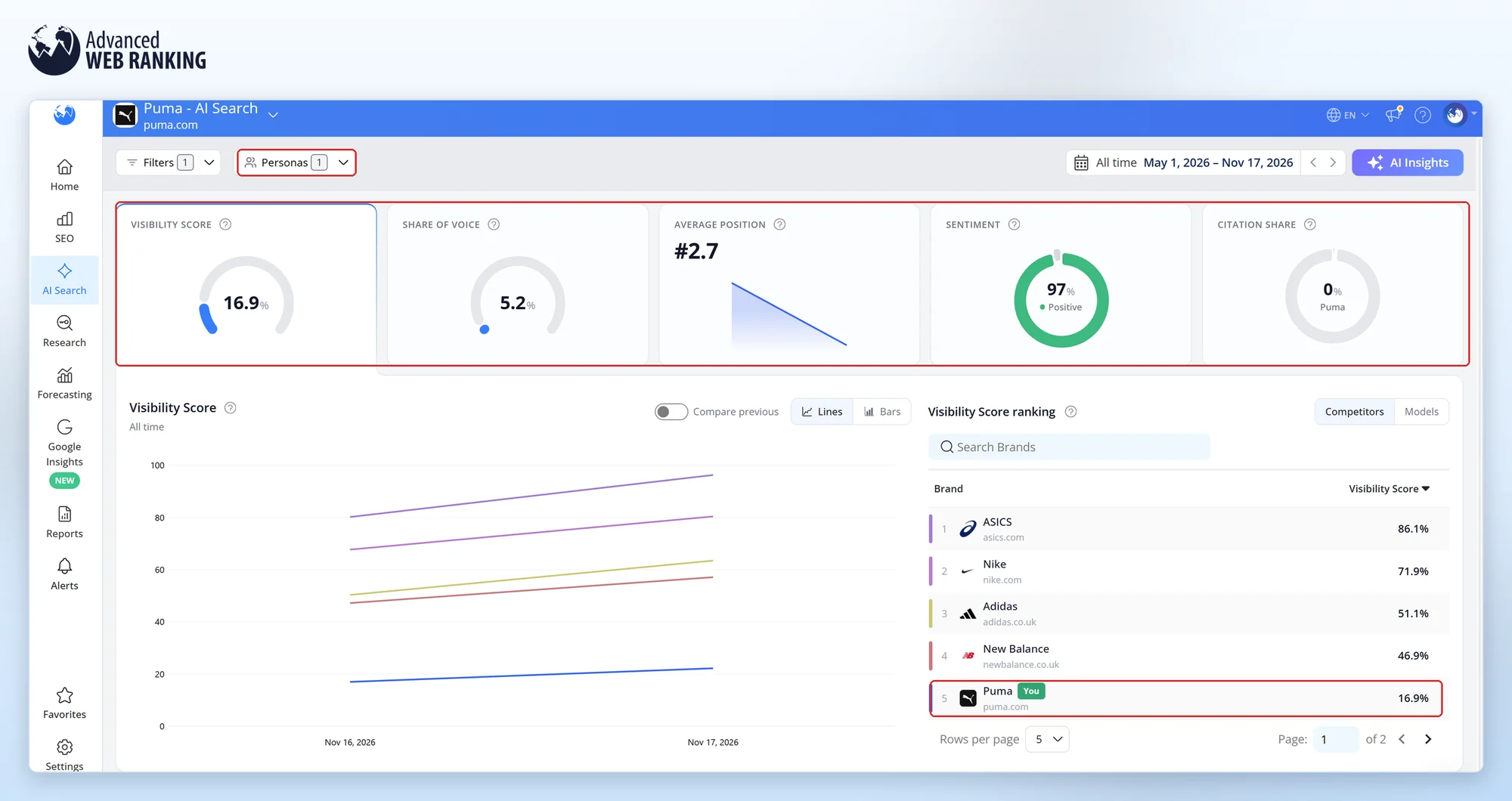
In the Overview report, switch the Personas filter between buyer types and compare Visibility Score, Share of Voice and Sentiment. The overall score can look fine while your client is at 0% for the buyer type they want most.
Step 4
In the Citations report, open the “Domains” tab for each Persona to see which websites AI uses as sources for that buyer type.
Ask those websites for reviews and mentions, because they shape what AI recommends outside your client’s own website.
Learn more here: Does AI Recommend Your Business to the Right Customers? Track Different Audiences with Personas
More from Garrett
This idea is a small taste of what Garrett Sussman brings to search. The full conversation with Gianluca Fiorelli is worth hearing, and Garrett’s work is worth following.
← Back to the calendar