
The Search Session Advent ·
24 December
There is power in standing out

Louisa Frahm
Founder, Frahm Focus Search Consultancy; Adjunct Professor, USC Annenberg School for Communication and Journalism
Why Louisa’s idea matters
Louisa learned this from two films, not from an SEO conference. She watched them connect with a young audience instead of chasing clicks from people who were barely paying attention. There is so much content now that most of it blends together, and the work that wins is the work people can tell apart.
This matters even more in search. When an AI answer can sum up ten similar articles in one sentence, an eleventh similar article adds nothing. A clear opinion, original reporting or a format nobody else in your client’s industry uses gives readers and AI tools a reason to choose your client’s content.
It is a good lesson to end the year on. Before you plan next year’s content, ask what your client can say that nobody else can. Then say it clearly.
Put Louisa’s idea into practice
Try with AWR
See what makes a page stand out in AI answers, then give your client one
Using AWR’s AI Search reports
Step 1
Go to the Prompts section and add prompts about the topics your client wants to stand out on. Click Generate suggestions to start from AWR’s suggestions, or use Enter manually.

Then click Add tags next to each new prompt and give them all the same tag.

Step 2
Open the Answers report, filter by that tag and click an answer. The drawer shows the sources the AI search engine cited.
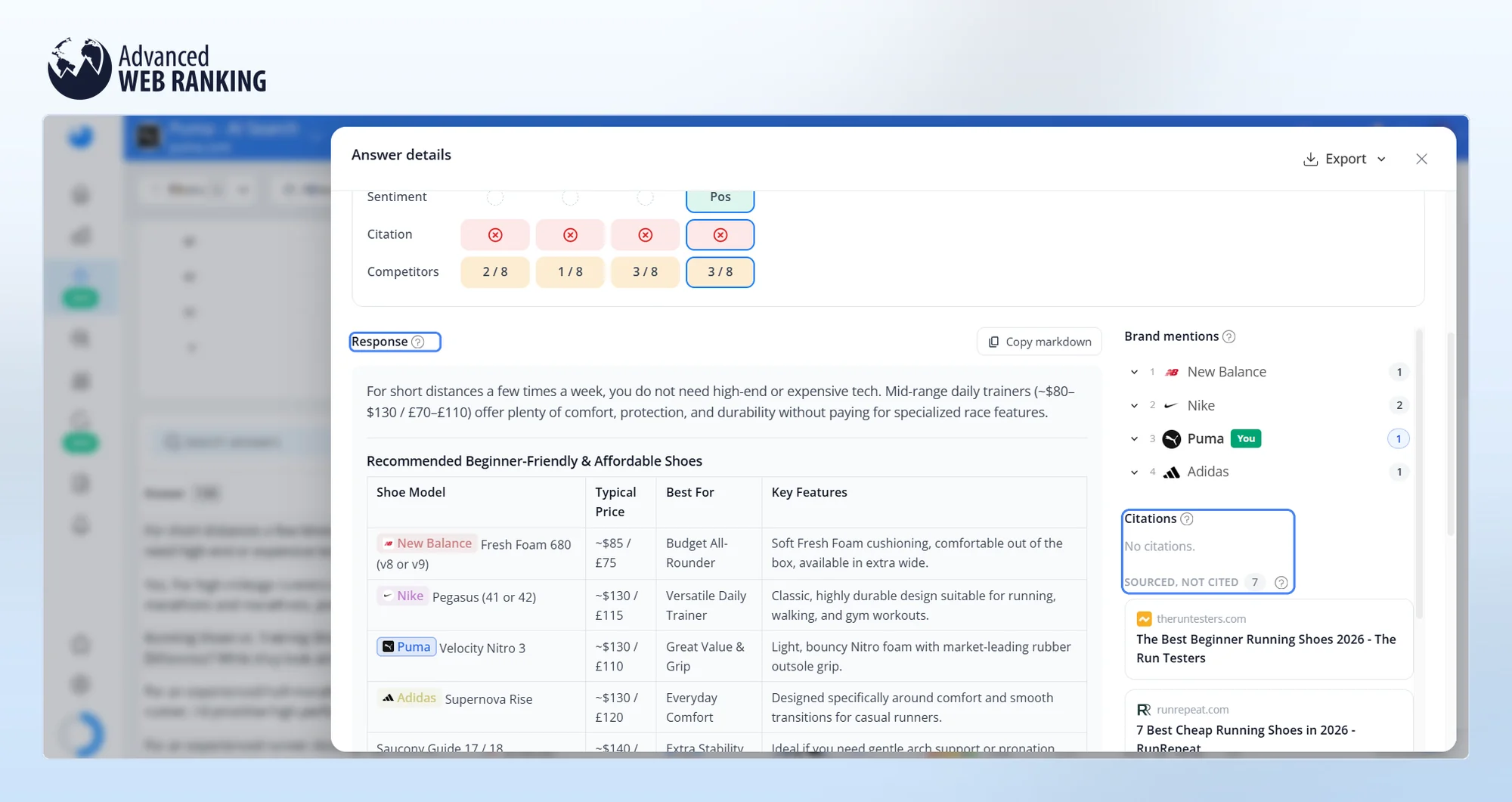
Open those sources. If they all say the same thing, one more page like them gives AI search engines no reason to choose your client.
Step 3
Open the Citations report, go to the URLs tab and click a page that is cited often. In the Content tab, AWR highlights the parts of the page that AI answers quote or paraphrase, and the brands it names.
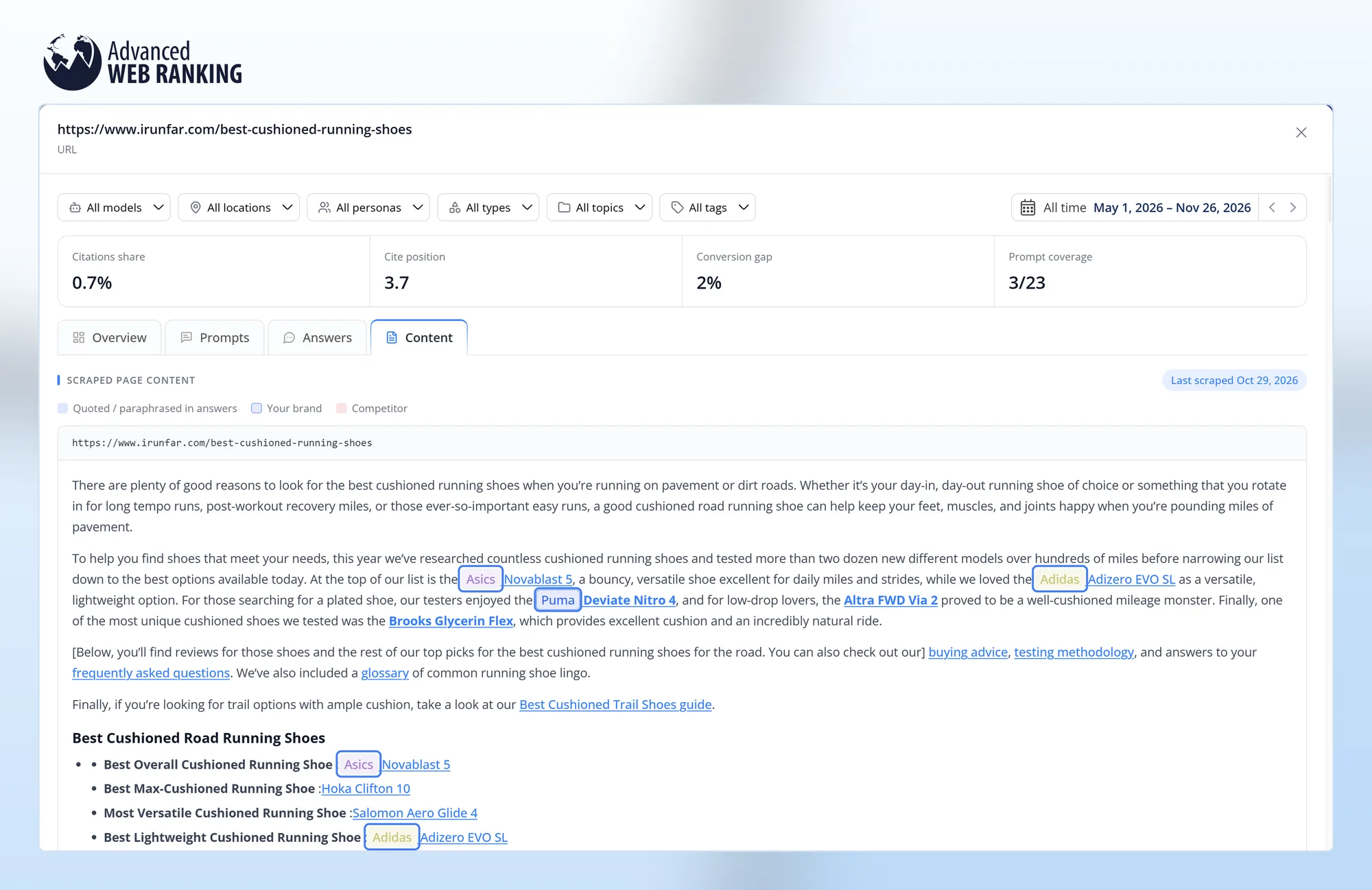
This shows what made the page worth citing: a number, a test, a clear opinion. Plan a page for your client with something only they can say, such as their own data or their own view.
Step 4
Before you publish, open the Prompts report, set Group by to tag and note the Visibility and Citation Share for your tag.
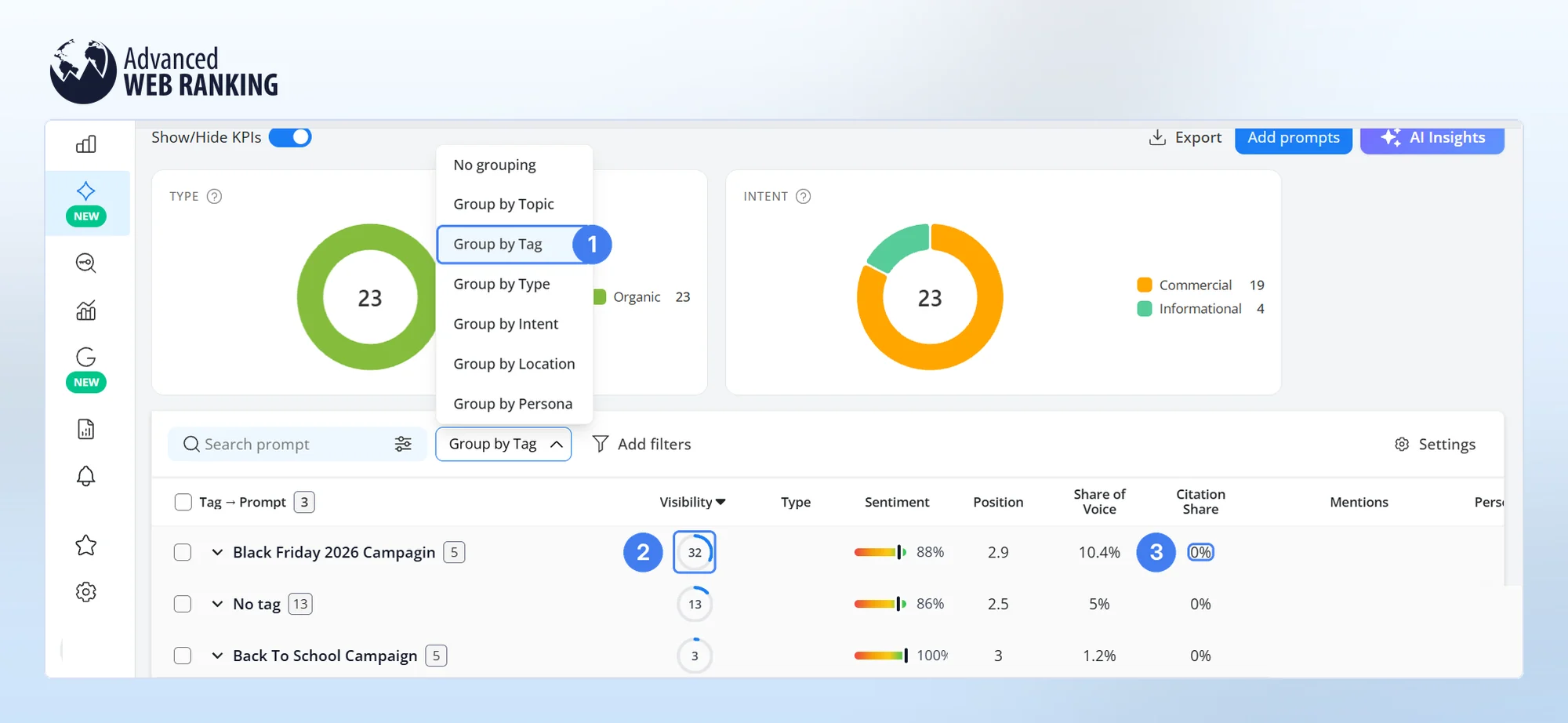
A few weeks after you publish, check the same numbers again to see if AI search engines now choose your client’s page.
Learn more here: Meet AI Search: see how AI engines talk about your brand
More from Louisa
This idea is a small taste of what Louisa Frahm brings to search. The full conversation with Gianluca Fiorelli is worth hearing, and Louisa’s work is worth following.
← Back to the calendar