
The Search Session Advent ·
19 December
Ambiguity is an LLM’s kryptonite


Martha van Berkel and Mark van Berkel
CEO & Co-founder and CTO & Co-founder of Schema App
Why Mark’s idea matters
Mark’s point is simple. If your client’s brand is described one way on the About page, another way in the press kit and a third way in the schema markup, an AI model has to guess which one is right. It will not ask you.
Martha and Mark’s answer is a semantic data layer: structured data where each product, person and location is defined once and linked across the whole site with the same @id and sameAs references. AI models change every few months, but as Mark puts it, consistent data and entities beat your clever prompts.
Tomorrow’s guest disagrees about how much AI models need structured data, so read both before you decide. Either way, start by listing every place your client’s brand, products and people are described. Then check whether all those descriptions match.
Put Martha and Mark’s idea into practice
Try with AWR
Check whether AI search engines describe your client the same way
Using AWR’s AI Search reports
Step 1
In Settings › Project Settings › Prompts, use Enter manually to add a few prompts that ask about your client directly, such as “What does [brand] do?” and “Who is [brand] for?”. Run them on ChatGPT, Gemini, AI Overviews and Google AI Mode.

Step 2
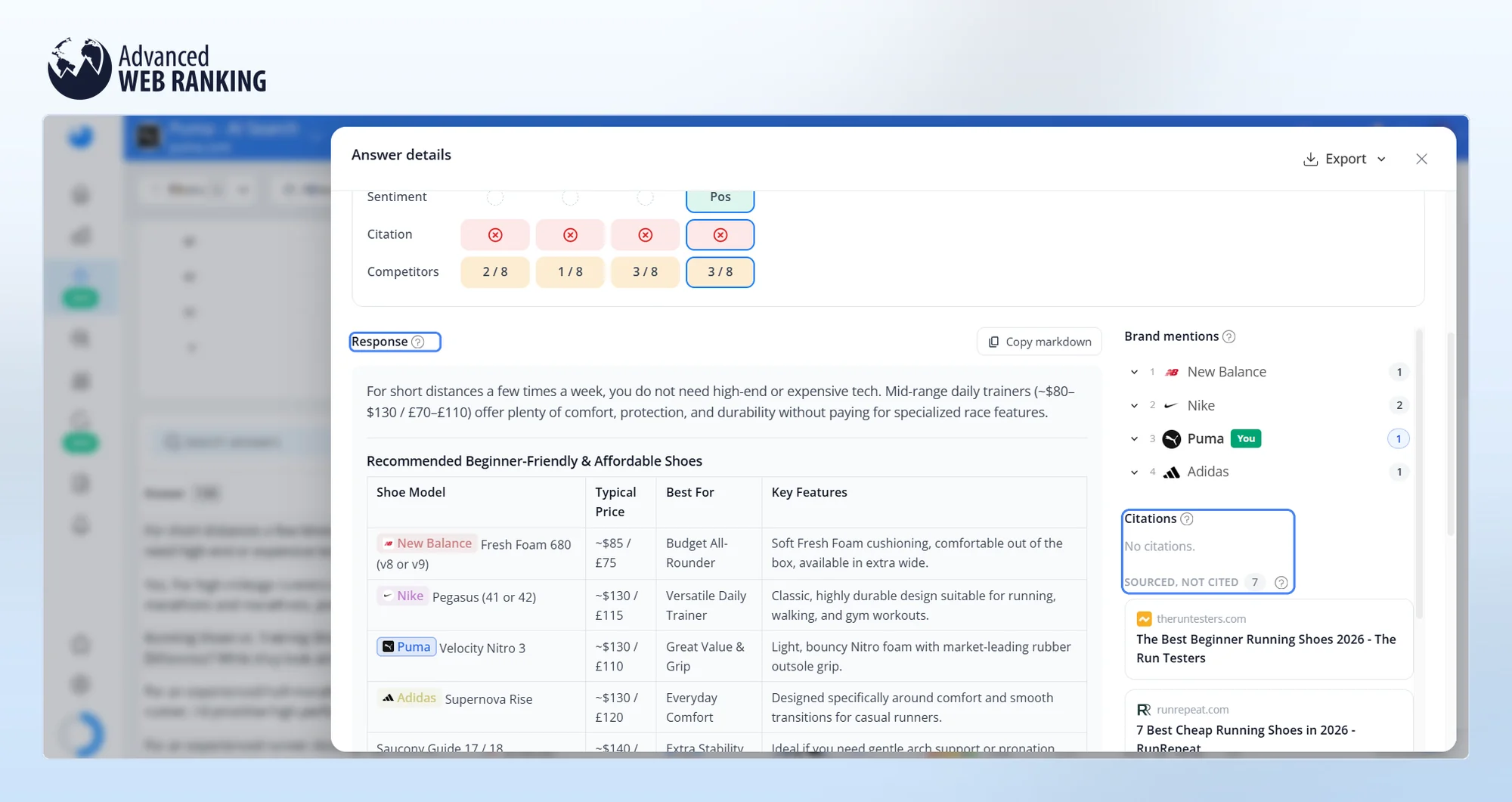
Open the Prompts report and click one of those prompts. Its drawer shows the answers behind the prompt and the sources those answers cite. Open each answer and write down how each AI search engine describes your client: what they sell, who they sell to and where.
Step 3
Compare those descriptions with each other and with your client’s own wording. Where they do not match, check the sources listed in the Answer details drawer. The pages behind a wrong or different description are the ones to fix first, on your client’s site or on other websites.
Step 4
Open the Web Mentions report. It reads the pages that AI answers cite and shows which of your tracked brands each page names.
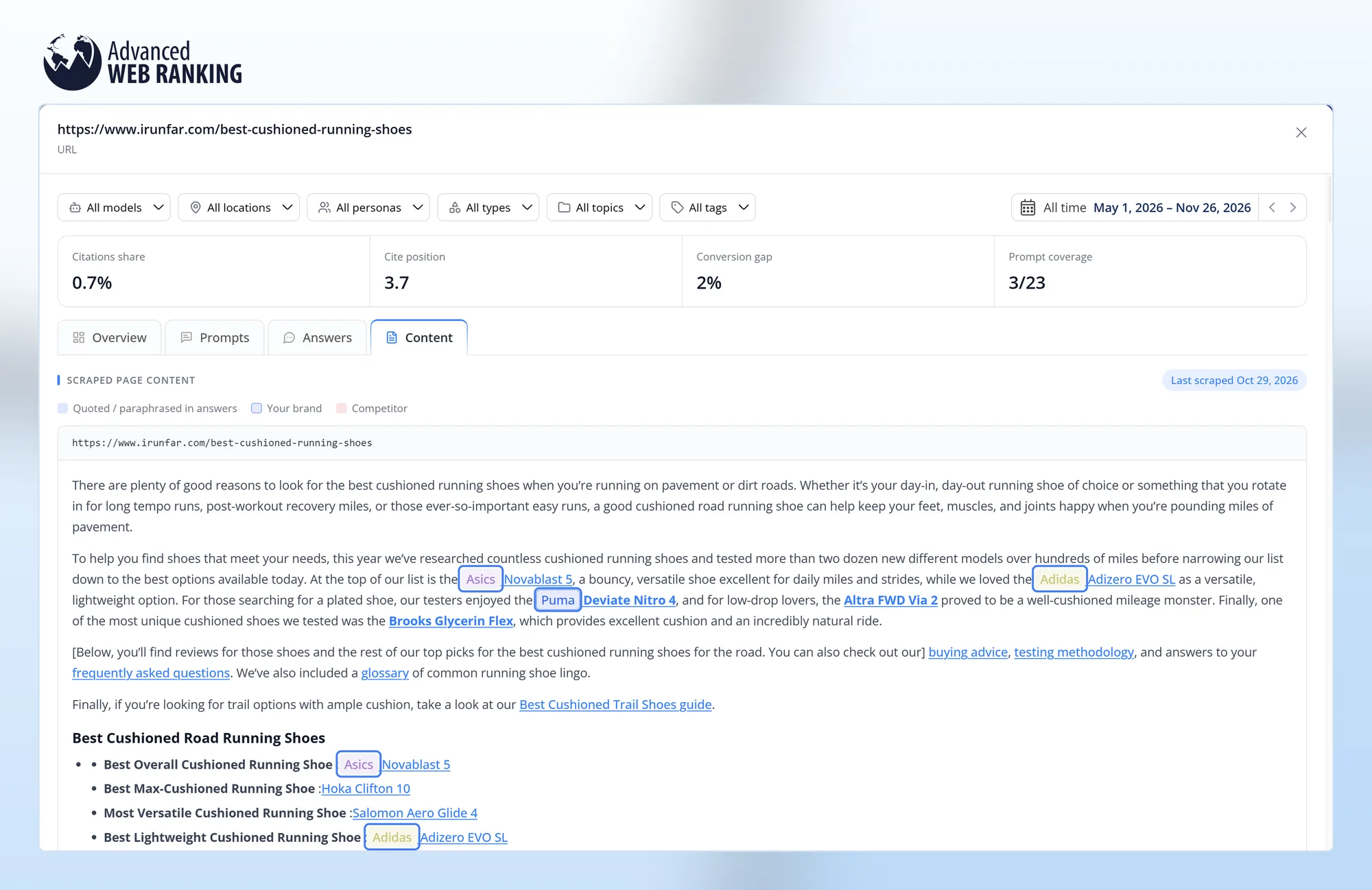
Check that every page naming your client describes them the same way. After the next updates, set the date range to Last 30 days and read the answers again to see whether they now match.
Learn more here: Meet AI Search: see how AI engines talk about your brand
More from Martha and Mark
This idea is a small taste of what Martha van Berkel and Mark van Berkel bring to search. The full conversation with Gianluca Fiorelli is worth hearing, and Martha and Mark’s work is worth following.
← Back to the calendar