
The Search Session Advent ·
16 December
When AI gets your brand wrong, find the source of the mistake

Crystal Carter
Head of AI Search & SEO Communications at Wix
Why Crystal’s idea matters
Crystal worked with a small business that sells spices. AI tools kept saying it also did denim repair and event planning. During COVID, the business had run a marketplace on its website with profiles of other small businesses, and the AI tools mixed those businesses up with the spice brand.
That is Crystal’s point: when an AI tool says something wrong about a brand, it is usually repeating something it found and misunderstood, not making it up. So the fix is not to complain about the AI. It is to find the page or article that caused the confusion.
Once you find it, you can move that content to a separate website, stop search engines from indexing it, or make the page clearer about what the brand does and does not do.
Put Crystal’s idea into practice
Try with AWR
Find the page behind a wrong AI answer, and fix it
Using AWR’s AI Search reports
Step 1
Go to the Prompts section and use Enter manually to add the questions people ask about your client’s brand, such as “What does [brand] sell?” and “Is [brand] a good place to buy spices?”.

Step 2
Open the Answers report and read what each AI search engine says about your client. Look for claims that are wrong, like a service your client does not offer.

Step 3
Click an answer with a wrong claim.
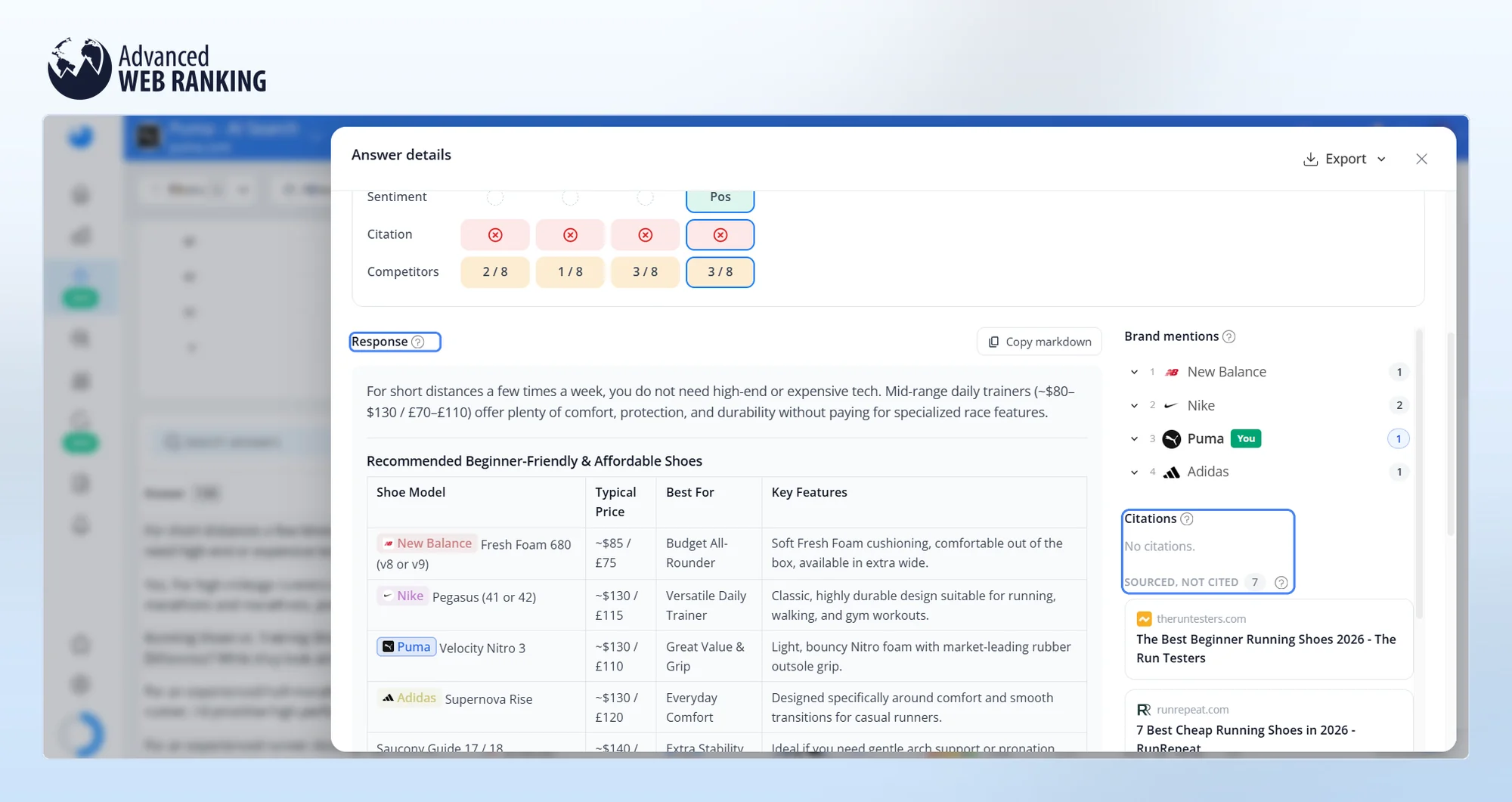
The drawer shows the searches the AI search engine ran and the sources it cited. Open those sources: one of them is usually the page the mistake came from, often an old page on your client’s own website.
Step 4
Open the Citations report and search for that page’s domain to see how often AI search engines use it as a source.
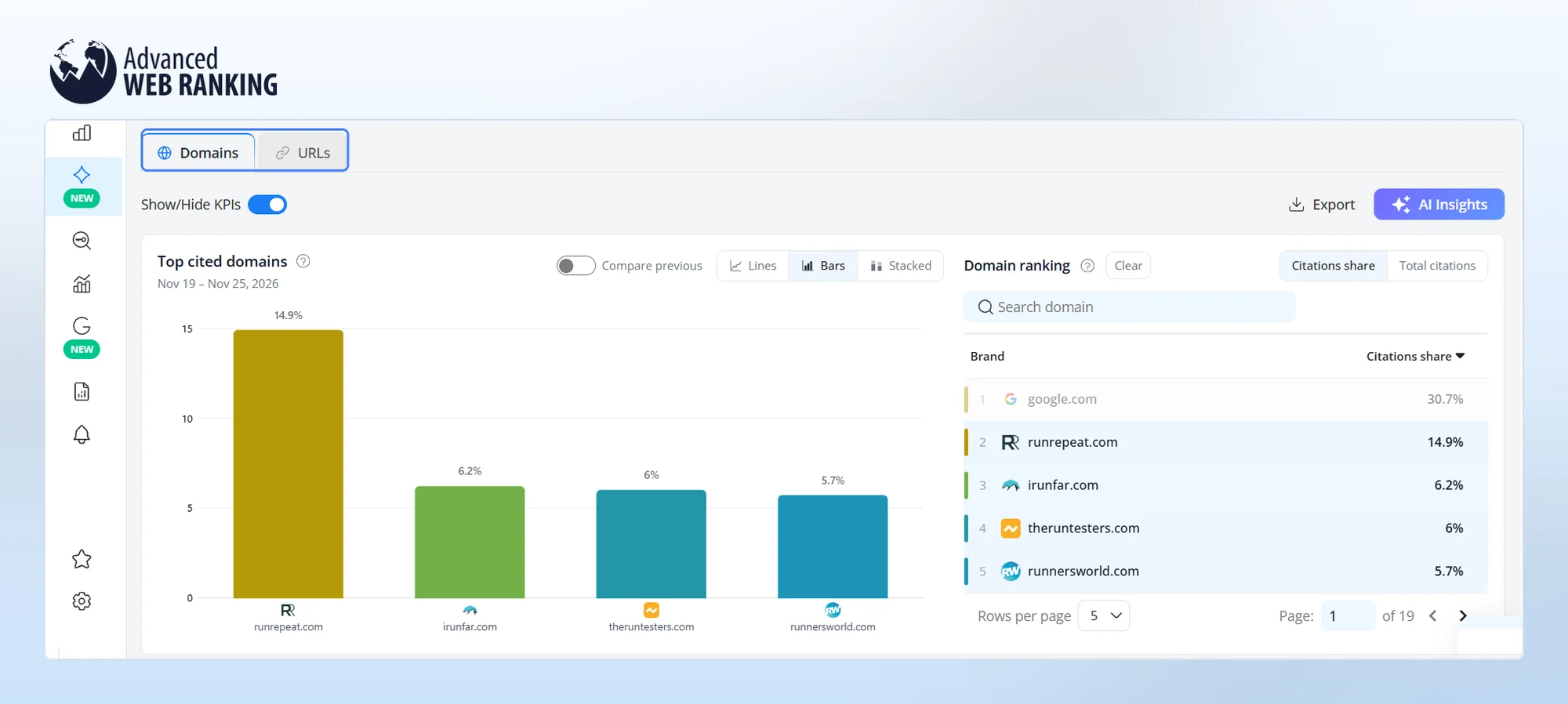
Then fix the page: move it to a separate website, stop search engines from indexing it, or make it clear what your client does and does not do. Check the same answers again a few weeks later.
Learn more here: Meet AI Search: see how AI engines talk about your brand
More from Crystal
This idea is a small taste of what Crystal Carter brings to search. The full conversation with Gianluca Fiorelli is worth hearing, and Crystal’s work is worth following.
← Back to the calendar